What changed
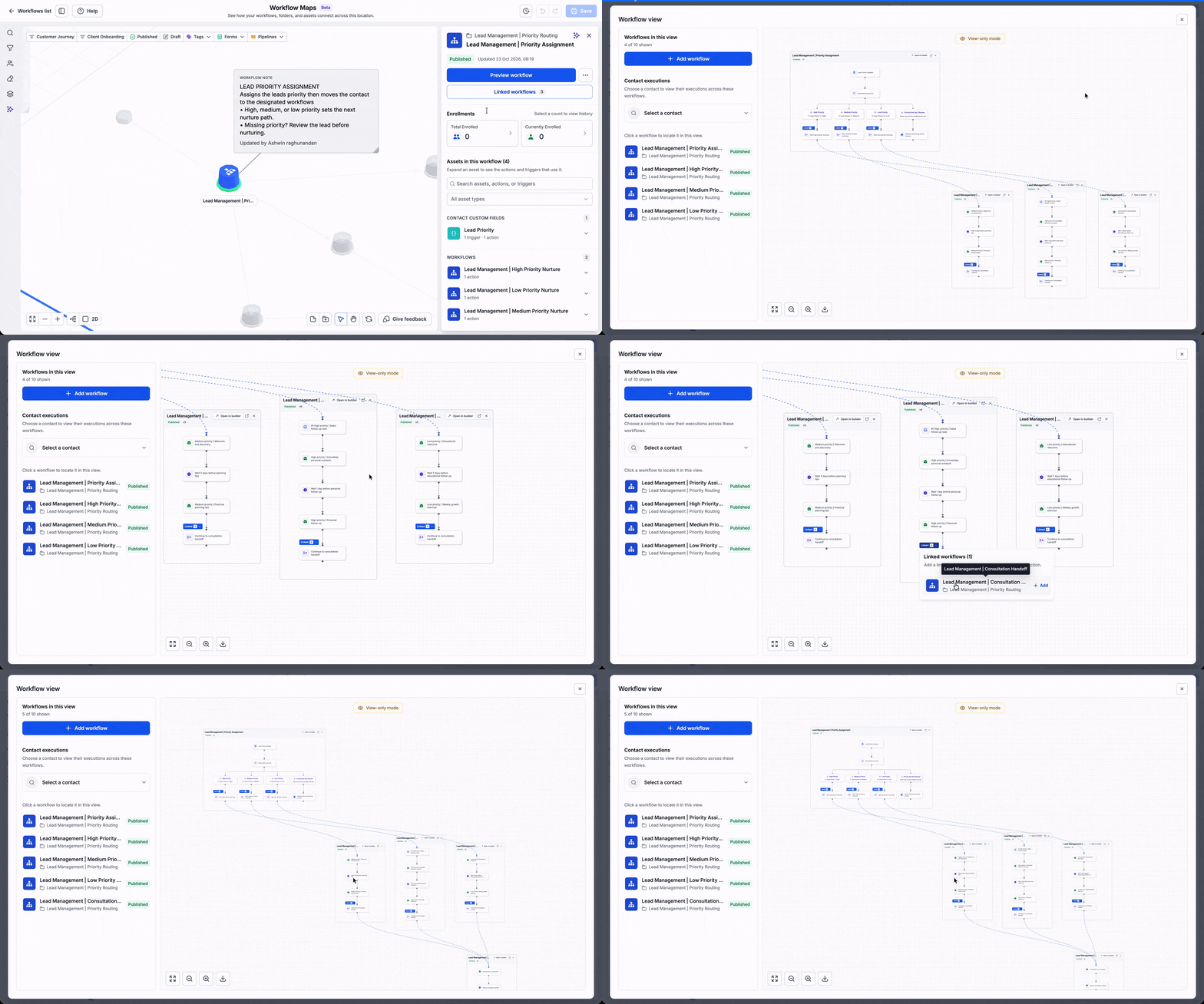
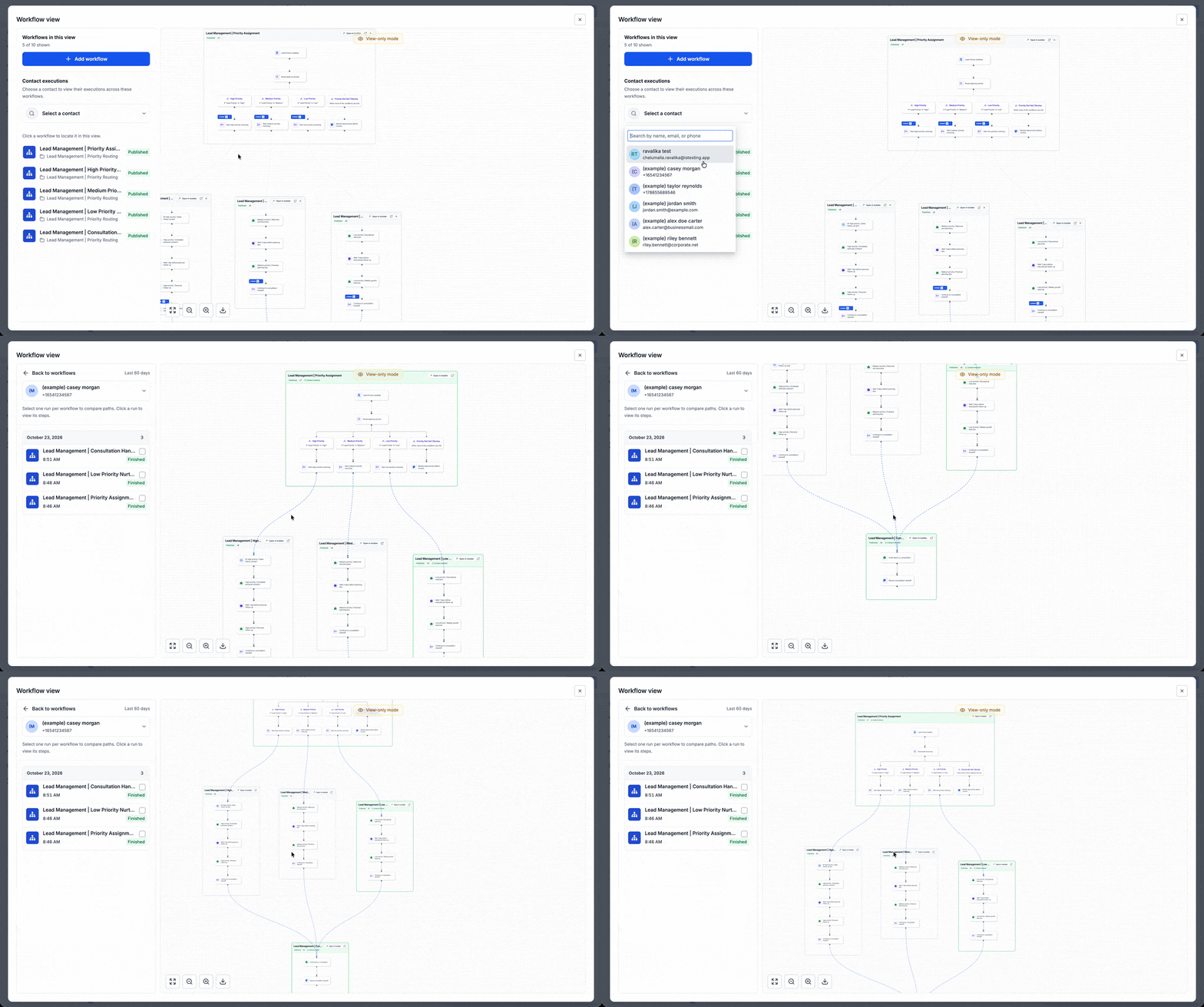
You can now use Workflow Canvas in EveryCatch to see one workflow and its linked workflows together on a single connected map. This helps you follow how your automations relate to each other and how they create a complete end-to-end process.
Why this matters
Many of your customer processes move through several workflows in sequence. For example, one workflow might add a tag that triggers another workflow, or it might directly add a contact into a follow-up workflow. When you can view those workflows side by side in context, you can understand each handoff, find gaps, and troubleshoot issues with more confidence.
How it works
Go to Automation > Workflows > Workflow Maps, choose a workflow, then open Linked workflows to see how it connects to others in your account.
- Explore the connected workflows: Review all workflows linked to the one you selected, including those stored in different folders, so you can see the whole chain.
- Follow the handoffs: Trace connections that come from shared assets (like forms, calendars, or tags) or from direct workflow actions that move contacts into other workflows.
- Inspect the sequence: View the related workflows together to understand the order they run in and how your automation path is structured.
- Investigate a dependency: Use the map’s asset-usage details to quickly find which triggers or actions are using a shared asset and how that affects the process.
- Open the builder when needed: Jump straight into any workflow from the map to edit its steps, update logic, or refine timing.
Common use cases
- Understand how your lead capture, qualification, and follow-up workflows connect and where each stage begins and ends.
- Review the full path from booking workflows into reminder sequences and post-appointment follow-up workflows.
- Walk through a multi-workflow process with a teammate or client when you are handing over setup or explaining how an automation path works.
Additional notes
- Workflow Maps gives you a high-level account overview of how workflows connect. Workflow Canvas focuses on the detailed sequence of linked workflows around the one you select.
- Connections in the map show how your automations are configured to run. To review what happened for a specific person, use contact journeys to see that contact’s execution history.
- You can only change workflow steps in the workflow builder itself, so use the map to find what you need, then open the builder to edit.
- Launch access: at launch, Workflow Maps is available only to agency users and agency admins in EveryCatch.
Preview