What changed
You can now test different paths inside a single workflow using the new A/B test action in EveryCatch. Split contacts evenly across 2 to 10 paths, define what counts as a conversion, and choose when the test should stop. After a winning path is identified, you can automatically send new contacts to that path or keep splitting them evenly while you review the results.
Why this matters
Messages and follow-up sequences often perform differently. A/B test lets you compare those variations in one workflow, track each path against the same conversion goal, and use the outcome to control how future contacts move through your automation.
How it works
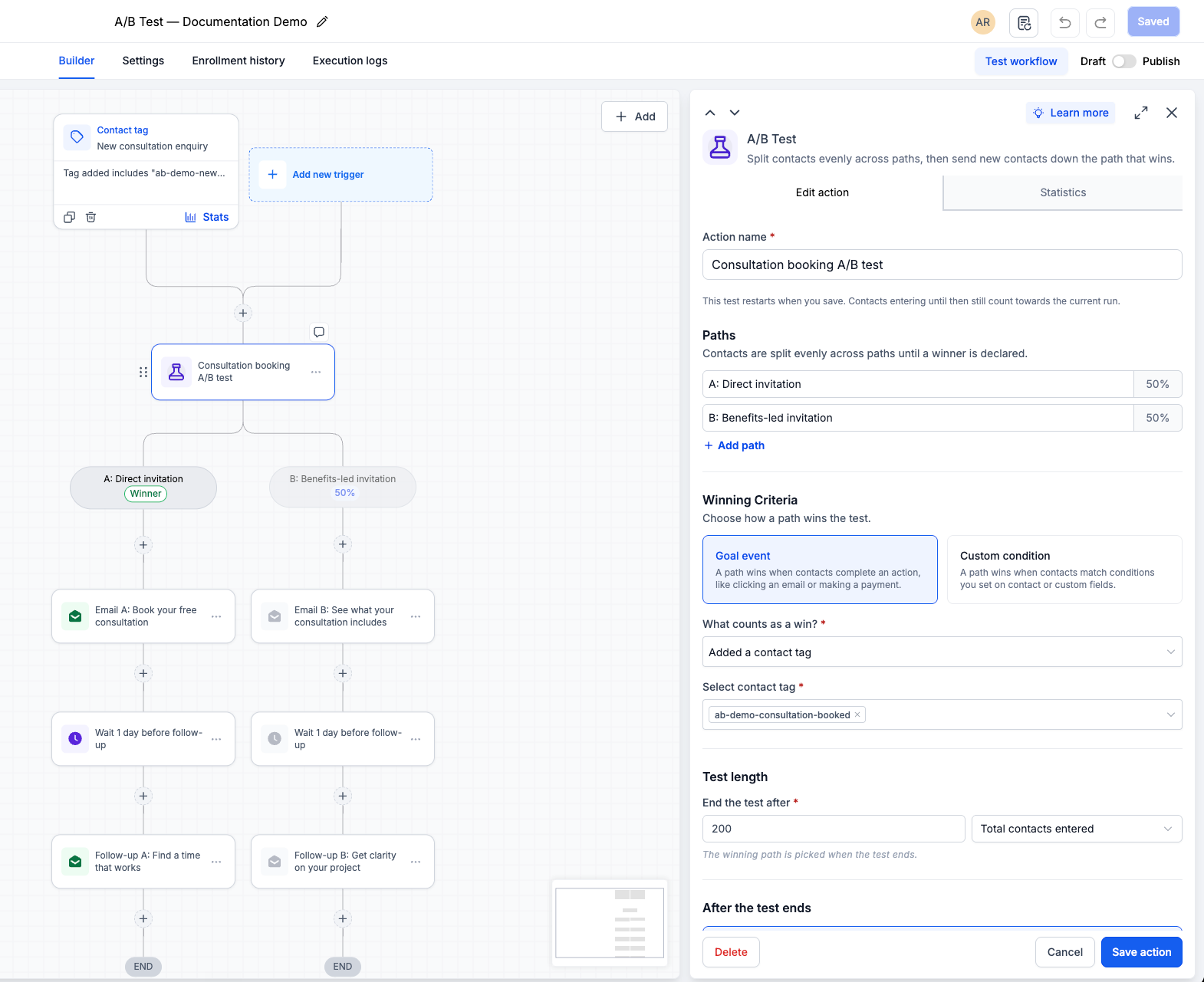
In EveryCatch, go to Automation > Workflows, open your workflow, then choose Add action and select A/B test. Give your test a clear name, then set up:
- Paths: Add 2–10 paths and build the actions or sequences you want to compare under each one. Contacts entering the A/B test are split evenly across all paths.
- Winning criteria: Select a goal such as email activity, appointment status, a contact tag, or payment received, then choose the specific emails, calendar, tag, or product you want to track. You can also define a custom condition using contact or custom fields.
- Test length: Choose when the test should end. You can stop it after a certain number of contacts enter the test, after a chosen number of goal completions, or on a specific date and time.
Choose what happens after the test ends
- Send new contacts to the winning path: After the test ends, new contacts who reach this A/B test step will follow the path with the highest conversion rate. Contacts who were already placed in another path stay on their current path and complete that sequence.
- Keep splitting and show the result: Continue sending contacts evenly across all paths, while the winning path is clearly marked in the Statistics view so you can review performance without changing routing yet.
Review performance
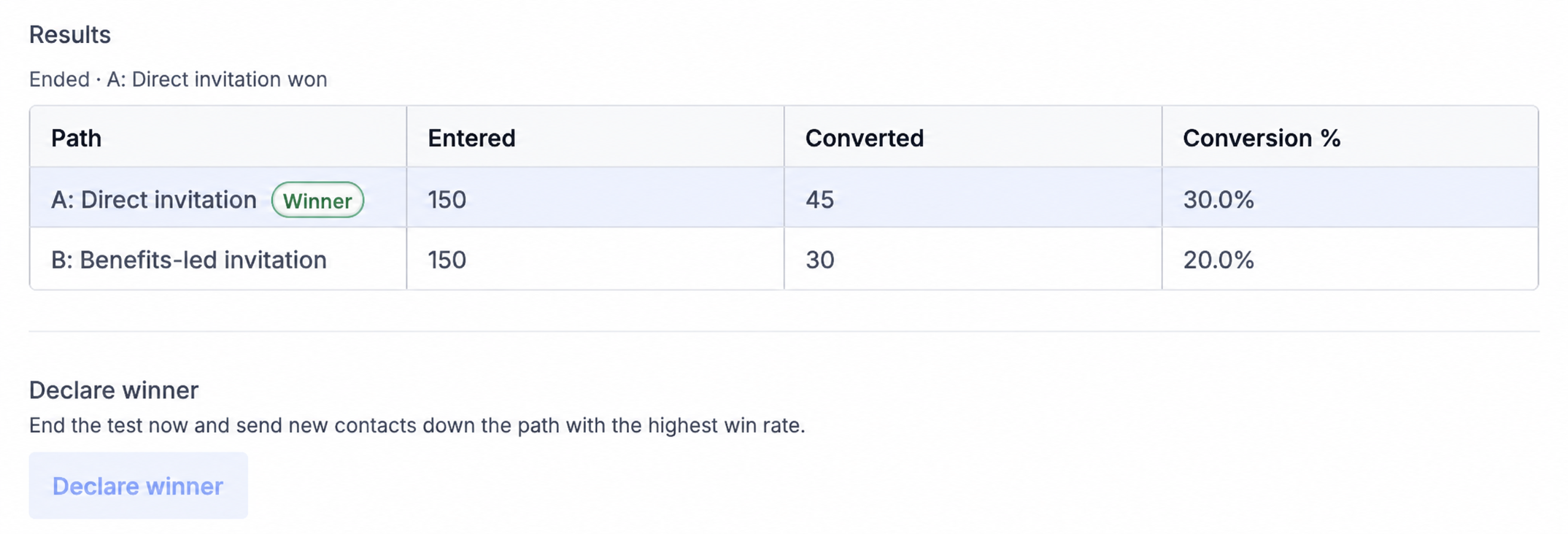
Open the Statistics section of the A/B test to see how each path is performing, including entrants, conversions, and conversion percentage. When you feel you have enough data, you can click Declare winner to end the test early. EveryCatch will then select the path with the highest conversion rate as the winner based on your chosen goal.
Common use cases
- Consultation bookings: Compare a simple direct booking invitation against a multi-step, benefits-focused follow-up sequence to see which drives more appointments.
- Email engagement: Test different email versions by using link clicks on selected workflow emails as the conversion goal.
- Lead qualification: Compare different nurturing paths using a qualification tag or a custom field condition to see which better prepares leads for sales.
- Payment conversion: Test different reminder sequences and timing, using completed payments as your conversion goal.
Additional notes
- A/B test is separate from the Split action. A/B test tracks conversions to determine which path performs better; it does not control how a contact first enters your workflow.
- If you choose winner routing, the workflow canvas shows a Winner badge on the top-performing path and visually mutes the other paths for clarity.
- If two or more paths tie on performance, the first path is treated as the winner. When you use a date-based test end, the account’s time zone is applied.
- The Reset test option allows you to start a new comparison. After you reset and save, all previous results are cleared, and contacts who pass through the A/B test in the future may be routed to a different path based on the new setup.



