Overview
EveryCatch now supports WhatsApp as a notification channel for Rentals. You can reach clients directly through a messaging app they already use, so important rental updates are easier to see and act on quickly.
What changed
WhatsApp support for rental notifications
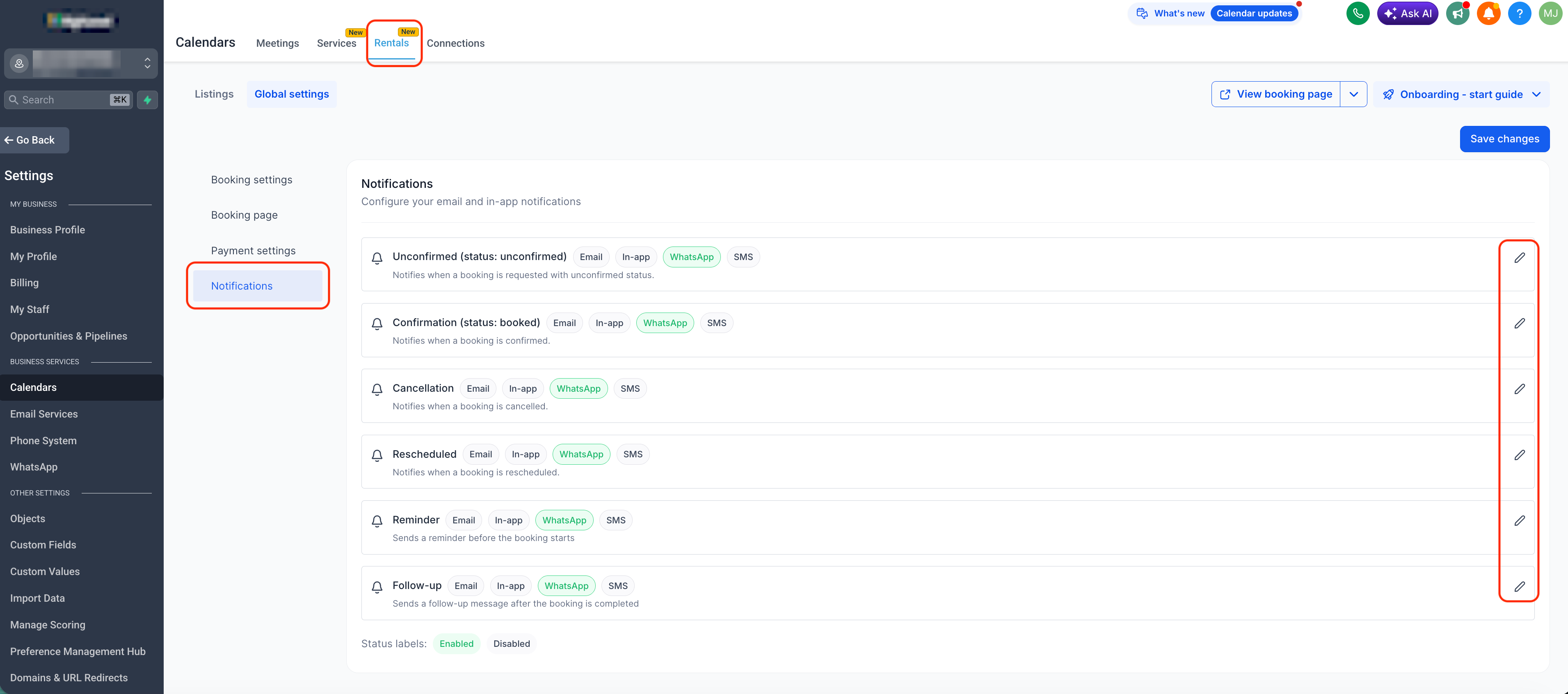
You can now use WhatsApp for all rental event types: Unconfirmed, Booked, Canceled, Rescheduled, Reminder, and Follow-up. For each individual notification, you decide whether to turn WhatsApp on or off, so you control exactly when messages are sent on this channel.
Recipient configuration options
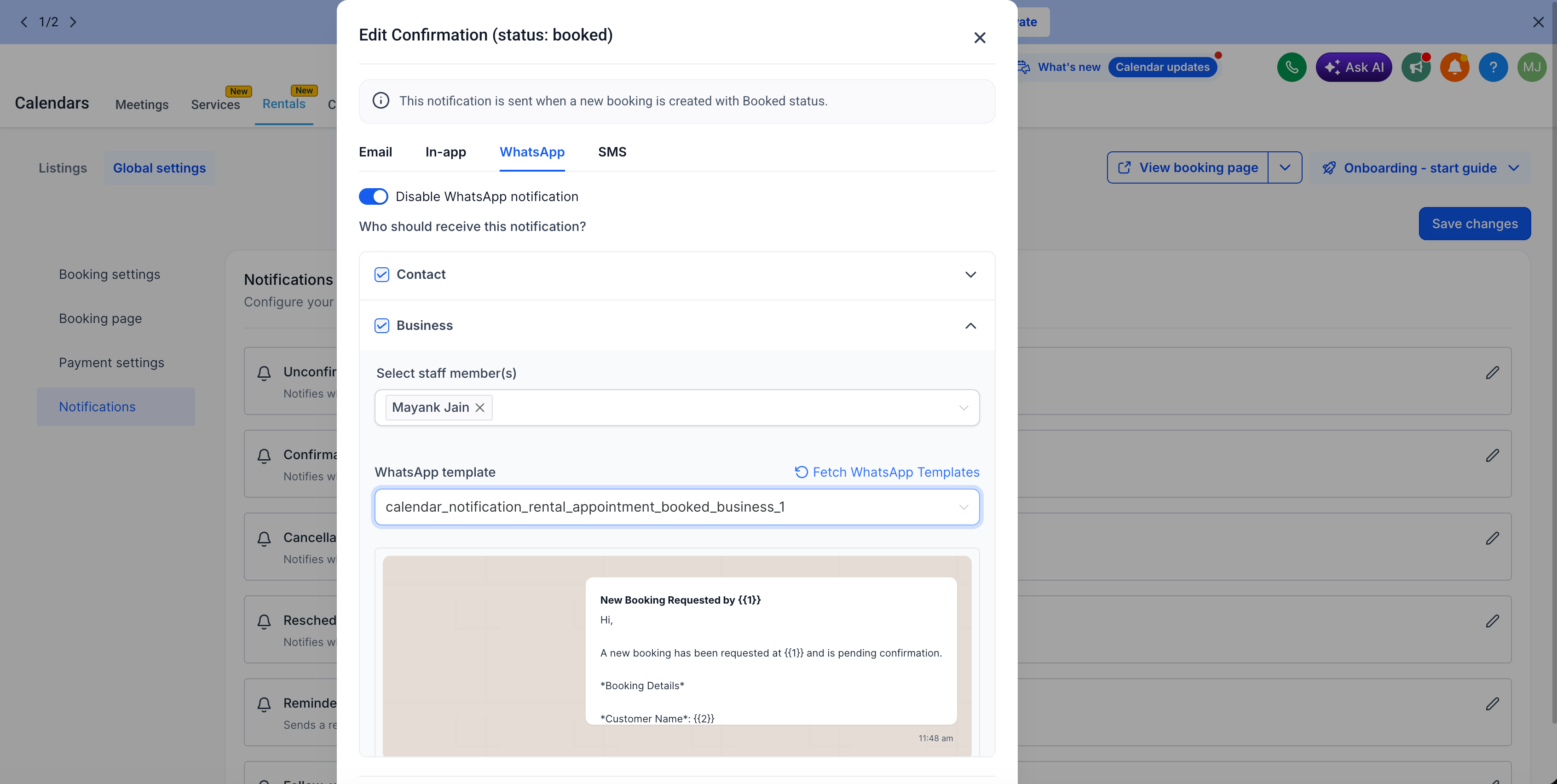
EveryCatch now lets you choose whether each WhatsApp notification goes to the Contact, the Business, or both (depending on your setup). This way, you can tailor who receives which updates and keep the right people informed at the right time.
Per-recipient templates
For each notification, you can set different WhatsApp templates for Contacts and for Businesses. This gives you separate wording for customers and internal teams, so confirmations, reminders, and follow-ups can be written in a way that fits each audience.
Template selection & creation
Every notification type comes with a default WhatsApp template ready to use. You can keep that default, switch to another approved WhatsApp template from your account, or build a new one with the in-app template builder. If you create or approve new templates outside of EveryCatch, use the Fetch WhatsApp templates option to refresh your list in real time so the latest templates are available for selection.
Send test WhatsApp messages
Before you turn on WhatsApp for live bookings, use the Send test WhatsApp notification feature to preview what your clients or team will receive. This helps you confirm that variables, wording, and formatting look correct before messages start sending automatically.
How to use it
- Go to Calendar Settings > Rentals > Global settings > Notifications
- Under each notification type, toggle ON WhatsApp
- Choose the recipients (Contact, Business, or both, as available)
- Select an existing approved WhatsApp template or create a new one
- Use Send test WhatsApp notification to validate message content
- Save your configuration so WhatsApp messages send automatically for future rental events
Why this matters
- Helps increase show-up rates with fast, mobile-first communication
- Cuts down on manual follow-ups for your team
- Gives you clear control over message templates and how they are delivered
- Lets your business choose different notification styles for different recipients