Overview
EveryCatch Rentals now supports add-ons: optional extras that you or your customers can attach to a booking, such as a pet fee, GPS unit, guided tour, or equipment insurance. You can create a reusable catalog of add-ons, connect them to one or many listings, and control pricing with quantities, images, and tax settings. Customers see add-ons in a dedicated section of the booking widget, can choose how many they want, and watch the total update in real time, with each selected add-on shown clearly as its own line item on the invoice.
What changed
Global add-on catalog
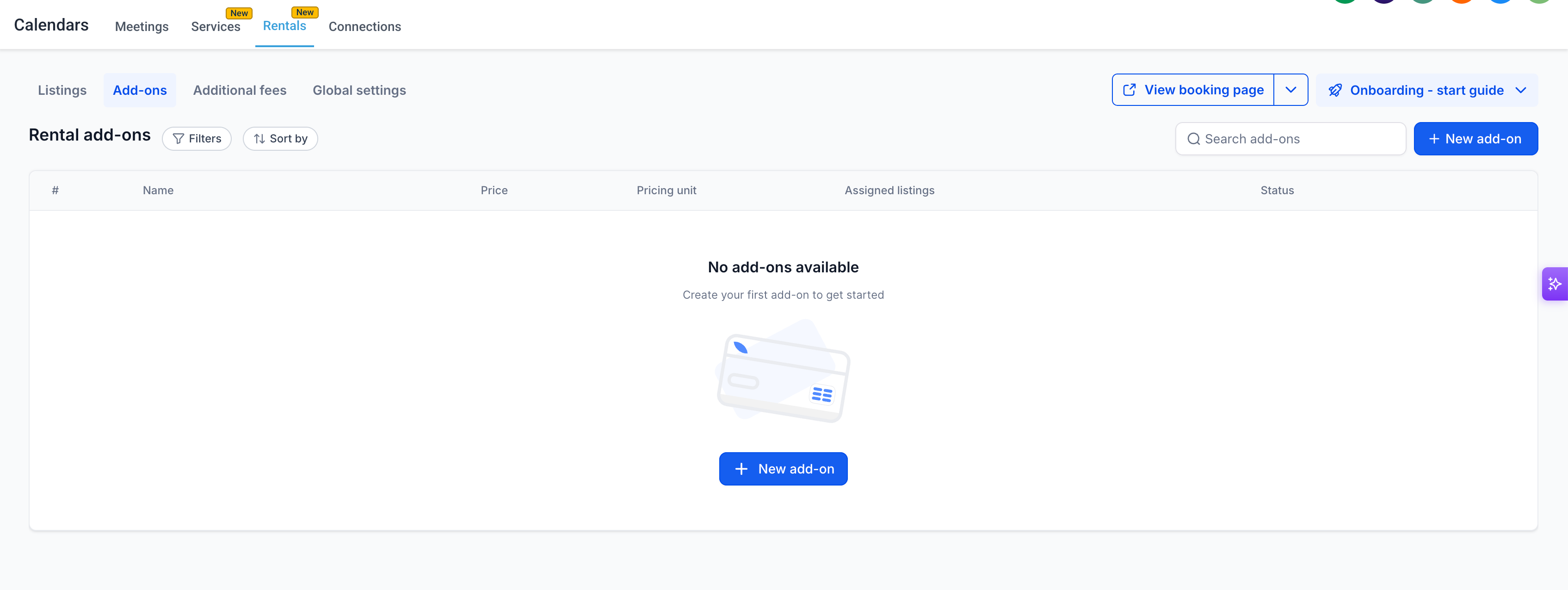
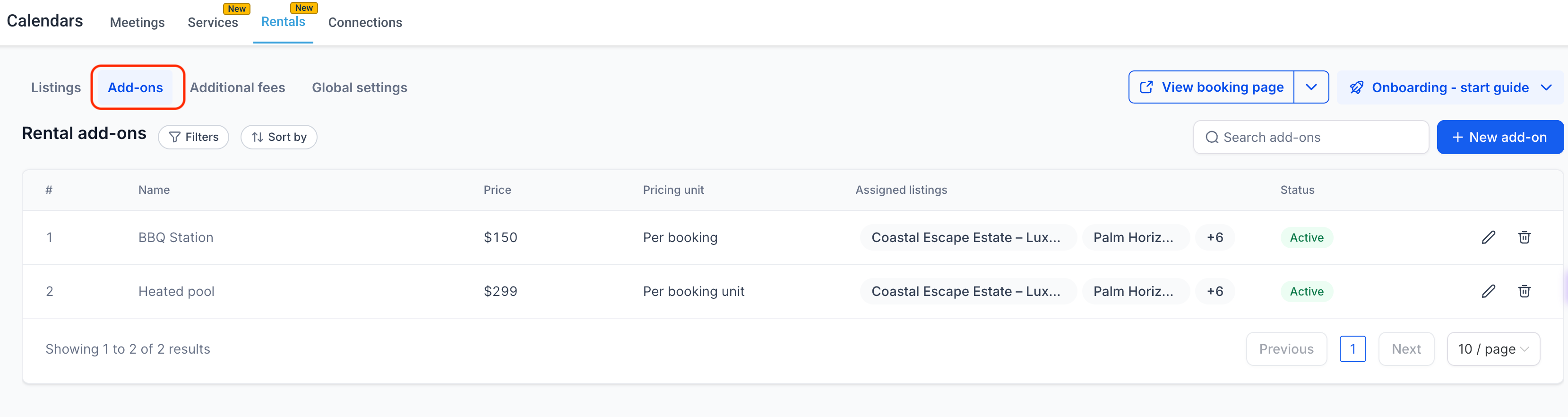
Admins can now set up reusable add-on items in EveryCatch under Calendars → Calendar Settings → Rentals → Add-ons. Each add-on can include a name, description, image, pricing setup, maximum quantity, and tax configuration, and you can attach the same add-on to any number of listings without rebuilding it each time.
Flexible pricing options
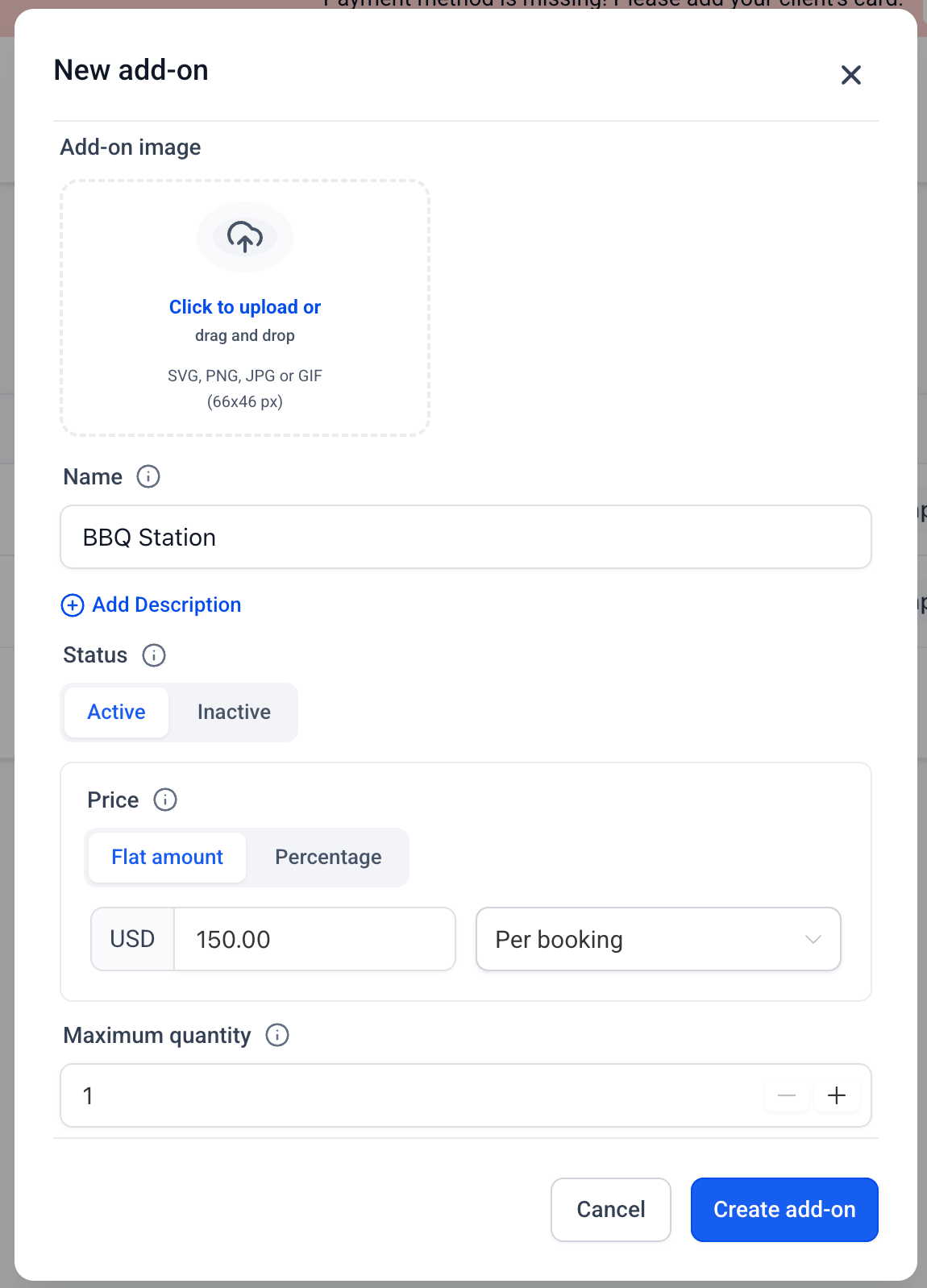
Add-ons now support two pricing types: Flat amount (a fixed charge) or Percentage (calculated from the base rental subtotal). Flat add-ons can be configured as Per booking (one fixed charge per booking) or Per booking unit (charged per hour, day, week, or month, following the listing’s booking unit). The max quantity setting lets you cap how many units of each add-on a customer can select on a single booking.
Listing-level attachment & editing
You can attach add-ons to listings directly from the global catalog, which is helpful when you want the same extra available across several listings, or from the Add-ons tab inside each listing. When you update the settings of a shared add-on at listing level, that configuration applies across all listings that use that add-on, so your pricing and rules stay consistent.
Customer-facing booking widget
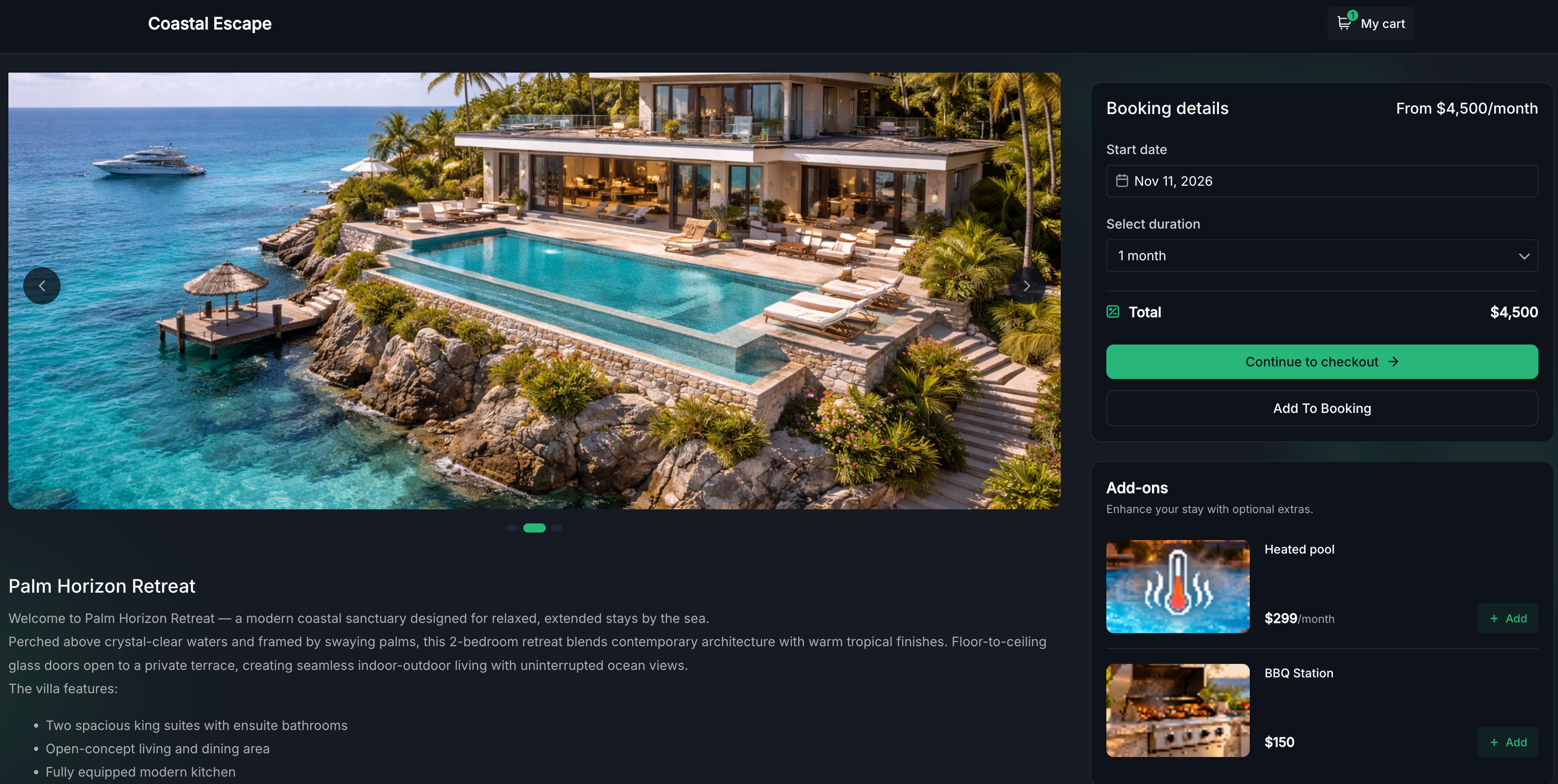
Once dates are selected, customers see a dedicated Add-ons section in the booking widget with image cards, names, descriptions, prices, and quantity controls. When they add or remove an add-on, the total booking price updates instantly. If you mark an add-on as Hide from booking page, it will not be visible to customers in the widget, but admins can still apply it manually to bookings.
Tax support
You can configure tax settings separately for each add-on, and tax is displayed as its own line. This keeps pricing clear for customers and helps you keep tax calculations and reporting accurate for every extra you sell.
How to use it
- Go to Calendars → Calendar Settings → Rentals → Add-ons.
- Click + New Add-on and fill in the name, description, image (optional), pricing type, amount, pricing unit, and max quantity.
- Optionally select listings to attach directly from the create modal, then click Create Add-on.
- To attach or update listings on an existing add-on, click the Edit icon from the Add-ons table and manage listings from there.
- To configure tax on an add-on, save it first, then edit it and click Configure tax.
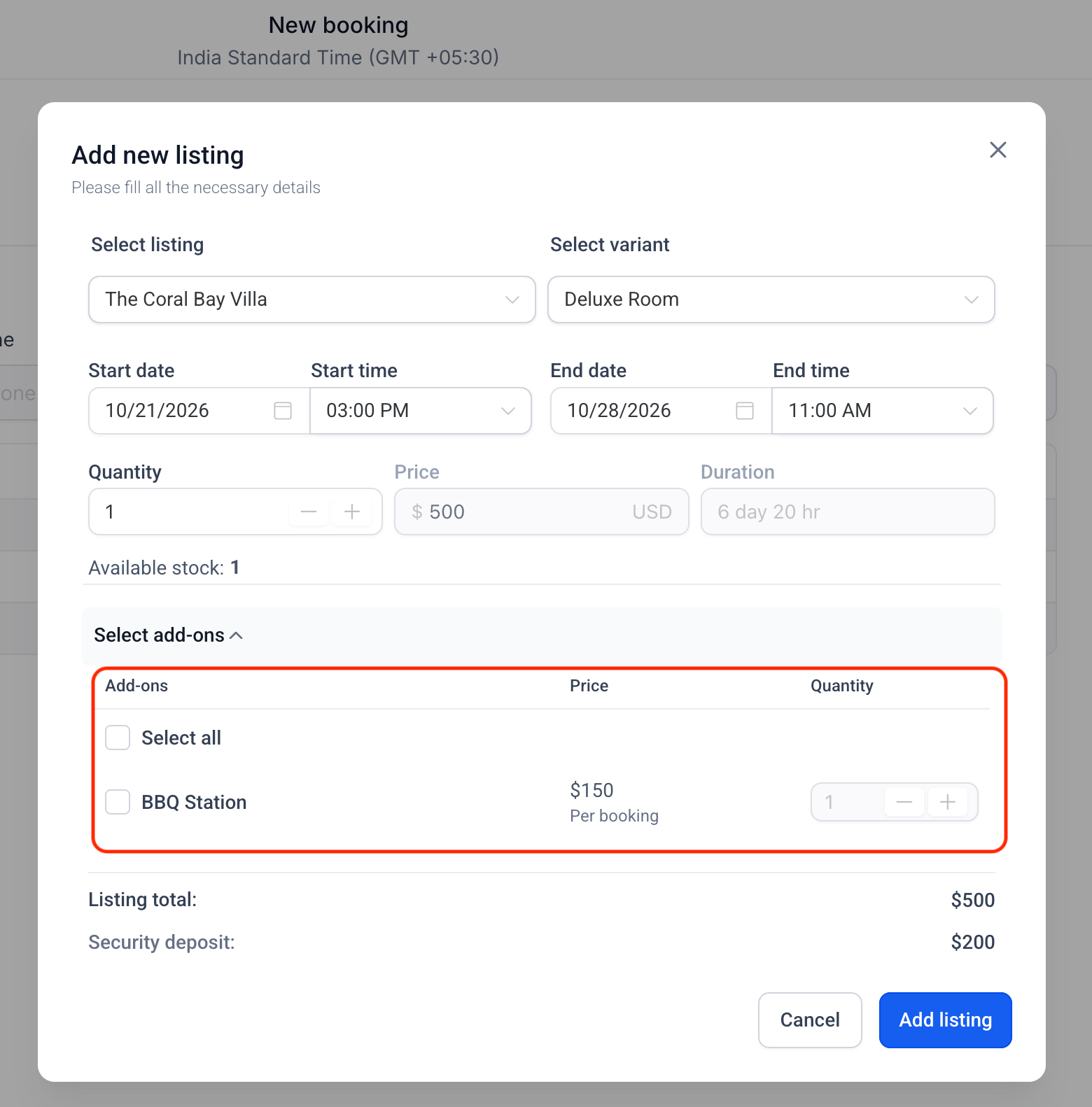
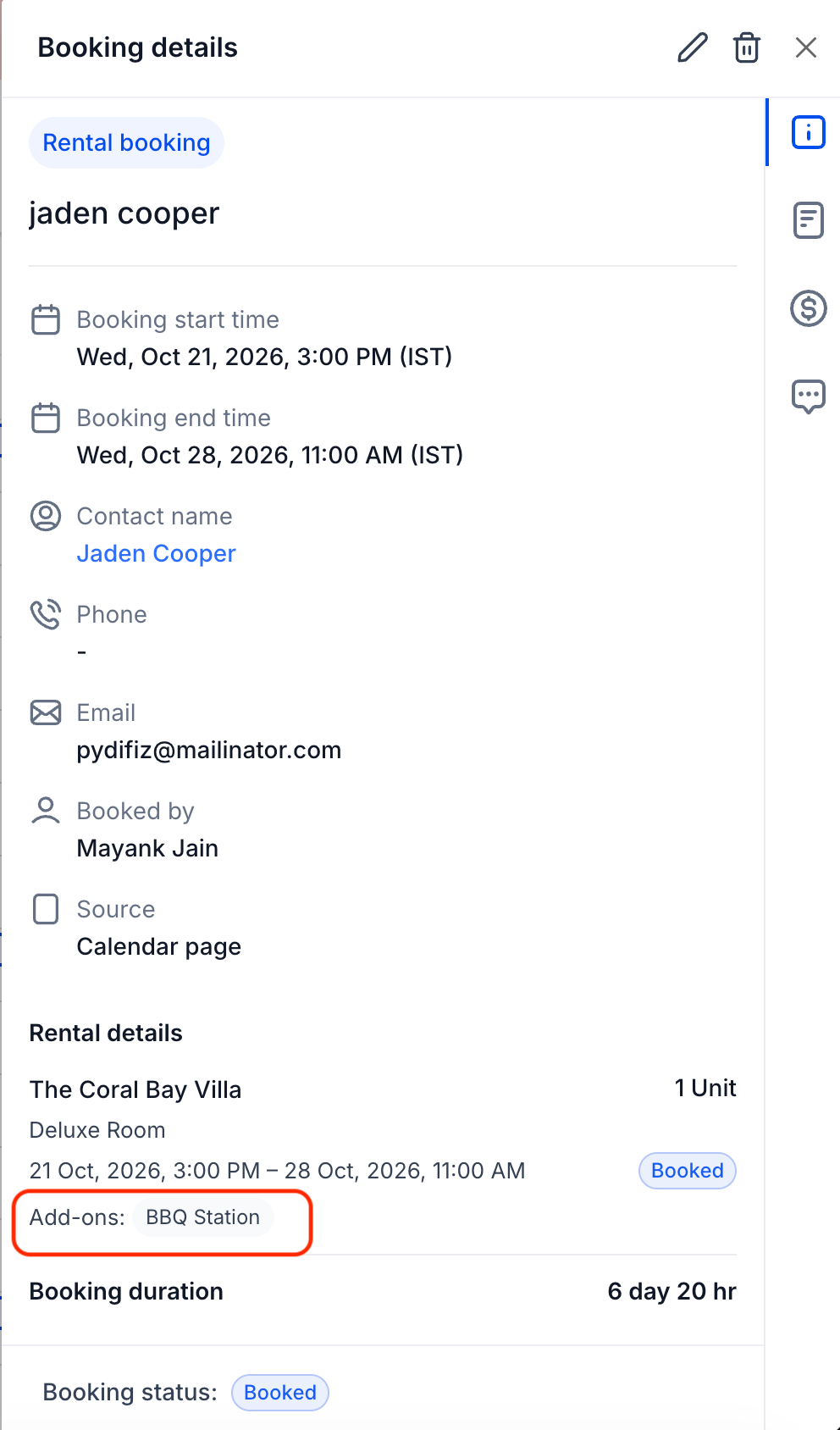
- Customers will see the Add-ons section in the booking widget after selecting dates. Admins can also add, remove, or change add-on quantities on existing bookings from the booking edit screen.
Why this matters
- Rental businesses can now offer optional extras directly in EveryCatch, without needing duplicate listings, manual invoice edits, or extra tools just to add a pet fee or GPS unit.
- Real-time price updates in the booking widget give customers clear visibility before they confirm, which supports trust and helps avoid disputes after booking.
- The global catalog with listing-level attachment lets you manage add-ons once and reuse them across listings, instead of configuring them separately inside each listing.
- End-to-end tax and invoice handling ensures add-on charges are accounted for correctly from the booking widget through to the final receipt.
- This release delivers a highly requested capability from users and brings Rentals in line with common practices across booking platforms.