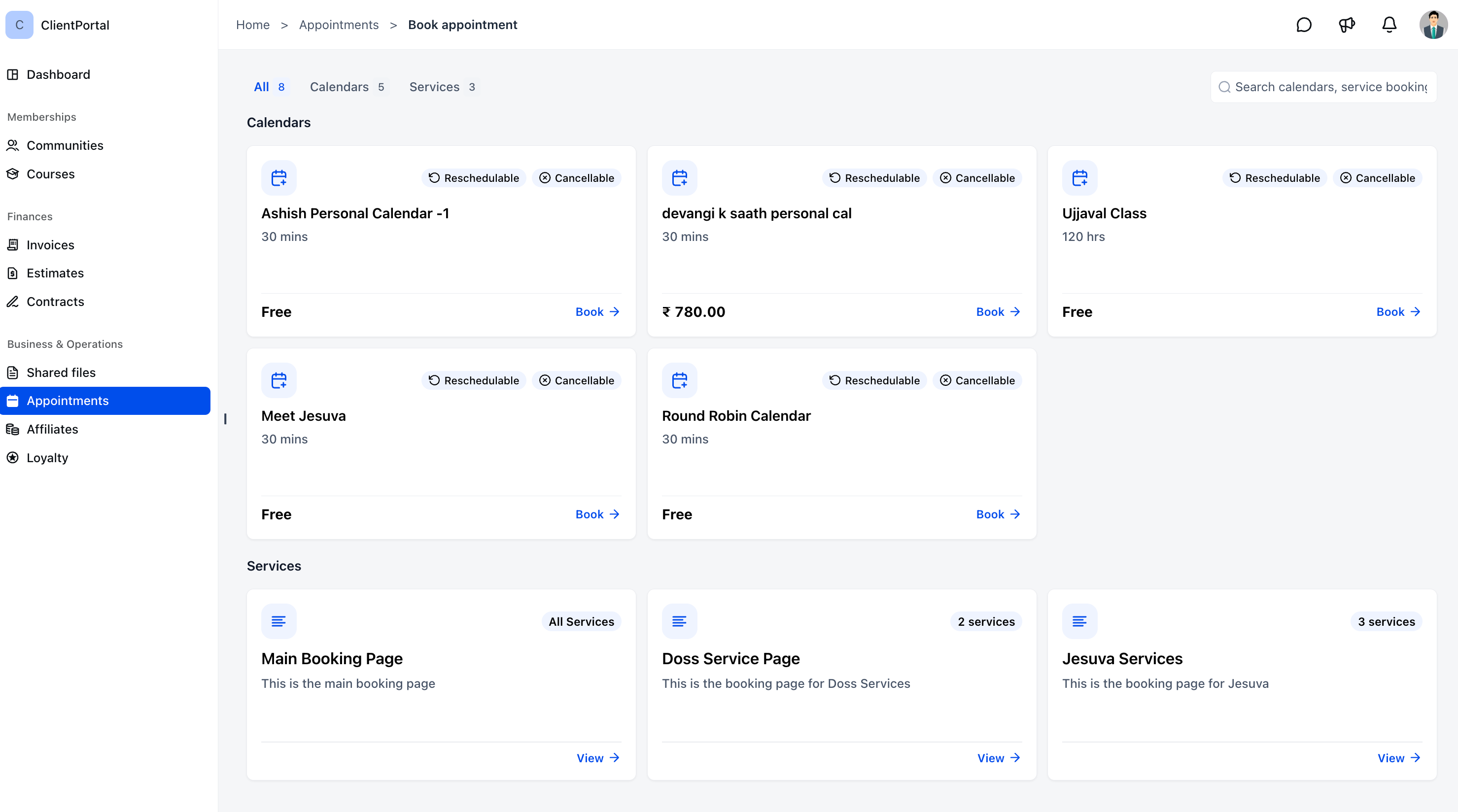
Booking and managing services in EveryCatch is now simpler for your clients. They can discover, book, reschedule, and manage service appointments directly inside the client portal, without separate booking links or switching tools.
With meetings and services in one place, your clients get a smoother, more convenient way to book time with you.
What changed
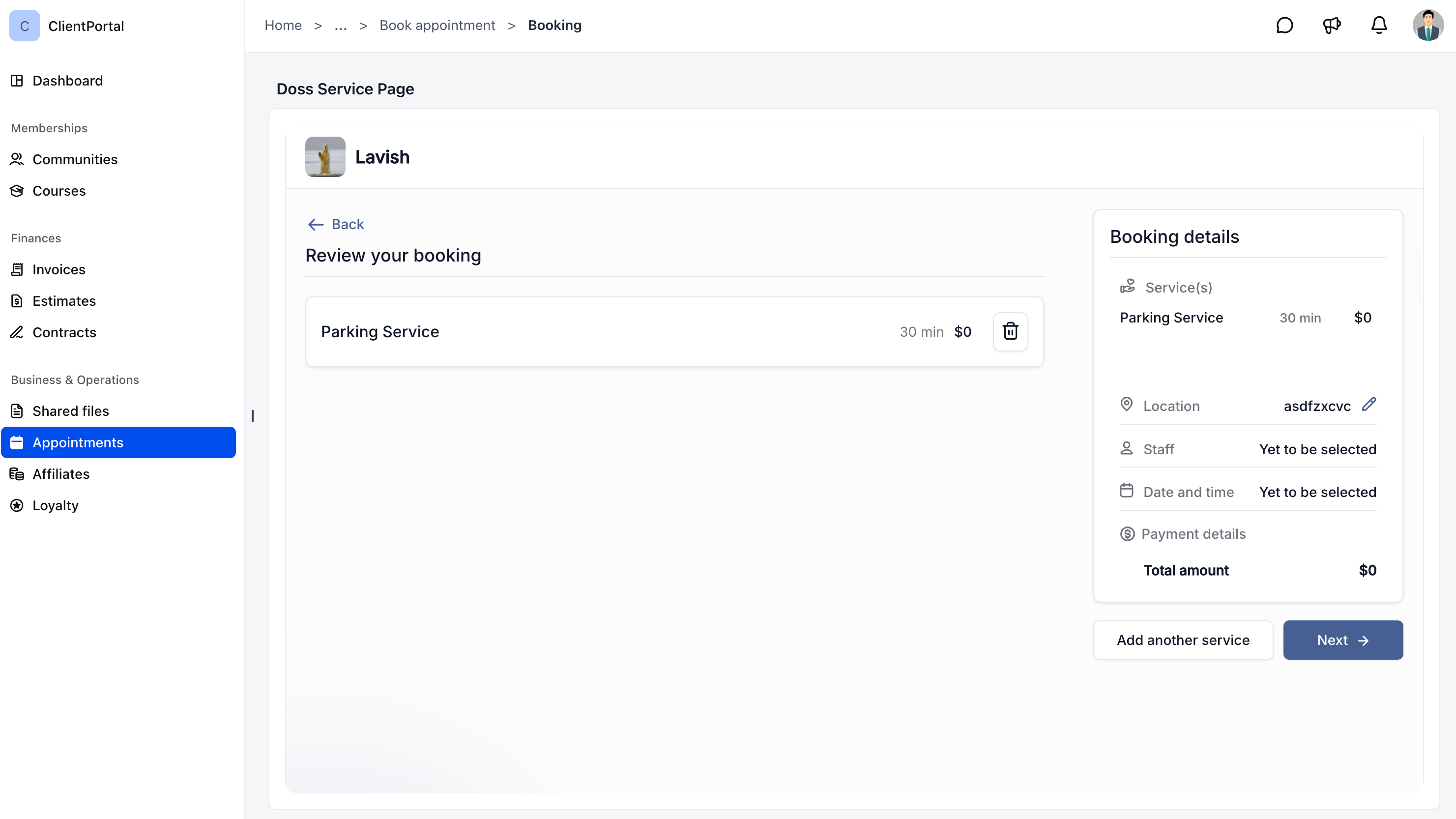
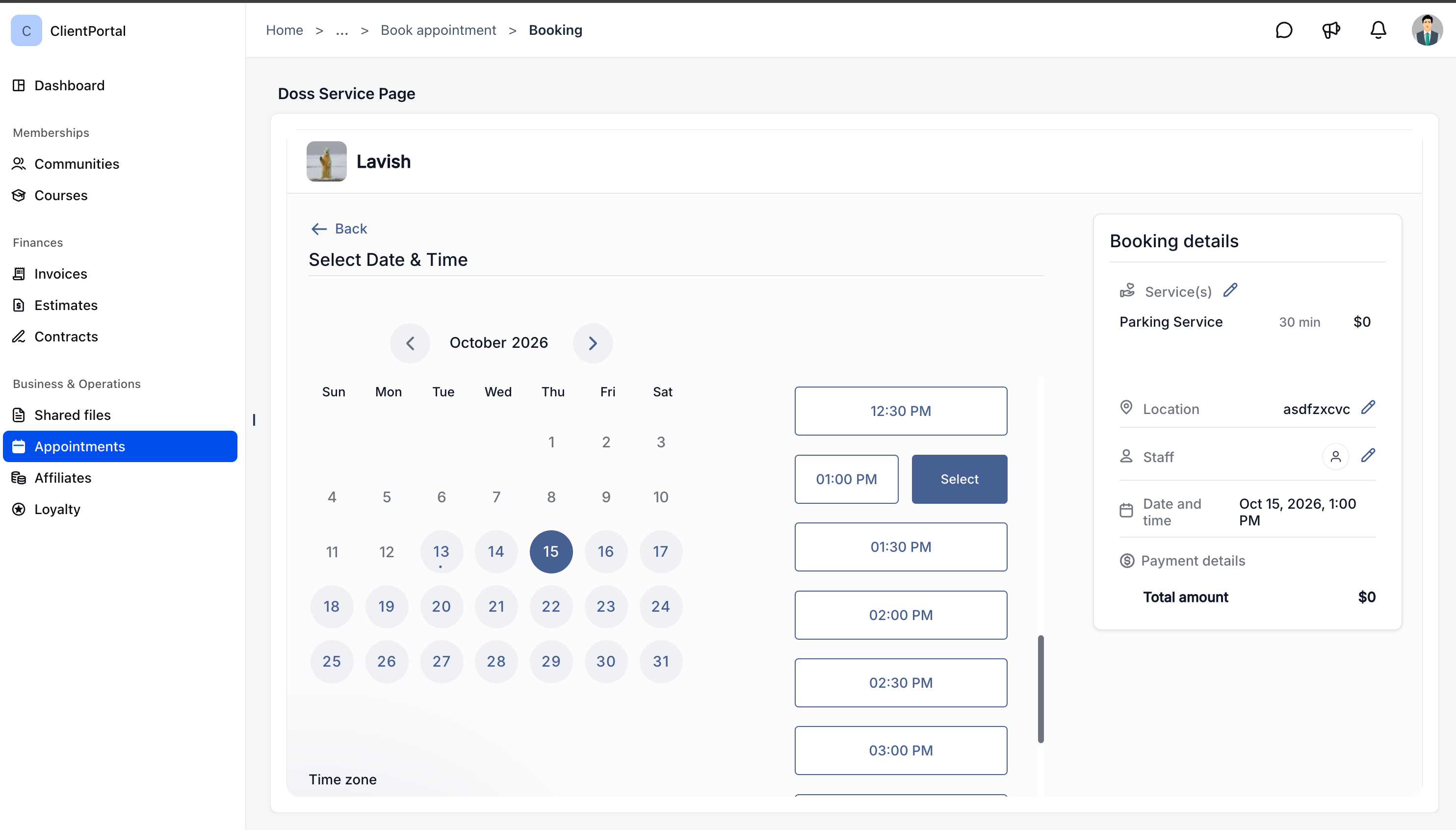
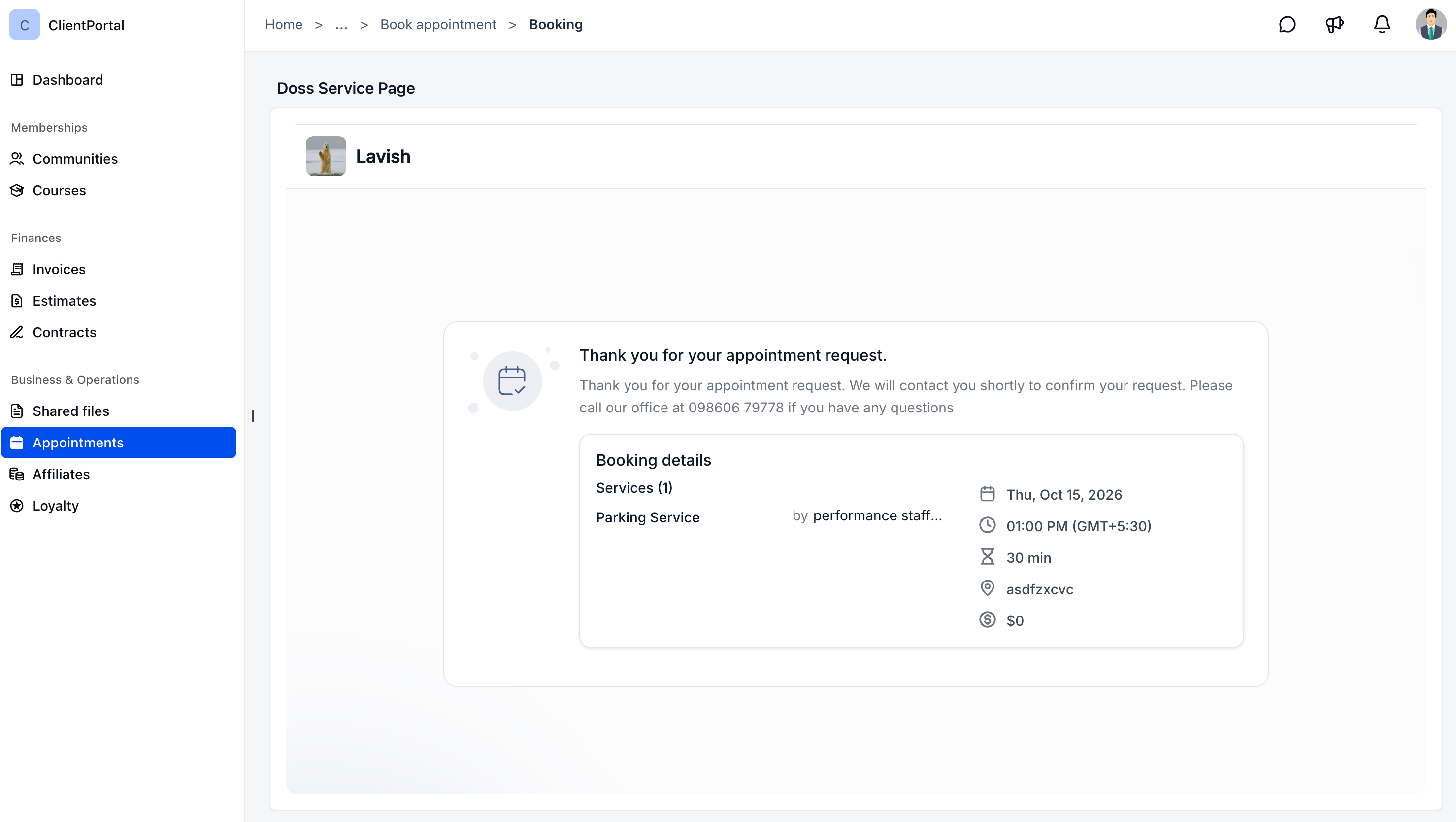
- Book services directly: Clients can browse available services, pick a date and time, and confirm their booking without leaving the client portal.
- Quicker booking flow: Client details are automatically pre-filled, and you can support single-service or multi-service booking based on how you configure your calendars.
- Simple rescheduling and cancellations: Clients can reschedule or cancel eligible service appointments according to your calendar rules and policies.
- All appointments in one place: Meetings and service bookings now appear together under Appointments, clearly separated into Upcoming and Past.
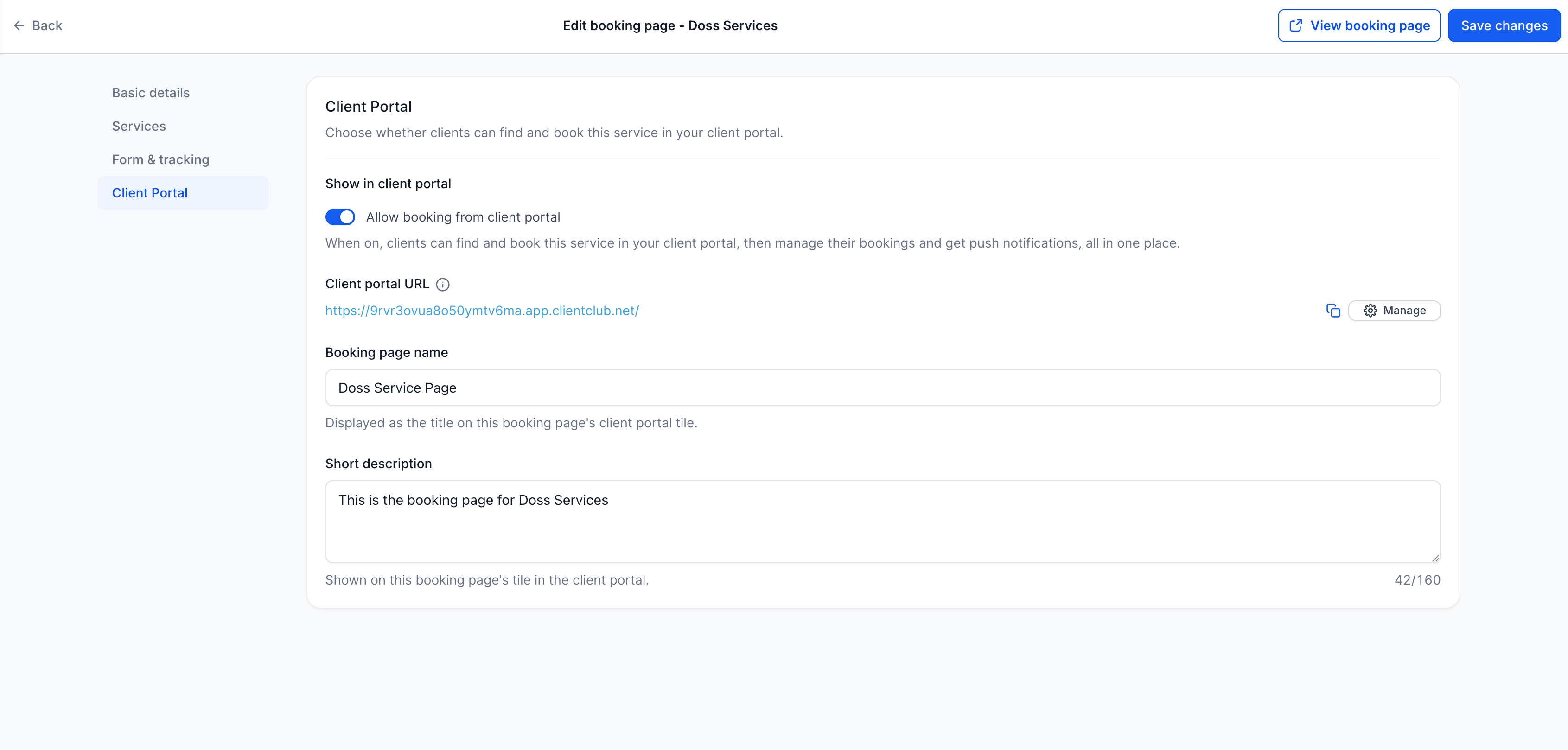
- Control which services show: Choose which service booking pages are available to clients through the client portal so you decide what they can book.
Why it matters
Before this update, clients had to use separate booking links to schedule services, which added extra steps to their experience.
With the client portal as the central place to access services and manage appointments, it becomes easier for clients to stay engaged with your business and keep on top of their bookings.
What you'll benefit from
- Simplified booking: Clients can find and book services directly inside the client portal.
- Fewer manual steps: You spend less time sharing and managing individual booking links for each service.
- Improved client experience: Clients get one place to view, reschedule, and manage their appointments with you.
- Clear control: You decide exactly which services appear and can be booked via the portal.
Getting started
Step 1: enable service booking
- Go to Calendars → Services → Booking pages.
- Open the booking page you want clients to see in the portal.
- In the Client portal section, turn on Allow booking from client portal.
- Click Save changes.
Step 2: enable appointments in the client portal
- Go to Memberships → Client portal → Settings → App permissions.
- Enable Appointments.
- Click Save.
Once you complete these steps, your clients can discover and book the services you have enabled directly from their client portal.
Availability: Service booking is now available in the new client portal.



