What changed
- A complete typography system: The Typography tab in Brand Boards now gives you a full set of text styles you can manage in one place, including Headings 1–6, Subtitle 1–2, Body 1–2, Caption, and Overline, along with core font settings.
- Smarter font behavior with manual control: Brand Boards now apply fonts and sizes intelligently across your whole hierarchy by default, and any custom changes you make to individual styles are remembered and stay in place.
- Improved style preview: You can now view all of your styles together in a refreshed preview pane, so you see headings, subtitles, body text, captions, and overlines side by side before using them anywhere.
Why this matters
Consistent typography across headings, body text, and small labels is a key part of your brand, alongside your colors and logo. With this update, you can define that whole text hierarchy once in your EveryCatch Brand Board, rely on sensible defaults, and avoid configuring each style from scratch in every new asset.
How to use
- Open your Brand Board in EveryCatch and switch to the Typography tab.
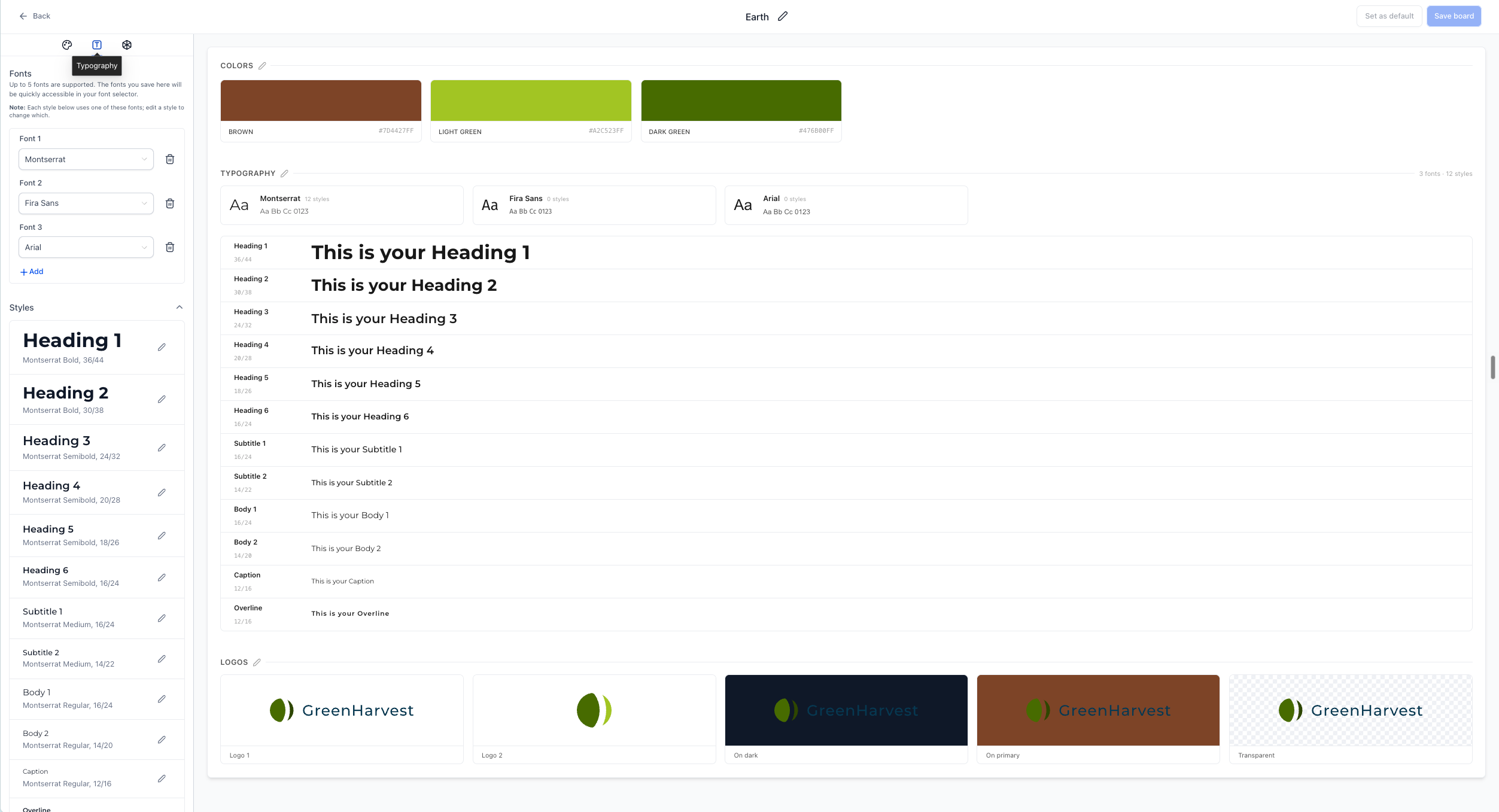
- Look through the default styles for each level: Headings 1–6, Subtitle 1–2, Body 1–2, Caption, and Overline. This gives you a full view of how your brand text will appear across different use cases.
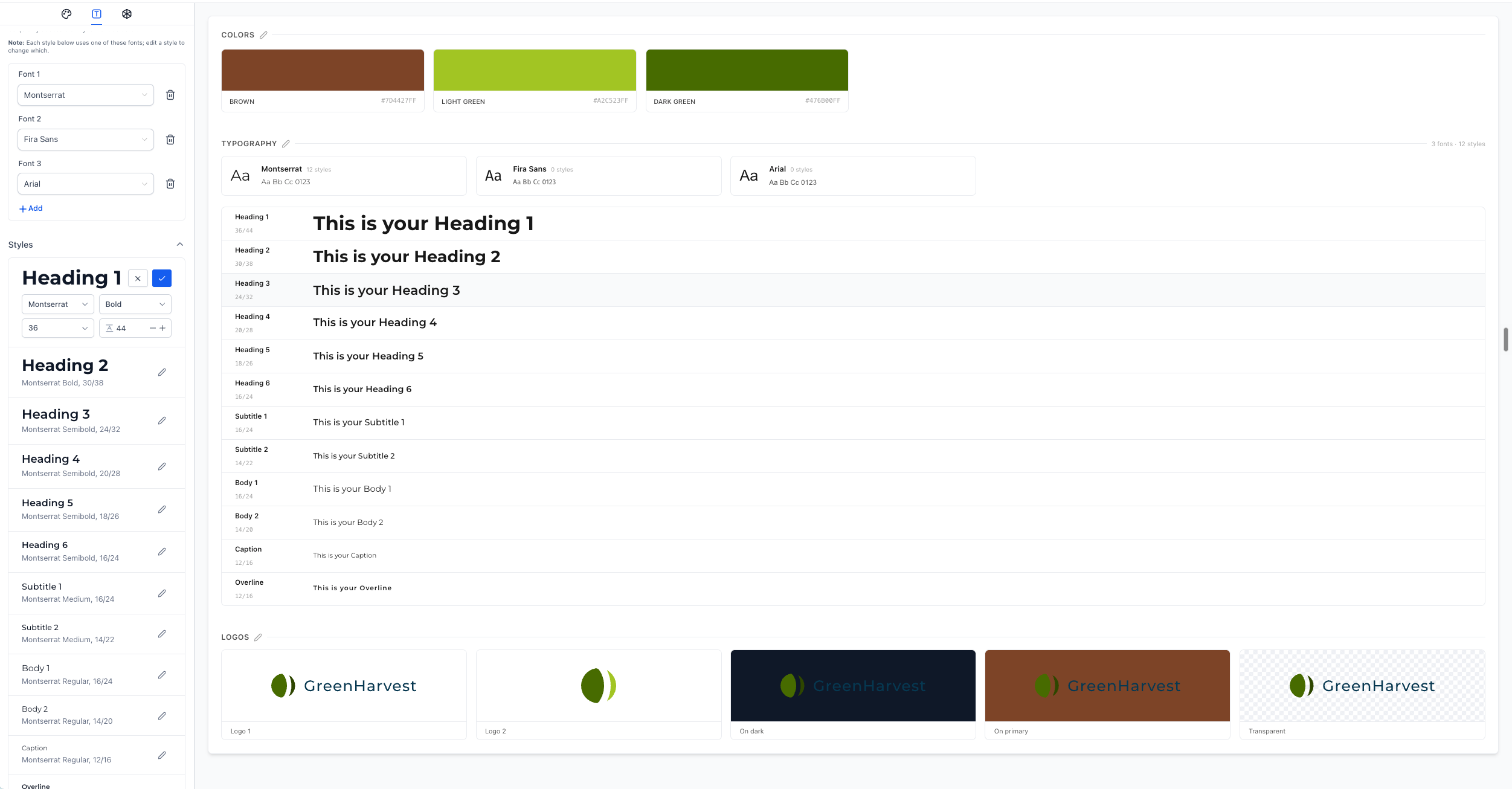
- Customize any style that needs tweaking. You can adjust font family, size, weight, and line height for each text level until it matches your brand guidelines.
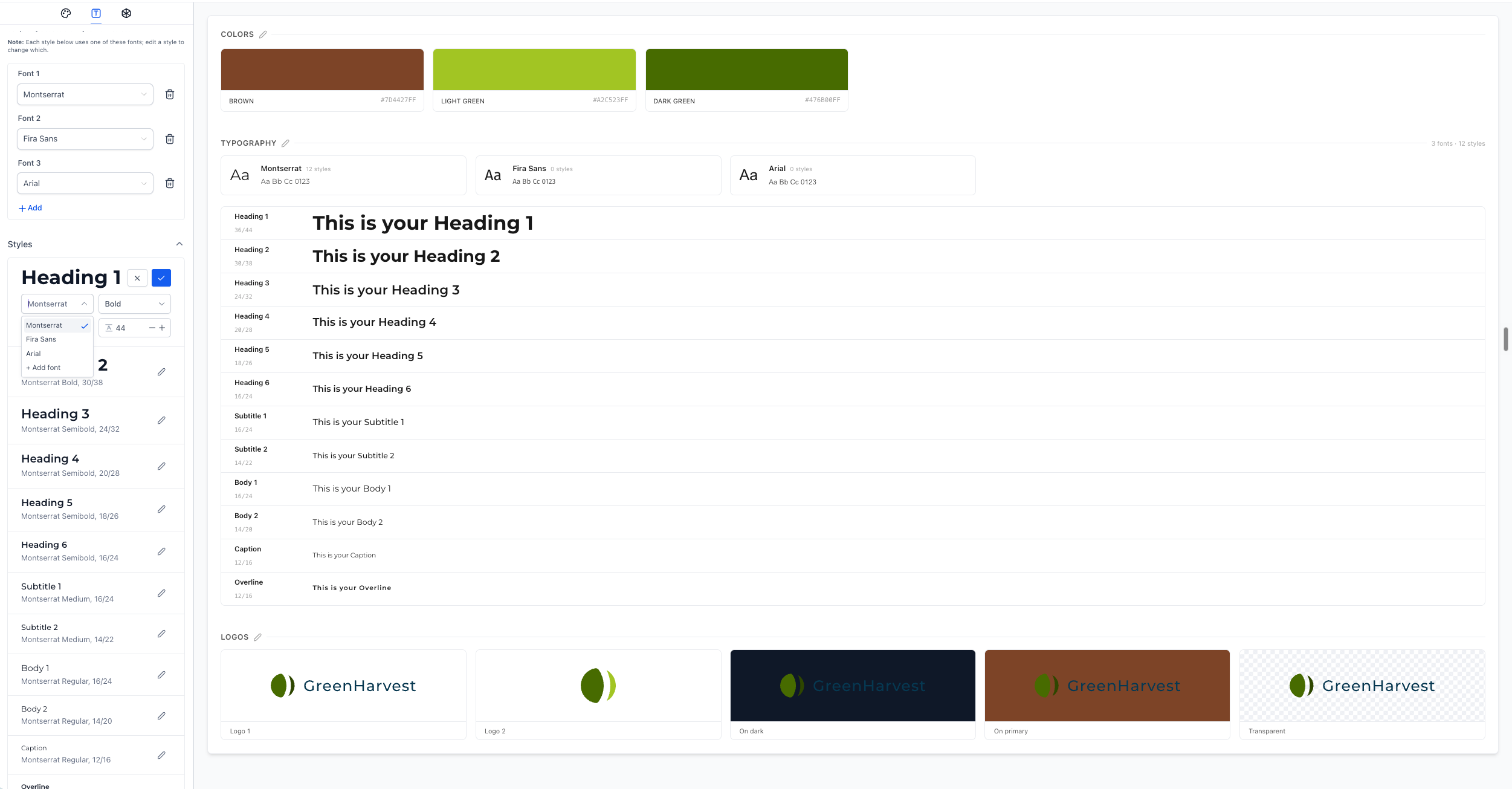
- Use the preview panel to review the full hierarchy together, confirm everything looks consistent, then save your Brand Board to apply these settings wherever typography is supported.
Notes
- Typography controls are currently available inside Brand Boards. EveryCatch will support these typography settings in the Funnels builder very soon, and then roll them out to other builders, including Websites, Forms, and Emails.



