Building forms, surveys and quizzes in EveryCatch is now smarter, smoother and easier for you to manage from start to finish.
EveryCatch now includes recommendations and error detection, a guided experience that helps you quickly find and fix issues, avoid common setup mistakes, and fine-tune your forms, surveys and quizzes before you publish them.
You no longer have to guess what went wrong or contact support for routine setup errors. The product now clearly shows what needs your attention and how to address it.
What changed
1. Error detection: find issues and fix them quickly
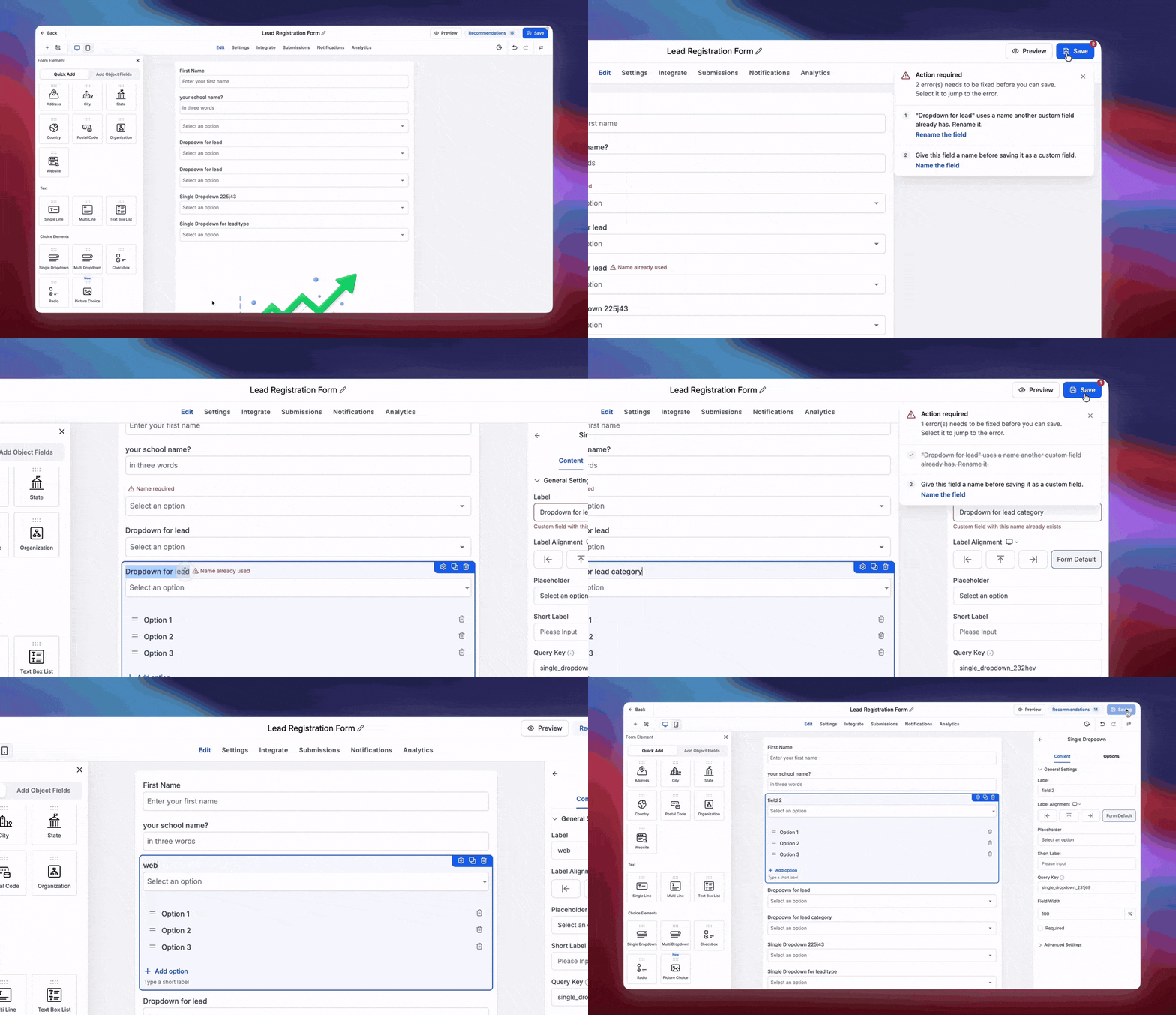
Previously, when you ran into an error while building a form, survey or quiz, it could be difficult to see which field caused the problem or what you needed to update. That slowed you down and sometimes led to unnecessary support conversations. The new error detection experience is designed to give you clear, specific guidance instead.
How error detection helps you
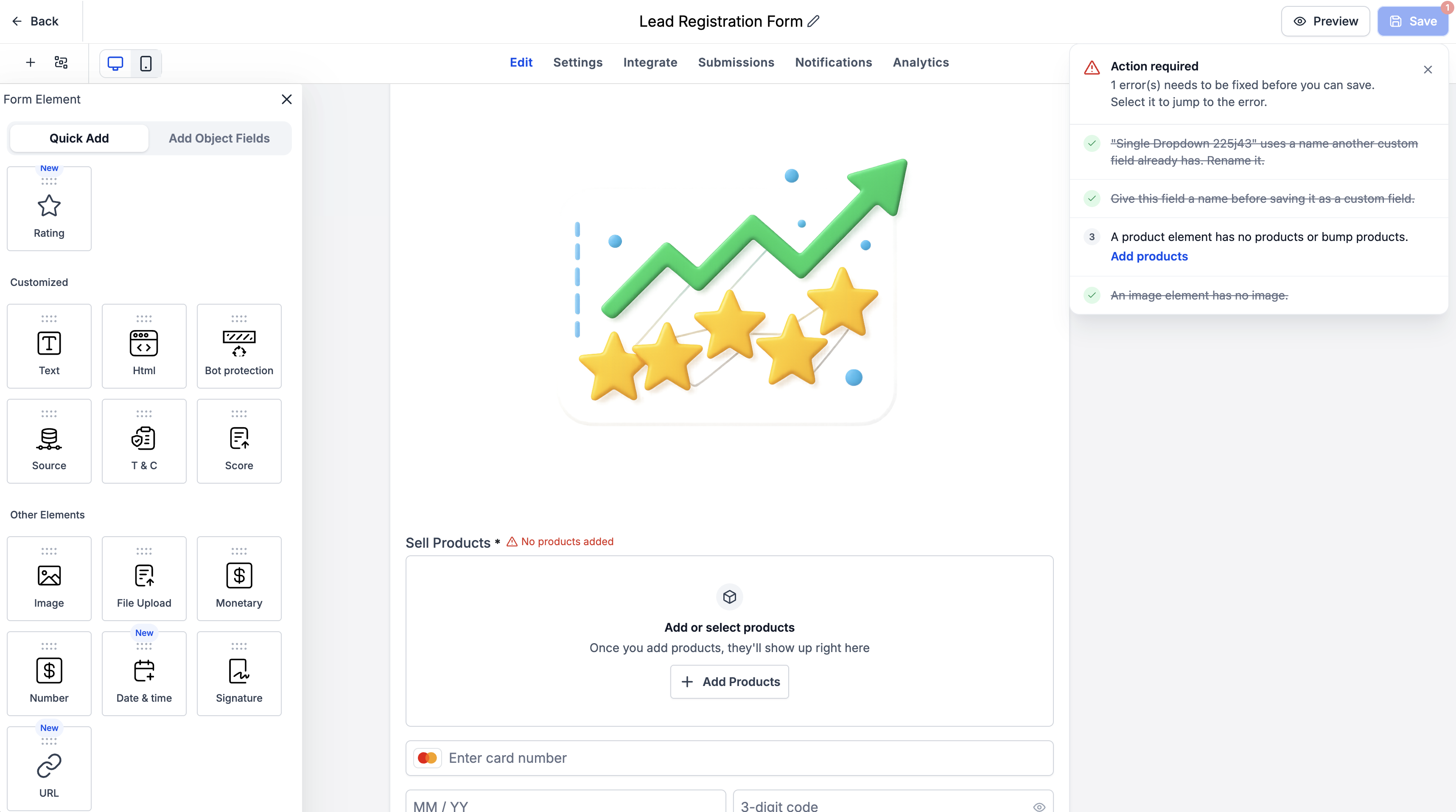
- Automatic error detection: When you try to save a form, survey or quiz, EveryCatch automatically checks for validation errors and shows them in a dedicated modal, as well as next to each field that needs attention.
- Clear error breakdown: Each error entry points to the exact field causing the issue and explains what is wrong so you know what to change.
- Click to jump: You can click any error in the list to go straight to the field that needs to be fixed.
- Real-time error resolution: As soon as you correct an issue, EveryCatch detects the fix and crosses that error off the list automatically, so you do not need to track anything manually.
What errors are included
The current experience focuses on existing validation errors related to:
- Custom field creation
- Duplicate custom fields
- Form, survey and quiz elements
This update does not add new validation rules or extra restrictions. It makes existing errors simpler to understand, easier to find and quicker to resolve, so you can handle fixes on your own instead of relying on support.
2. Recommendations: smart suggestions for better forms
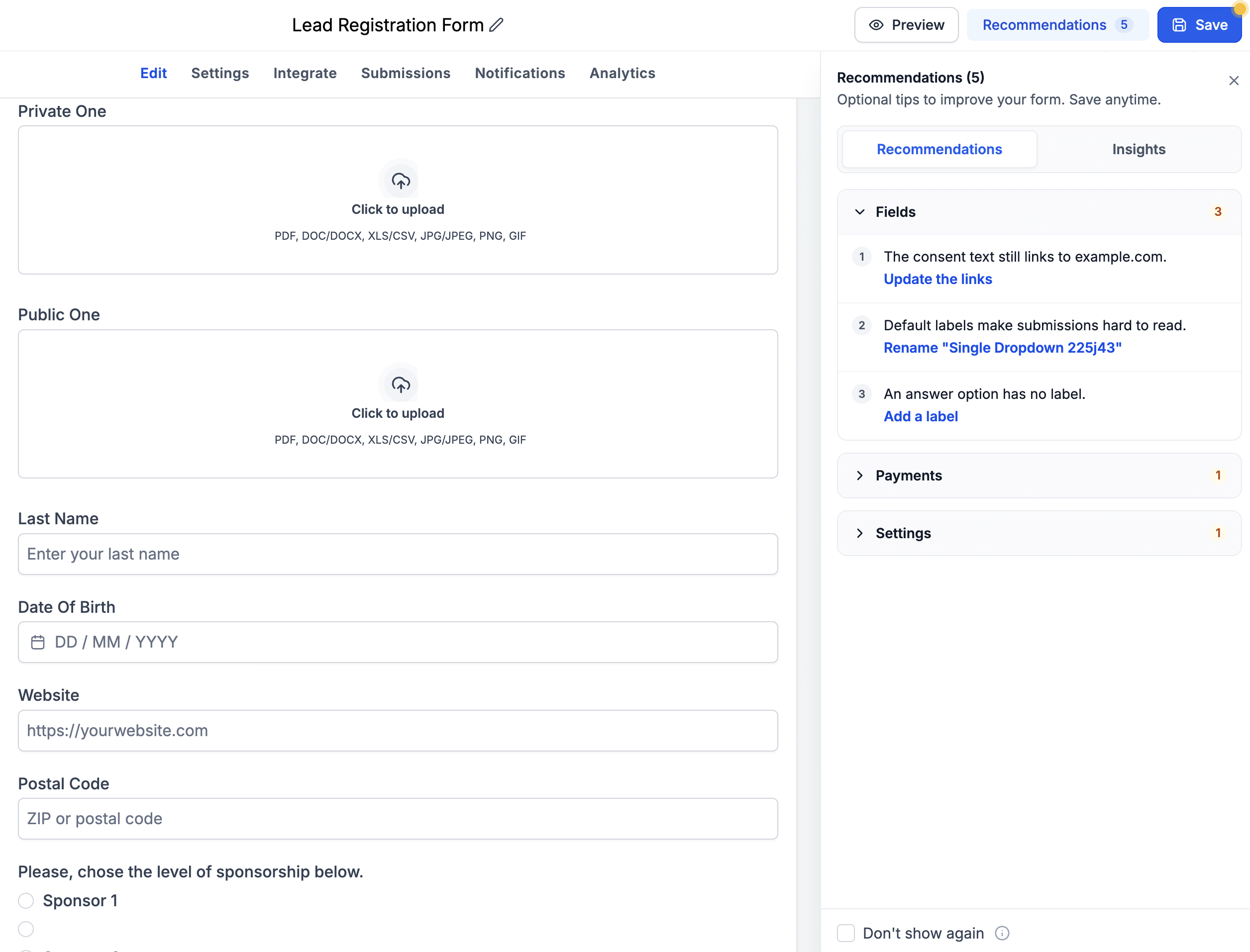
If you have ever published a form and later discovered a placeholder CTA URL or a payment element still in test mode, recommendations are designed to help you catch those details earlier.
With recommendations, EveryCatch highlights common oversights and suggests improvements so your forms, surveys and quizzes are configured correctly before you share them.
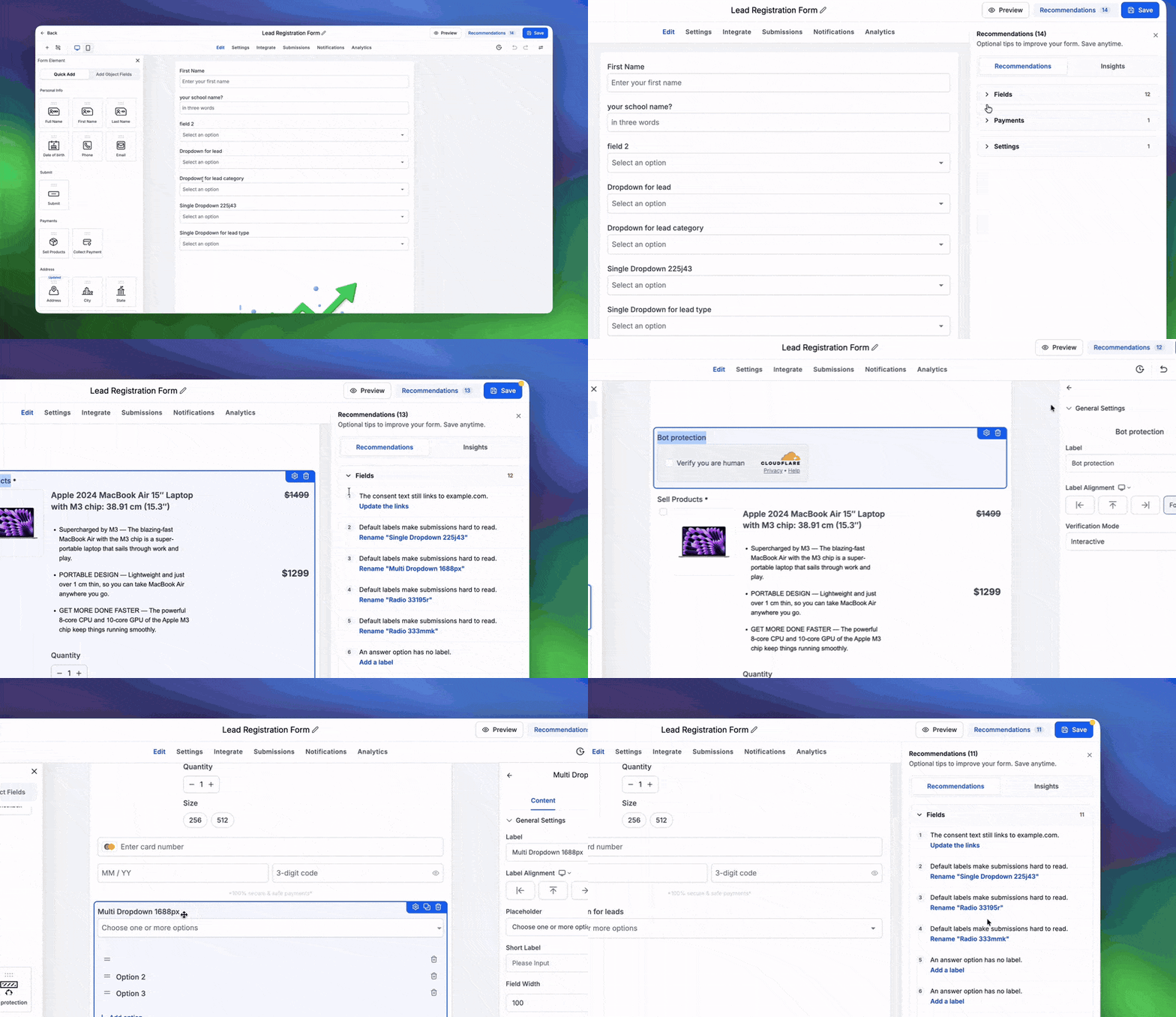
Examples of recommendations you might see
- Placeholder URLs: Get a reminder to replace placeholder URLs such as example.com with your real destination URLs before going live.
- Custom field placeholder names: Get alerted when a new custom field still uses its default placeholder name so you can rename it and keep your data fields organized.
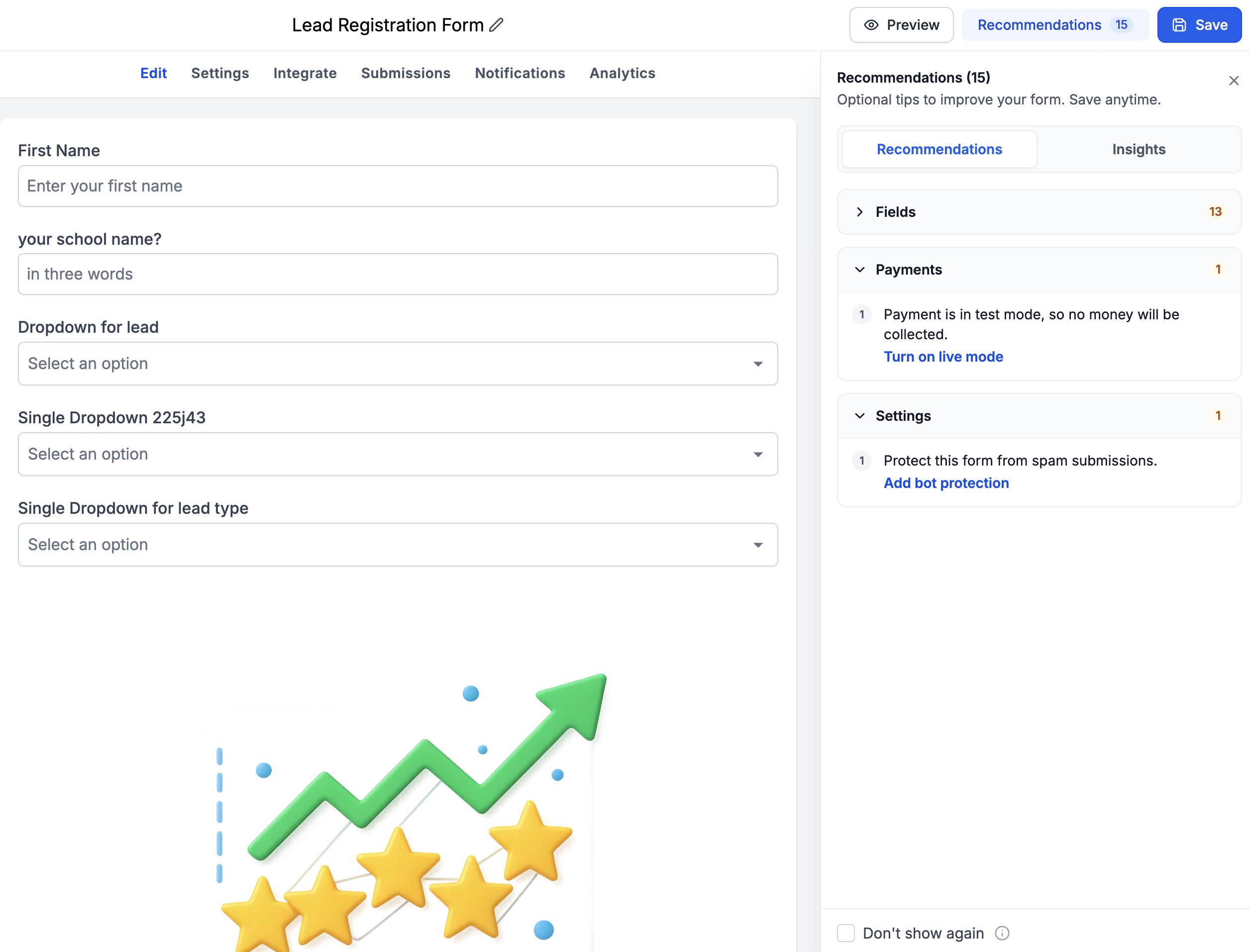
- Payment mode alerts: See when a Sell Products element is still set to test mode instead of live mode, so you do not miss real payments.
- Bot protection: Receive a recommendation to enable bot protection to reduce spam and low-quality submissions.
These contextual suggestions help you catch overlooked settings early and keep your forms, surveys and quizzes reliable for everyday use.
3. Insights: understand your form at a glance
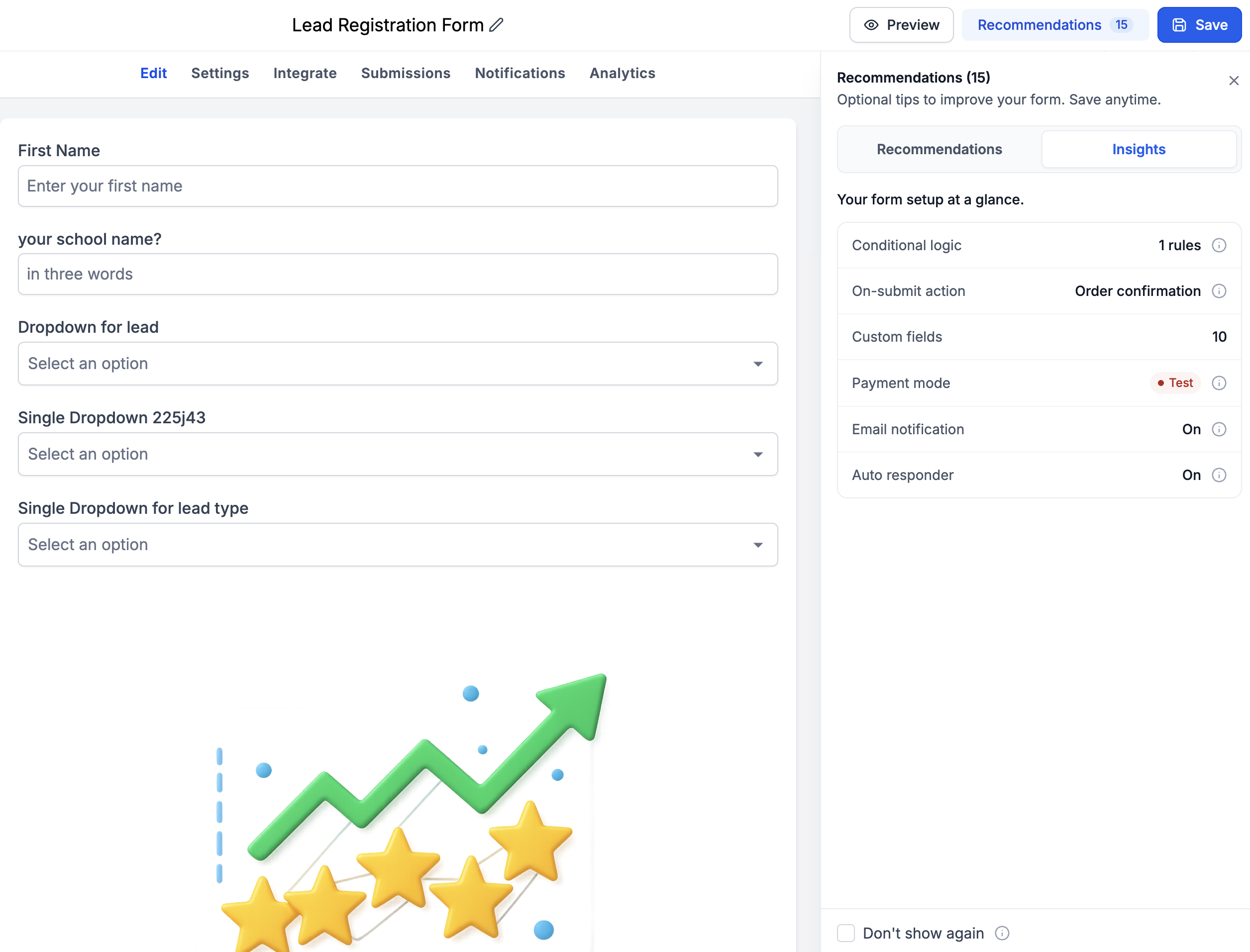
Alongside recommendations, EveryCatch now includes an Insights tab that gives you a quick overview of how your form, survey or quiz is configured.
You can now quickly review:
- Conditional logic: How many conditional logic rules you have set up.
- Custom fields: How many custom fields your form is using.
- Auto responder: Whether automated responses are turned on.
- Email notifications: Whether email notifications are enabled.
- Payment configuration: Whether your payment element is currently in test mode or live mode.
This brings key configuration details into one place so you can confirm your settings before publishing or sharing your form.
How it works
- Build: Create or edit your form, survey or quiz in EveryCatch as you normally would.
- Detect: When you save, any existing validation errors are automatically shown in a modal so you can review and address them.
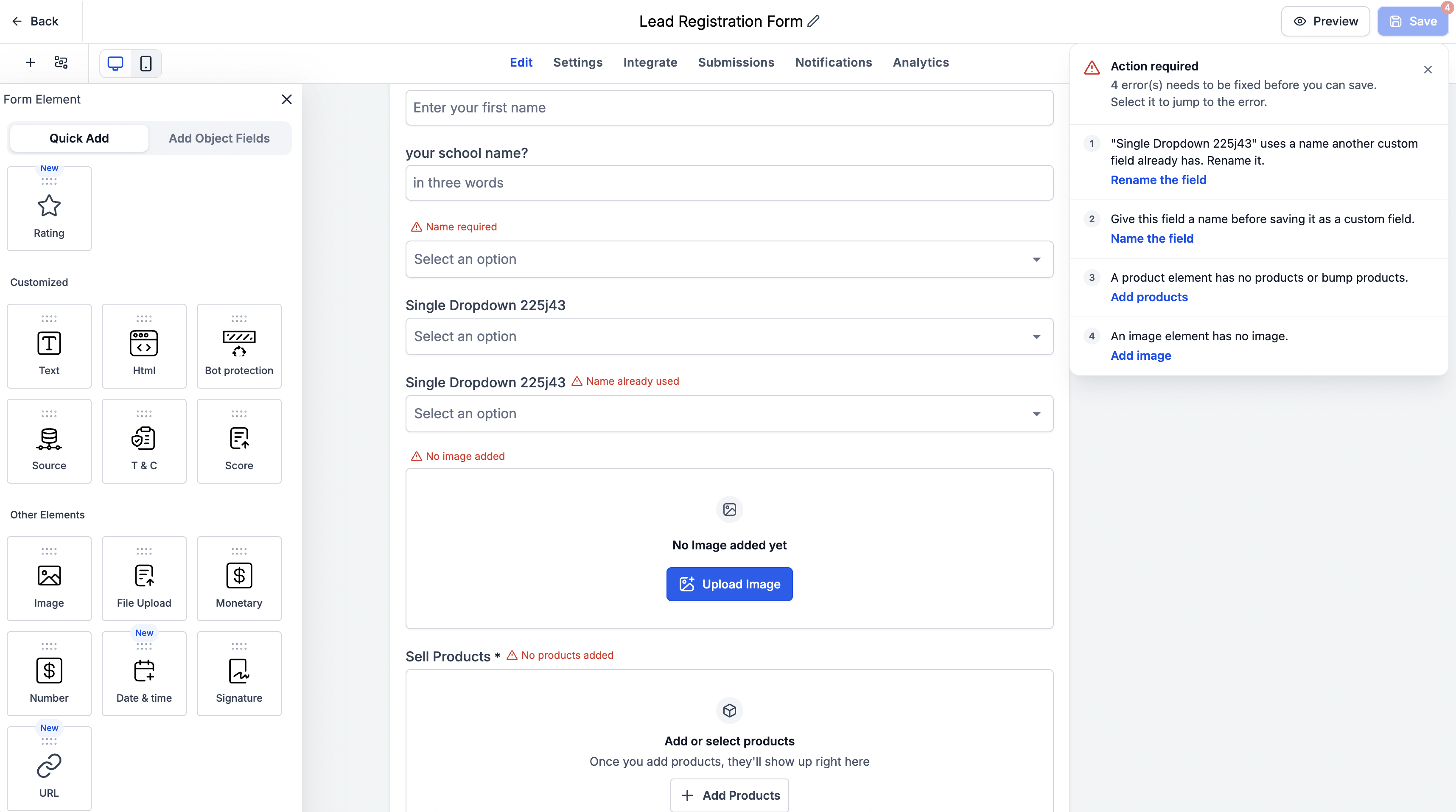
- Open and resolve: Click any error in the list to jump directly to the affected field, make the required change, and watch that item get crossed off the list automatically once fixed.
- Optimize: Open the Recommendations section to review common misconfigurations and apply suggested improvements before your form goes live.
- Review insights: Use the Insights tab to quickly confirm your current setup and important configuration details before you share or embed your form.
Key highlights
- Faster troubleshooting: See exactly what is wrong and where, without checking each field manually.
- Self-service error resolution: Handle validation errors on your own with clear guidance, so you can rely less on support.
- Less friction, more building: Spend your time designing the experience instead of tracking down misconfigurations.
- Proactive recommendations: Catch common configuration issues before they affect your respondents or customers.
- Better visibility: Use Insights to understand how your forms, surveys and quizzes are set up and what is enabled.
- Works across old and new forms: The new experience is available for both existing and newly created forms, surveys and quizzes in EveryCatch.
Notes
- Availability: The new experience works with both existing and new forms, surveys and quizzes.
- Recommendations toggle: You can turn recommendations on or off from the Settings section, depending on how you prefer to work.
- Error coverage: Error detection currently focuses on existing validation errors related to custom field creation, duplicate custom fields and form/survey/quiz elements.
- No new validations: This update improves how EveryCatch communicates and surfaces existing errors rather than adding new validation rules.
Why this matters
This update makes building forms, surveys and quizzes in EveryCatch more intuitive and self-service. With clear error detection, targeted recommendations and a dedicated Insights view, you can configure with confidence, avoid frequent setup issues and resolve problems without extra help. That leads to fewer errors, fewer support tickets and stronger experiences for the people filling out your forms.



