What changed
- You can now switch templates without leaving the email builder. A new icon in the Email Builder top tray opens the Template Library in a modal, so you can browse, search, and apply a different template to the email you are currently editing.
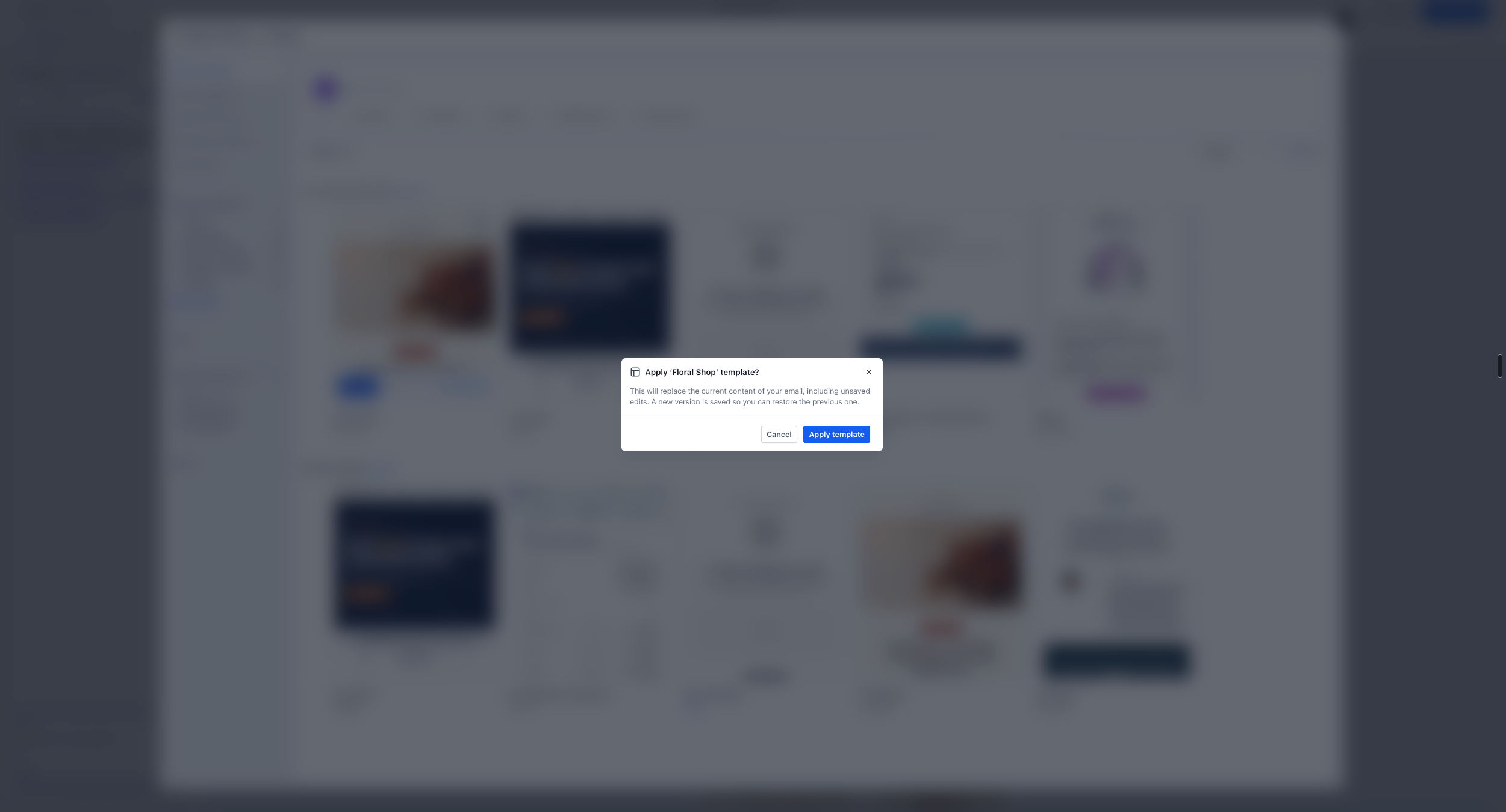
- When you apply a new template, EveryCatch replaces the content on the canvas with the new layout. If your email already has content, you will see a confirmation prompt before anything is replaced.
Why this matters
Until now, you could only pick a template when creating a new email. If you changed your mind, you had to exit the builder, choose a different template, and rebuild the email. Many users ended up re-creating emails from scratch just to try another design. With the new template switcher, you can test and change templates in place. Your current content stays as it is until you actively confirm the switch to a new template.
How to use
- Open the Design editor in the Email Builder.
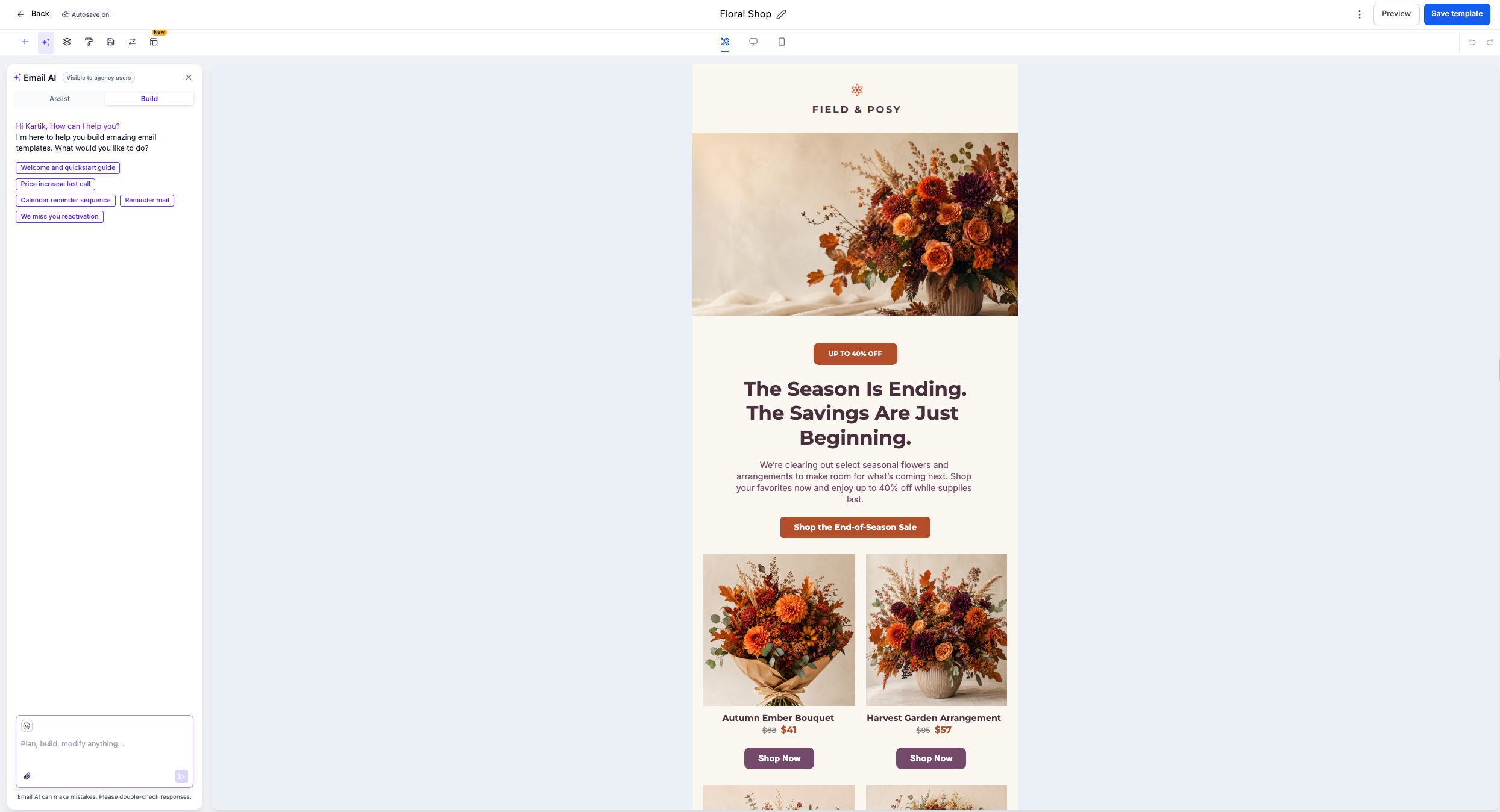
- Click the template switch icon in the top tray.

- In the modal that opens, browse or search for the template you want to use.
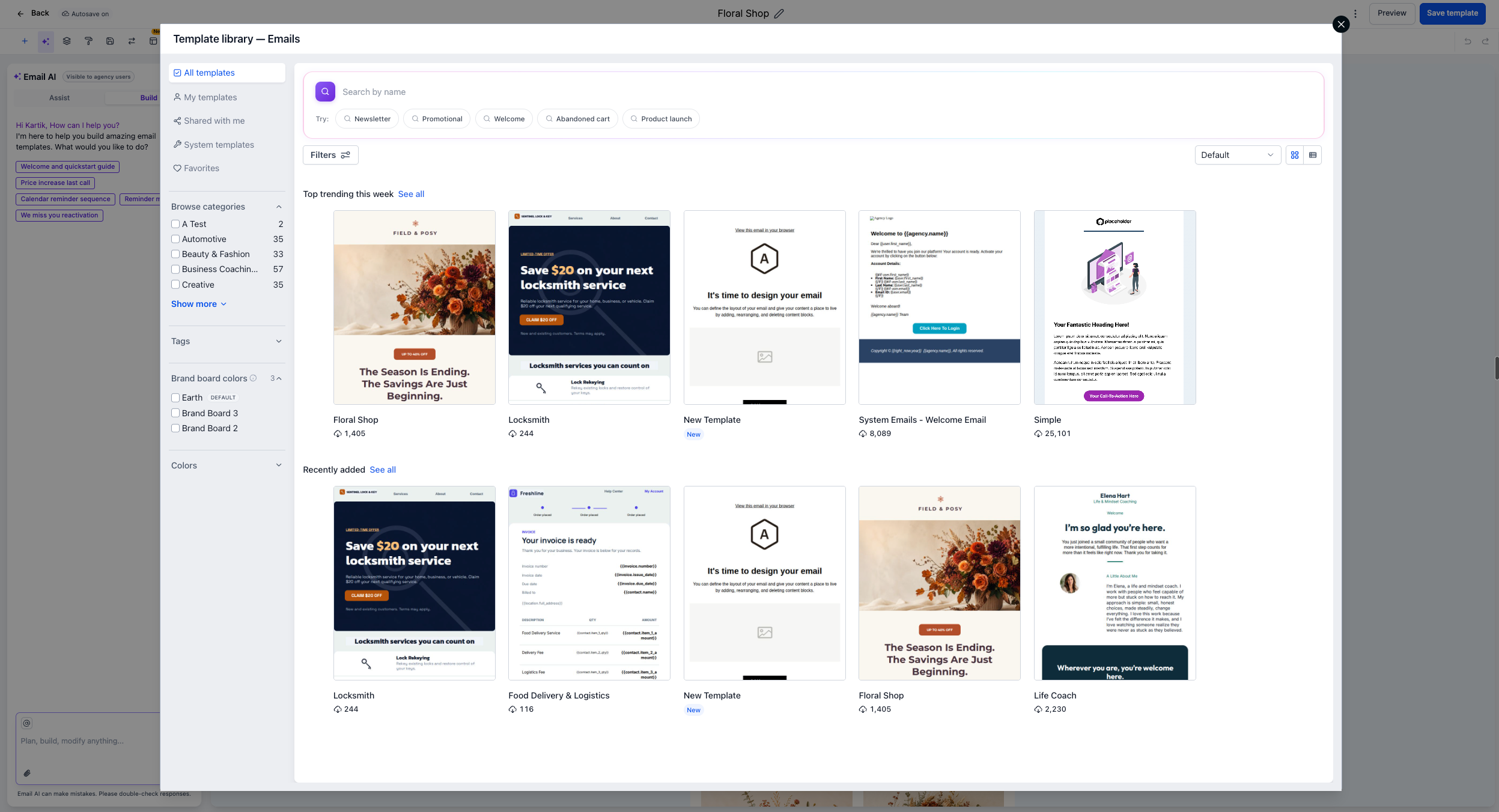
- Select your template, then confirm that you want to replace the existing email content with the new template.
Notes
- This feature is currently available only in the Design editor within the email builder. Future updates will expand this to additional areas.
- Template switching will also be added to other builders in upcoming releases.



