What changed
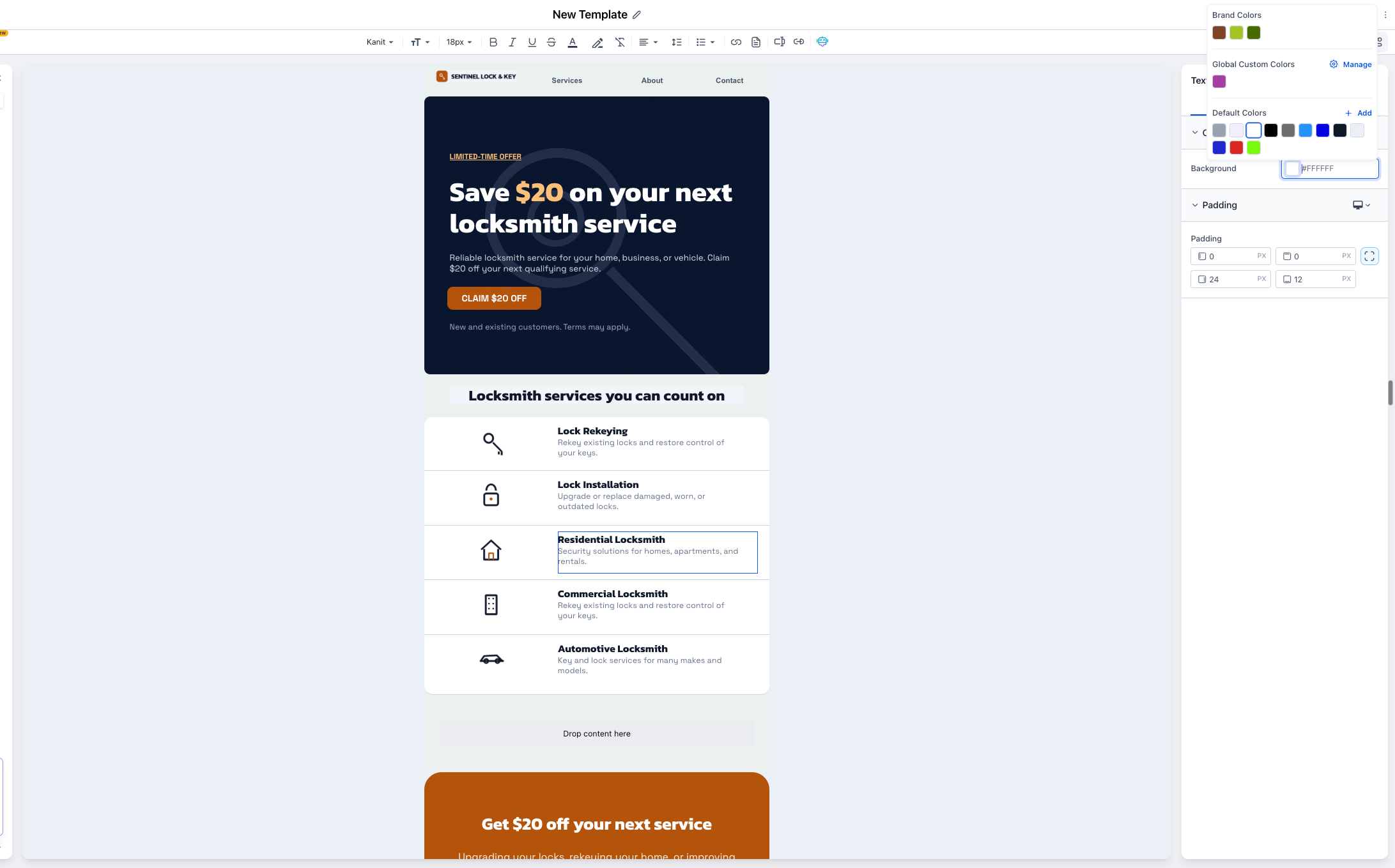
- Create a brand board without leaving the builder: When you click "Create brand board" from the email builder color picker, EveryCatch now opens a quick-create modal in the same screen instead of taking you to a new tab.
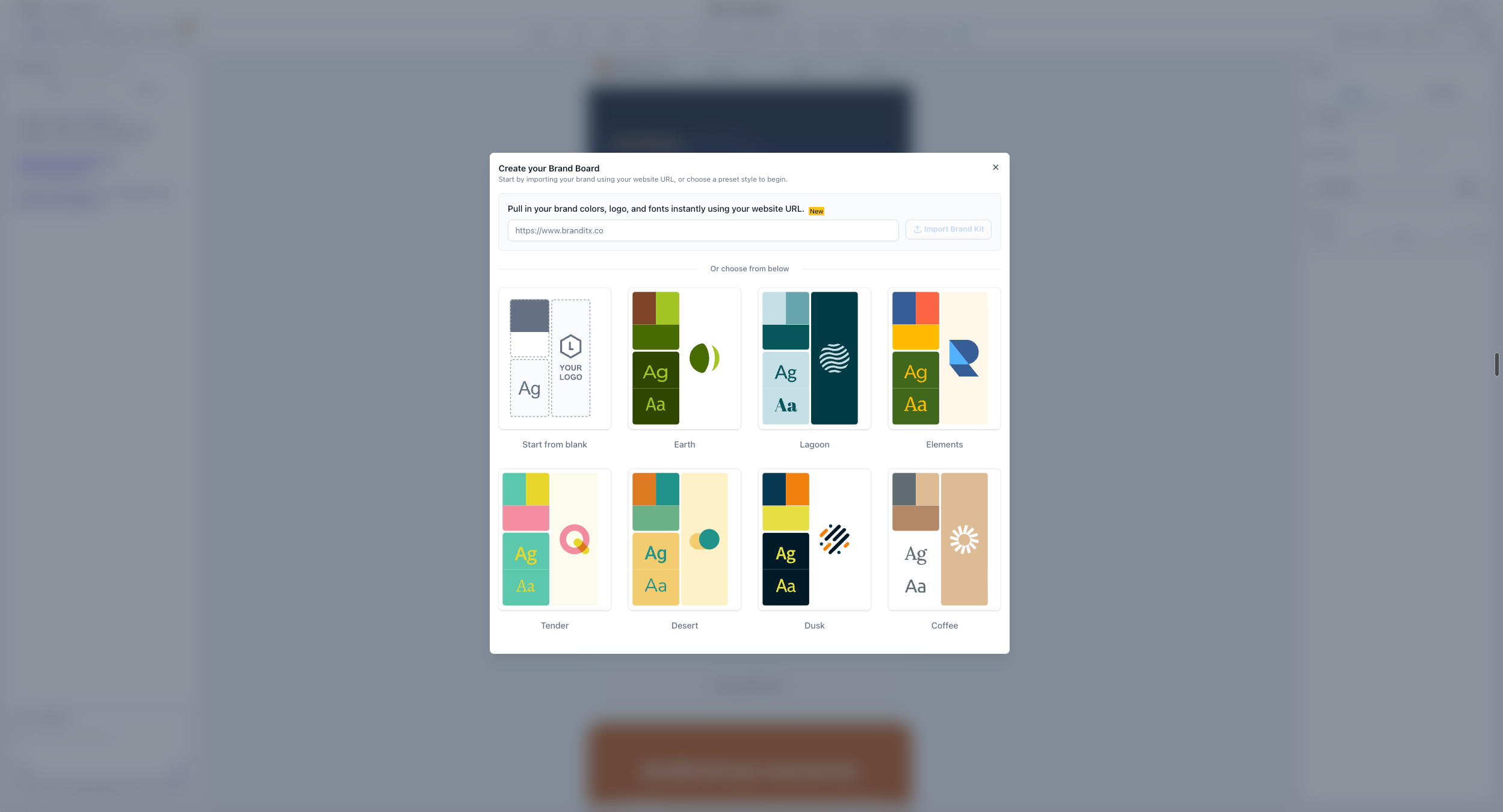
- Import your brand automatically, or start from a preset: You can paste your website URL to pull in your brand colors, logo, and fonts, or choose from ready-made style presets (or start from a blank board) as your base.
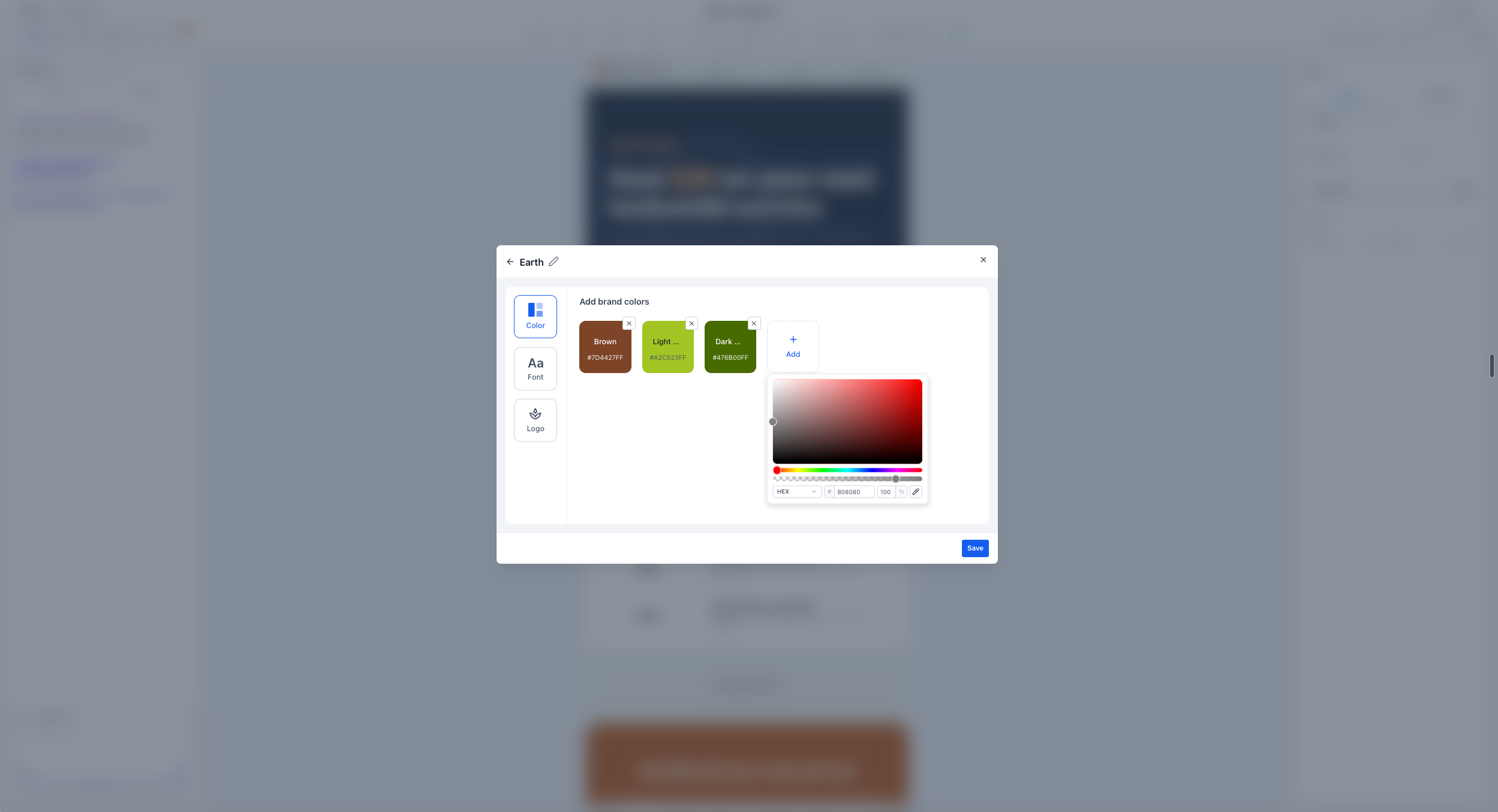
- Fine-tune colors, fonts, and logo before saving: After choosing a starting point, you can adjust brand colors, add or change fonts, and upload your logo directly in the modal before you save.
Why this matters
Previously, setting up a brand board took you out of the email builder, which often interrupted your flow and made it harder to finish what you were designing. With the new quick-create modal, you can set up and customize a brand board in a few clicks, and your brand colors appear as swatches in the color picker right away, without losing your place in the email you are building.
How to use
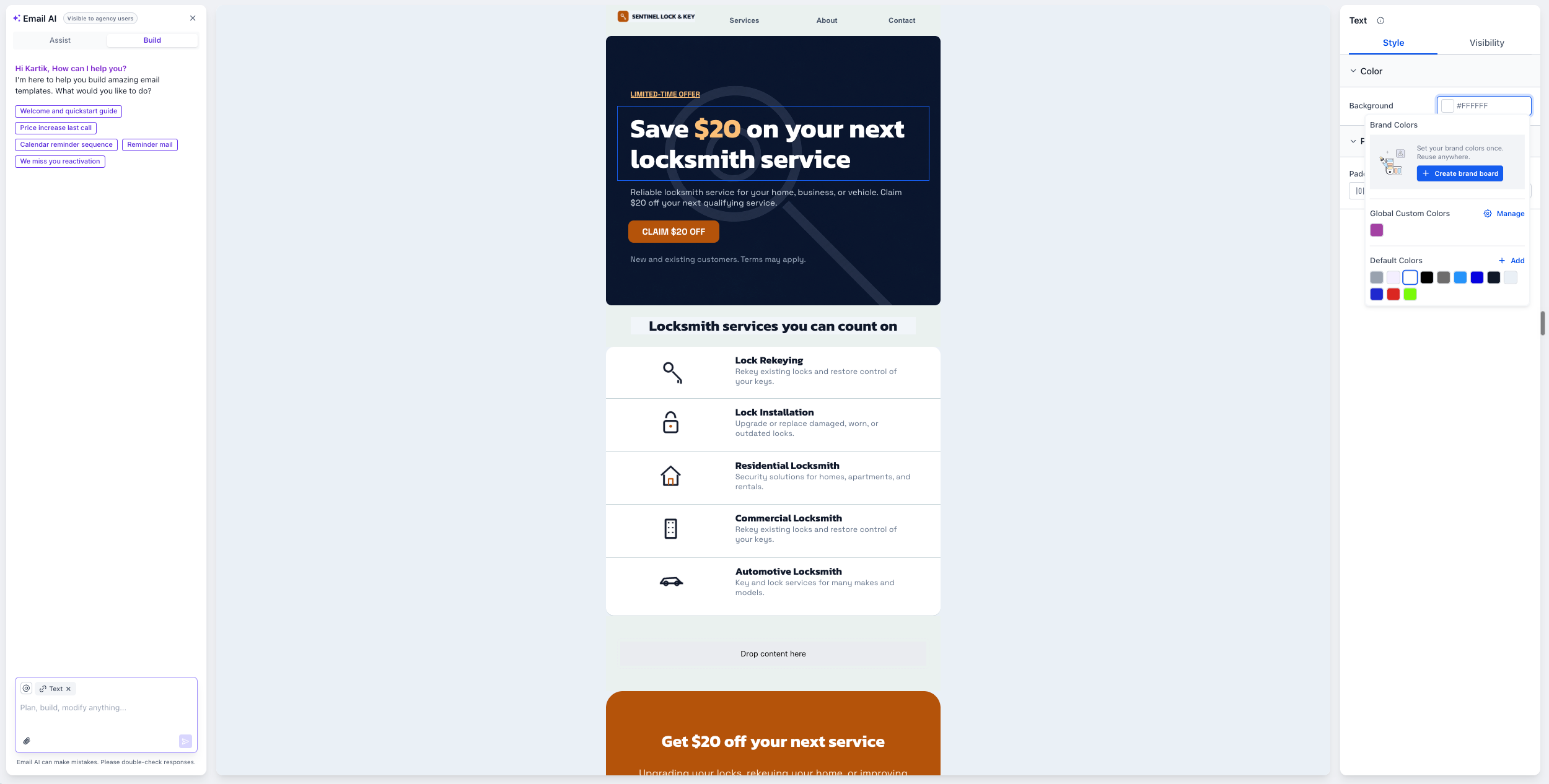
- Open the EveryCatch email builder and click into the color picker for any color setting.
- Click "Create brand board". This option only appears if you do not have any brand boards set up yet.
- In the quick-create modal, either paste your website URL to import your brand automatically or select a preset style to use as your starting point.
- Use the tabs on the left to update your brand: adjust colors, choose or add fonts, and upload your logo as needed.
- Click Save. Your brand colors will appear instantly as swatches in the email builder color picker so you can apply them throughout your email.
Notes
- This quick-create experience is currently available only from the email builder color picker. Support from other builders in EveryCatch, including Websites, Funnels, and Forms, is planned for future updates.
- Editing existing brand boards and switching between multiple boards will be introduced in upcoming releases.



