You can now automate SMS reminders and follow-ups directly from the workflows that manage your records. EveryCatch now lets you send SMS messages to Contacts linked to a Custom Object record or a Company, and choose recipients by their relationship label. You can merge record fields with recipient fields so every message includes the right context for that specific Contact.
What changed
- Send from record workflows: You can now add a Send SMS action inside Custom Object and Company workflows in EveryCatch.
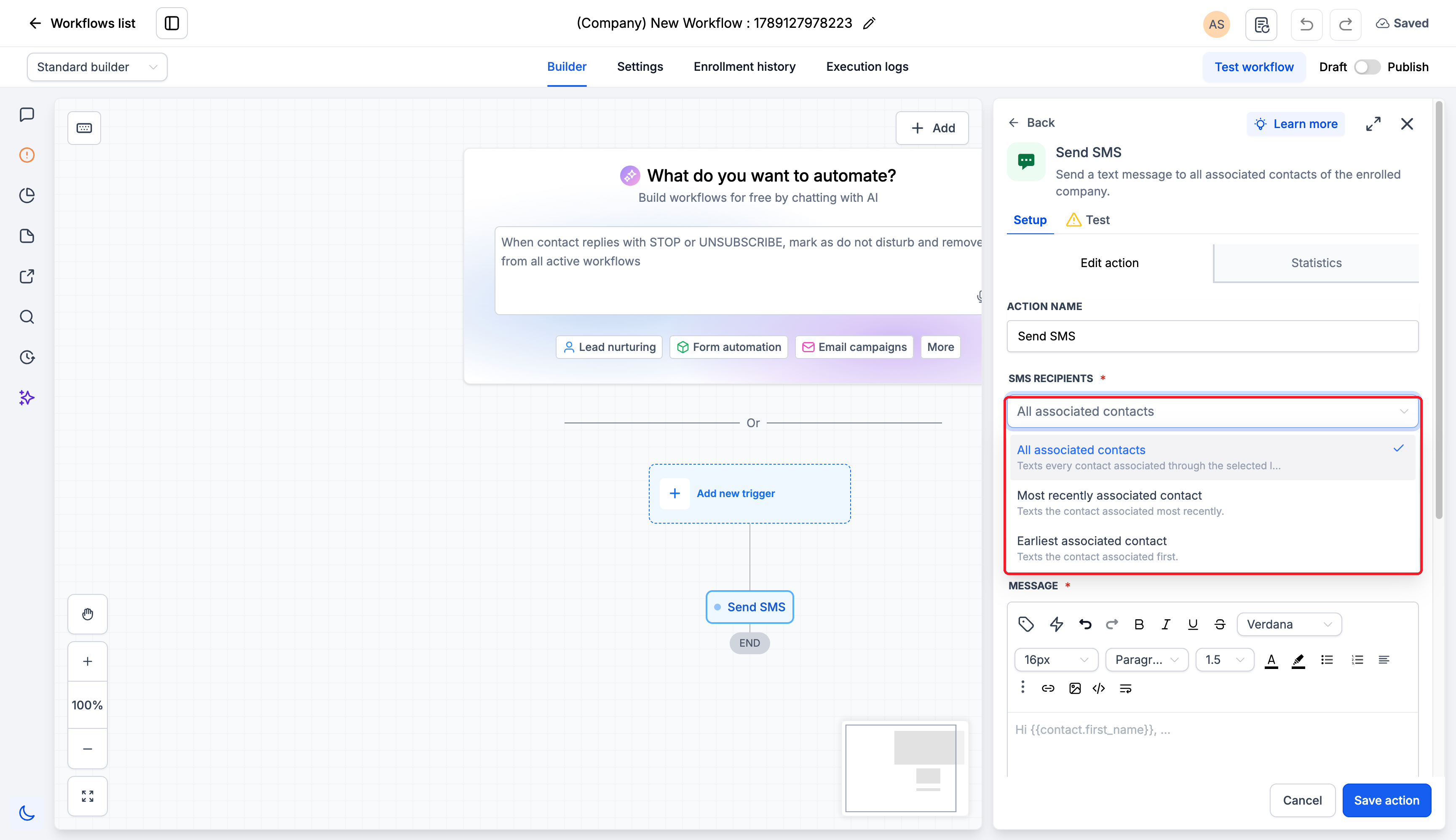
- Choose the right contacts: Pick which associated Contacts should receive the SMS by using association labels, and choose whether to send to all matching Contacts, the most recently associated Contact, or the earliest associated Contact when that applies.
- Contextual communication: Personalise each SMS by combining fields from the enrolled Custom Object or Company with fields from the recipient Contact, so messages include the key details from the related record.
- Compose or reuse: Write a new SMS message on the spot, or select an existing SMS template that you already use elsewhere.
- Review delivery results: Open Statistics on the action to see delivery statuses and recipient-level results for that specific Send SMS step.
Why this matters
You can keep record updates and customer follow-up inside the same automated flow, instead of managing them separately. By merging record details with Contact-specific fields, you can send clear, timely SMS messages for renewals, service updates, and account notifications that reference the exact Custom Object or Company the workflow is handling.
How to use
- Enable the Send SMS action in Labs.
- Go to Automation > Workflows, then open a Custom Object or Company workflow where you want to add SMS messaging.
- Add the Send SMS action to the workflow at the point you want the message to send.
- Choose SMS recipients: pick whether to send to all associated Contacts, only the most recently associated Contact, or only the earliest associated Contact. Then select one or more association labels to filter which Contacts qualify.
- Select an SMS template or write your own message. Use the custom value picker to insert Custom Object or Company fields along with recipient Contact fields so each SMS includes the relevant record details.
- Save the action, review the full workflow to confirm timing and conditions, then publish when everything looks right.
Pro tips
- Company label combinations: If you select the Primary Company label together with any other label, EveryCatch treats this as All associated contacts for that action.
- One message per matching contact: If a Contact matches several of the labels you selected, that Contact still receives only one SMS from that action run.
- Check results after a run: After the workflow processes records, open Statistics on the Send SMS action to confirm which Contacts received the message and review delivery details.
Learn more in the Support doc



