Communities in EveryCatch can now automatically reward members with badges when they hit key milestones or participate through posts, comments, reactions, and consistent activity.
Badges make recognition visible across your community and give members clear, motivating goals to work toward.
What changed
- Automatically award badges when members reach defined community milestones or engagement levels.
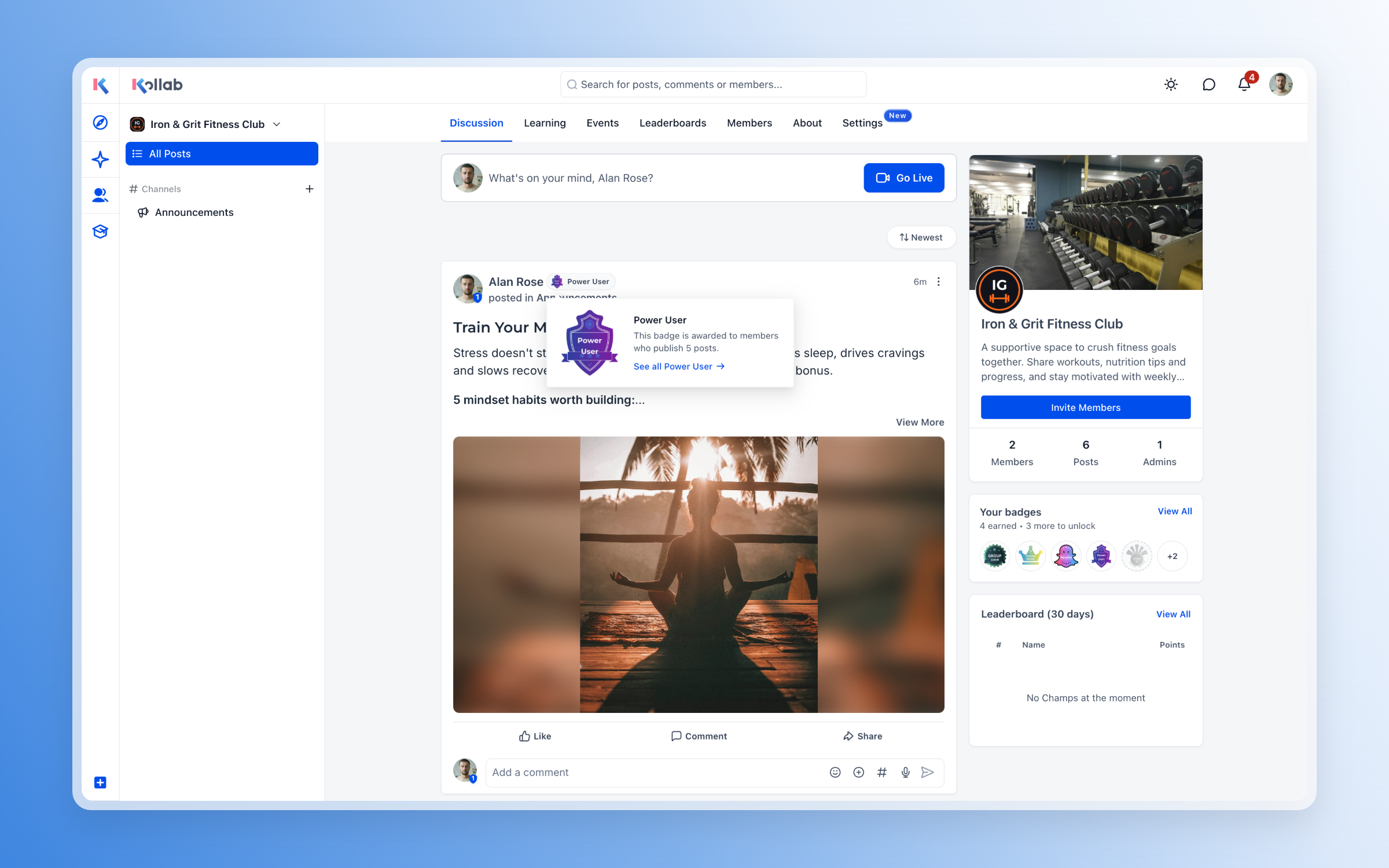
- Show one selected badge next to a member’s name in the feed, comments, and member list so others can see their contributions at a glance.
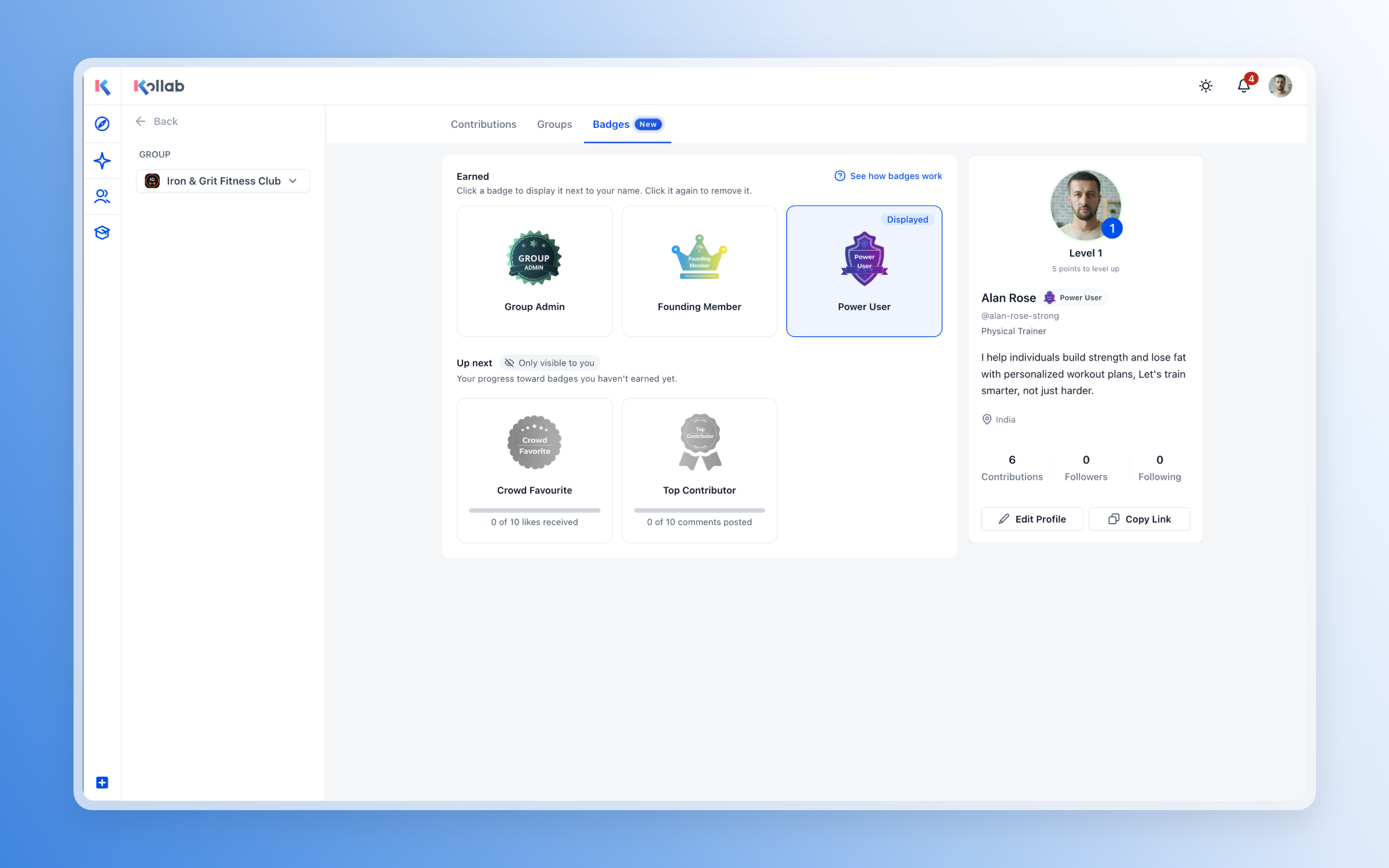
- Let members view all earned badges and track progress toward upcoming badges from the new Badges tab on their profile.
- Notify members as soon as they earn a badge so their achievements are acknowledged in real time.
- Send an “almost there” notification when a member reaches 80% of a badge’s requirement, helping them stay engaged and complete the goal.
- Filter the member list by badge and see how many members currently hold each badge to understand engagement patterns.
- Refresh engagement badges every quarter so recognition reflects recent activity and stays timely for your community.
Available badge types
One-time badges
- Group admin: Awarded when a member becomes a community admin.
- Newbie: Awarded when a member joins the community.
- Founding member: Awarded to qualifying early members.
Engagement badges
These badges refresh every quarter based on each member’s recent activity.
- Always on: Engage by posting, commenting, or reacting for a set number of consecutive days.
- Top contributor: Publish a set number of comments.
- Power user: Publish a set number of posts.
- Crowd favourite: Receive a set number of likes across published posts.
Member experience
With badges turned on, members can:
- See a badge beside other members’ names across the community feed, comments, and member list.
- Track which badges they have earned and how close they are to their next achievements from their profile.
- Receive notifications when they are close to earning a badge or when they successfully earn one.
- Choose which one of their earned badges appears beside their name to highlight the recognition that matters most to them.
Admin controls
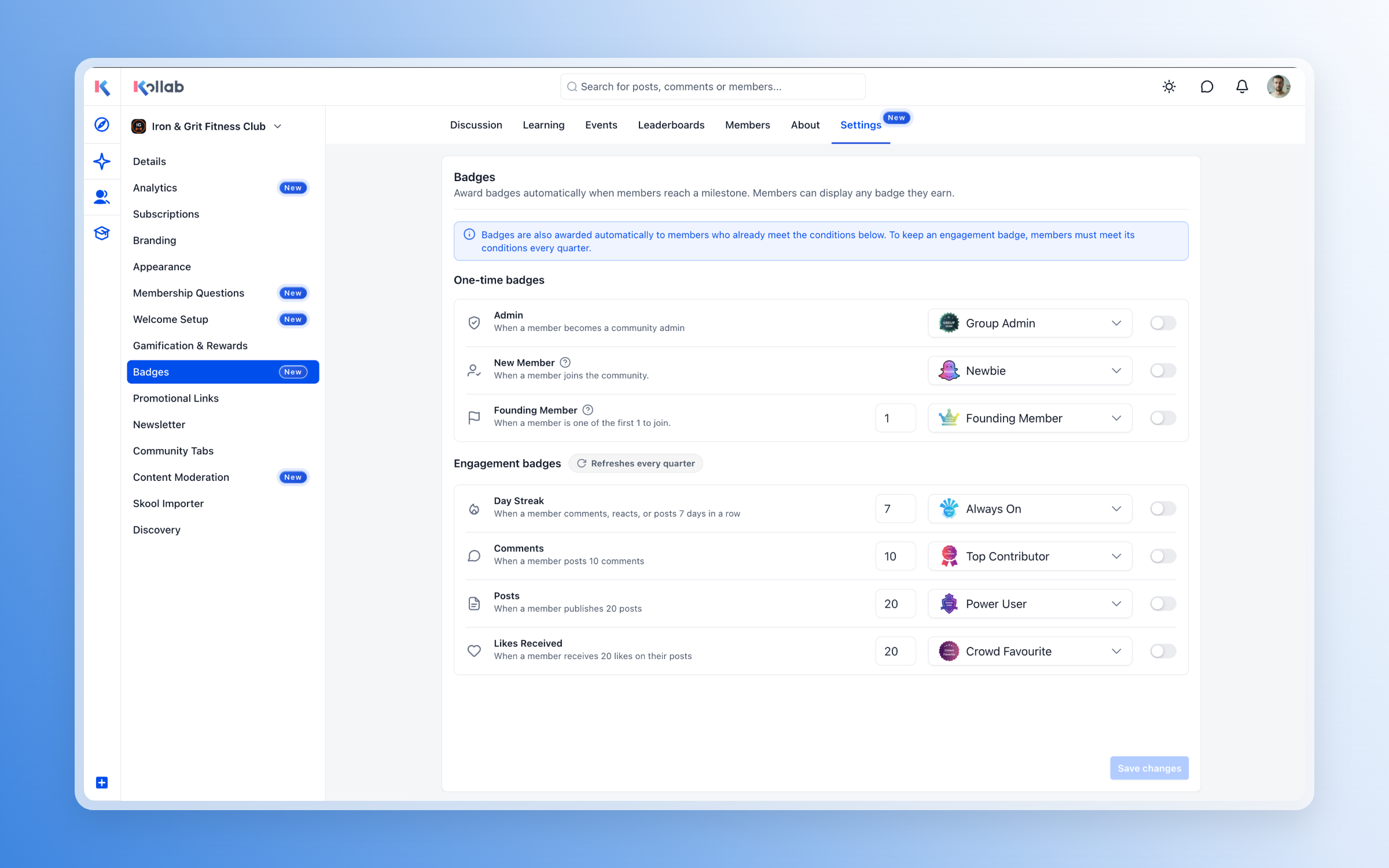
Admins can configure badge automation in EveryCatch under Community → Settings → Badges.
For each badge trigger, admins can:
- Turn automatic awarding on or off for that specific trigger.
- Set the required milestone or engagement threshold a member must reach.
- Choose which badge members will receive when they qualify.
- Update the badge design itself under Memberships → Credentials so visuals match your brand and program.
When you enable a trigger, EveryCatch will also award that badge to any existing members who already meet the requirement so recognition is up-to-date from day one.
Get started
- Go to Community → Settings → Badges in your EveryCatch account.
- Enable the one-time and engagement triggers you want to use in your community.
- Set the qualification threshold and select a badge for each trigger you enable.
- Create or customize badge templates under Memberships → Credentials to align with your programs and branding.
Once you have set up your triggers and designs, qualifying members will be recognized automatically and can choose which earned badge to display from their profile.