Domain-based company automation is now available in every EveryCatch account. Whenever a contact is created or their email address changes, EveryCatch looks up the company by email domain, associates the contact with that company, and, when needed, creates and enriches a new company automatically. You no longer need to enable any Labs settings to use this.
What changed
- Available to all accounts: The feature is live for everyone. You can configure it under Settings > Objects > Companies, in the Automations section.
- Default for new agencies: For new EveryCatch agencies, Create companies from contact's email domain is switched on automatically. Existing agencies keep it off until an admin enables it.
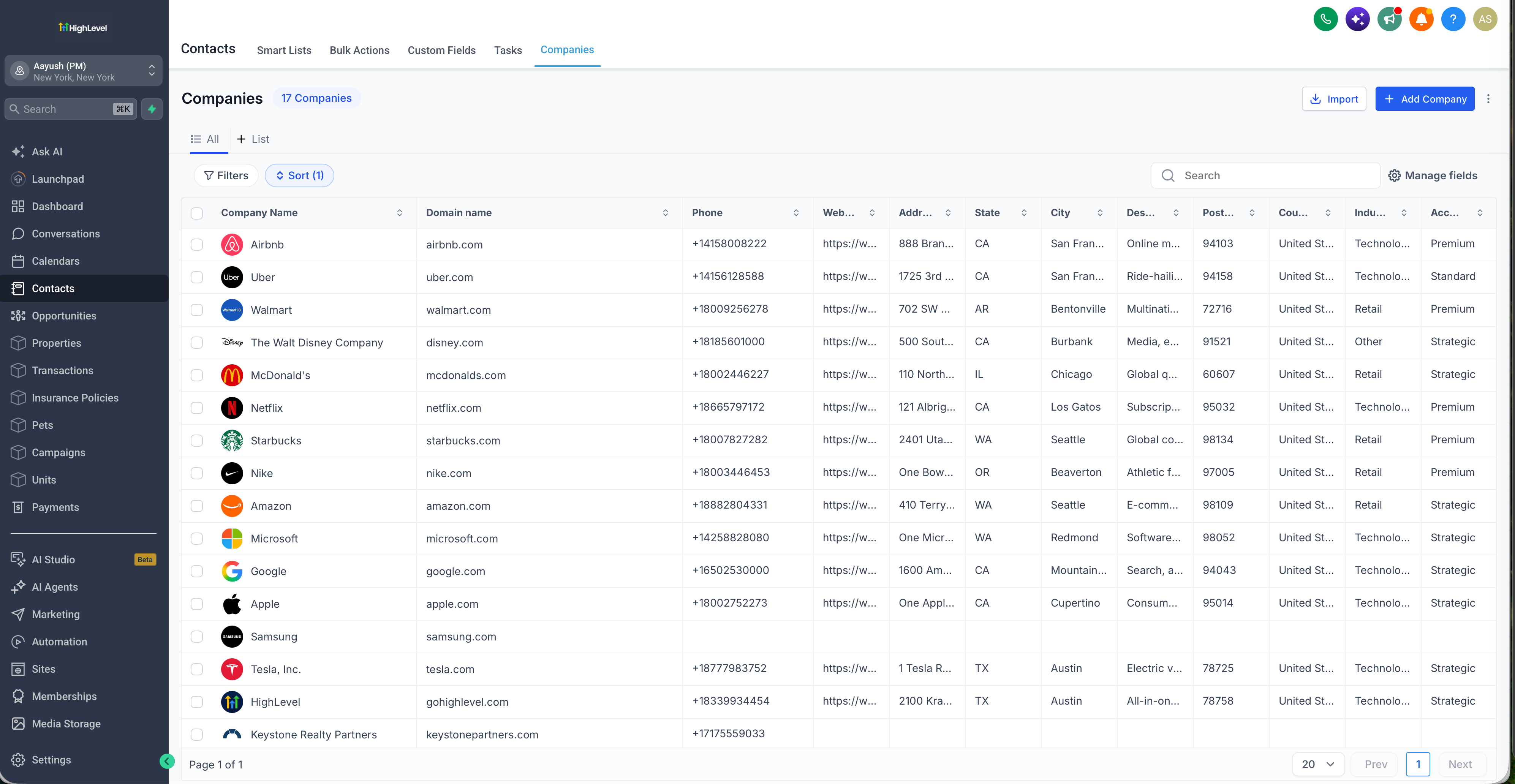
- Company domain name field: Each company now has a Company Domain Name field. It supports one domain per company and is unique by default so the same business is not created twice.
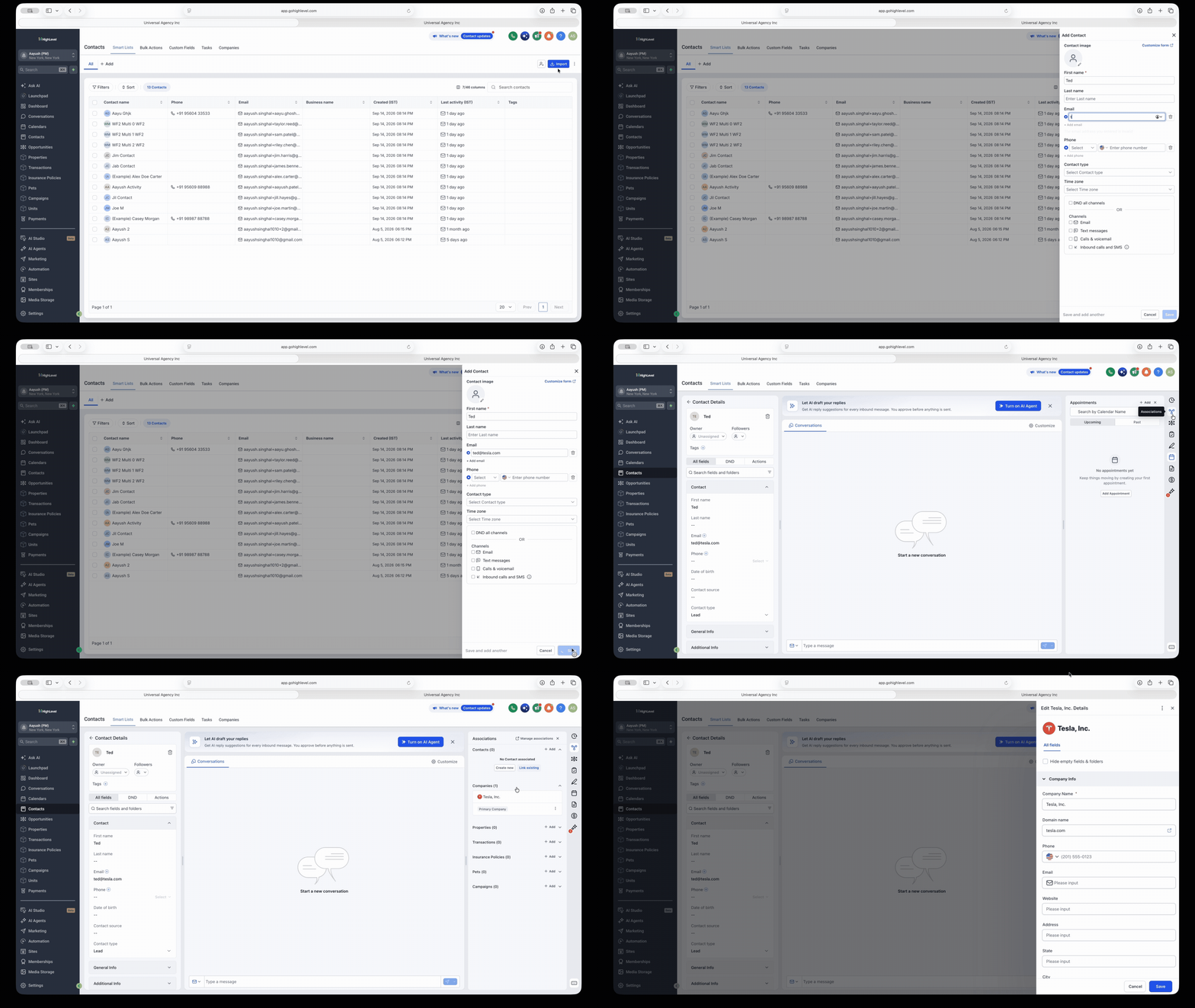
- Automatic association: Contacts are automatically linked to the company that owns their email domain. If there are existing companies without a domain set, EveryCatch tries to match and reuse those first before creating a new one.
- Automatic creation with enrichment: When no existing company matches the domain, EveryCatch creates a new company record and enriches it with the domain, company name, and logo where available.
- Smart exclusions: Free email providers such as Gmail and Yahoo are ignored by default, and admins can add their own domains to exclude from automatic association and creation.
- Support for existing data: When you turn the feature on, you can first add domains to your existing companies and then run the automation on existing contacts so they attach to the right accounts.
Why this matters
For B2B teams, a contact’s email domain is a strong indicator of which company they belong to. With this update, company records in your CRM organize themselves as new contacts are added: you spend less time on manual company matching, create fewer duplicate company records, and keep your existing companies, with their deals and notes, intact instead of recreating them.
How to use
- Go to Settings > Objects > Companies.
- In the Automations section, enable Create companies from contact's email domain (this is already on in new agencies), Enrich companies automatically, and Automatically prevent duplicate companies.
- Under Exclude domains from automatic association, add any domains you want EveryCatch to ignore, such as internal test domains or specific providers.
- Choose whether to populate domains for existing companies and apply the automation to existing contacts, then click Save changes.
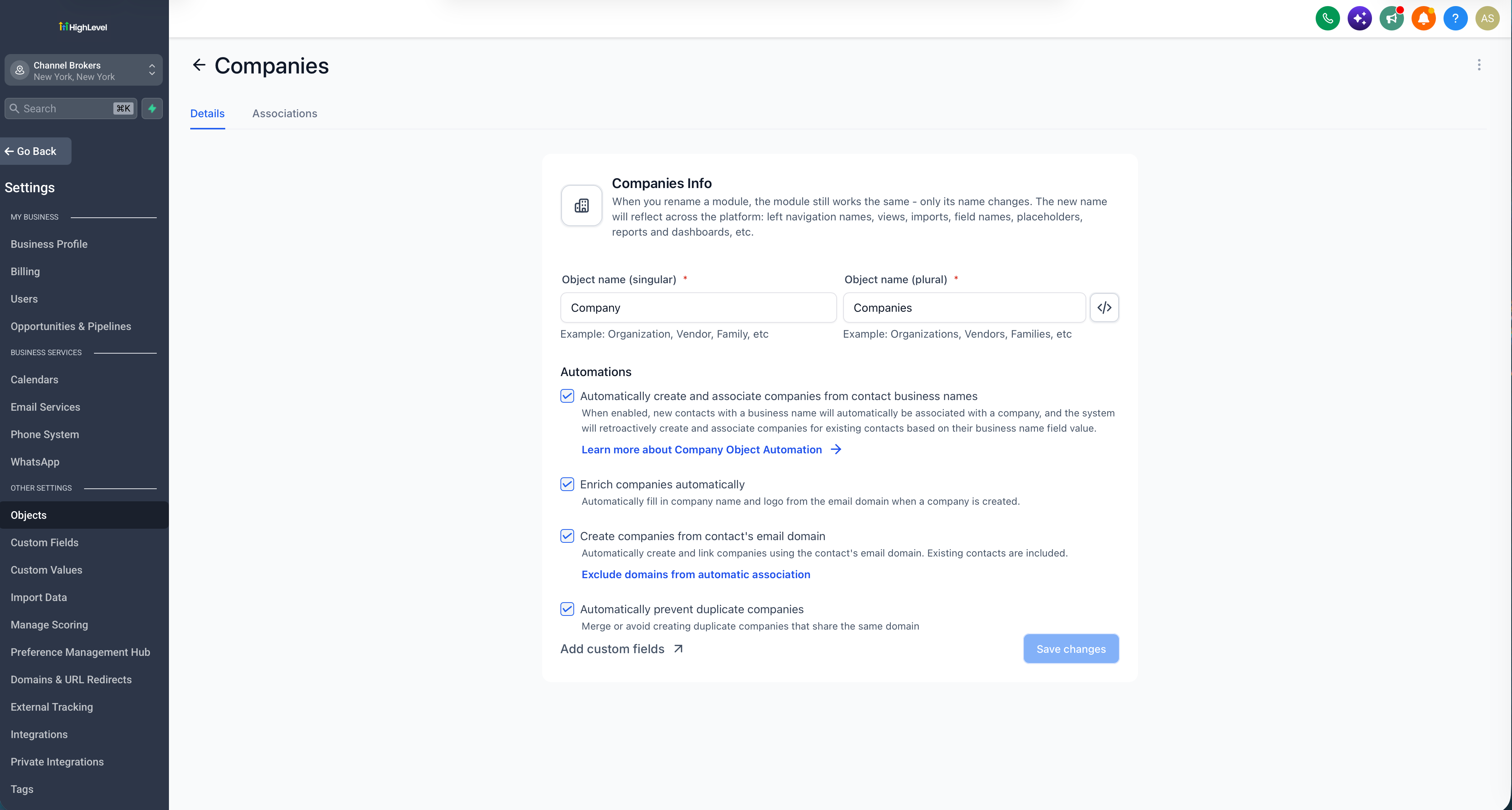
These controls are available in the company automation section under Settings > Objects > Companies.
Pro tips
- Keep duplicate prevention enabled: This protects you across all the different ways a company can be created in EveryCatch.
- Fill in domains first: Before you run the automation on existing contacts, run the domain fill-in for your current companies so contacts attach to the companies you already maintain.
- Existing links are preserved: If a contact is already associated with a company, that relationship stays as it is, and any domain you set manually on a company is never overwritten by enrichment.
- Domain matching is exact: company.com and mail.company.com are handled as different domains, so make sure you enter the exact domain you want to match.
Learn more
- Company domain name field and duplicate prevention
- Automatic company creation and enrichment



