Conversation AI agents in EveryCatch can now reply with rich elements: quick replies, lists, link buttons, images, files and formatted text on WhatsApp. On WhatsApp, Facebook Messenger, Instagram and Live Chat, these appear as native buttons, menus and cards that contacts can tap. On all other channels (SMS, Email and others), the same reply is sent as plain text so the contact still receives all the information. Anything a channel cannot display is written directly into the message body.
Key capabilities
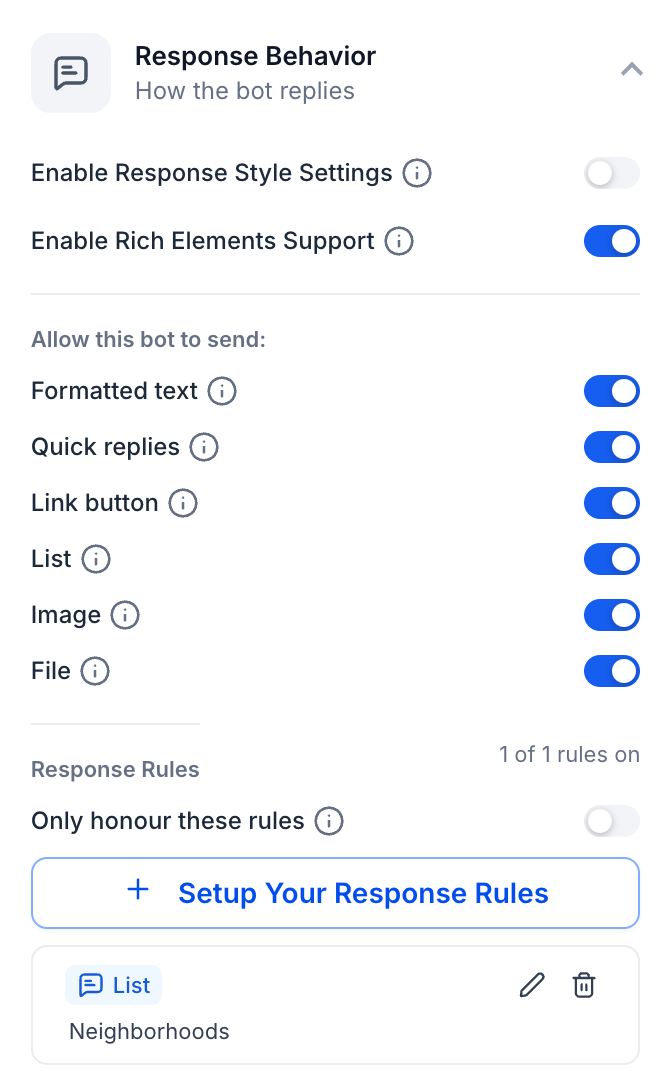
- You can choose from six elements: formatted text, quick replies, link button, list, image and file. Turn each one on or off per agent under Response Behavior → Allow this bot to send, so every agent only uses the elements that fit your use case.
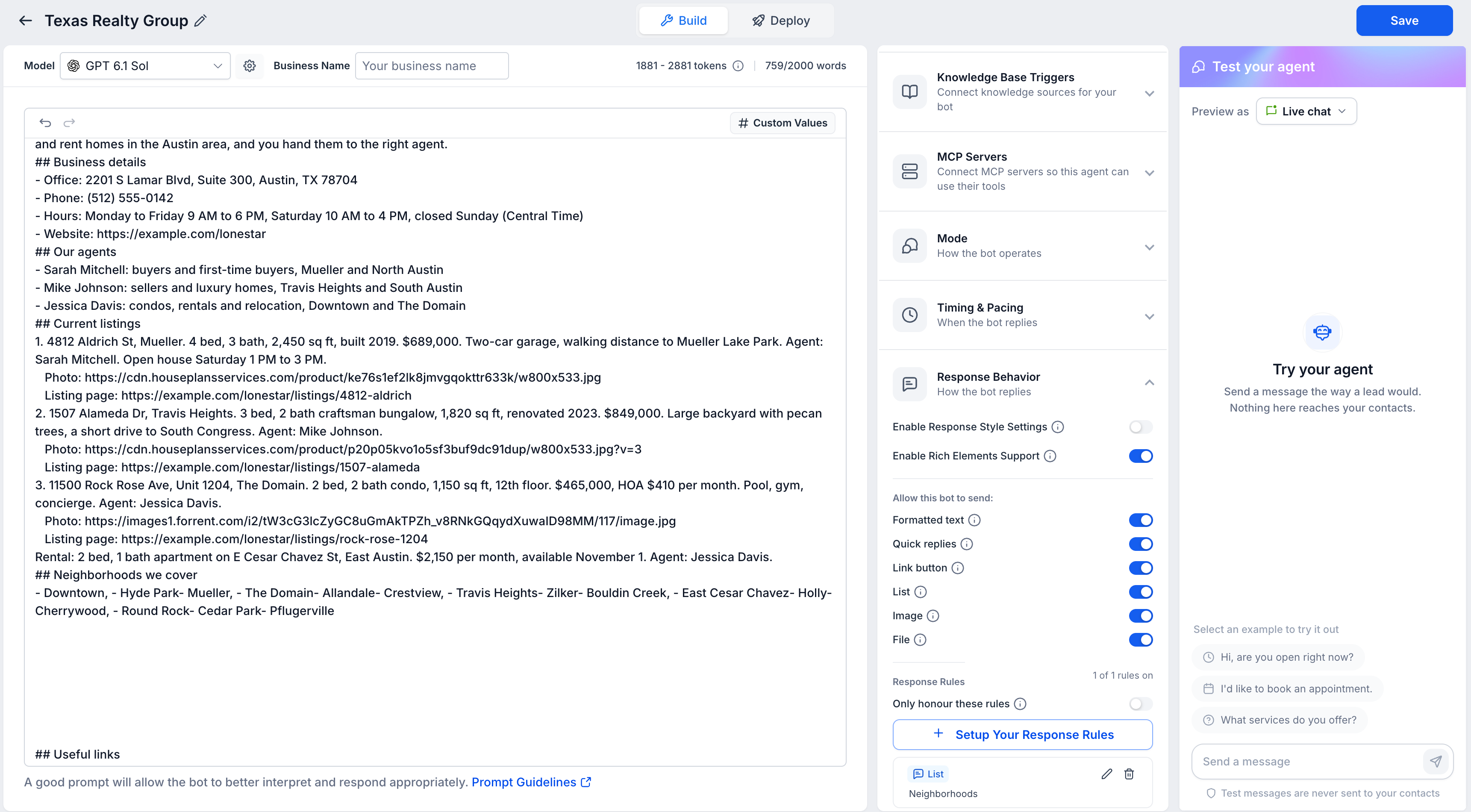
- Content is driven by your prompt: image and file links, listing pages and other items the agent shares come from the agent's prompt, as in this real estate example. You control what the agent can send by including the links and details in its configuration.
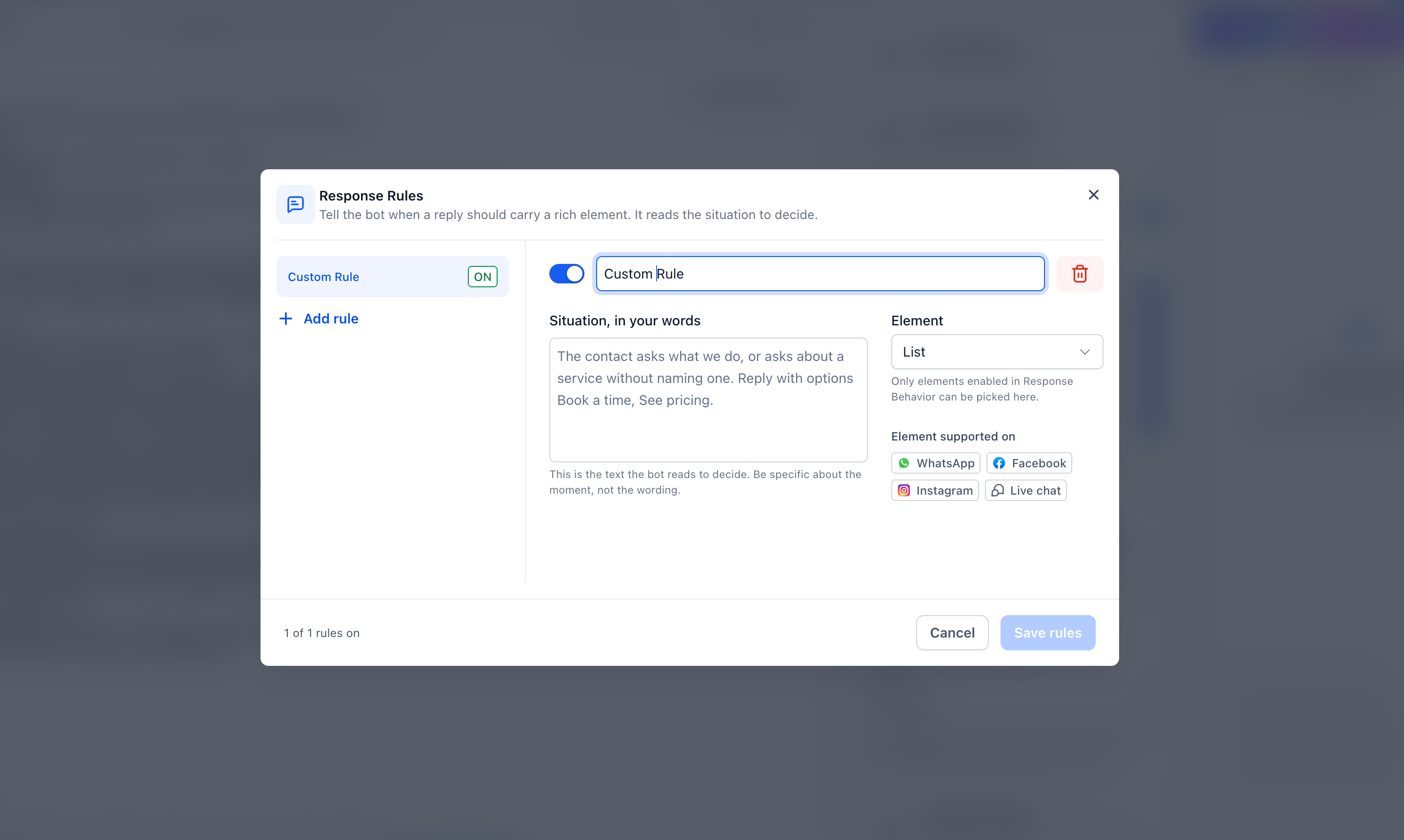
- Response rules: click Setup your response rules to describe, in your own words, when a reply should include a specific element. Then choose the element you want used in that situation. You can only pick elements that are enabled in Response Behavior, and the dialog shows which channels support each type. Turn on Only honour these rules if you want the agent to follow only the rules you define for rich elements.
- Content is preserved across channels: if a channel cannot display an element, or a reply would exceed the channel’s limits, that content is moved into the message text instead. The contact still receives every option and link in a readable format.
How to get started
- Open your agent under AI Agents → Conversation AI.
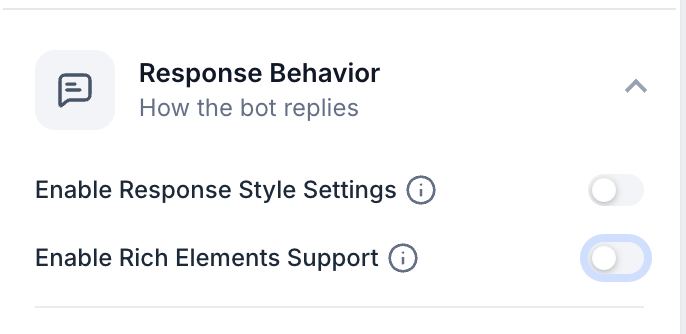
- Expand Response Behavior and switch on Enable rich elements support.
- Under Allow this bot to send, turn on the elements you want this agent to be able to use.
- Optionally, click Setup your response rules to describe when each element should be used in conversations.
- Add the image and file links the agent is allowed to share into its prompt or configuration so it can reference them in replies.
Elements by channel
An element appears in a conversation only if it is enabled for the agent and the channel supports that element type.
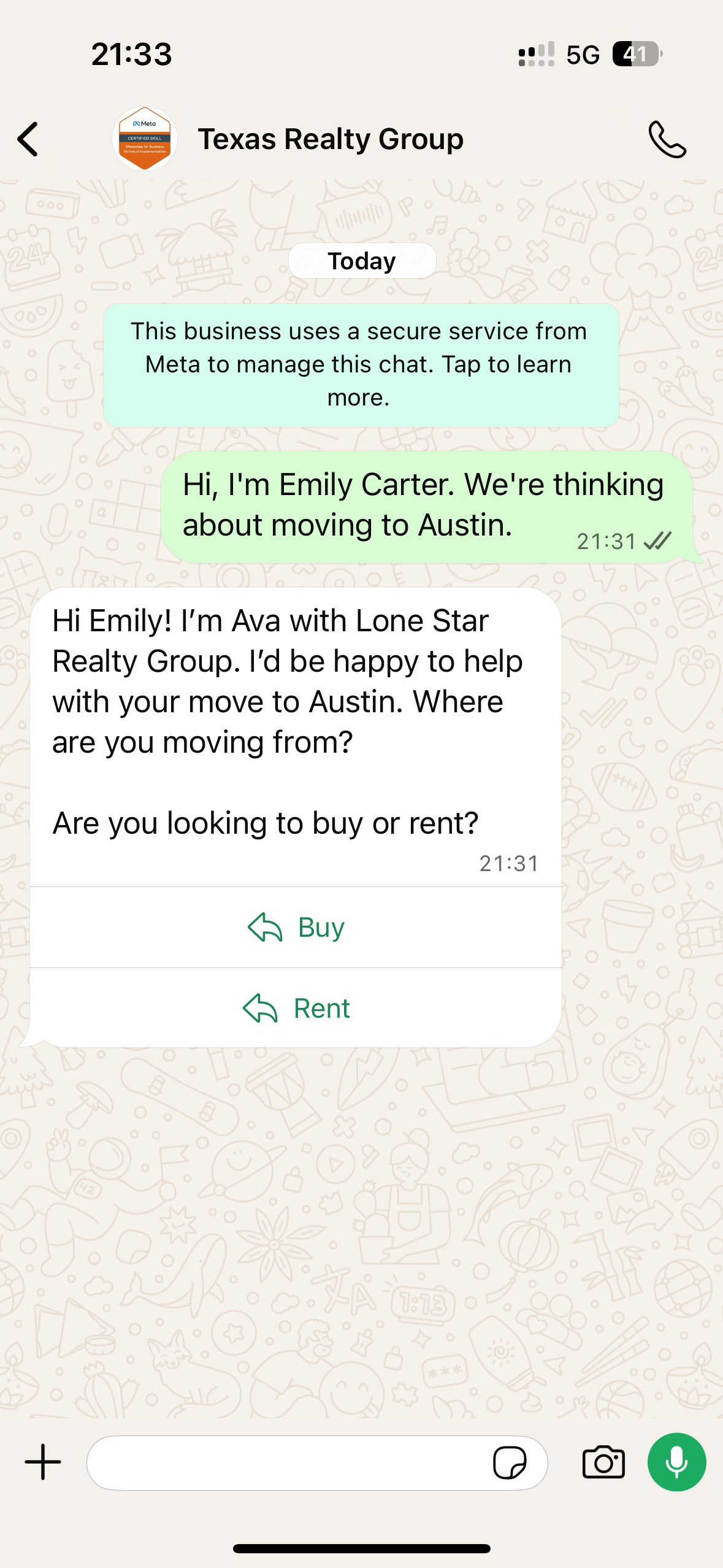
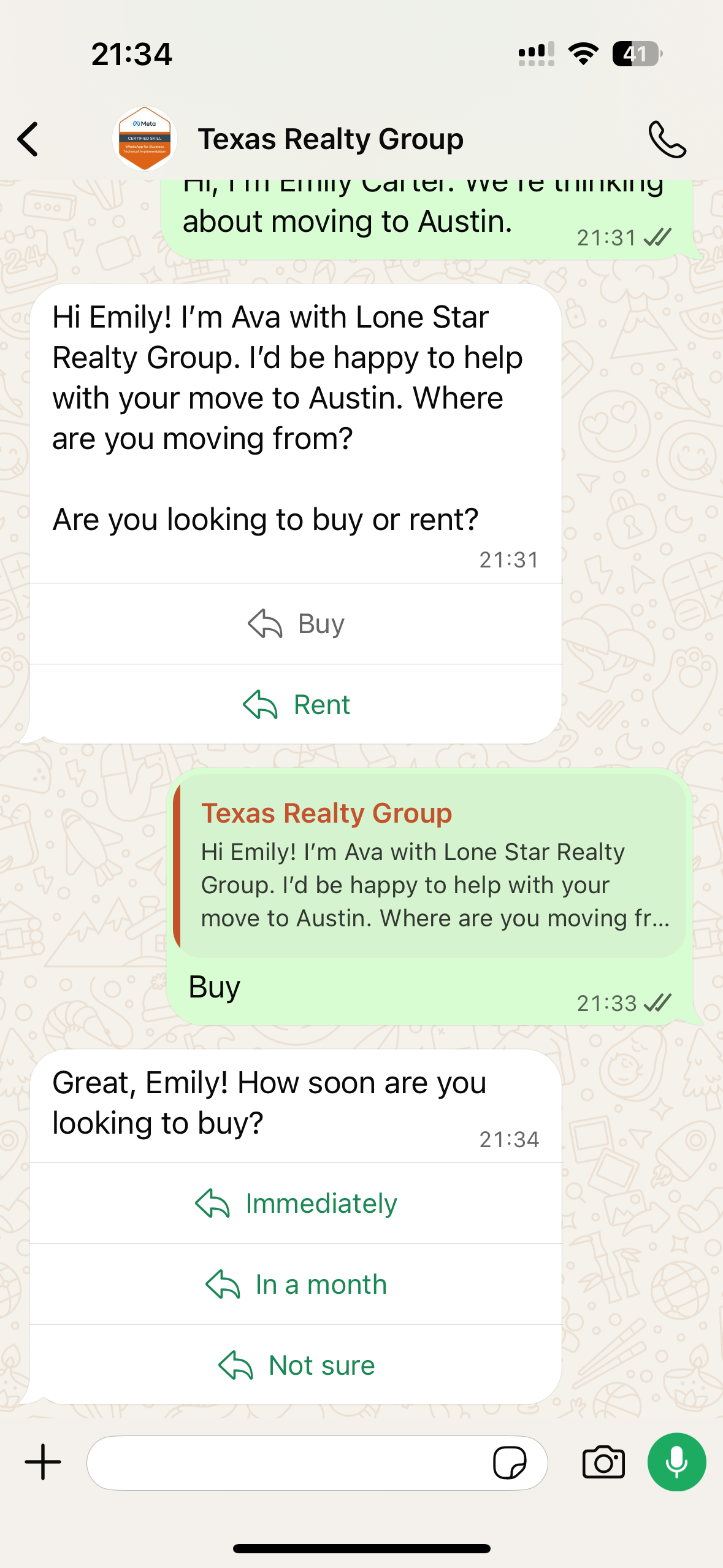
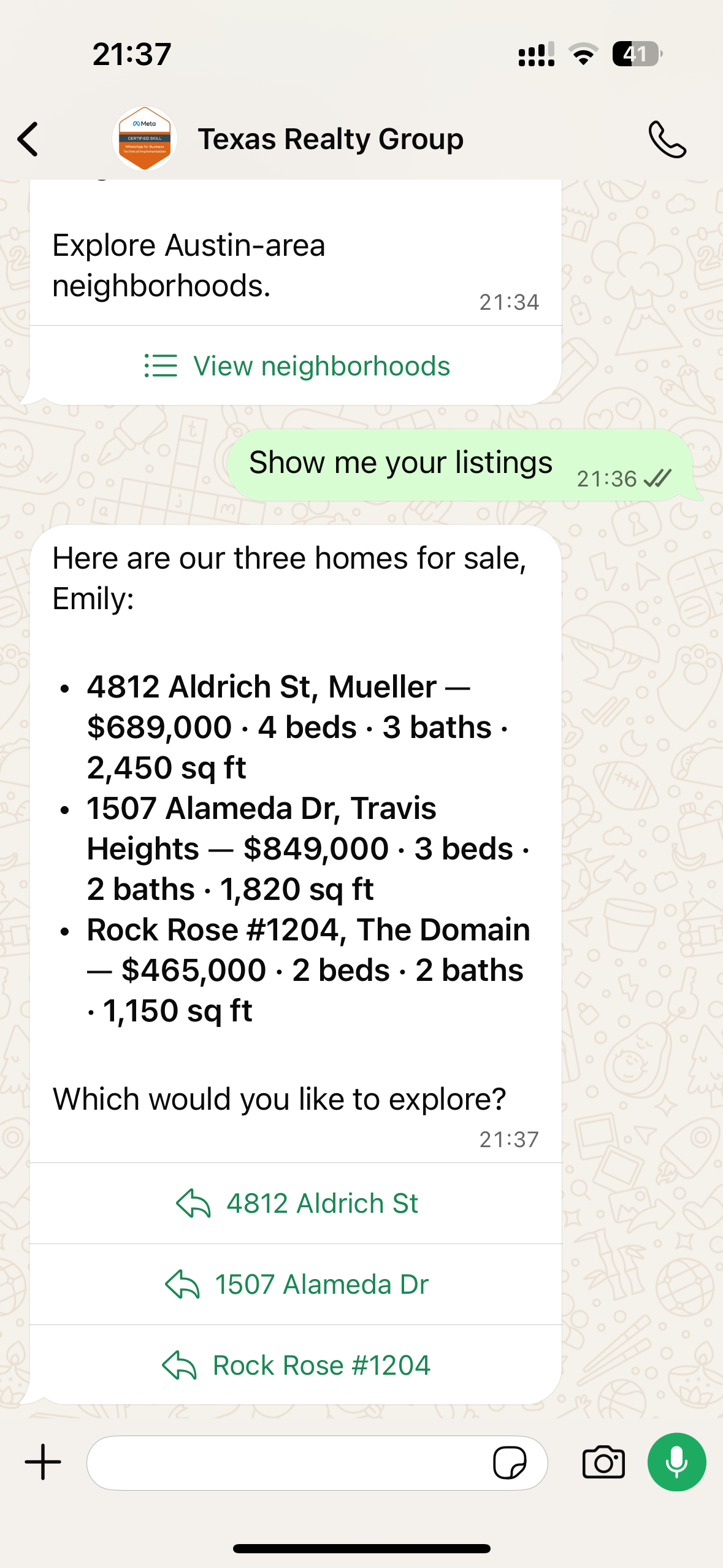
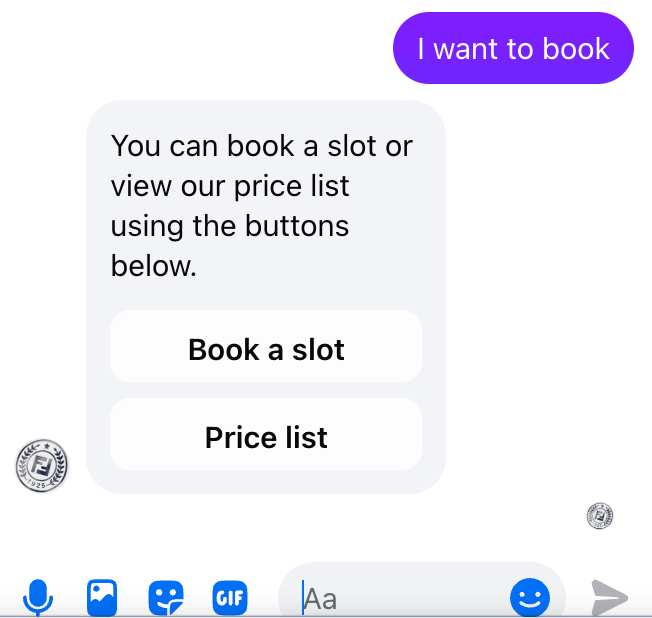
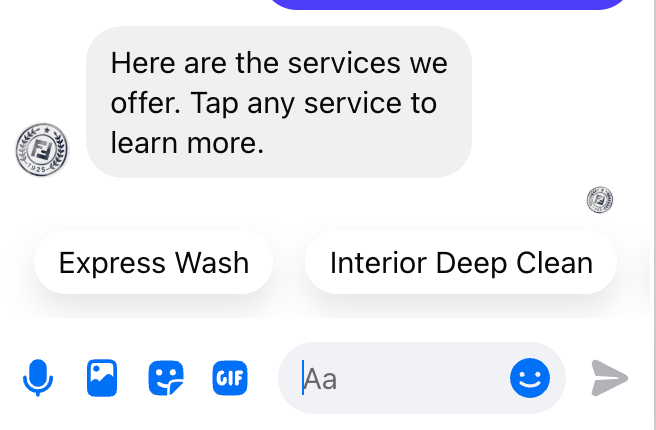
- Quick replies: shown as reply buttons on WhatsApp and Live Chat (a single-use card on Live Chat), and as chips on Messenger and Instagram (Instagram mobile app only).
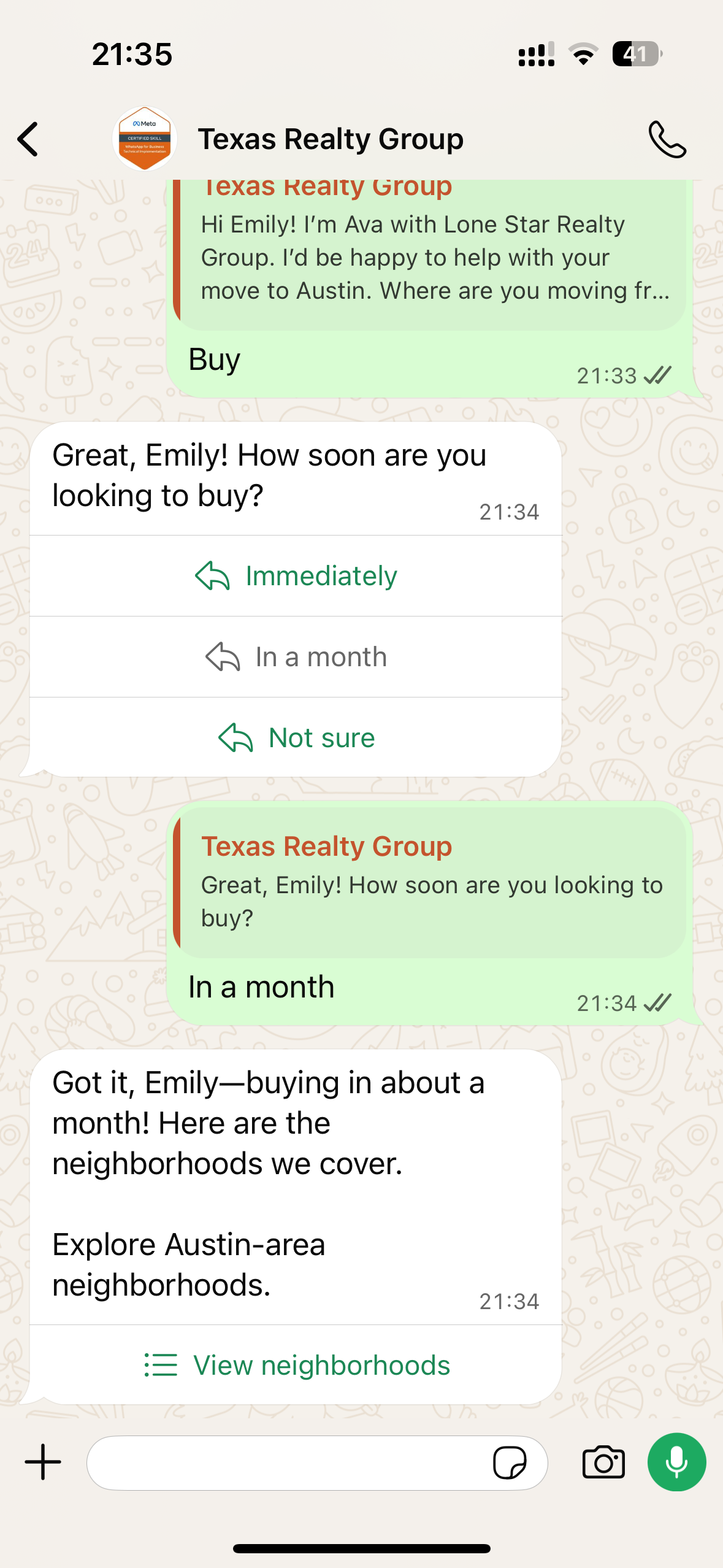
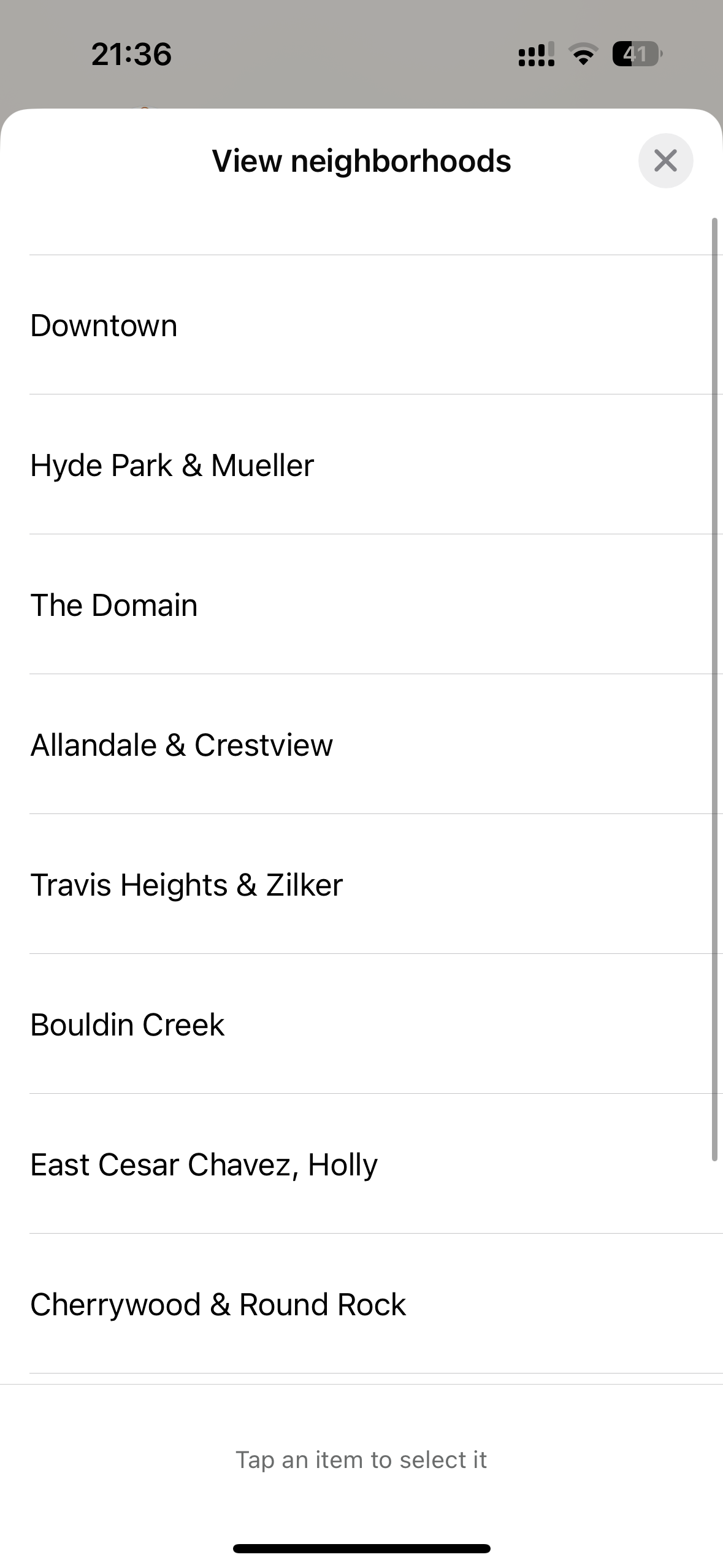
- List: shown as a native list menu on WhatsApp, as chips on Messenger and Instagram (Instagram mobile app only), and as buttons on Live Chat.
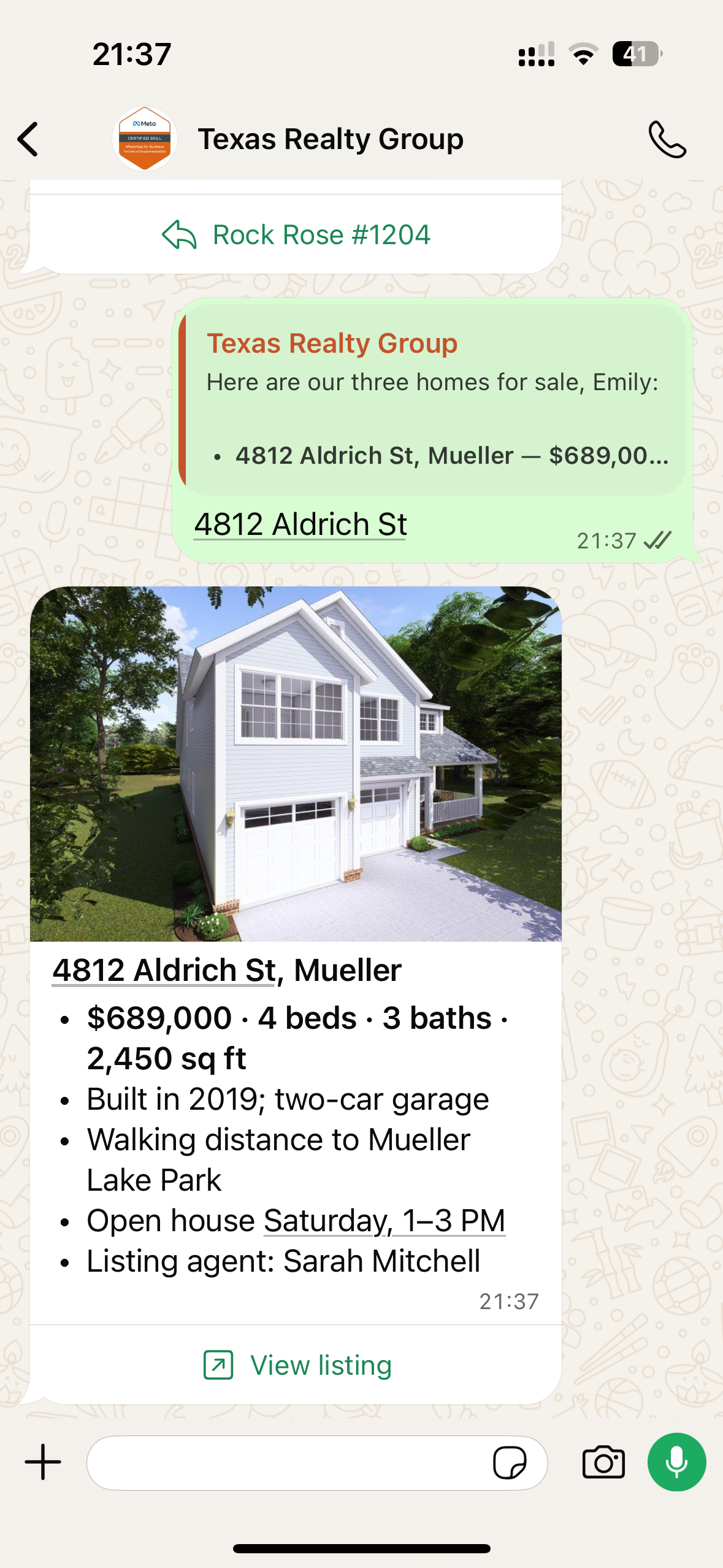
- Link buttons: 1 link button on WhatsApp, a button template on Messenger and Instagram (Instagram mobile app only), and link buttons on Live Chat.
- Image: jpg and png on WhatsApp; jpg, png and gif on Messenger and Instagram (sent as a separate message); jpg, png, gif and webp on Live Chat.
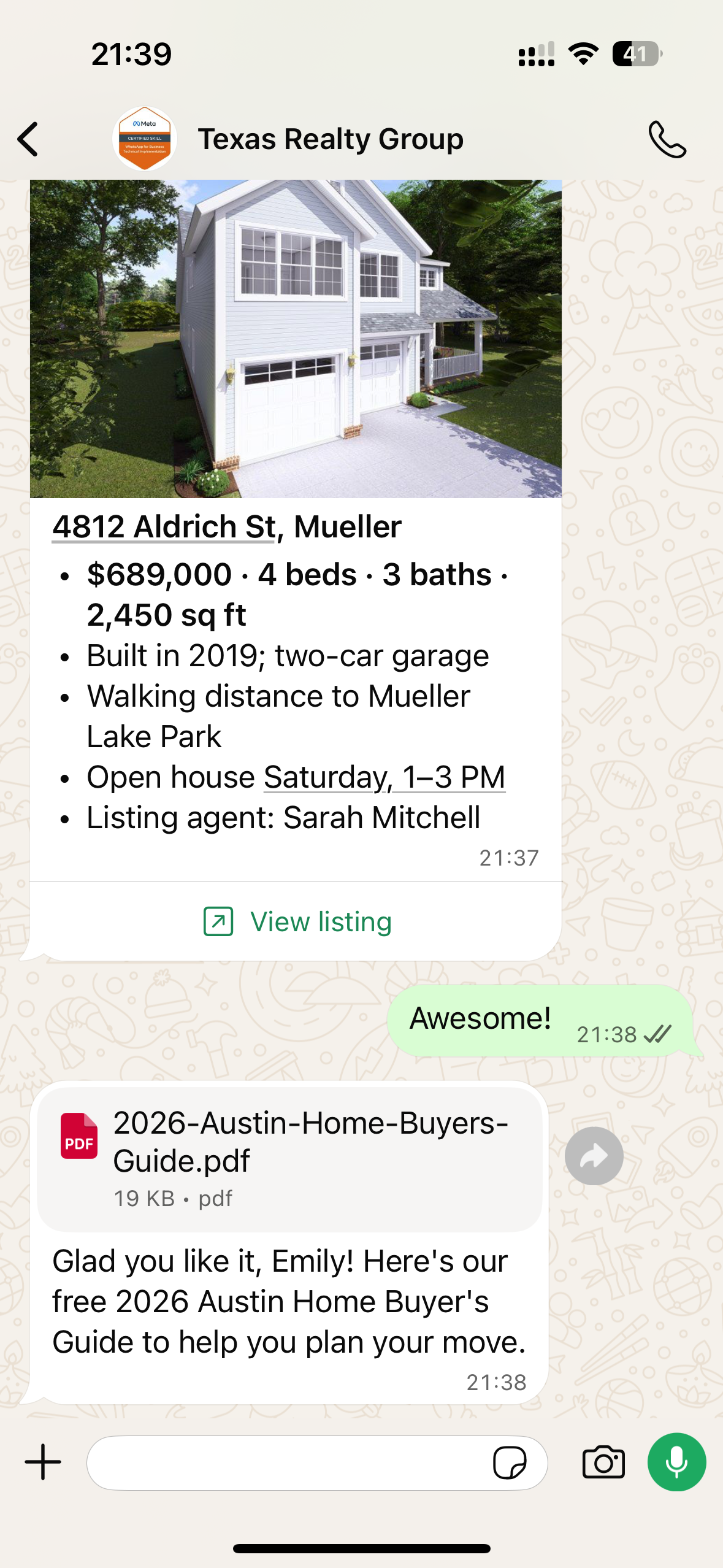
- File (document): pdf, doc(x), xls(x), ppt(x) and txt on WhatsApp; pdf, doc(x), xls(x), pptx, csv and txt on Messenger (sent as a separate message) and Live Chat. Instagram shares documents as a link rather than as an attached file.
- Text formatting (bold, italic): available on WhatsApp only, using WhatsApp's native formatting. Other channels receive the same text without formatting markup.
- Carousels and cards: planned for Messenger and Instagram in a future update.
- Video, audio and location: included as text descriptions or links on every channel.
- SMS, Email and other channels: every element is converted into readable message text, with options listed as bullets and links shown with their full URL.
Supported combinations
Each message can contain at most one interactive element (quick replies, list or link buttons) and at most one image or file. Text can be added alongside any of these elements.
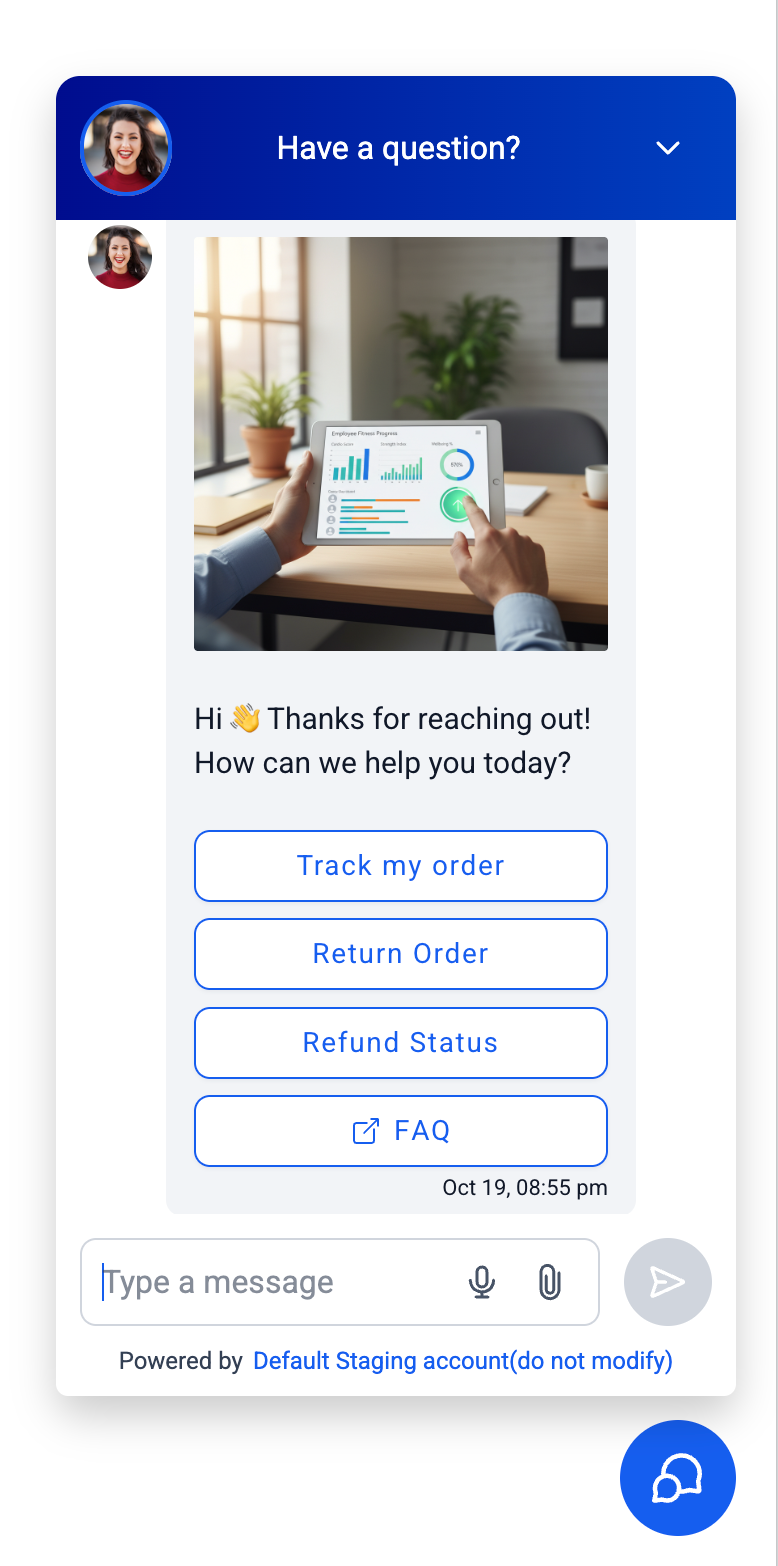
- Quick replies + image and link buttons + image: supported on all four channels. On WhatsApp the image appears as the message header; on Live Chat it appears as the card picture.
- List + image: supported on Messenger, Instagram and Live Chat. This combination is not available on WhatsApp.
- Quick replies + file: supported on WhatsApp (file as header) and Messenger.
- List + file and link buttons + file: supported on Messenger only.
- Unsupported on any channel: combining an image with a file in the same message, using two interactive elements in one message, or including two images or two files in a single message.
When a combination is not supported on a channel, the first element is displayed in its designed format and the remaining elements are converted into message text so the contact can still see all the information. On Messenger and Instagram, the image or file is sent as a separate follow-up message immediately after the text.
Limits per channel
If a reply would exceed a channel’s limits, the extra content is moved into the message text. Content is never dropped.
- WhatsApp: up to 3 quick replies of 20 characters each; lists of up to 10 rows across 10 sections (row title up to 24 characters, description up to 72, menu button label up to 20); 1 link button of up to 20 characters; up to 1,024 characters of message text alongside an element (longer replies are sent as plain text without the element); and 1 image or file per message.
- Messenger and Instagram: up to 13 quick replies of 20 characters each; lists of up to 13 rows of 20 characters; up to 3 link buttons of 20 characters with up to 640 characters of message text; and 1 image or file per reply.
- Live Chat: up to 5 quick replies; lists of up to 5 rows; up to 5 links per card (call buttons are shown as text); no fixed limit on message text; and 1 image or file per message.
See it in action
In this example, a real estate agent on WhatsApp sends quick replies, a list menu, formatted text, an image with a link button and a file in a single flow. Below that, you can see Messenger link buttons and quick reply chips, plus a Live Chat card that includes an image and buttons for easy next steps.
Important notes
- Instagram: buttons, lists and quick replies are available in the Instagram mobile app. On Instagram web, contacts see the same content as message text.
- Instagram documents: Instagram accepts images but not documents as native attachments, so documents are shared as a link instead.
- Live Chat: buttons on cards can be tapped once. After the contact chooses an option, the card is locked and cannot be used again.
- Messenger and Instagram: replies are sent within Meta's 24-hour messaging window and follow the usual policies for ongoing conversations.
- SMS, Email and other channels: replies are always sent as plain text. MMS and RCS are not supported yet for rich elements.
- Images and files: must be provided as publicly accessible links in the agent's configuration so that channels can fetch and display or download them.



