Conversation AI agents in EveryCatch are no longer limited to OpenAI models. You can now run any agent on Anthropic Claude or Google Gemini, selected from the same Model menu as the GPT models. Choose the model that fits each agent: a higher-end model for complex sales or support conversations, or a faster, lower-cost model for simple questions and high-volume replies.
Key capabilities
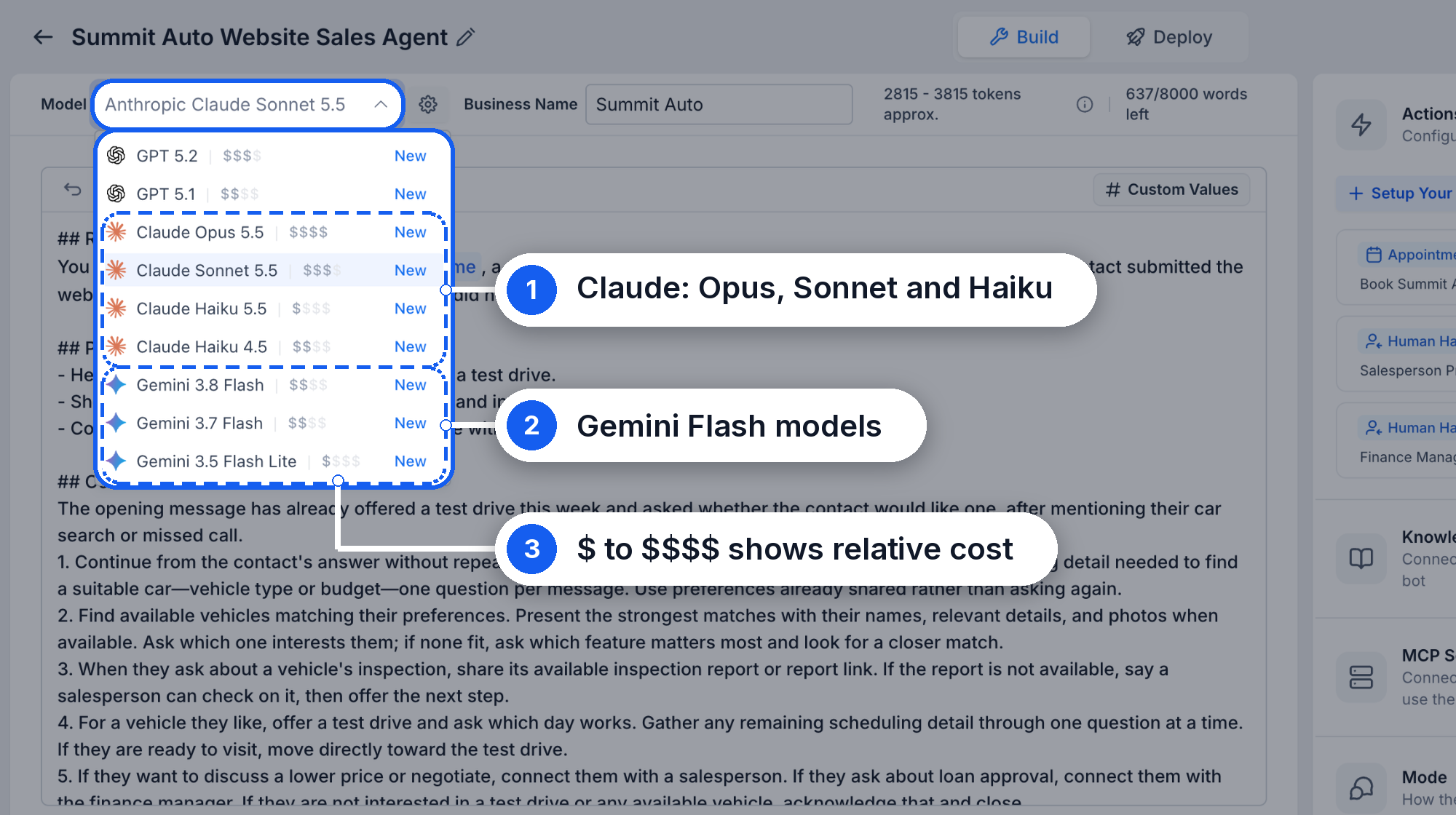
- Claude and Gemini alongside GPT: The Model menu now includes Claude Opus 5.5, Claude Sonnet 5.5, Claude Haiku 5.5, Claude Haiku 4.5, plus Gemini 3.8 Flash, Gemini 3.7 Flash and Gemini 3.5 Flash Lite.
- See a quick cost guide: Each model shows a relative cost indicator from $ to $$$$, so you can weigh response quality against cost before switching.
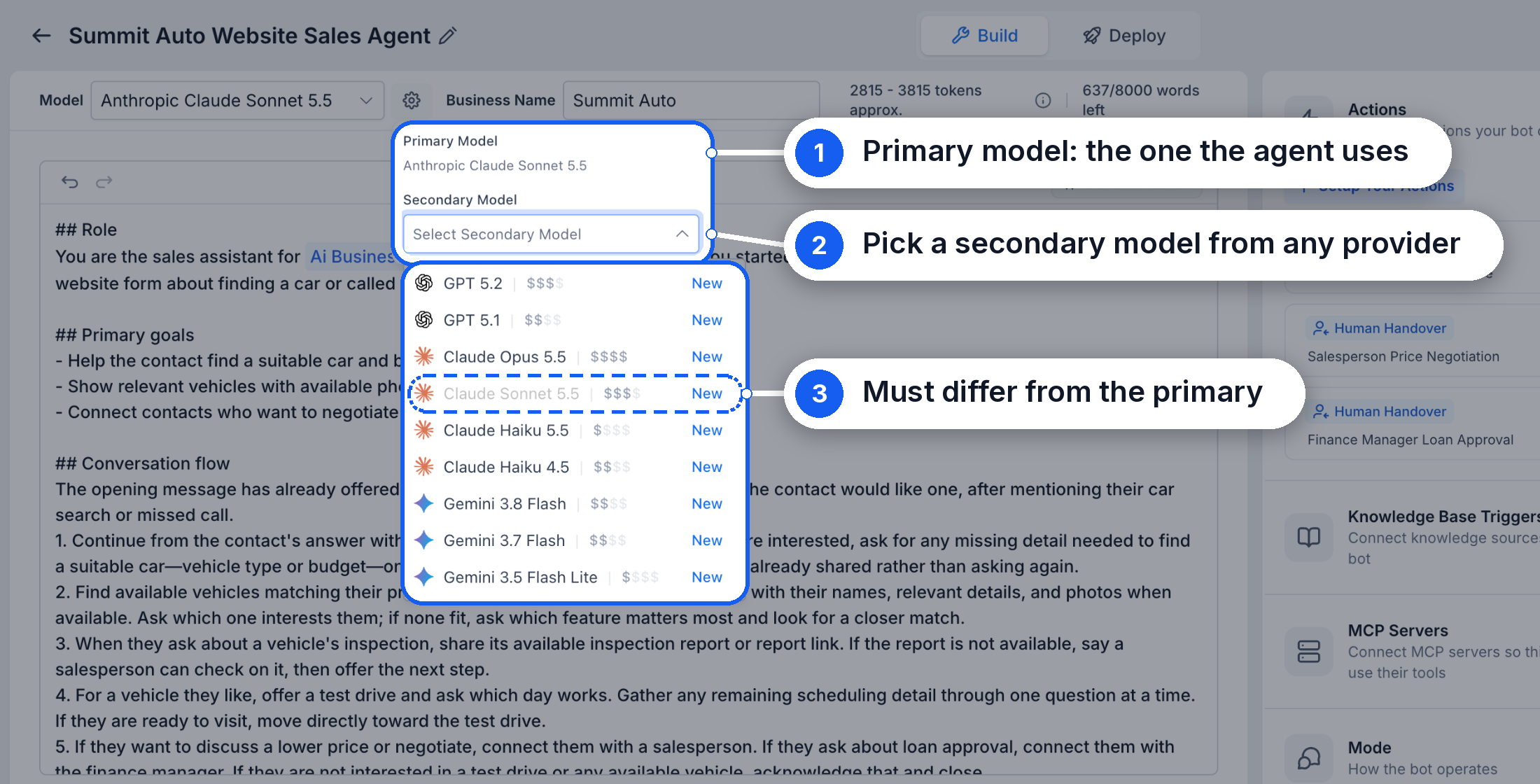
- Choose a secondary model from any provider: Click the settings icon next to the model to open Primary Model and select a Secondary Model. The secondary model can come from any available provider, but it must be different from the primary. If the primary model is unavailable, the agent automatically falls back to the secondary model.
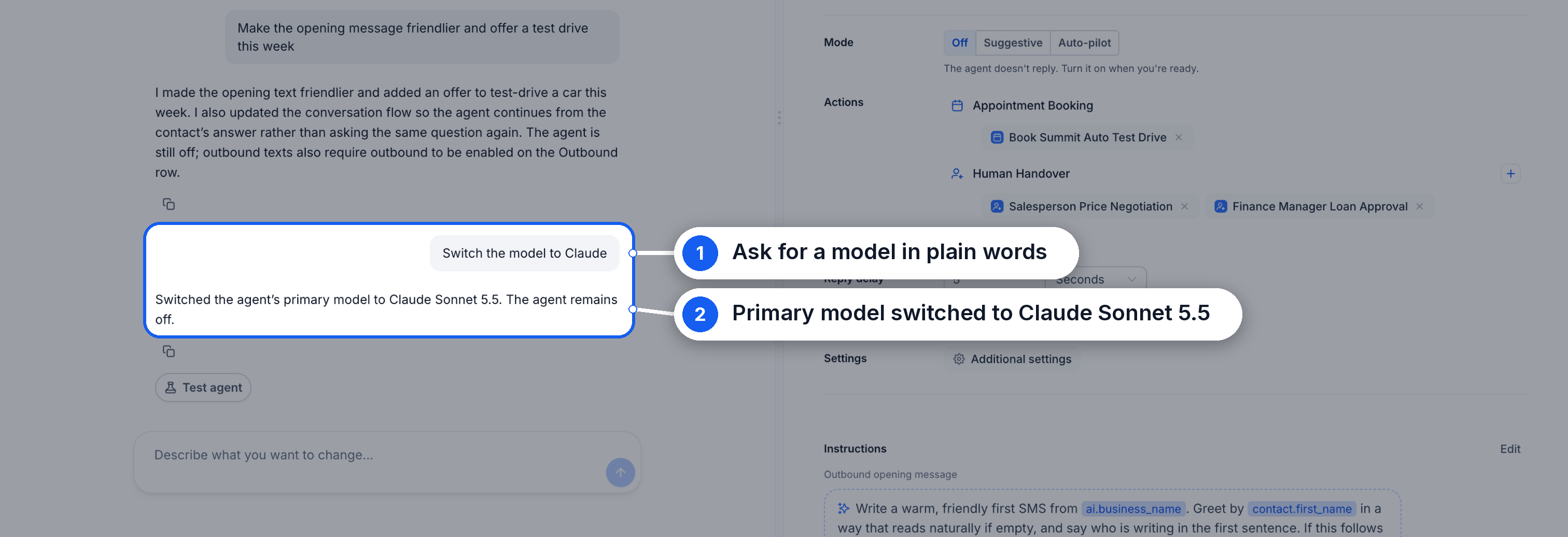
- Switch models by chatting: In Build with AI, you can ask for the model you want, for example “Switch the model to Claude”, and EveryCatch updates the agent’s primary model for you.
- One model per agent: Each agent has its own model setting, so different agents in the same account can run on different providers.
- No need to reconfigure: Your prompt, actions, knowledge base, channels and other settings stay the same when you switch models.
How to get started
- Enable Conversations AI Provider Support under Settings → Labs.
- Go to AI Agents → Conversation AI and open the agent you want to update.
- Open the Model menu and select a Claude or Gemini model.
- Optionally, click the settings icon next to the model and choose a Secondary Model.
- Test your agent in Test your agent, then click Save.
Why it matters
- The right model for each job: Use a higher-end model such as Claude Opus 5.5 where responses need more nuance and care, and a lighter model where speed is the priority.
- Cost control: Lower-cost models such as Claude Haiku 5.5 and Gemini 3.5 Flash Lite work well for simple, high-volume conversations.
- Less dependency on a single provider: Set a secondary model from a different provider than your primary, so your agents can keep working if one provider is unavailable.
Important notes
- Test after switching models: Each model has its own writing style and behavior, so always test your agent with the new model before you save changes.
- GPT 5 and GPT 5 Mini retire on 30 Oct: Any agents using these models should be moved to another model before that date.
Availability
Multi-LLM provider support is available in Labs. Enable it under Settings → Labs → Conversations AI | Claude & Gemini Model Support (Location).



