Managing rental bookings in EveryCatch is now simpler for you and your clients. Clients can explore, book, and manage rentals directly inside the client portal, without separate booking links or switching tools.
Whether you offer equipment, vehicles, rooms, venues, or other rentable items, your clients can now access meetings, services, and rentals from the same portal experience.
What changed
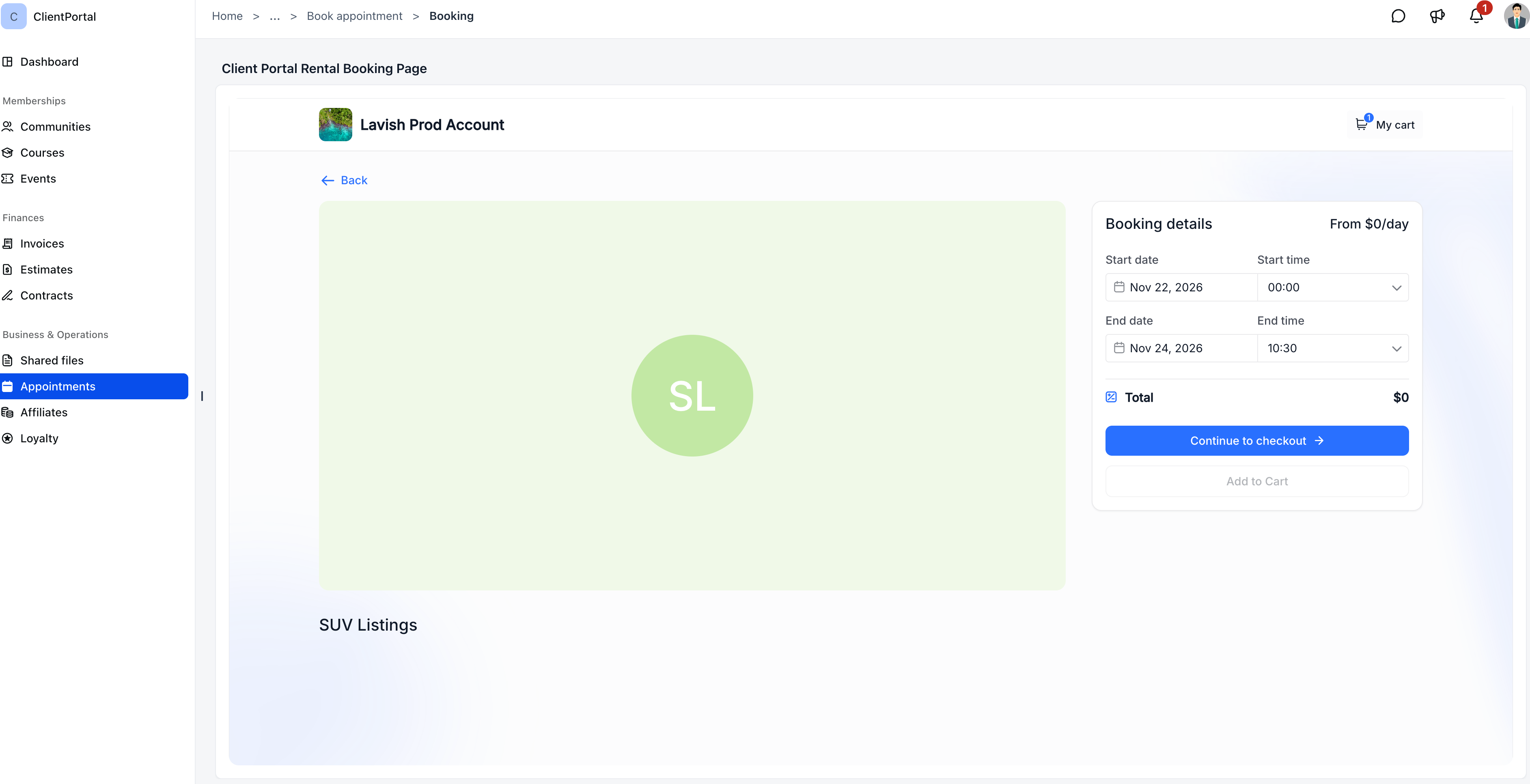
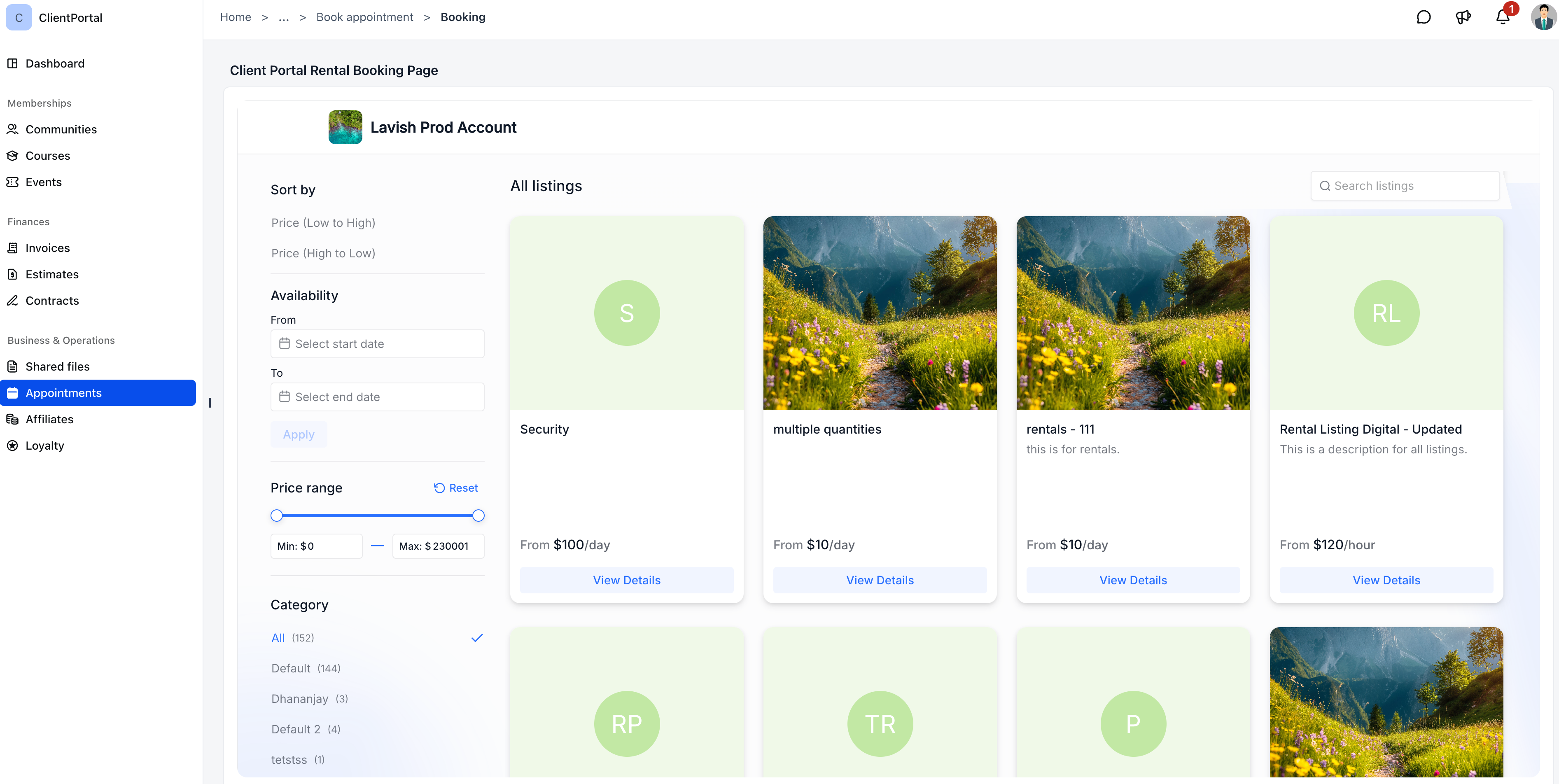
- Book rentals directly: Clients can browse available rental listings, choose what they want, and select dates and times, all within the client portal.
- Faster booking experience: Client details are pre-filled automatically, so bookings take fewer steps to complete.
- Easy cancellations: For rentals that meet your cancellation rules, clients can cancel their bookings from the client portal without needing to contact you.
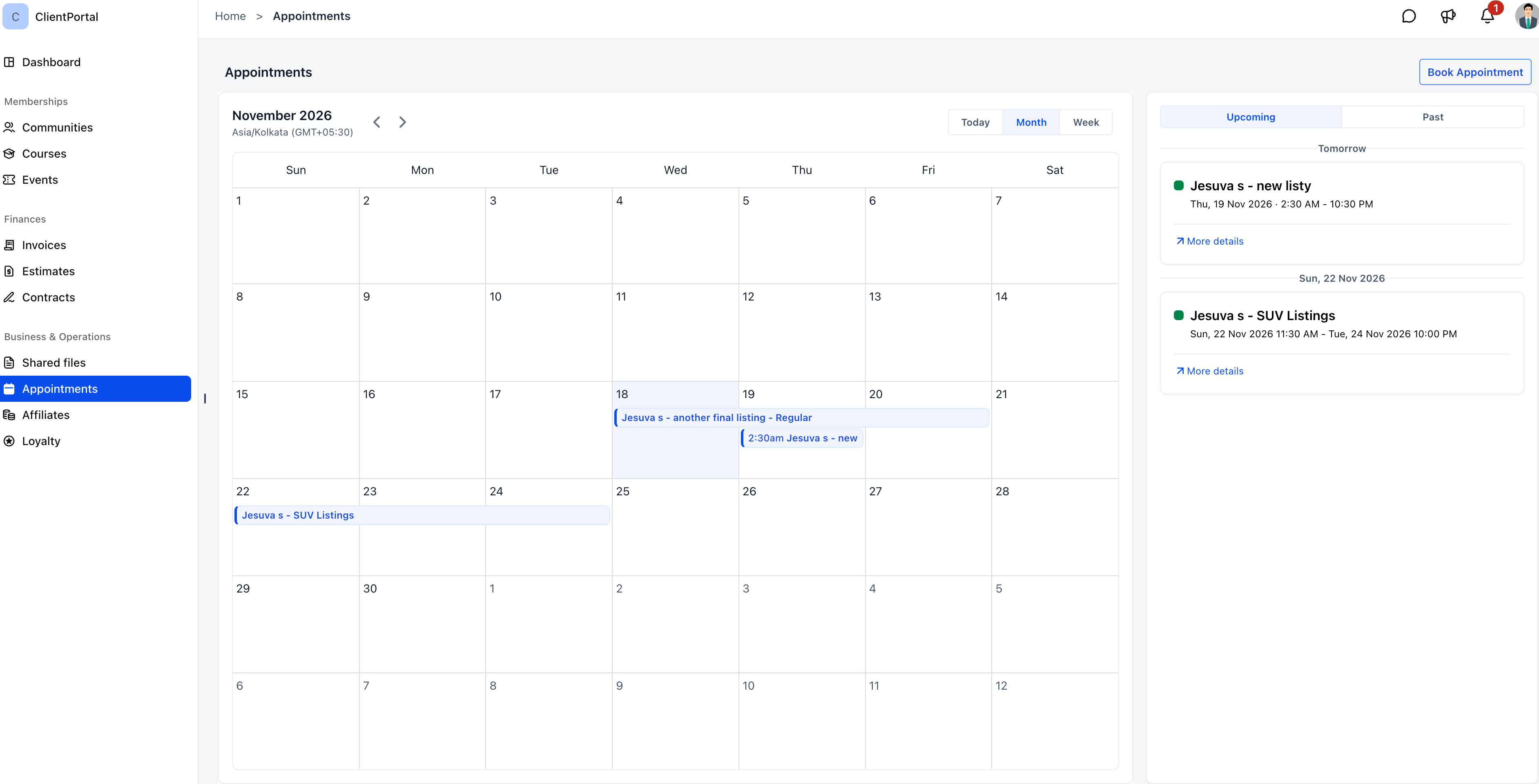
- All appointments in one place: Meetings, service bookings, and rentals now appear together under Appointments, grouped into Upcoming and Past for quick reference.
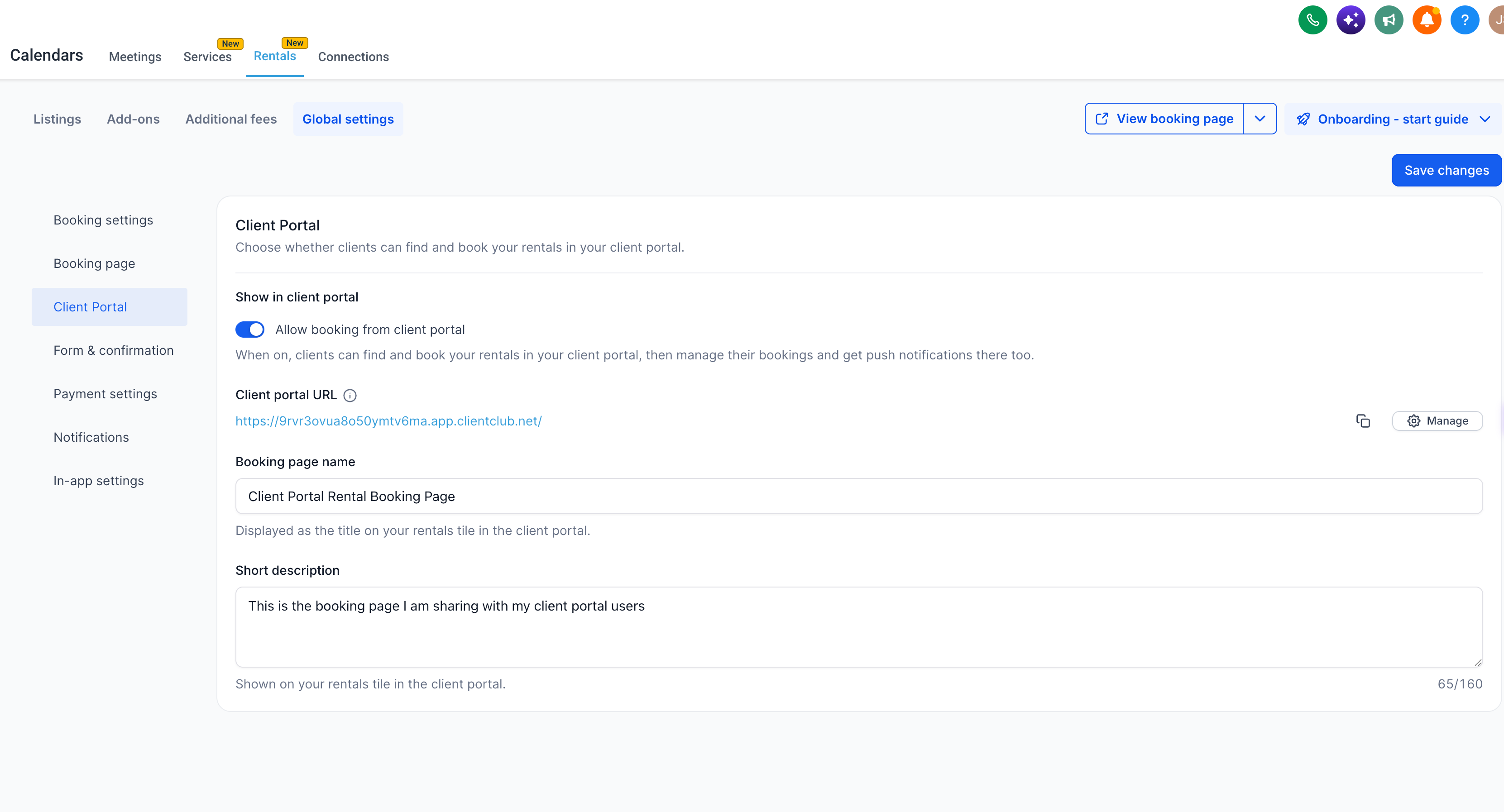
- Control rental visibility: You decide if your rental booking pages are accessible from the client portal, so you can enable or disable rental booking there at any time.
Why it matters
In the past, clients needed separate booking links for rentals, which added extra steps and made it harder to keep everything organized.
With the client portal, meetings, services, and rentals now sit together in one place. This helps clients quickly find and book what they need, while giving you clearer control over how the full booking experience works.
What you'll benefit from
- Simplified rental booking: Let clients discover and reserve rentals directly inside the client portal, alongside your other services.
- Fewer manual steps: Reduce the need to send individual rental booking links to each client.
- Better client experience: Provide a single location where clients can view, manage, and cancel their meetings, services, and rental bookings.
- Complete control: Turn rental booking in the client portal on or off based on how you want to run your rental flows.
Getting started
Step 1: enable rental booking
- In your EveryCatch account, go to Calendars → Rentals → Global settings.
- Under Client portal, turn on Allow booking from client portal.
- Select Save changes.
Step 2: verify appointments access
Make sure Appointments is enabled under Memberships → Client portal → Settings → App permissions so clients can see and manage their bookings.
Once those settings are updated, your clients can start discovering and booking rentals directly from their client portal.
Availability: Rental booking in the client portal is available on all accounts that have Rentals enabled and are using the new client portal interface.