Overview
High-value rentals like vehicles, vacation homes, and equipment often convert best when customers can reserve with a deposit and pay the rest closer to the start date. EveryCatch partial payments lets you take a deposit at booking and automatically charge the remaining balance before the rental begins. You set your rules once in Global settings, and your customers see clearly what they pay today and when the balance will be collected.
What changed
Deposit now, balance later
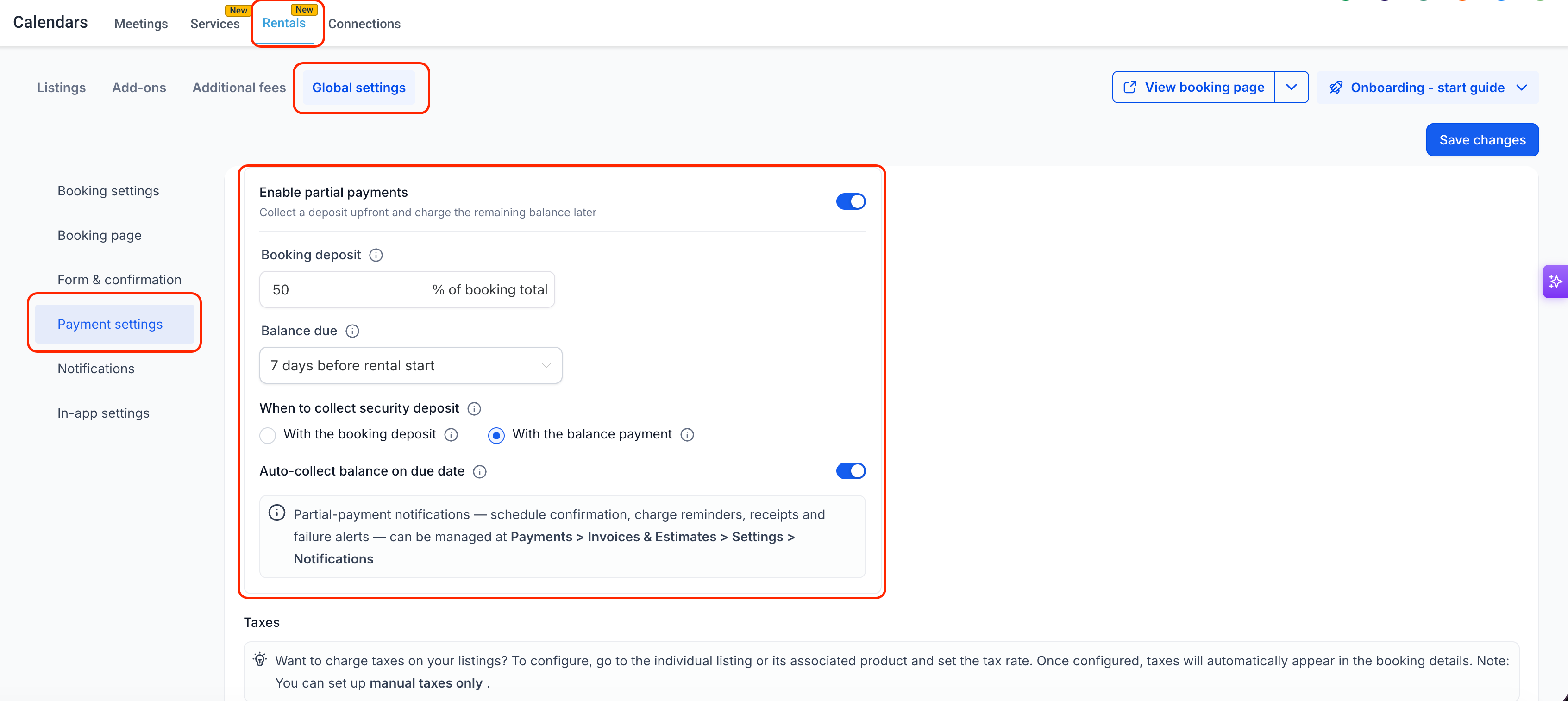
In Global settings, you can now set a deposit percentage (1–99% of the booking total) and choose when the remaining balance is due. This payment plan applies to all new bookings across your rental listings.
A clear payment plan at checkout
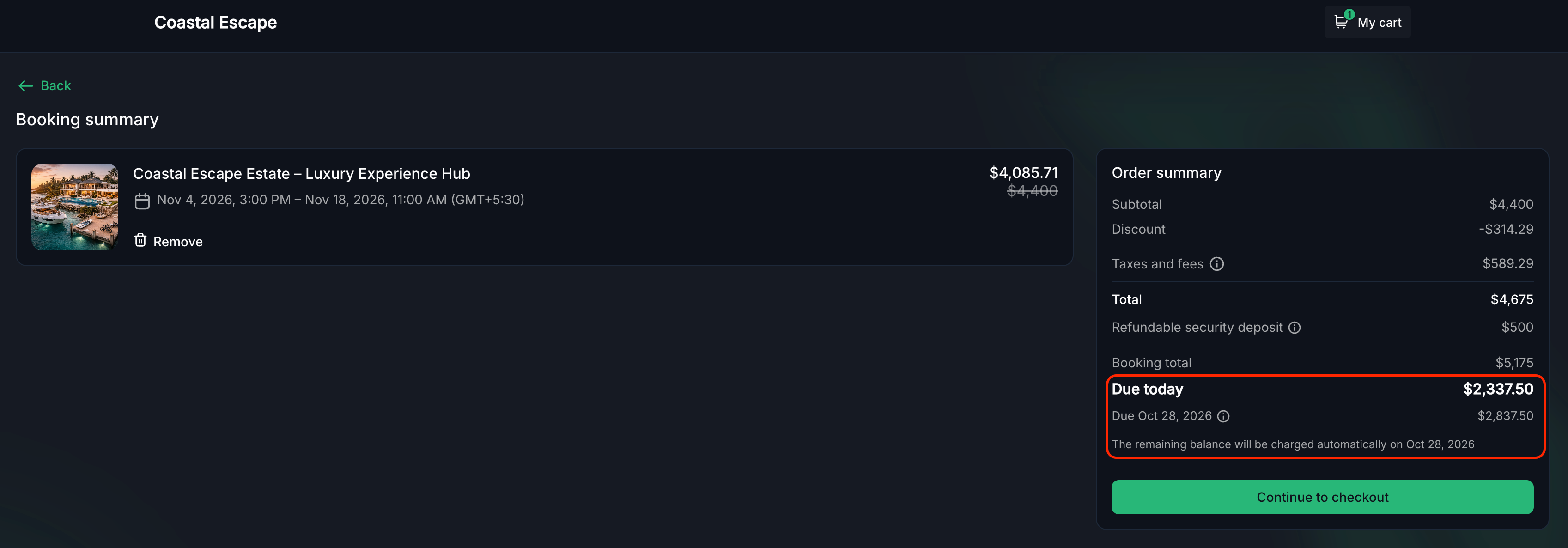
At checkout, customers now see a clear breakdown in the order summary, including "Due today" and "Due [date]" amounts. A tooltip explains that the balance will be charged automatically on the due date (when enabled), so customers understand exactly how and when they will be charged.
Balance collected automatically
On the balance due date, EveryCatch can automatically charge the remaining amount to the same card used for the deposit, as long as you have automatic collection turned on for that booking.
Security deposits that fit your process
If you use security deposits and collect them upfront, you can now choose whether the security deposit is taken with the initial booking deposit, with the final balance payment, or held separately according to your existing process.
Last-minute bookings stay simple
For bookings made after the balance due date would have passed, EveryCatch automatically treats the payment as a single full payment. The customer simply pays in full at checkout, avoids errors, and the booking is never blocked because of the payment schedule.
Payment status at a glance
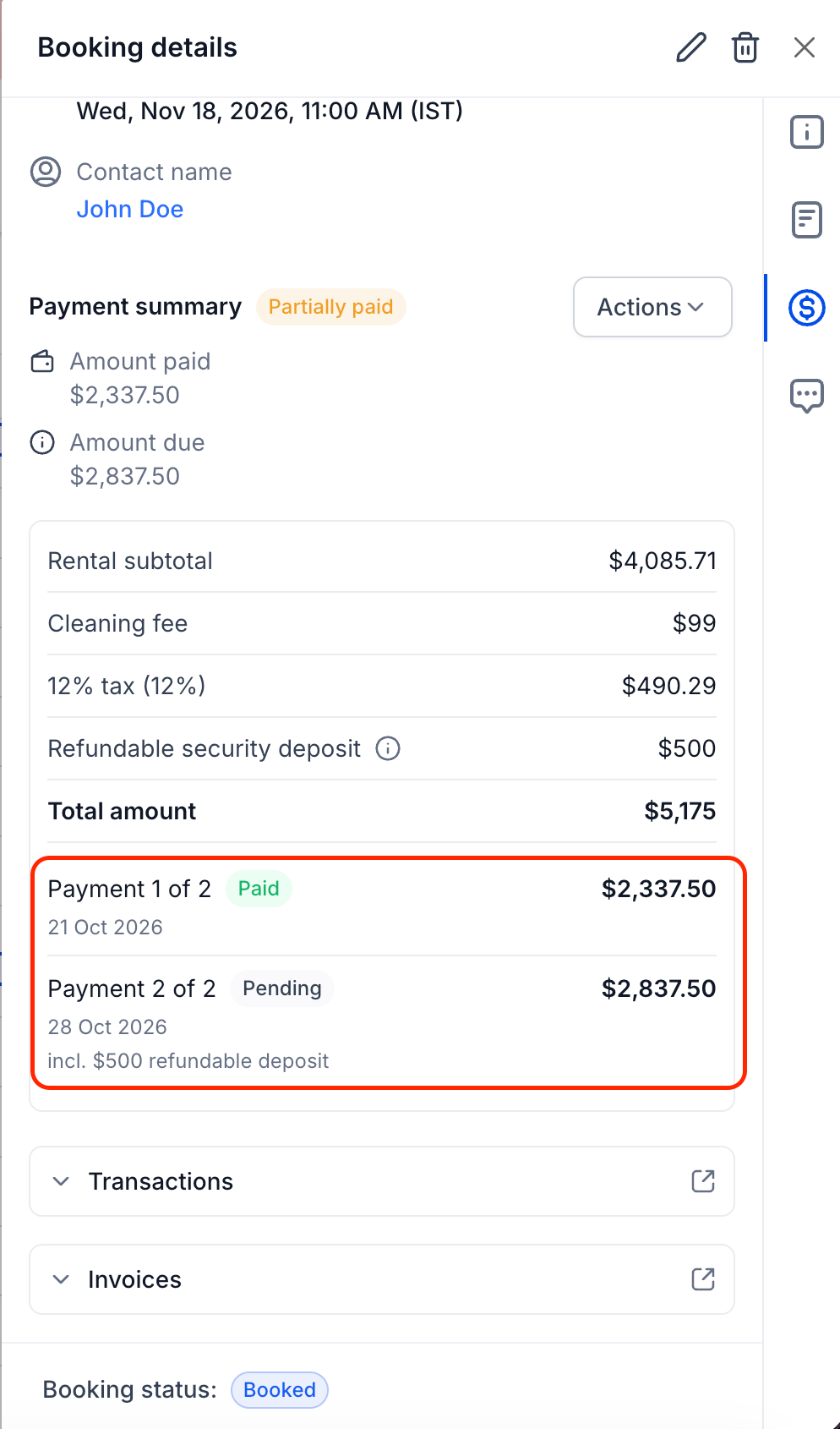
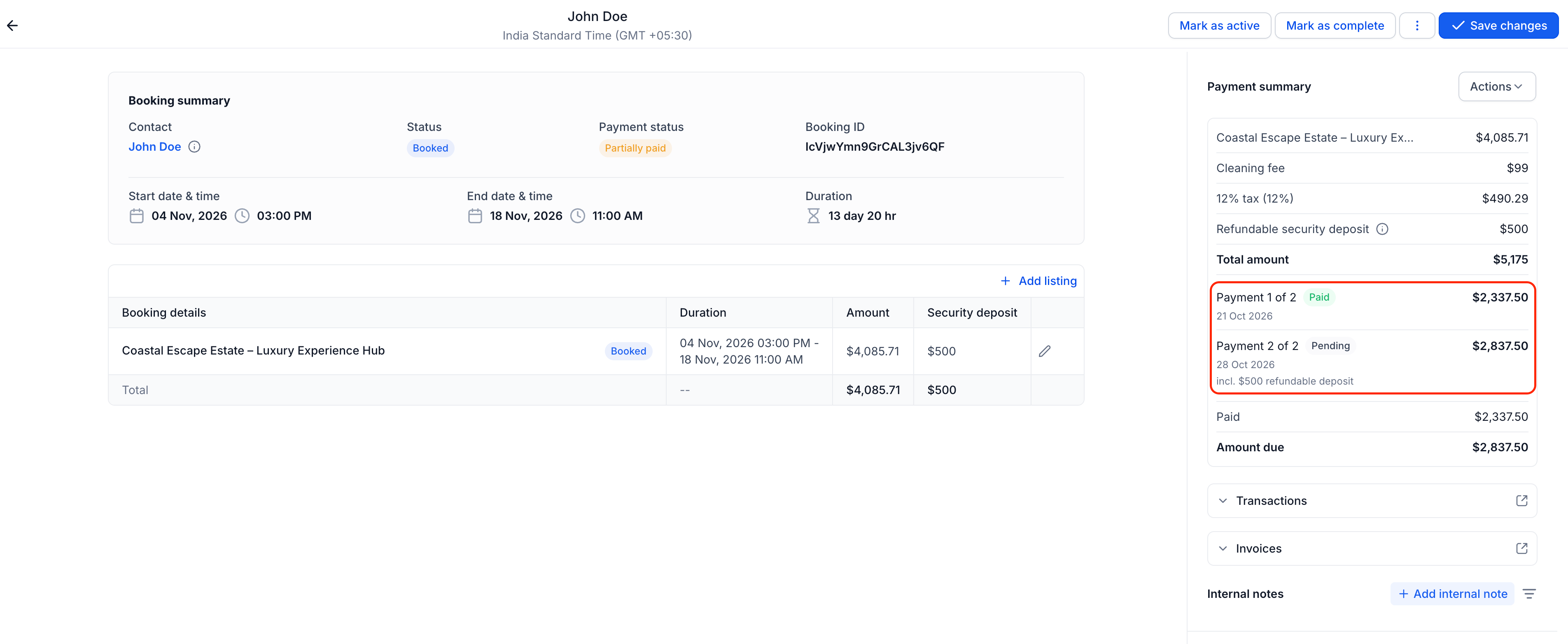
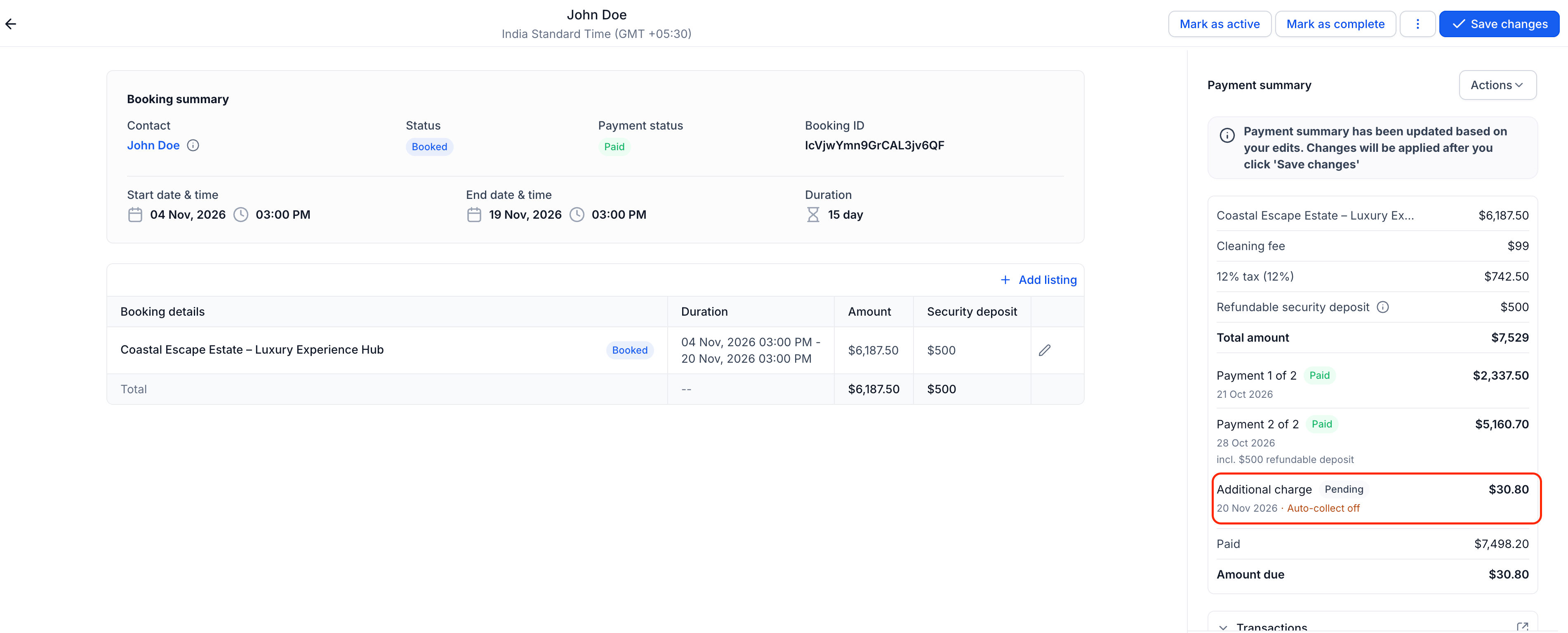
Each booking now shows every scheduled payment with its due date, amount, and status, such as "Payment 1 of 2 · Paid" and "Payment 2 of 2 · Pending". This gives you an instant overview of where each booking stands financially.
Collect payments with a clear breakdown
You can collect a single scheduled payment or multiple payments at once, on or before their due dates, directly from the booking. This is useful if you want to settle the balance earlier or handle a specific customer request.
A schedule that keeps up with changes
When you update the total value of a booking, the payment schedule updates automatically. If the deposit has already been paid, the remaining balance adjusts to reflect the new total.
If you add an item after a booking is fully paid, EveryCatch creates an "Additional charge" for the difference so you can collect that extra amount manually.
If you change the rental dates, the balance due date automatically shifts based on the new start date, so the timing of payments stays consistent with the booking.
How to use it
- Go to Calendars → Calendar settings → Rentals → Global settings → Payment settings. Make sure Require payment at booking is on, then turn on Enable partial payments.
- Set the deposit percentage and the number of days before the rental starts when the balance is due. The deposit is calculated on the booking total, including taxes and fees but excluding the security deposit.
- If you collect security deposits, choose whether they are collected with the booking deposit, with the final balance, or saved as Card on file.
- Save your settings. All new bookings will now follow this payment plan. Existing bookings stay on their current payment arrangements.
- Manage payments from the booking sidebar. Use Actions → Collect payment to collect any scheduled amount manually at any time. If a booking has no card on file when the balance is due, you can still collect the payment manually.
Why this matters
- Smaller upfront payments can make it easier for customers to confirm higher-value rentals, which can help more bookings go through to completion.
- Automatic balance collection reduces the manual work of chasing payments before a rental starts.
- You keep control with clear payment statuses, alerts when a charge needs attention, and the option to collect manually whenever you choose.
- Security deposits align with how you already operate, whether you charge them upfront, at balance, or keep a card on file.
- Customers always see what they pay today and exactly when the remaining balance is due, which builds clarity and trust.