Overview
Calendars in EveryCatch now support custom appointment statuses. You can name each stage of an appointment in your own words, such as Checked in, Awaiting documents or Ready for appointment, instead of being limited to six fixed labels. Every custom status belongs to one of six underlying states: Pending, Active, Completed, No show, Cancelled and Invalid. The state controls what happens to the time slot, connected calendars and notifications, so your scheduling behaviour stays consistent with how it works today.
What changed
Your own statuses, organised by state
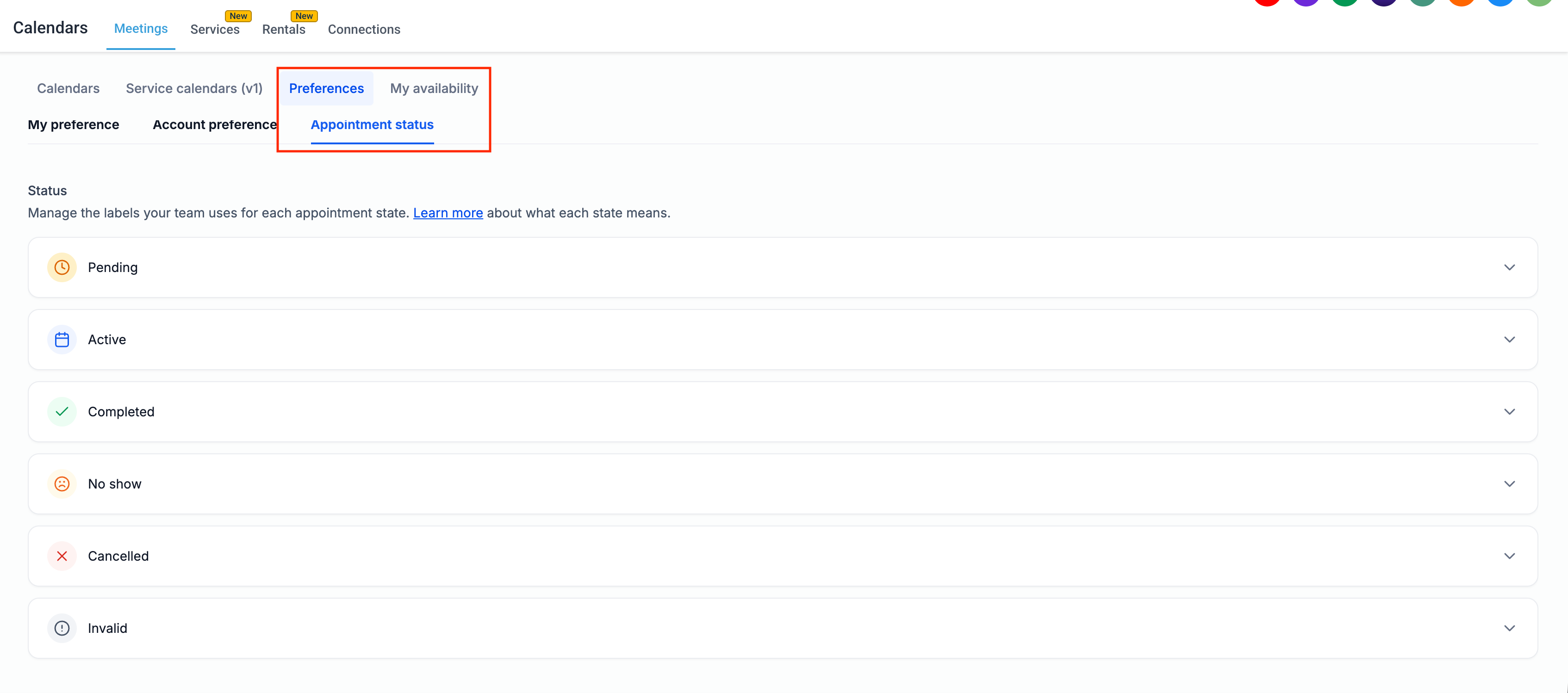
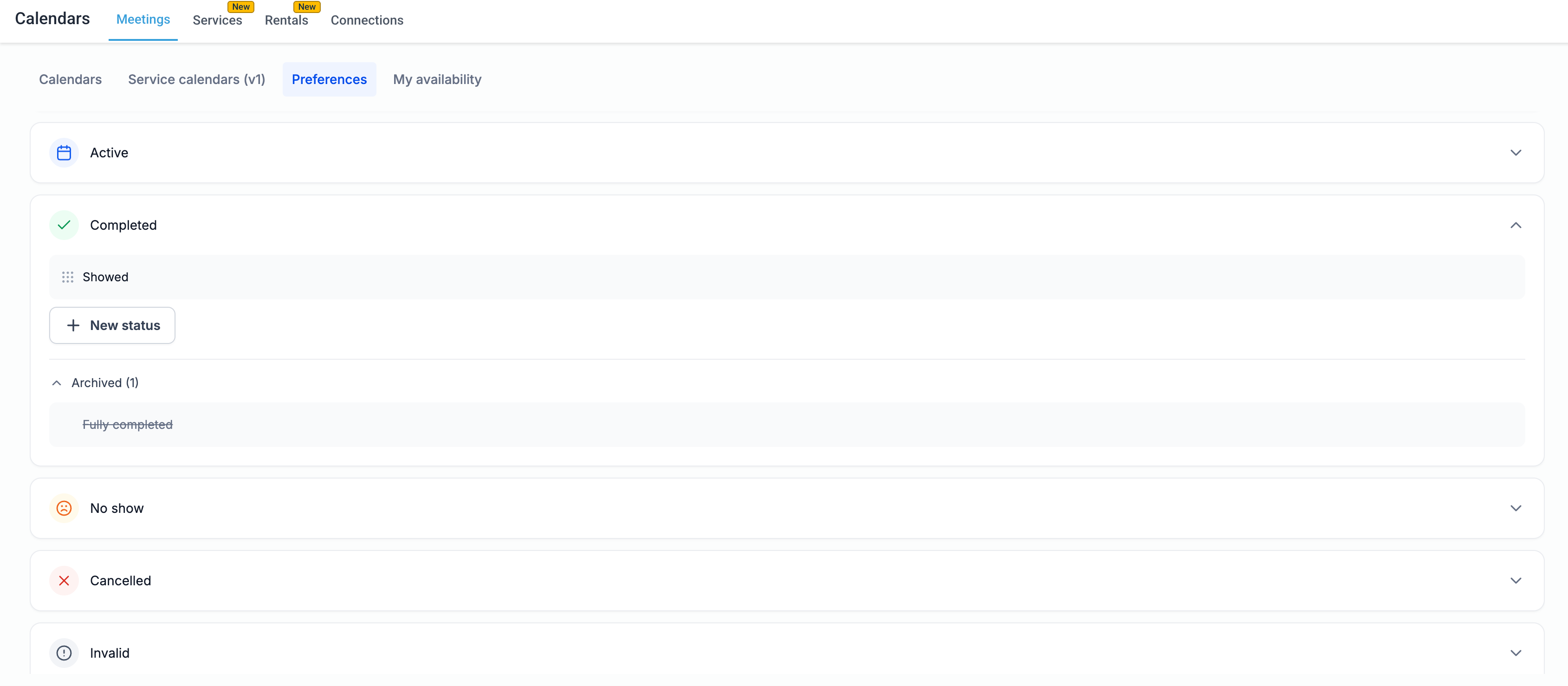
A new Appointment status page in EveryCatch lets you add, rename, reorder, archive and restore appointment statuses within each state. You can tailor the labels to match your team’s language while keeping everything structured and easy to manage.
Built-in states keep scheduling predictable
Pending and Active statuses keep the time slot reserved. Completed, No show, Cancelled and Invalid statuses release the time slot so it can be booked again. Moving between statuses inside the same state, for example from Confirmed to Checked in, only changes the label and leaves notifications, calendar sync and availability rules as they are.
Your current statuses carry over automatically
Your existing statuses Unconfirmed, Confirmed, Showed, No Show, Cancelled and Invalid become the default options inside their matching states. All existing appointments, workflows and calendar settings continue to work without any manual changes from you.
Safe archiving
When you archive a status, it is no longer available for new appointments. Any appointment that already uses that status keeps it. Before you confirm, EveryCatch shows a clear summary of what will be affected, including any workflows that set appointments to that status. You can restore an archived status at any time from the Archived section if you need it again.
Statuses everywhere you manage appointments
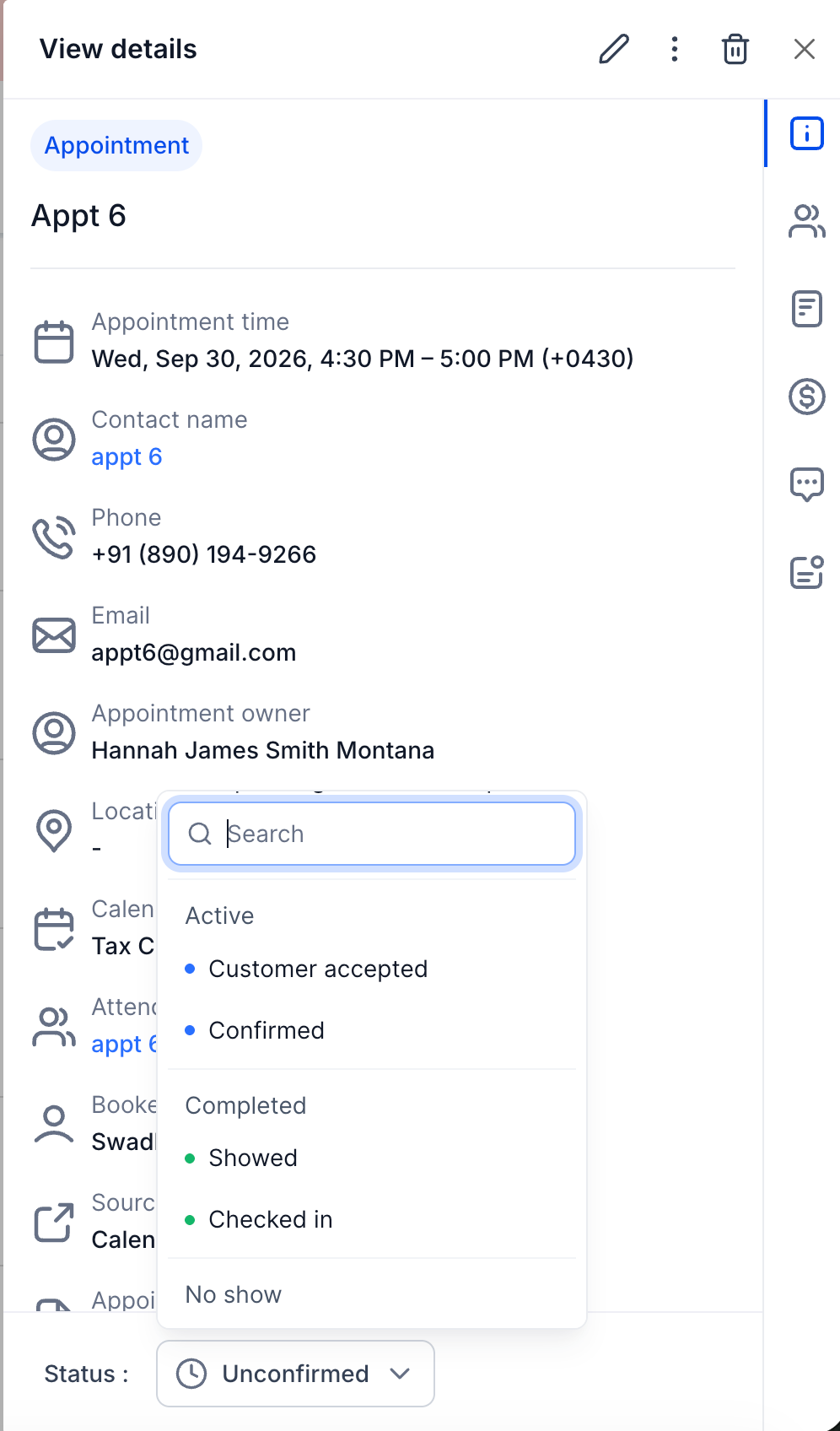
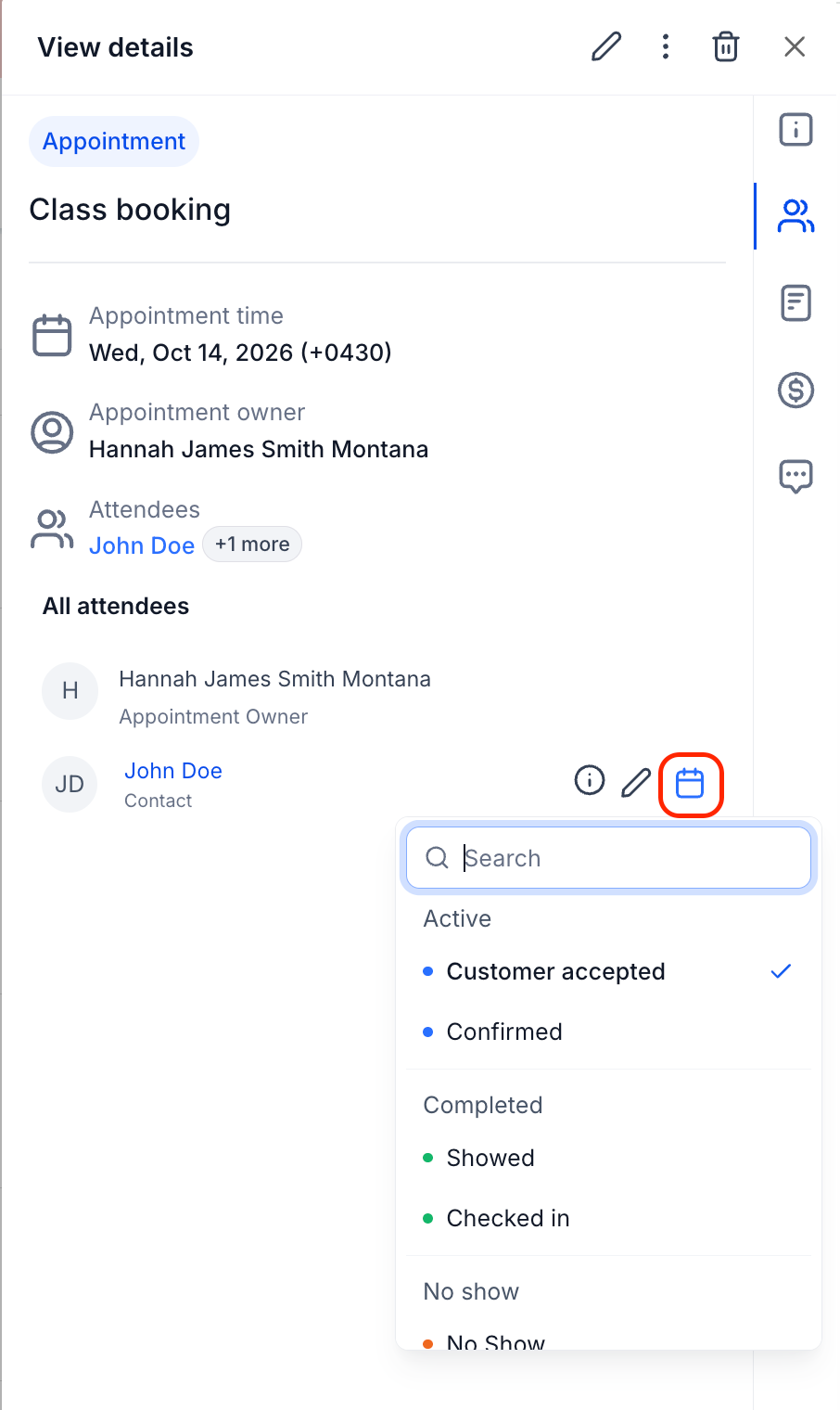
You can use your custom statuses from all the places you already manage appointments: the New appointment window, the appointment details panel and the Appointment list view. Status pickers are grouped by state and include search, so it is quick to find and apply the right stage.
Statuses for individual attendees for class booking calendars
For class booking calendars, you can set a custom status for each attendee on a shared appointment. This helps you track who has checked in, cancelled or completed the session on a per-person basis without changing the status for the whole class.
Workflow automation on the exact stage
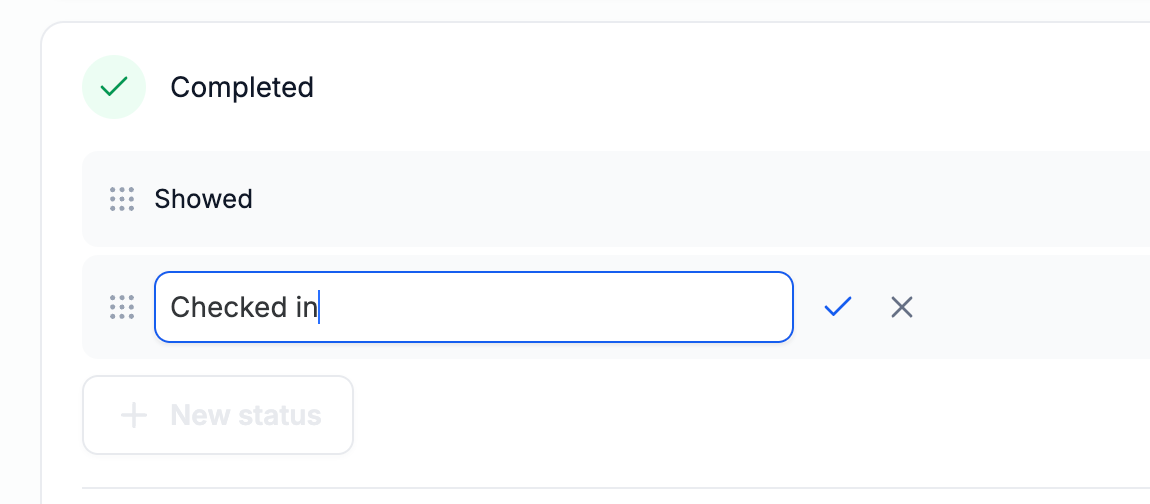
Workflows in EveryCatch now recognise your custom appointment statuses in triggers, actions and filters. If you rename a status, any workflow that uses it updates automatically. You can automate around the precise stage you care about, such as sending a message when an appointment moves to a custom Checked in status.
How to use it
- Turn on Custom Appointment Statuses from Labs for your location.
- Go to Calendars › Calendar Settings > Preferences › Appointment status.
- Open a state, click New status, type a name and create it. Drag statuses to reorder them, or use the pencil icon to rename one.
- To retire a status, click the archive icon, review the impact, tick the checkbox and click Archive.
- Set statuses on appointments from the New appointment window, the appointment details panel or the Appointment list view.
Why this matters
- Matches how businesses really work: clinics, salons, field teams and agencies can track stages like Checked in or Technician assigned directly in Calendars, instead of only using notes, Opportunities or external tools.
- No risk to scheduling: availability, calendar sync and notifications are tied to underlying states, so adding or renaming statuses keeps time slots and messaging behaviour reliable.
- More precise automation: workflows can react to the exact appointment stage that matters to your process, which reduces manual follow-ups.
- Zero migration effort: existing statuses, appointments and workflows carry over automatically, so your team can introduce custom statuses whenever they are ready.
- A foundation for what is next: the same status framework will extend to Services and Rentals soon.