Private channels in EveryCatch communities now give you much more control. They no longer have to stay hidden and free. Admins can choose to make them visible, paid, or both. You can turn any private channel into a revenue stream and give members a simple, self-serve way to join.
What’s new
Visible private channels
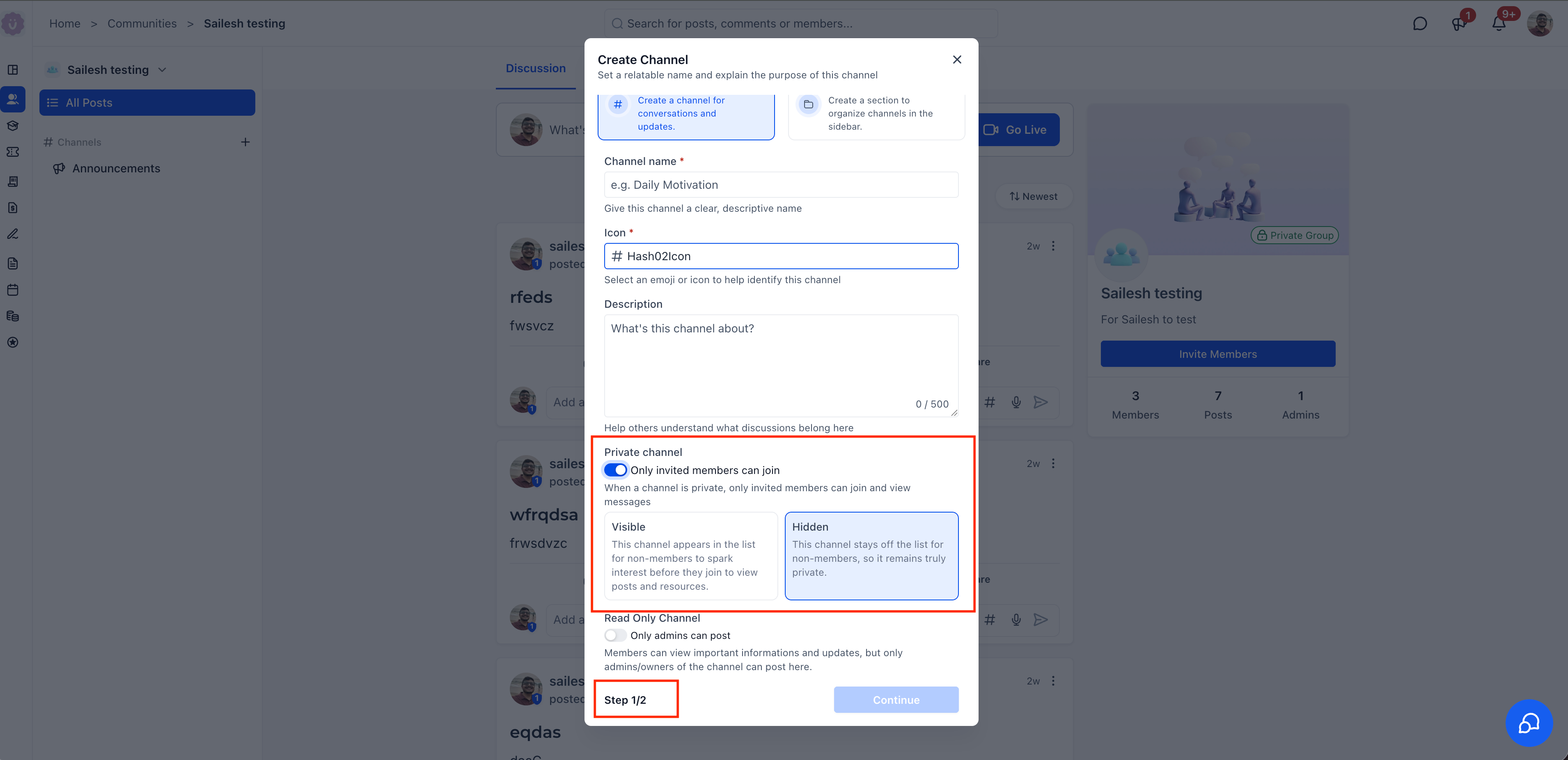
Private channels no longer have to stay out of sight. When you create or edit a private channel, you can now choose between two visibility modes:
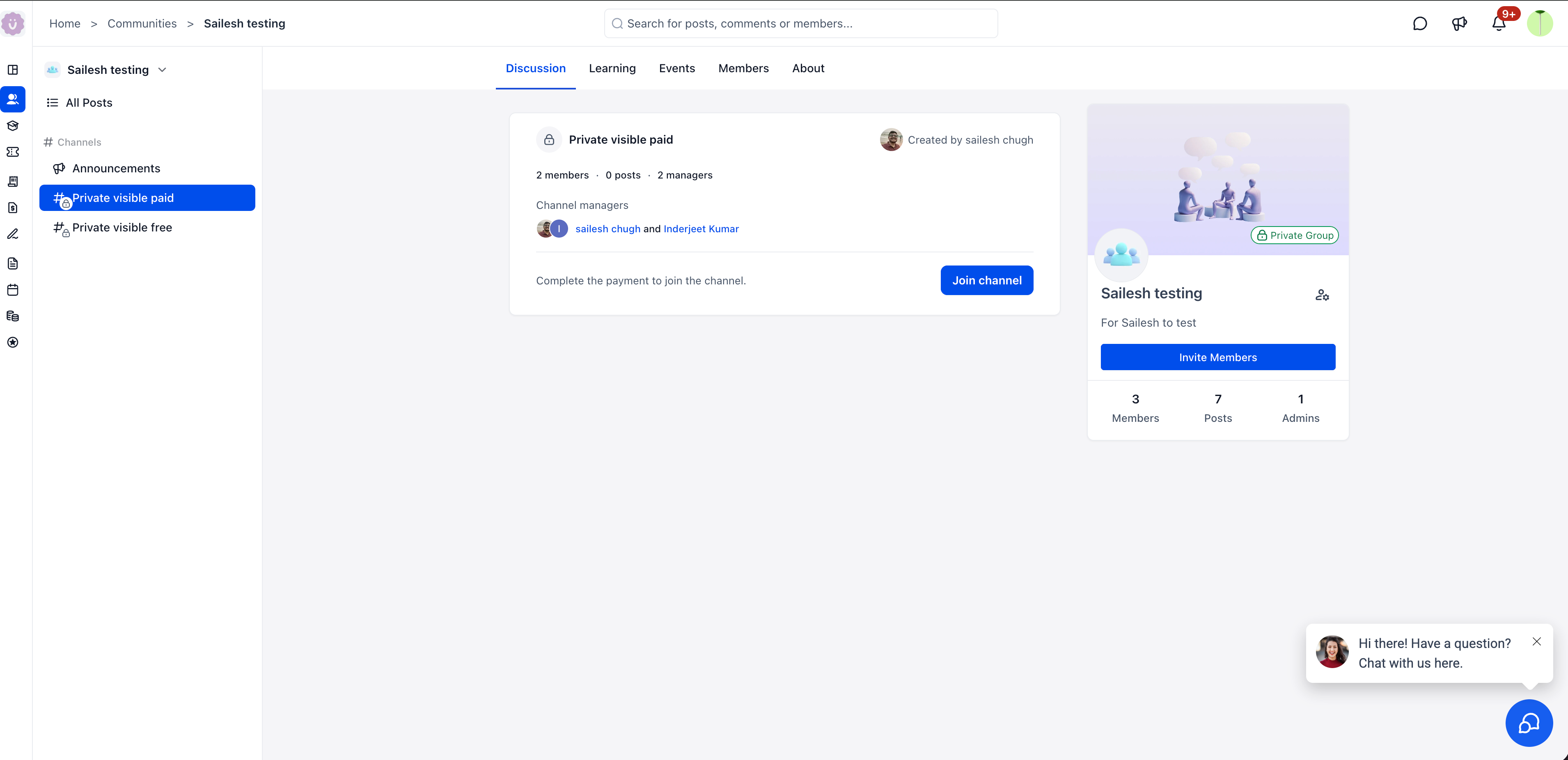
- Visible - The channel appears in the sidebar for all members, which helps build interest before they join. Non-members can see the channel name and description but cannot view posts until they join.
- Hidden - The original behavior. The channel is not listed for non-members, so only invited members see it.
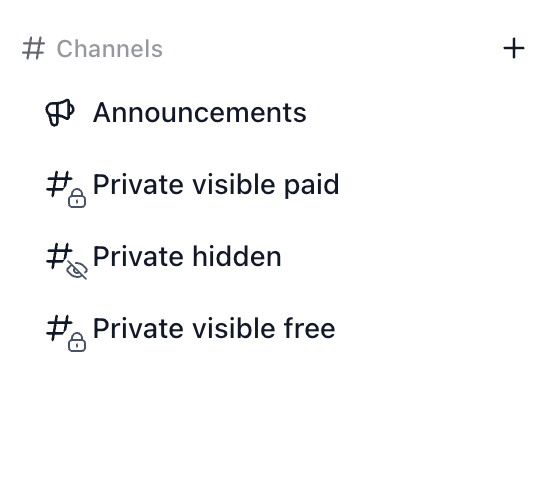
- Visible private channels appear in the sidebar with a lock icon, so members can easily recognize invite-only or paid spaces.
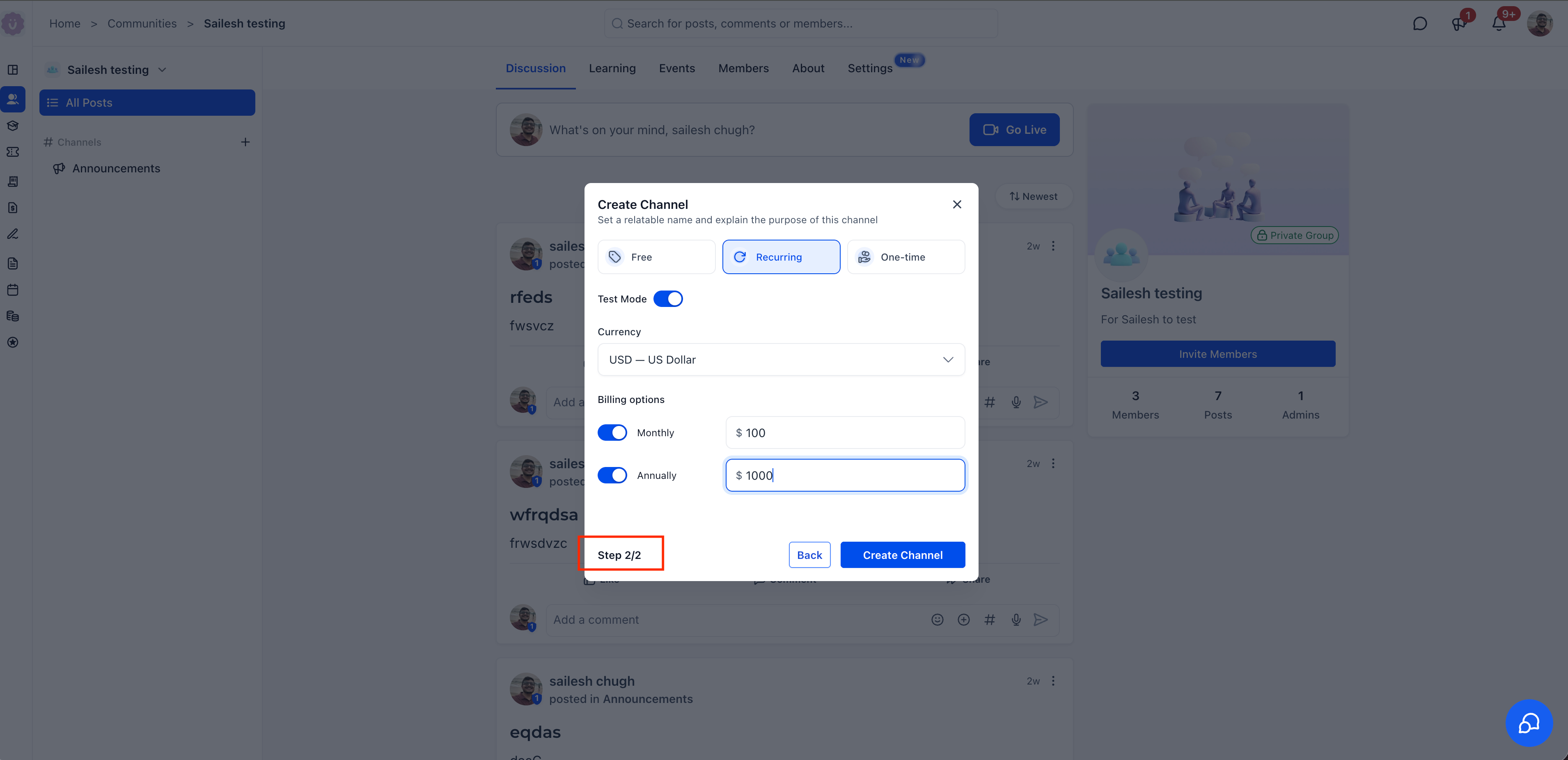
You can now charge members to join a private channel. During channel creation (Step 2/2), choose from three pricing modes:
- Free - No charge to join (default).
- Recurring - Charge a monthly and/or annual subscription for channel access.
- One-time - Charge a single payment for ongoing access.
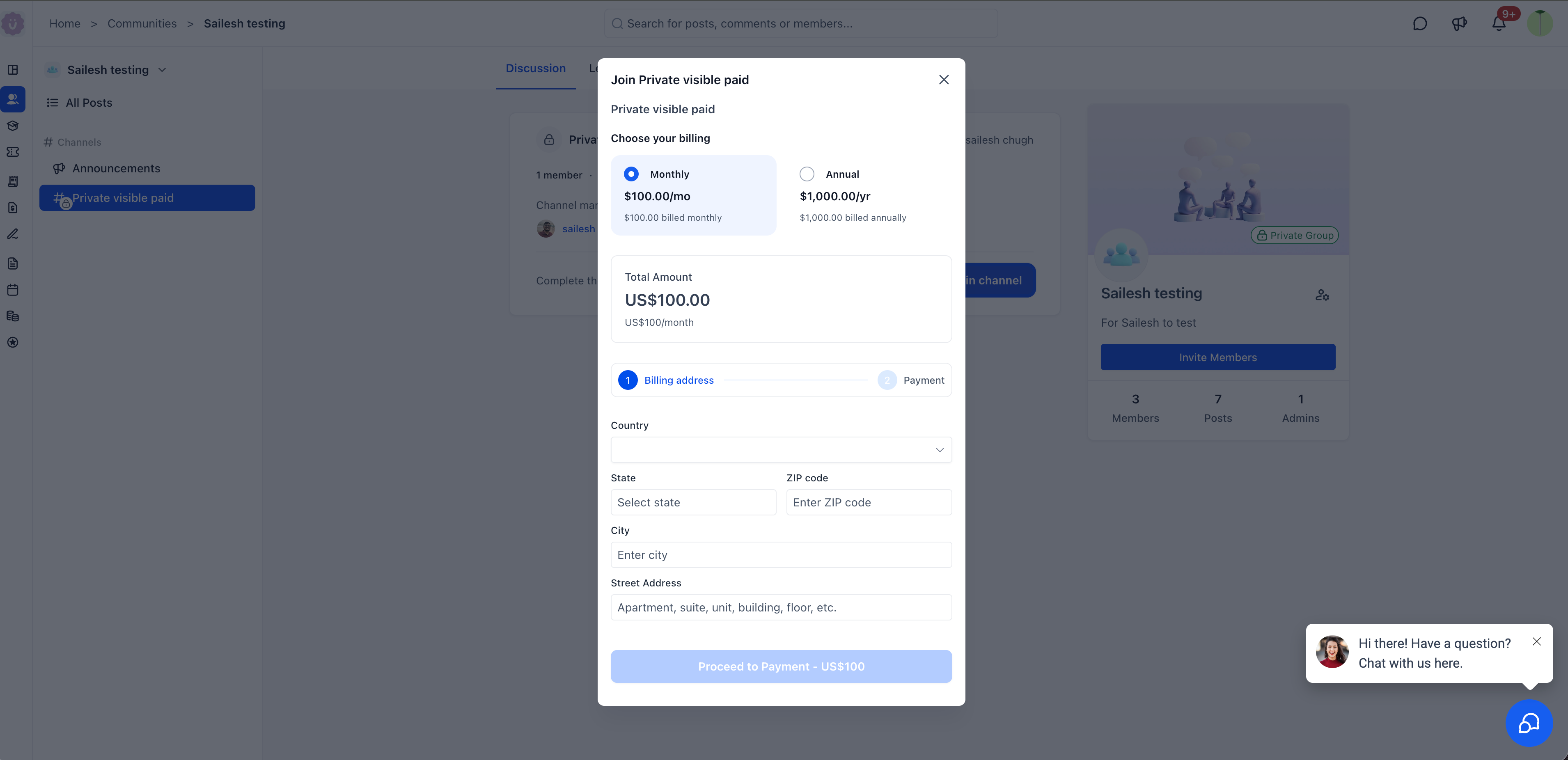
Recurring paid channels support multiple currencies, with separate monthly and annual prices you can configure. A Test mode toggle lets admins run through the full payment flow before going live, without triggering real charges.
When a member clicks on a visible paid channel, they first see the channel details: description, member count, and managers. They also see a prompt to complete payment. Selecting Join channel opens the payment flow where they pick a billing cycle (for recurring channels), enter their billing details, and confirm payment. Once payment is complete, access is granted automatically, so you do not need to add members by hand.
Premium channels work on the EveryCatch mobile app as well. Members can open a paid channel from their phone, review the description, recent activity preview, and managers, then tap Enroll now to complete payment and gain access directly on mobile.
- Click the + button next to Channels in the sidebar.
- Select Create a channel for conversations and updates.
- Step 1/2 - Set the channel name, icon, and description. Toggle Private channel on, then choose Visible or Hidden. Optionally, turn on Read only channel if you want members to read without posting.
- Step 2/2 - Choose pricing: Free, Recurring, or One-time. For paid channels, set your currency, billing options (Monthly/Annually), and price. Optionally enable Test mode to run a test checkout.
- Click Create channel.
Previously, private channels were always hidden and always free. Admins could not highlight exclusive spaces or charge for access, and members would only discover these channels if they were manually invited.
Premium channels change how you share and monetize exclusive content. Visible channels let you place invite-only spaces right in the sidebar to attract attention, and paid access turns those spaces into a direct revenue channel. Members can discover, pay, and join on their own, without manual invites or extra follow-up from your team.
- Paid channels support recurring (monthly/annual) and one-time pricing options.
- Multiple currencies are available for recurring plans.
- Test mode lets admins confirm the payment flow without processing real payments.
- Read-only channels can also be set to visible and/or paid, which works well for broadcast-style updates.
- Visible paid channels display a lock icon with a hash symbol in the sidebar so members can quickly distinguish them from free and hidden channels.
- Available on both web and mobile for a consistent experience across devices.