Hosted numbers is now available in Labs, so Agency Owners and Admins can host an eligible US local or toll-free number for SMS while keeping voice service with the current carrier.
What changed
You can keep the phone number your customers already recognise and start using it for SMS in EveryCatch, without making any changes to how your existing voice calls are handled.
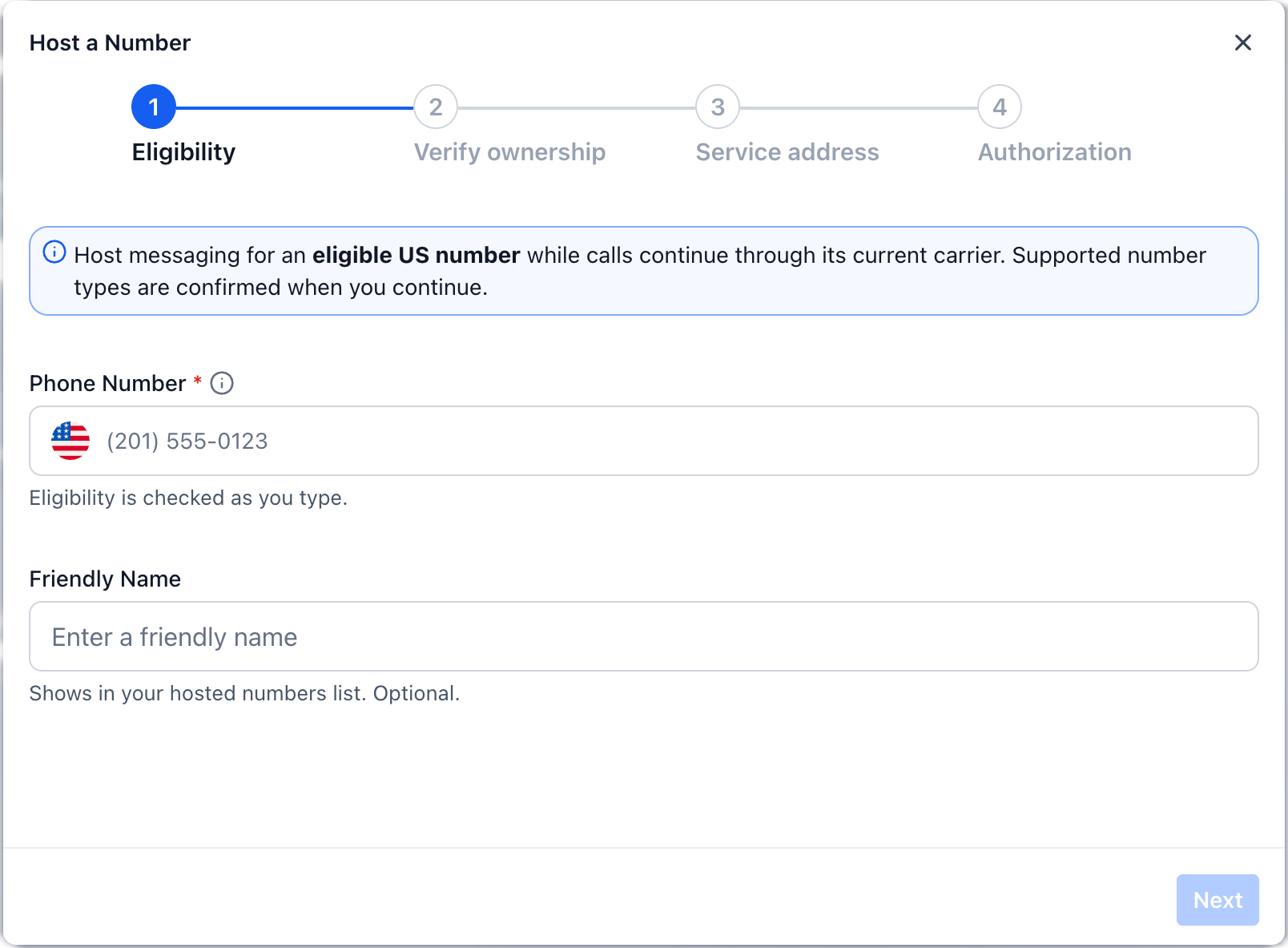
EveryCatch provides a guided flow so Agency Owners and Admins can:
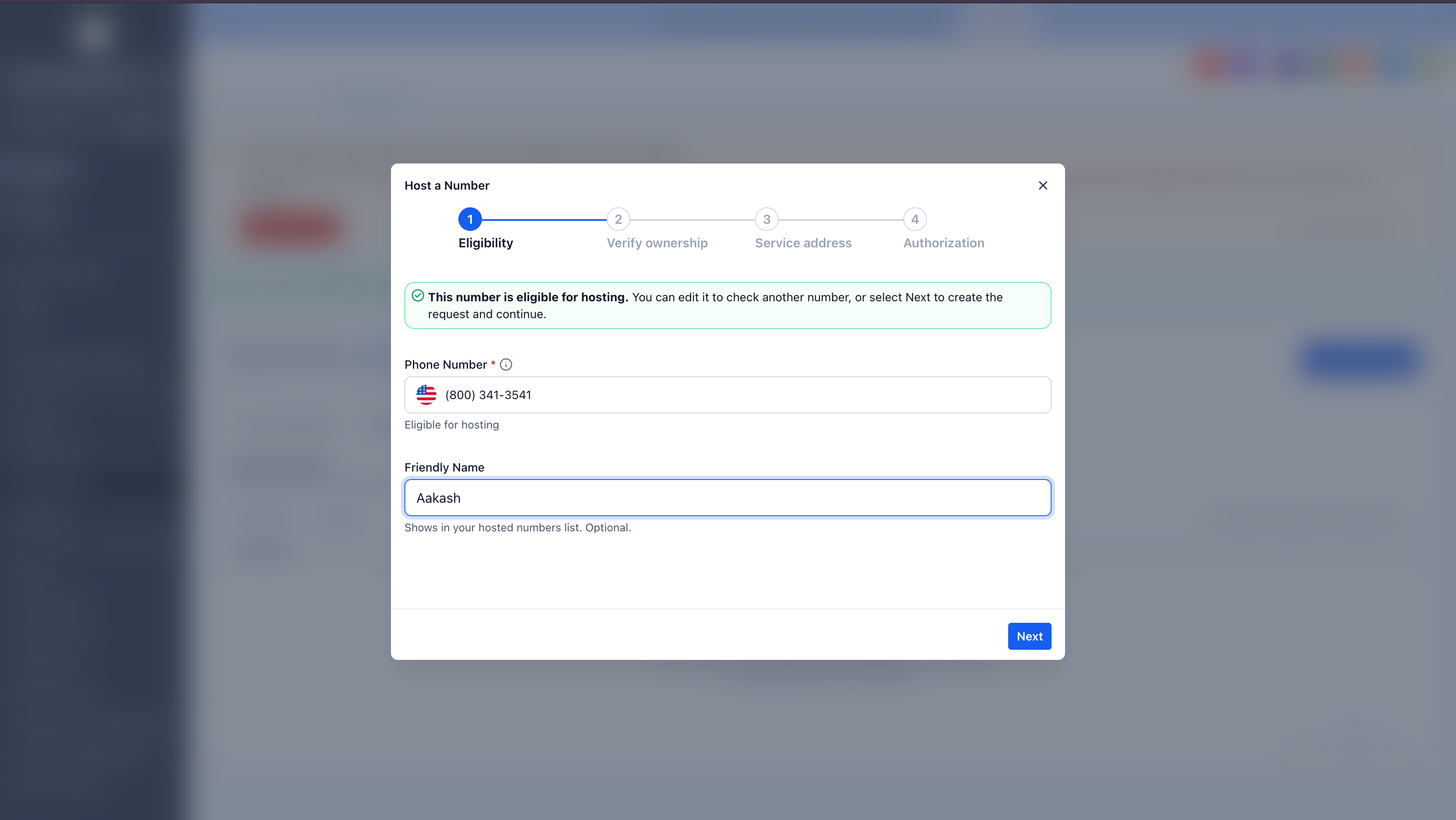
Check whether a US local number is eligible for SMS hosting
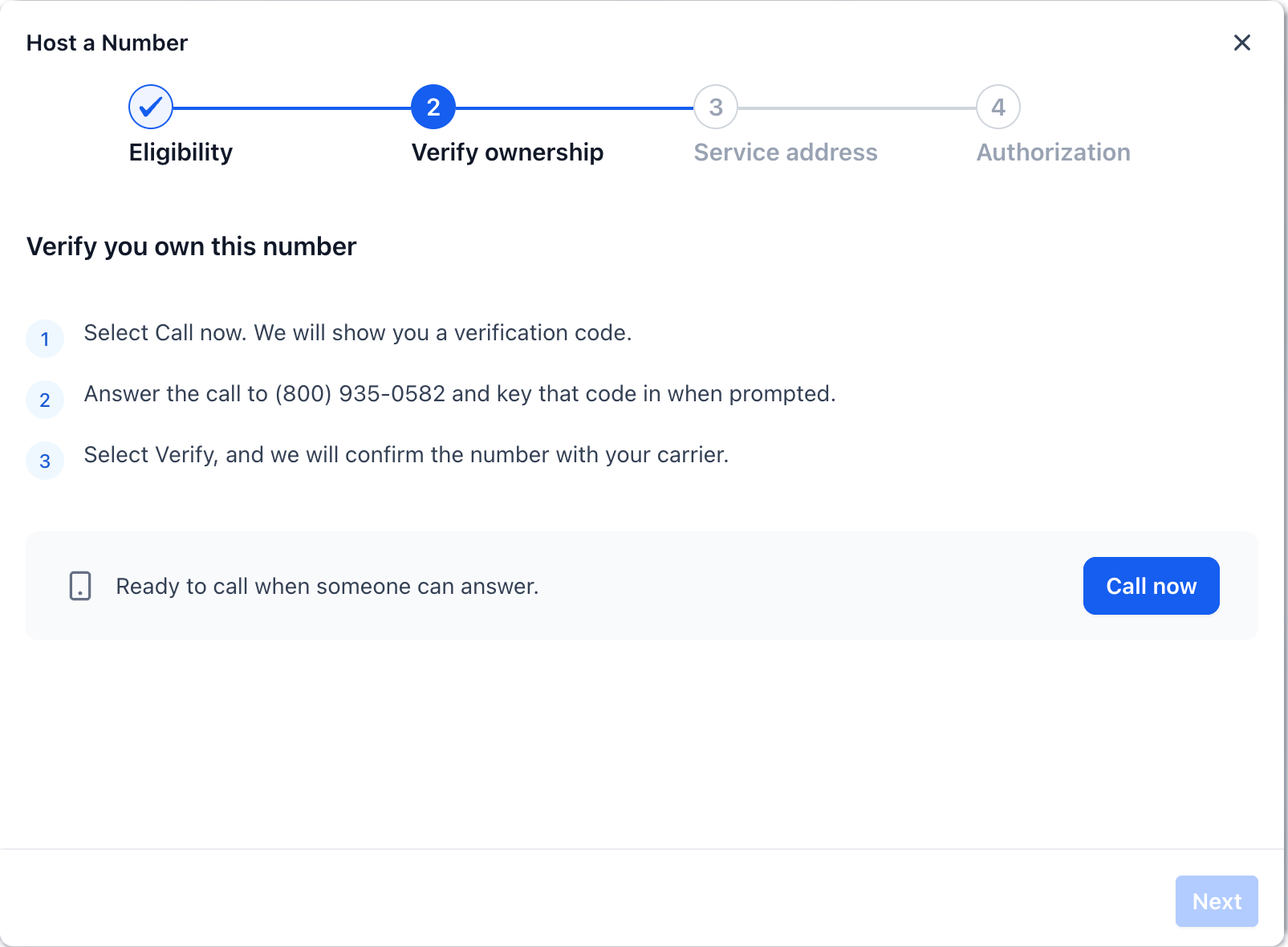
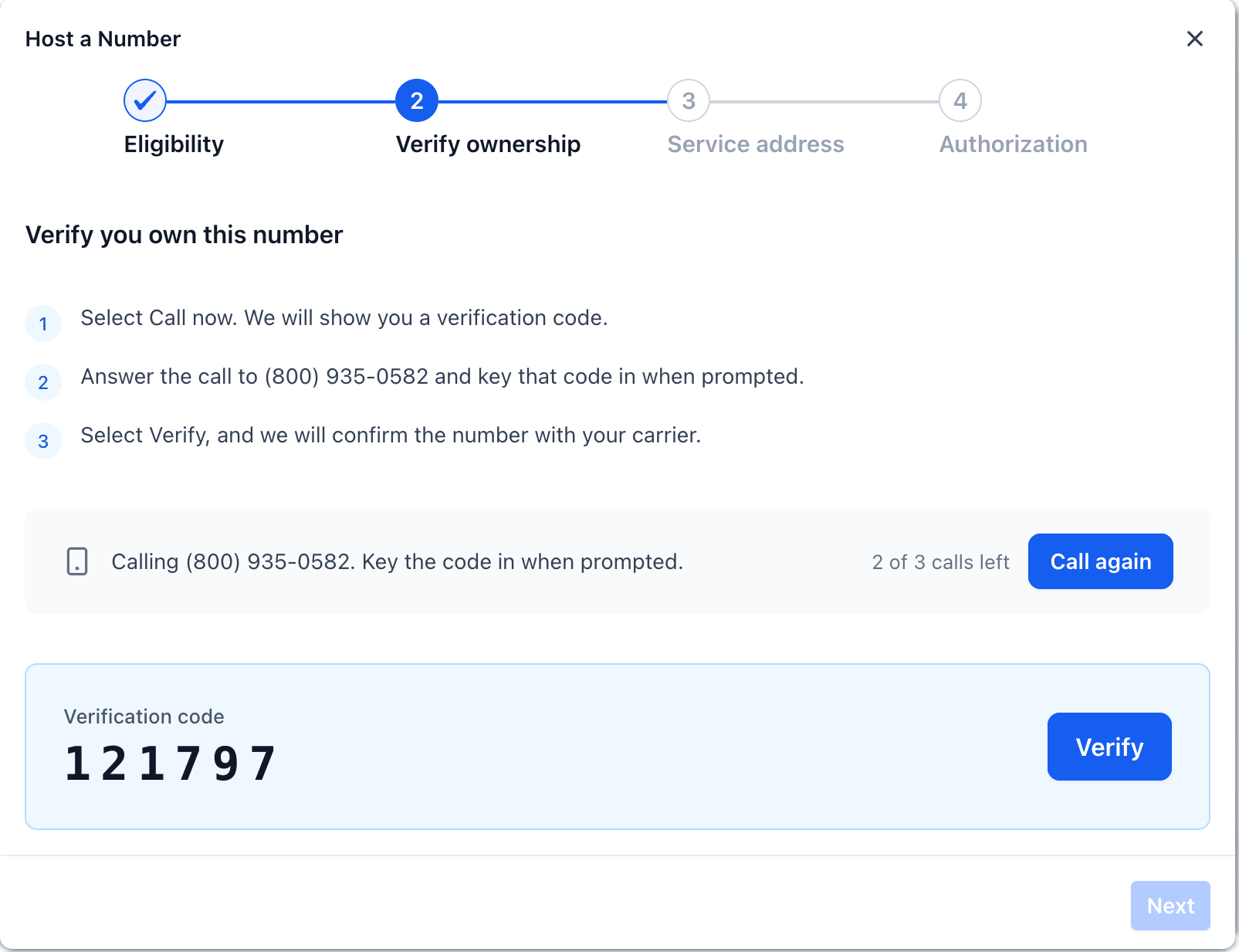
Verify ownership through an automated phone call to the existing voice service
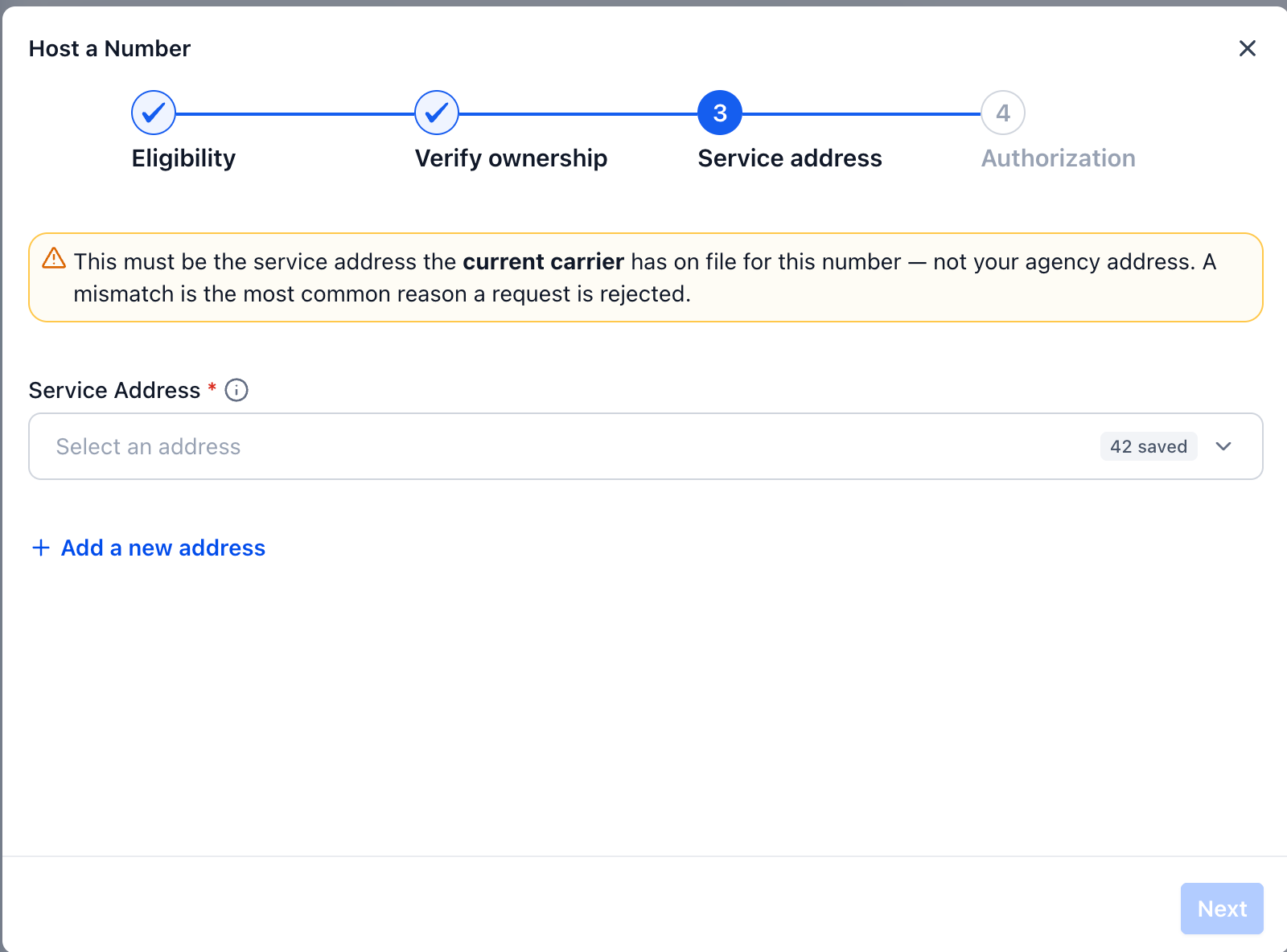
Select or add the number’s service address so records stay accurate
Send an authorization letter for electronic signature to approve SMS hosting
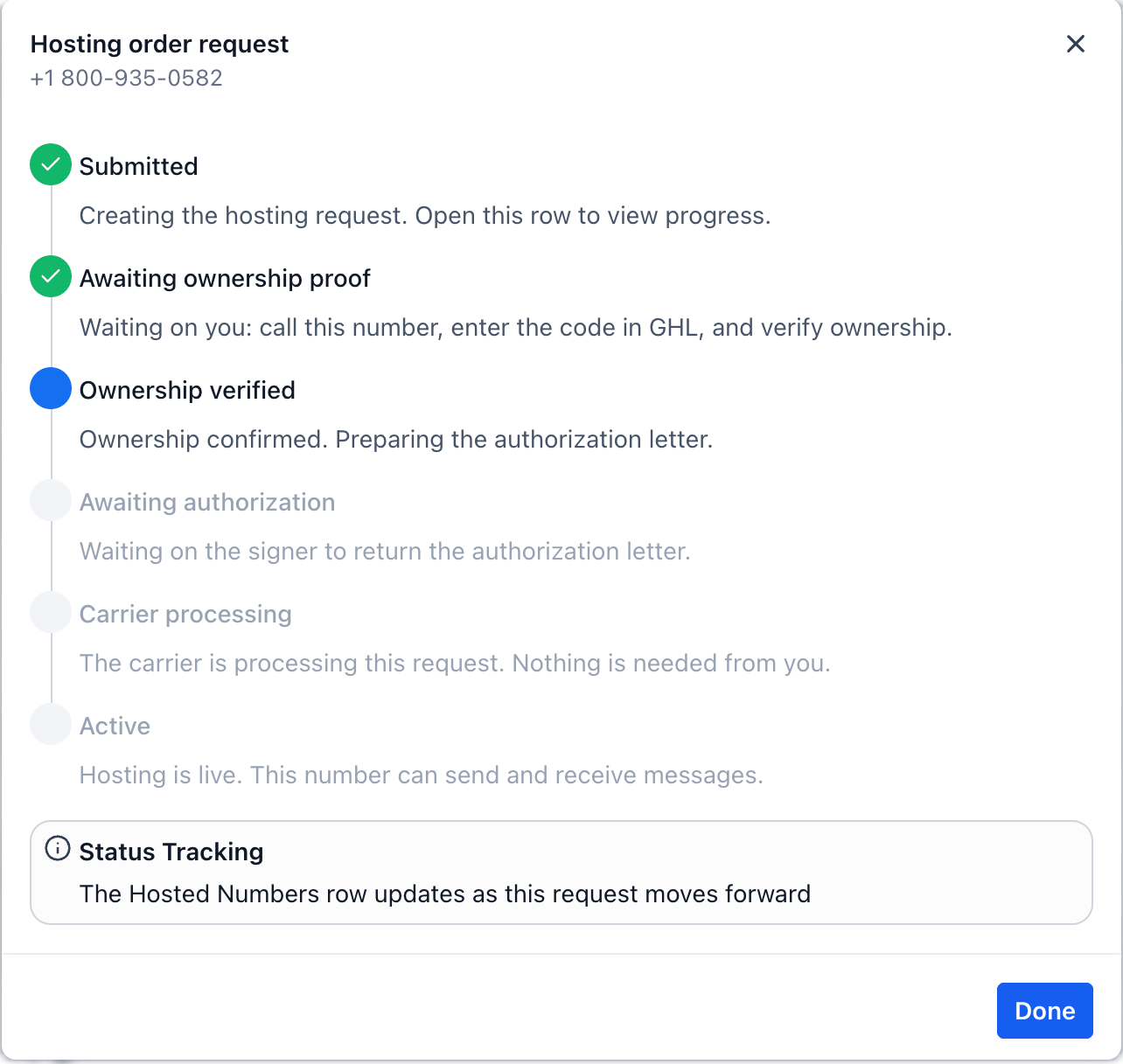
Track each request as it moves through verification, authorization, processing, and final checks
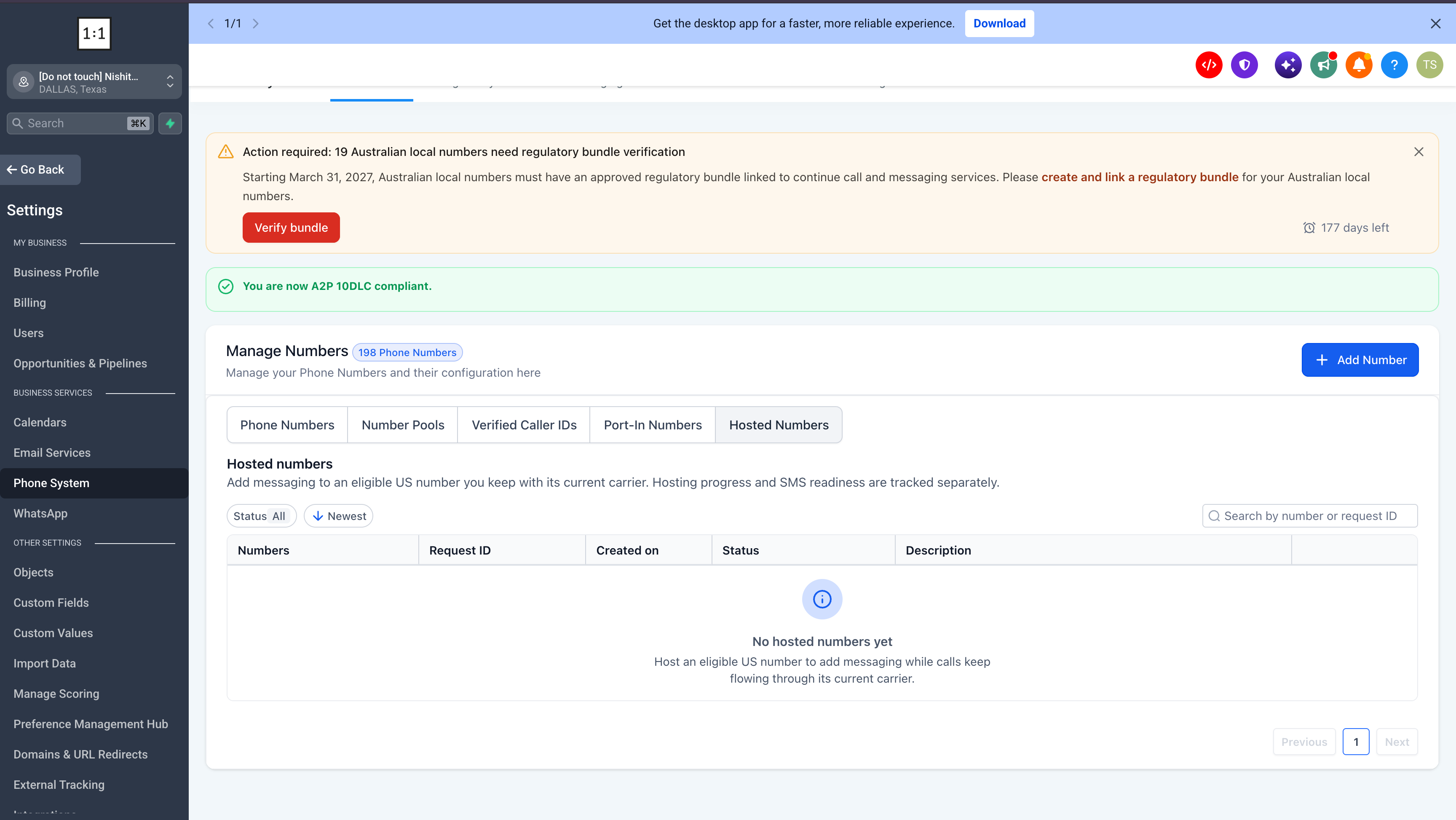
View all hosted and in-progress numbers from both the Hosted numbers area and the main Phone numbers list
Hosted vs. SMS ready
A number marked Hosted has finished the hosting process successfully. It becomes SMS ready once all required compliance and messaging setup steps are complete for that Location.
Location identity verification, if it is required for that Location
Location-level A2P registration so messages are compliant and deliverable
Messaging sender setup so the hosted number can be used in conversations, campaigns, and workflows
If the Location already has an applicable approved A2P registration, EveryCatch automatically reuses it. You do not need to submit a new registration or choose a campaign for each hosted number.
If you host a toll-free number for SMS, toll-free verification is required and must be completed for that number type.
Voice calls continue to route through the number’s current carrier during the entire hosting process and after SMS hosting is active.
Who can use it?
Agency Owners and Admins can start new hosting requests and manage them from start to finish.
Account users can see hosted numbers and in-progress hosting requests for their Location, but only an Agency Owner or Admin can initiate a new hosting request.
Users who already have permission to complete identity verification or A2P tasks can handle those readiness steps for their Location so hosted numbers become SMS ready.
Availability
Hosted numbers is available under Labs for eligible accounts that meet the current requirements.
In this initial Labs release, hosted numbers supports eligible US local numbers, SMS hosting only, one number per request, and hosting can be initiated by an Agency Owner or Admin.
How to get started
Enable Hosted numbers from the Labs section in your EveryCatch account settings.
Go to Settings → Phone system → Manage numbers.
Select Add number → Host a number.
Enter the US local number you want to host and follow the guided setup steps on screen.