Overview
Managing documents on each contact record in EveryCatch is now easier and more structured. You can use folders to organize, manage, and recover your contact documents with less effort.
You can now create folders, nest folders across multiple levels, move documents between folders, and restore accidentally deleted files or folders within 60 days. Everything is organized at the individual contact level so it is simpler to find, review, and manage the documents you need for that specific person or company.
What changed
1. Organize documents with folders
You can create custom folders to organize documents for each contact in a way that matches your workflows. Build a folder structure with multiple levels so it is easier to group related files and quickly access what you need.
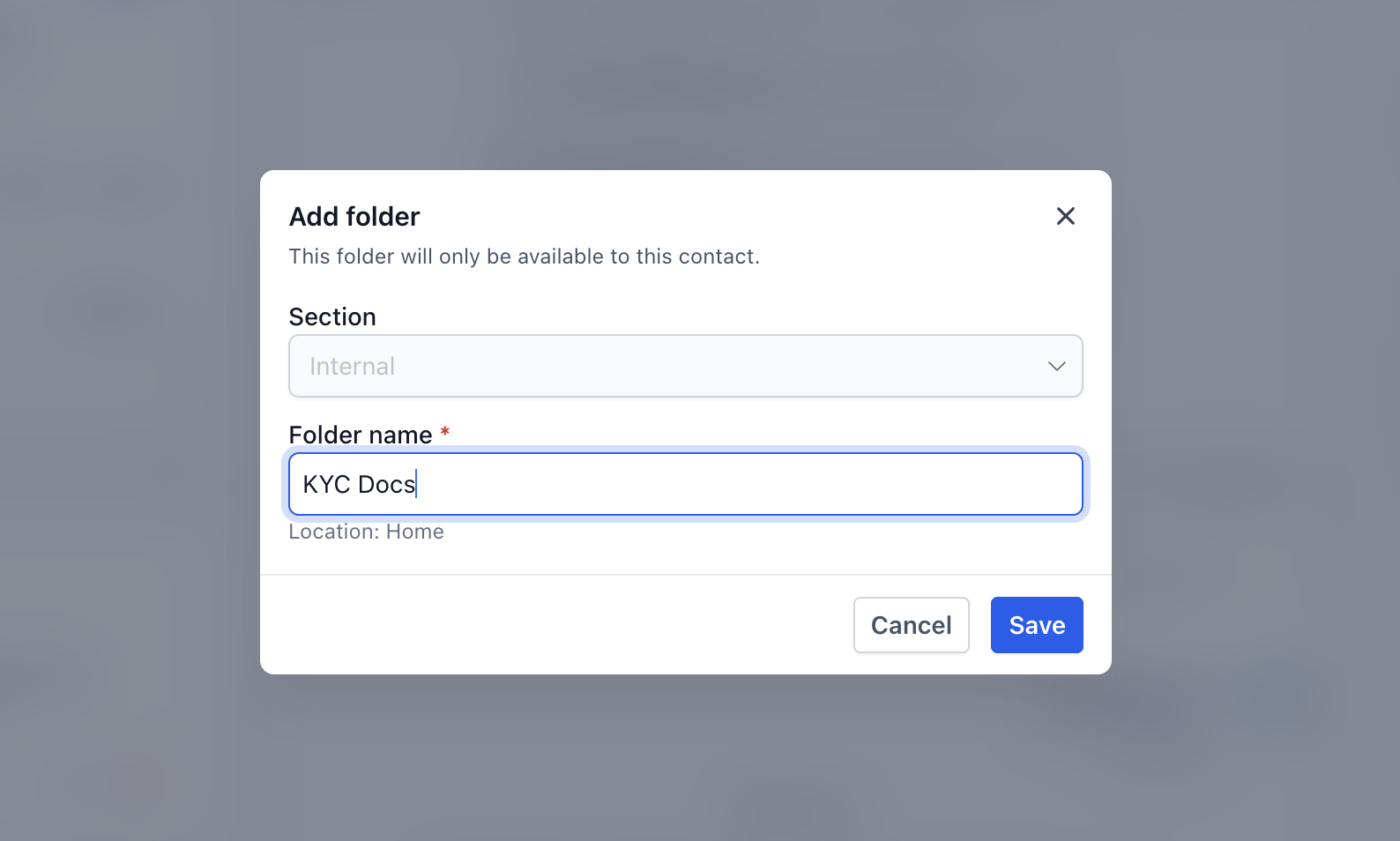
EveryCatch supports two types of folders on the contact documents tab:
- System folders: Predefined folders that cannot be deleted.
- Custom folders: Folders you create and manage. You can rename, rearrange, and delete these when needed.
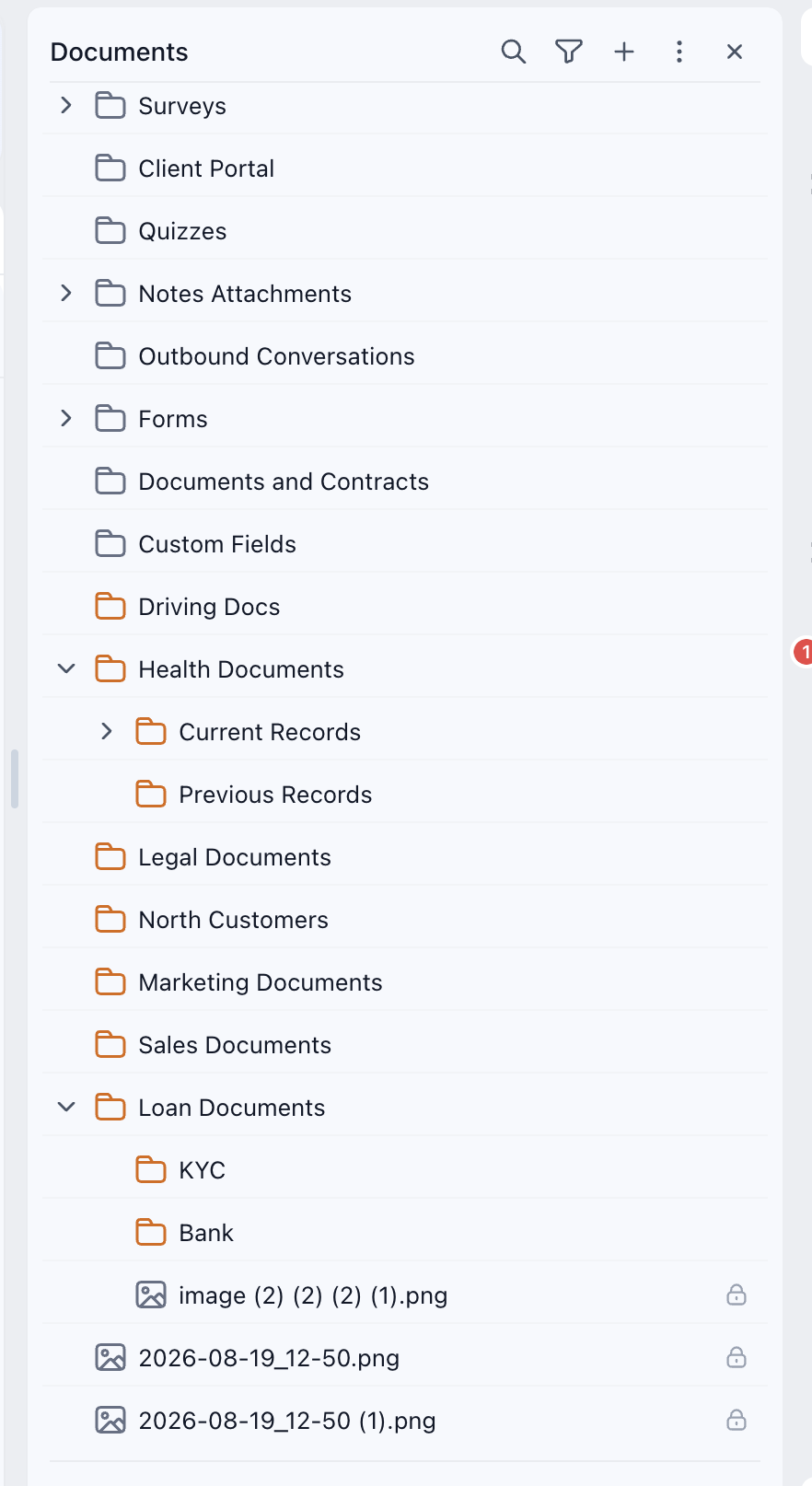
All folders live at the contact level. Each contact has its own independent folder structure and file set, which keeps documents clearly separated between contacts.
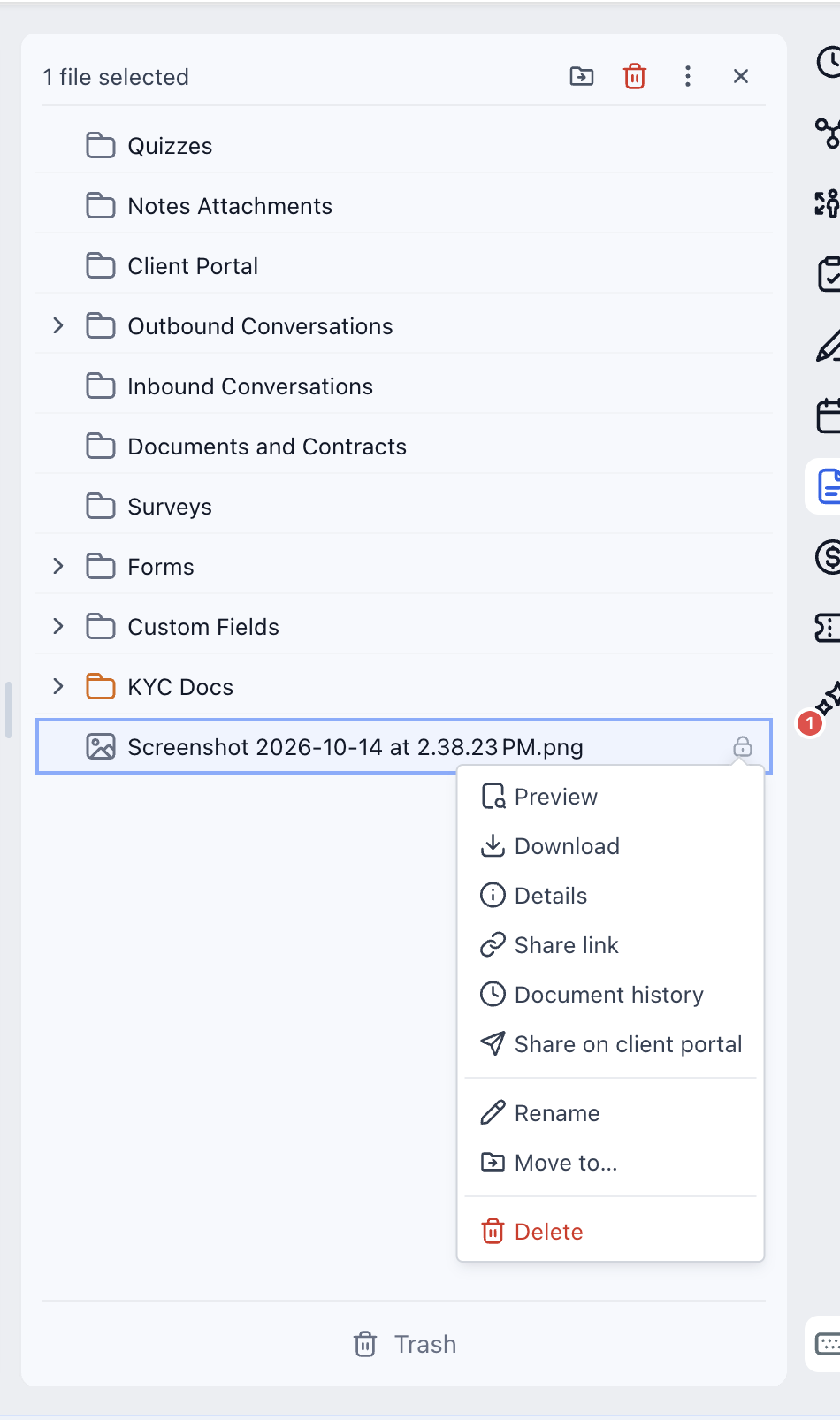
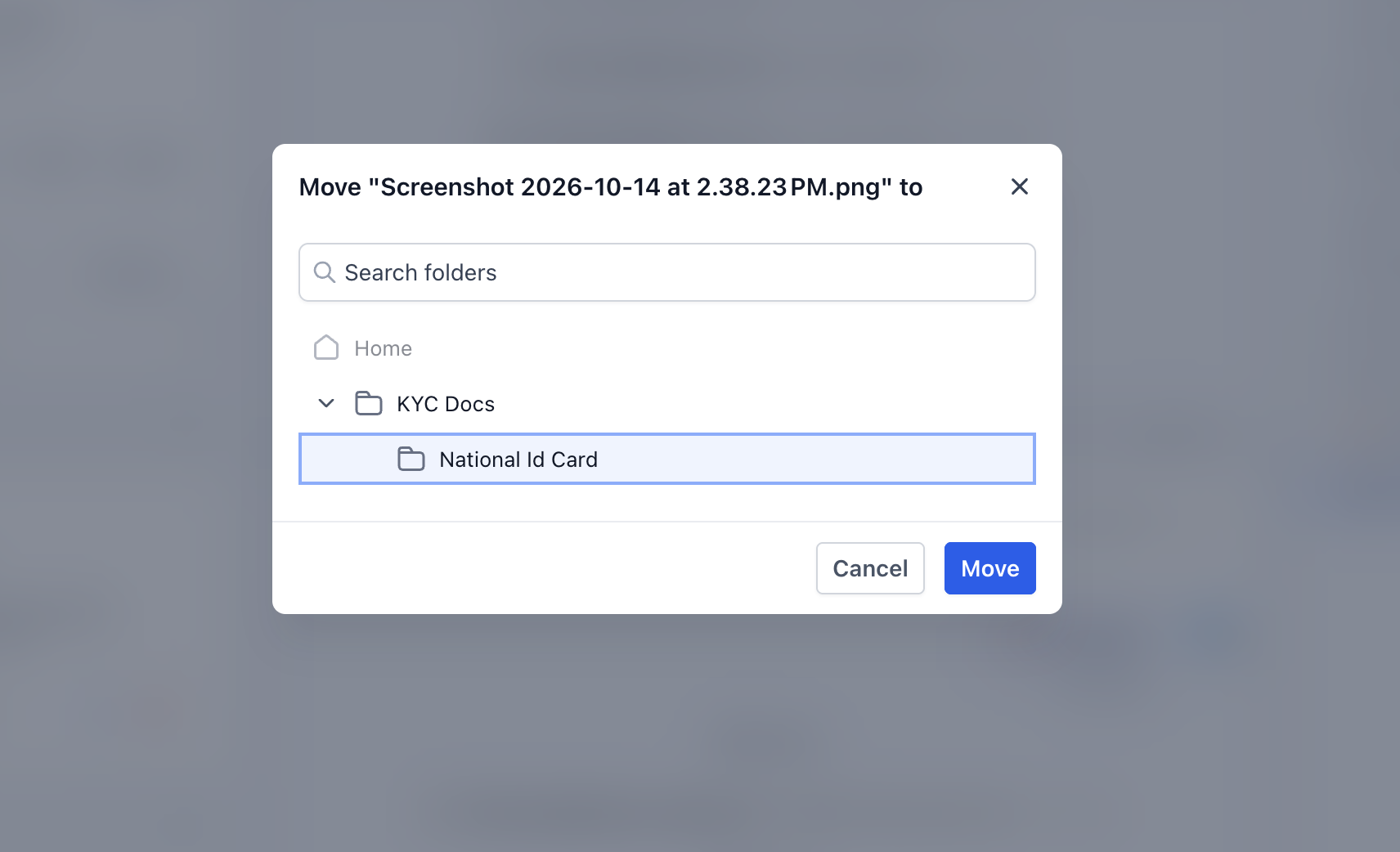
2. Move files and folders effortlessly
- Move files from one folder to another without re-uploading anything.
- Reposition folders across different levels to refine or update your structure over time.
- Keep related documents grouped together so your contact workspace stays clearer and easier to scan.
3. Delete files and folders
- Delete files that were uploaded to custom folders when you no longer need them.
- Delete custom folders to keep the documents section for each contact tidy over time.
- System folders are protected from deletion so their predefined structure stays available.
- Files stored inside system folders are currently protected from deletion.
4. Introducing trash – recover deleted files and folders
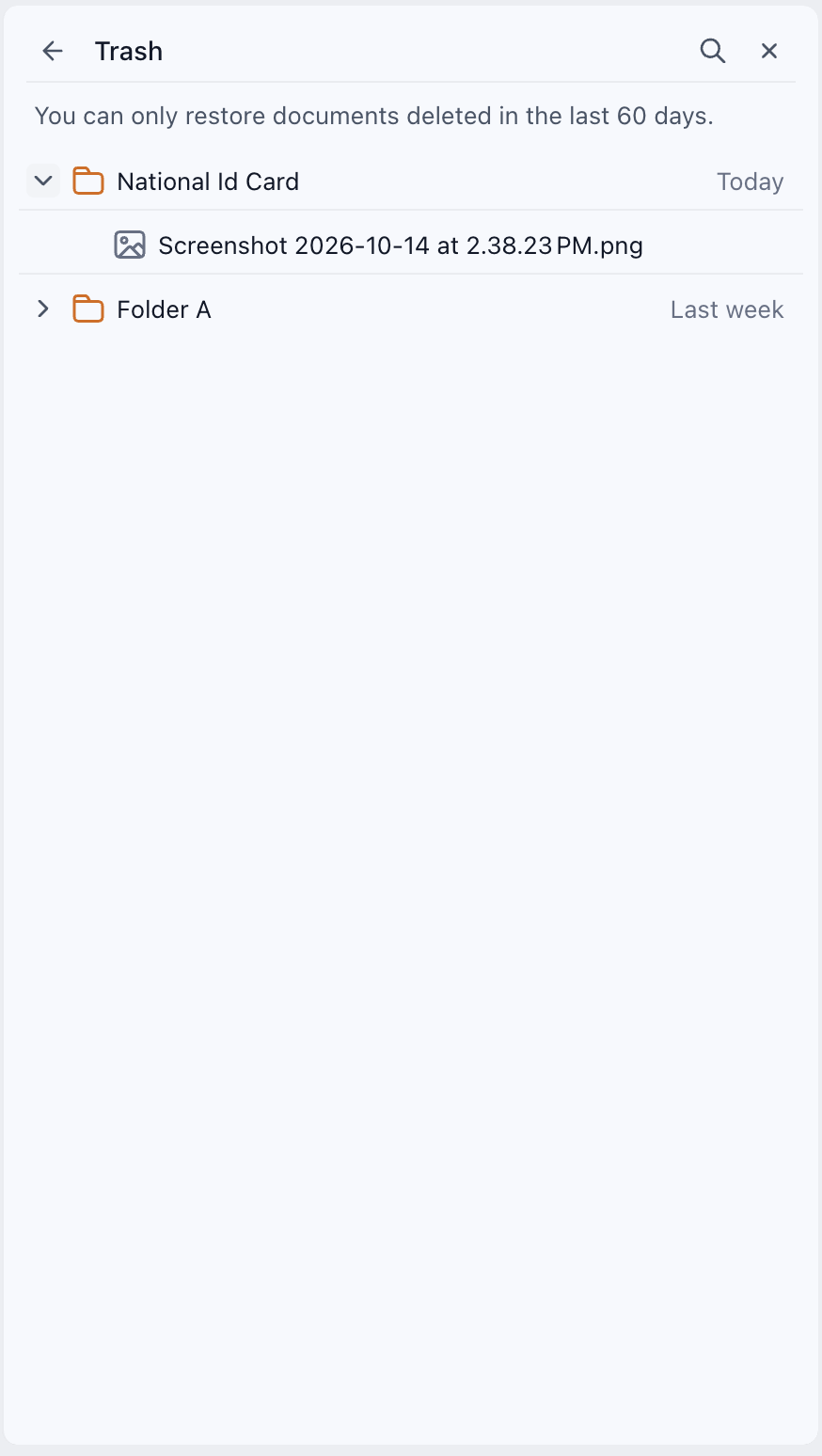
If you remove something by mistake, EveryCatch gives you a safety net through the new trash area in contact documents.
- When you delete files or custom folders, they go to Trash instead of being removed permanently right away.
- You can restore individual files or entire folders from Trash within 60 days of deletion.
- When you restore a deleted folder, its contents come back with it so your structure and documents are recovered together.
- After 60 days in Trash, files and folders are permanently deleted and cannot be restored.
What's next?
EveryCatch will continue to expand document management so you have more control and clearer visibility across your contact files.
- Delete files from system folders: Soon, you will be able to delete files stored inside system folders, giving you finer control over what stays in each predefined area.
- Add tags to documents so you can label, filter, and identify files faster within a contact.
The goal is to keep document management simple, organized, and flexible so you spend less time tracking down files and more time engaging with your contacts.



