The Contact Info action lets a Conversation AI agent save what a customer says into the contact record. Until now it worked only with text, number, date and time fields, so the radio buttons, checkboxes and dropdowns you use to qualify leads could not be updated by the agent.
EveryCatch now lets the agent fill these fields for you. Customers can answer in their own words, and the agent selects and saves the matching option from the field automatically.
What changed
Contact Info now supports the following field types:
- Custom fields: Radio, Checkbox, Dropdown (single), Dropdown (multiple) and Phone.
- Standard fields: Contact Source and Contact Type.
Key capabilities
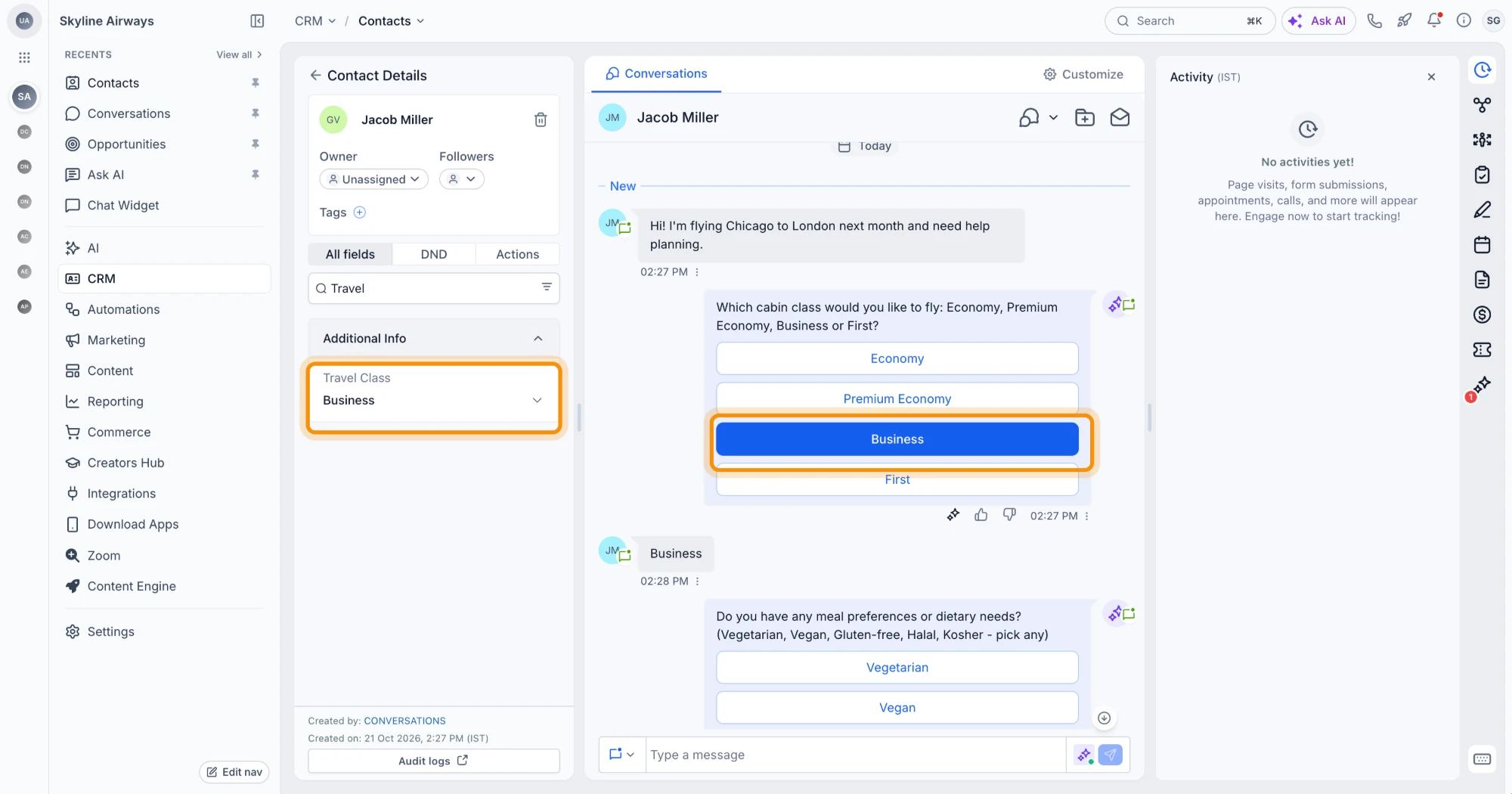
- Understands answers in the customer's own words: The agent matches open replies to your field options. For example, “Business class please” saves Business. “I'm vegetarian and gluten free” saves Vegetarian and Gluten-free. “blue” saves Blue.
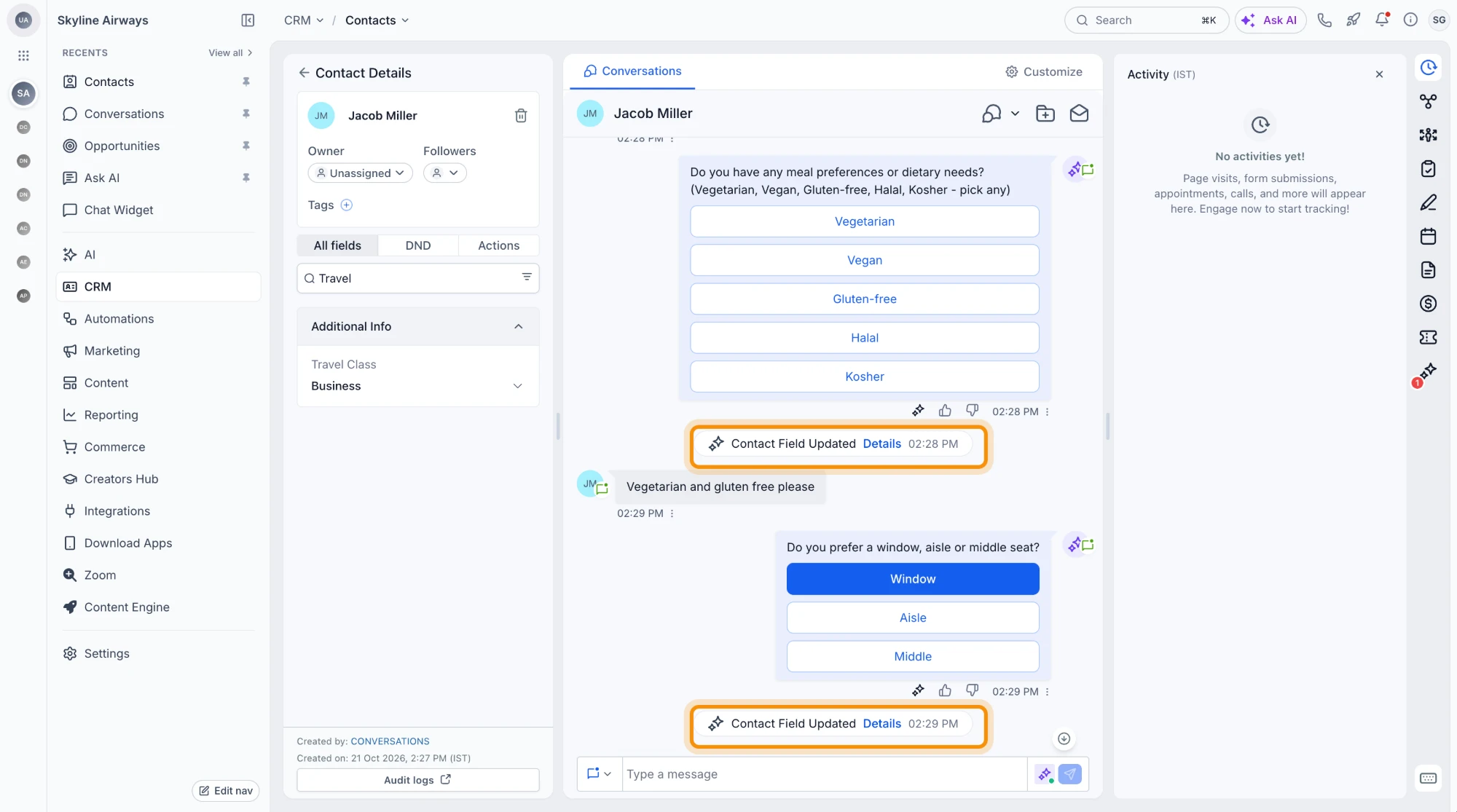
- Multiple choices: Checkbox and multi-select dropdown fields can save several options from a single reply.
- Only valid options: An answer that matches none of the field's options is not saved. Fields that allow a custom option still accept new values typed by the agent.
- See exactly what the agent can save: When you choose an option field in the Contact Info action, its choices are listed under Values the Conversation AI can update, so you know what the agent will use.
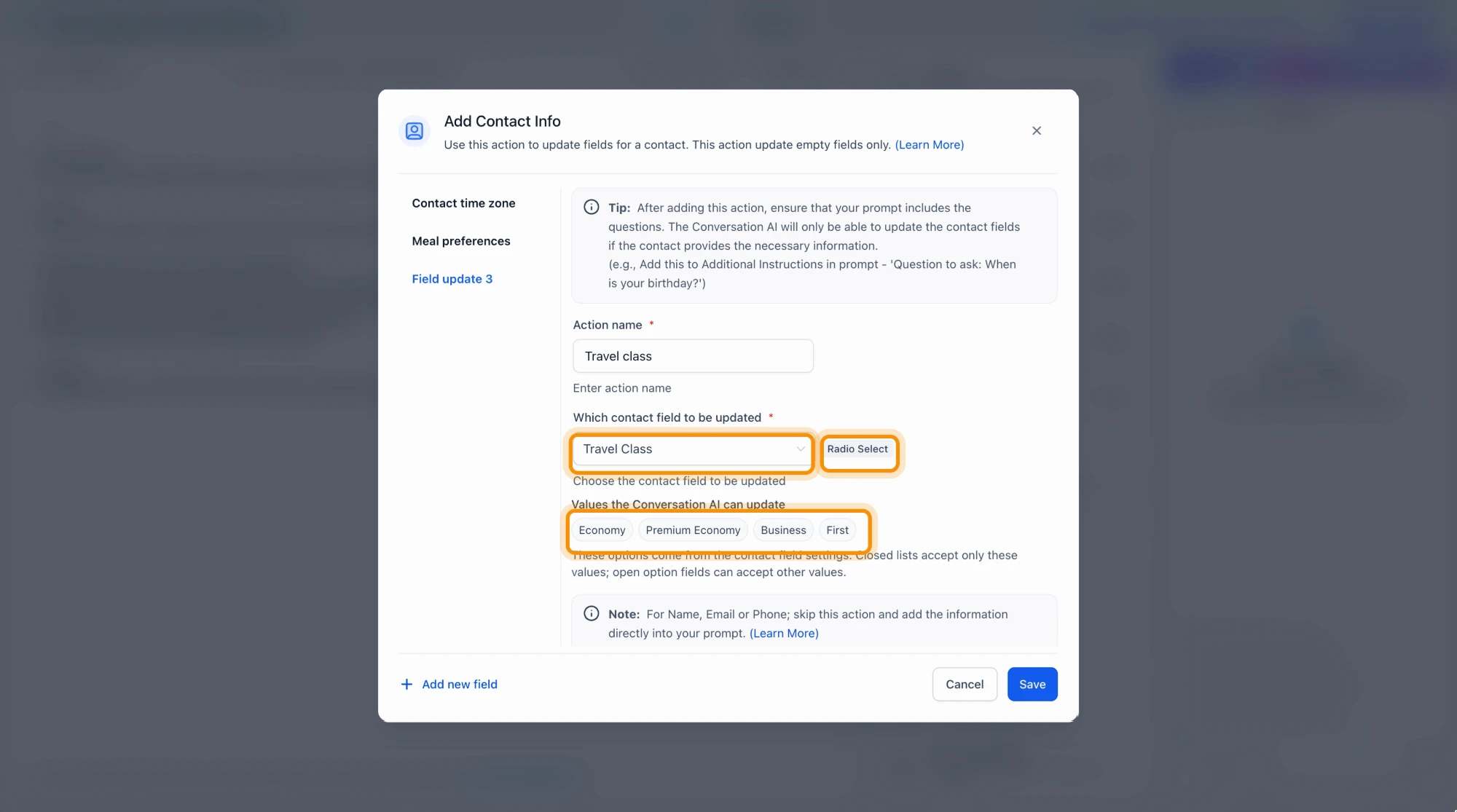
- Always in sync with your field settings: If you edit a field's options in Custom Fields, the agent automatically uses the updated list from the next message onward.
- Every update is on record: A Contact Field Updated event appears in the conversation whenever the agent changes a field. Open Details to see which action ran, which field was updated and what value was saved.
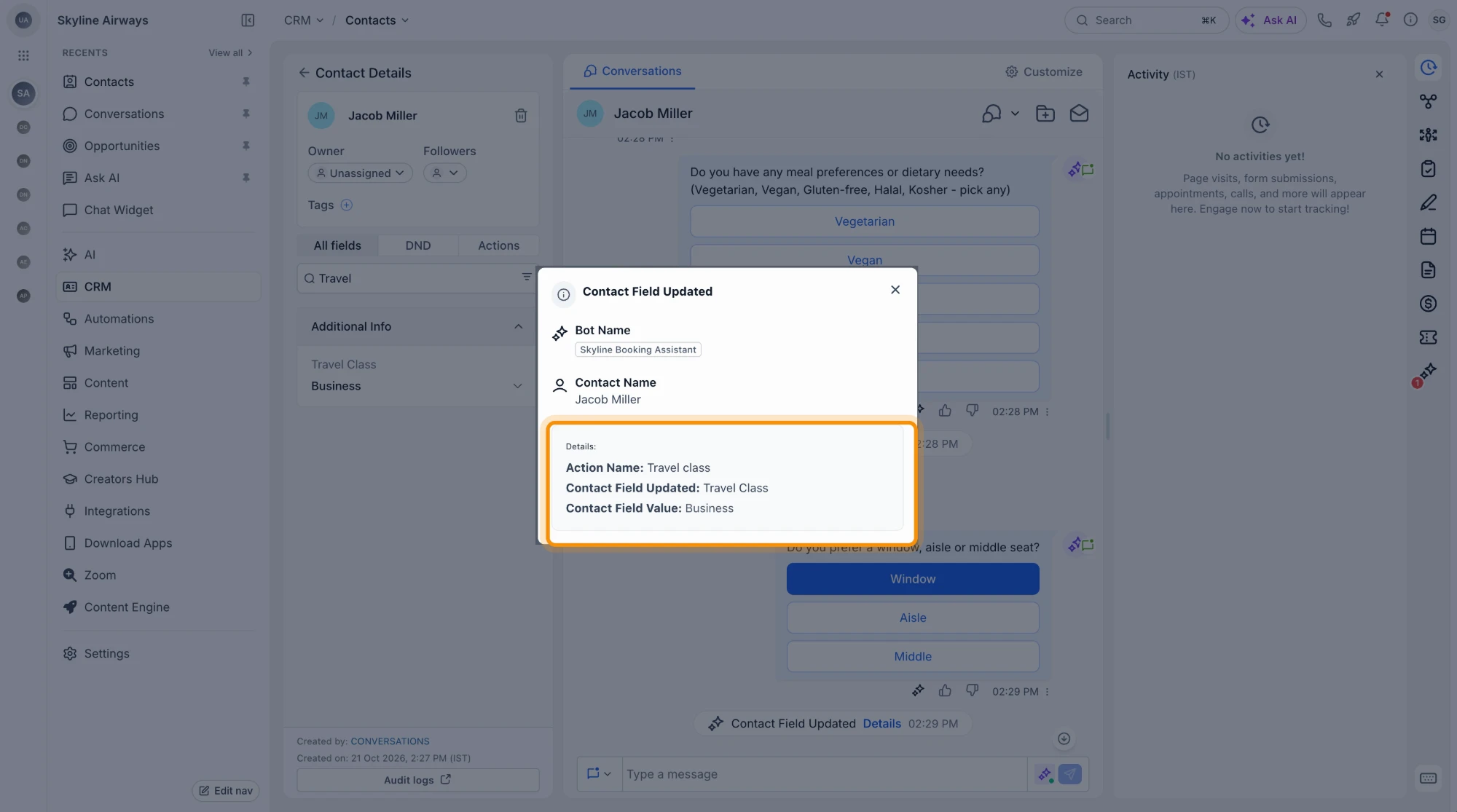
Where it works
- Prompt-based Conversation AI agents in Auto-Pilot mode, in every account.
How to get started
- Open your agent and go to Actions → Contact Info.
- Choose a radio, checkbox or dropdown field you want the agent to update.
- Review the options listed under Values the Conversation AI can update and adjust your custom field if needed.
- Make sure your prompt asks the question clearly so the contact has a chance to answer it in the conversation.
- Save your changes, then test the agent with a sample conversation to confirm the right options are being saved.
Why it matters
- No more manual copying: Answers for option-based fields no longer need to be transferred by hand into the contact record.
- Qualifying answers in the right place: Each response goes straight into the correct field, ready for your follow-up workflows and views.
- Clean data: Only the field's configured options are saved, so your reports, segments and automations stay consistent.
Availability
This is available now in every account for prompt-based Conversation AI agents in Auto-Pilot mode.



