Build-your-own thalis, bowls, and combos are now easier to configure and smoother for your guests to order on EveryCatch.
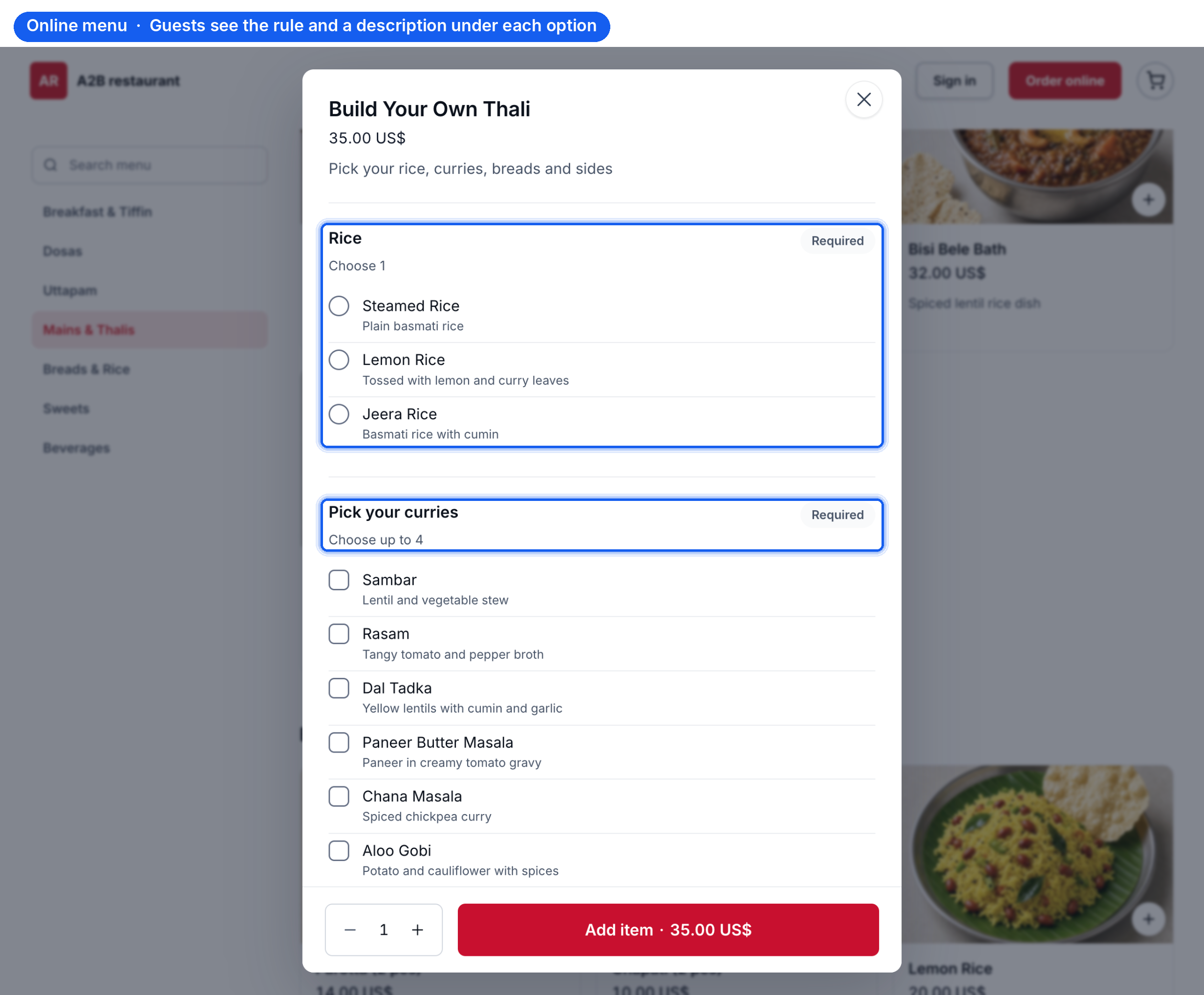
You can now control the exact number of options guests can pick in each modifier group and add a short description to any option. EveryCatch shows guests the rule directly on the item, so they see how many to choose before they add it to their order.
What changed
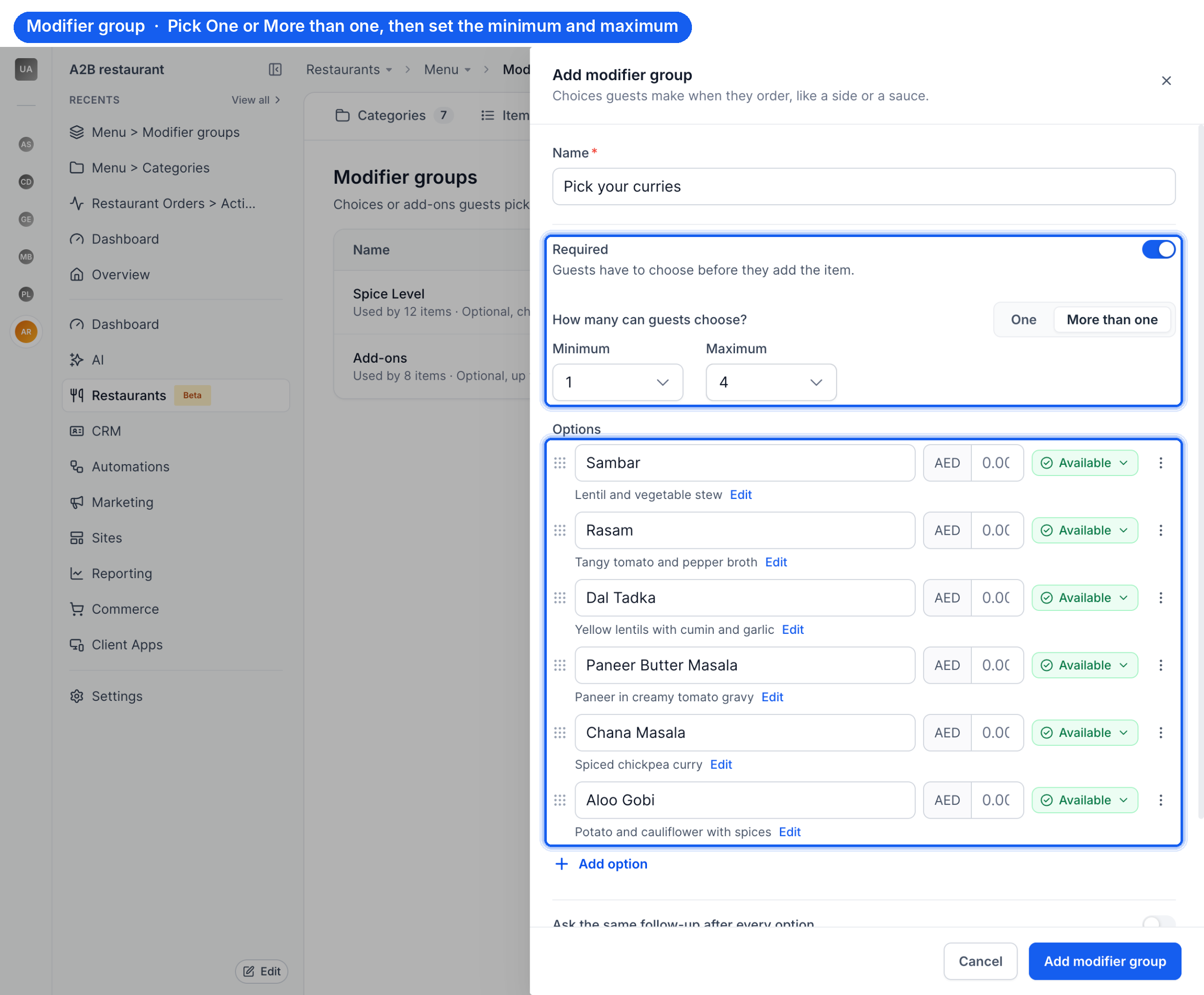
- Choice type control: Set a group to One if guests should pick a single option, or set a multi-choice group with a minimum and maximum number of choices.
- Required stays in sync: When you turn on Required for a modifier group, the minimum number of choices is automatically set to 1 and kept in sync.
- Option descriptions: Add a short description under any modifier option, such as “Lentil and vegetable stew,” to make choices clearer to guests.
- Clear for guests: Each modifier group shows its rule, like “Choose 1” or “Choose up to 2,” along with a Required or Optional tag so guests understand what they need to select.
- Limits are enforced: Once guests reach the maximum number of options, extra choices are greyed out, and guests cannot add the item until all required groups are completed.
How to get started
- Go to Restaurants → Menu → Modifier groups and open an existing group, or click Add modifier group to create a new one.
- Under How many can guests choose?, select One or set a multi-choice group, then set the minimum and maximum allowed choices for that group.
- Add descriptions with + Add description under any option, then save the group and attach it to the menu items where you want these choices to appear.
Why it matters
- Accurate menus: The ordering flow follows the exact rules you set for each group of choices.
- Complete orders: Required selections are checked before an item is added to the cart, which reduces incomplete or incorrect orders.
- Fewer guest questions: Short option descriptions help guests understand each choice without needing to contact your team.
Availability
This is available to agencies using Restaurants on the Founder's plan.
Your menu, your rules, with orders set up the way you intend.