Important update: EveryCatch Meeting Room now meets HIPAA requirements for handling protected health information (PHI).
You can now hear clear sound alerts for key moments in your meetings, so you do not miss a guest in the lobby, a raised hand, or a recording that starts again. EveryCatch lets each person choose which alerts they want to hear, so you can set it up the way that works best for you.
What changed
- New sound alerts are available for participant join, participant leave, waiting room, raised hand, and recording start and stop.
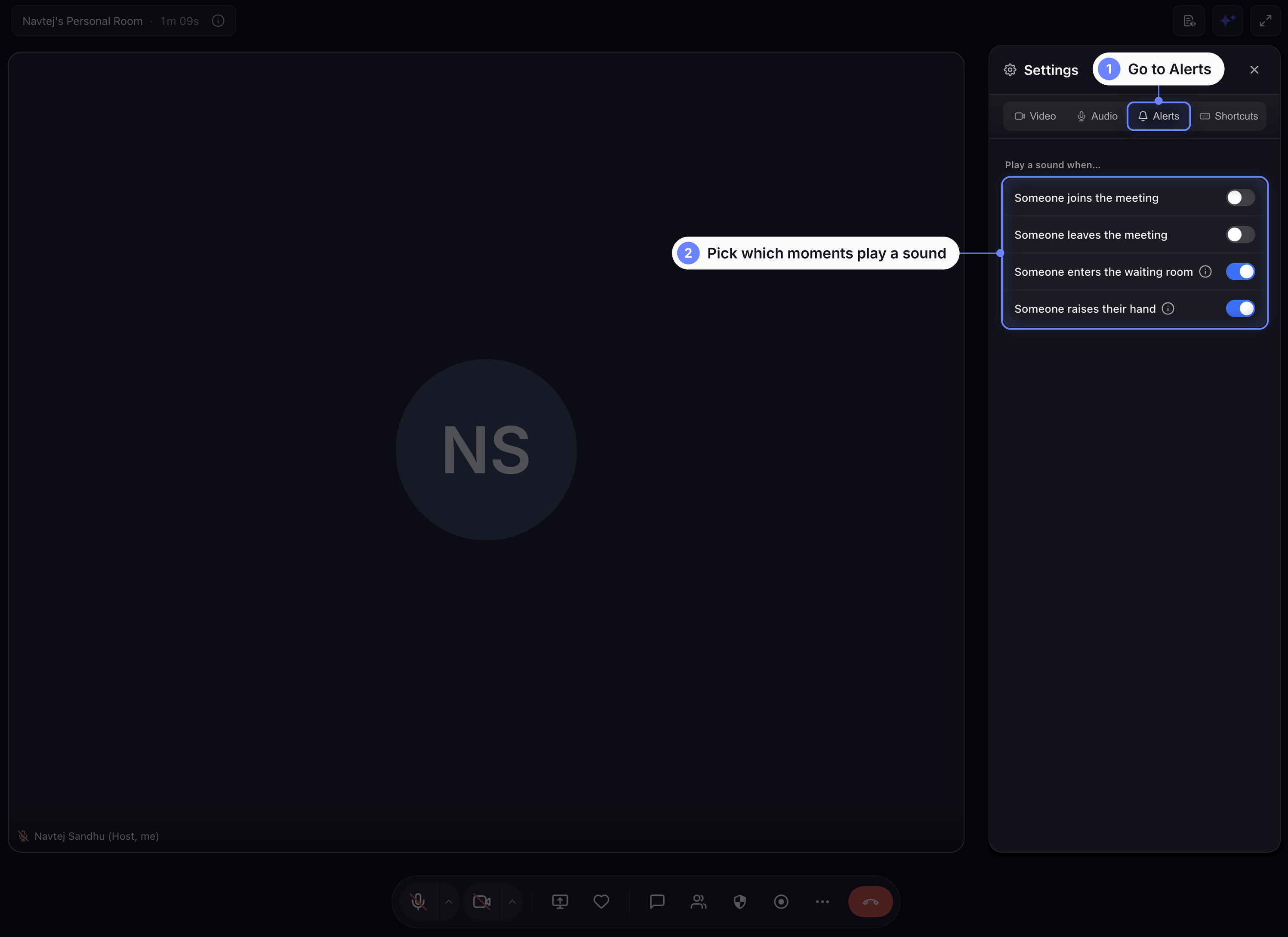
- There is a new Alerts tab in Settings with a separate switch for each sound. Join and leave alerts are off by default, and the rest start on.
- Waiting room and raised hand alerts are host-only. Only hosts and co-hosts hear these sounds, so guests are not distracted.
- Recording is always clearly announced for everyone. You cannot turn this off, and anyone who joins late hears the recording announcement once when they arrive.
- Your alert choices are saved to your profile. Set your sounds once and they apply automatically to every meeting you join or host.
- Guest name fields now pre-fill for returning guests, so they can join faster without typing their name again.
Before → now
- A guest could wait in the lobby without being noticed → The host now hears a knock sound when someone is waiting.
- A raised hand could be missed on a busy screen → The host now hears an alert as soon as a participant raises their hand.
- Recording could start quietly without everyone realizing → Everyone now hears a recording announcement, including people who join after it starts.
- Meeting sounds used to be the same for everyone → Each person can now choose their own alert settings.
- Returning guests had to retype their name each time → Their name now appears pre-filled, ready to confirm.
How to use
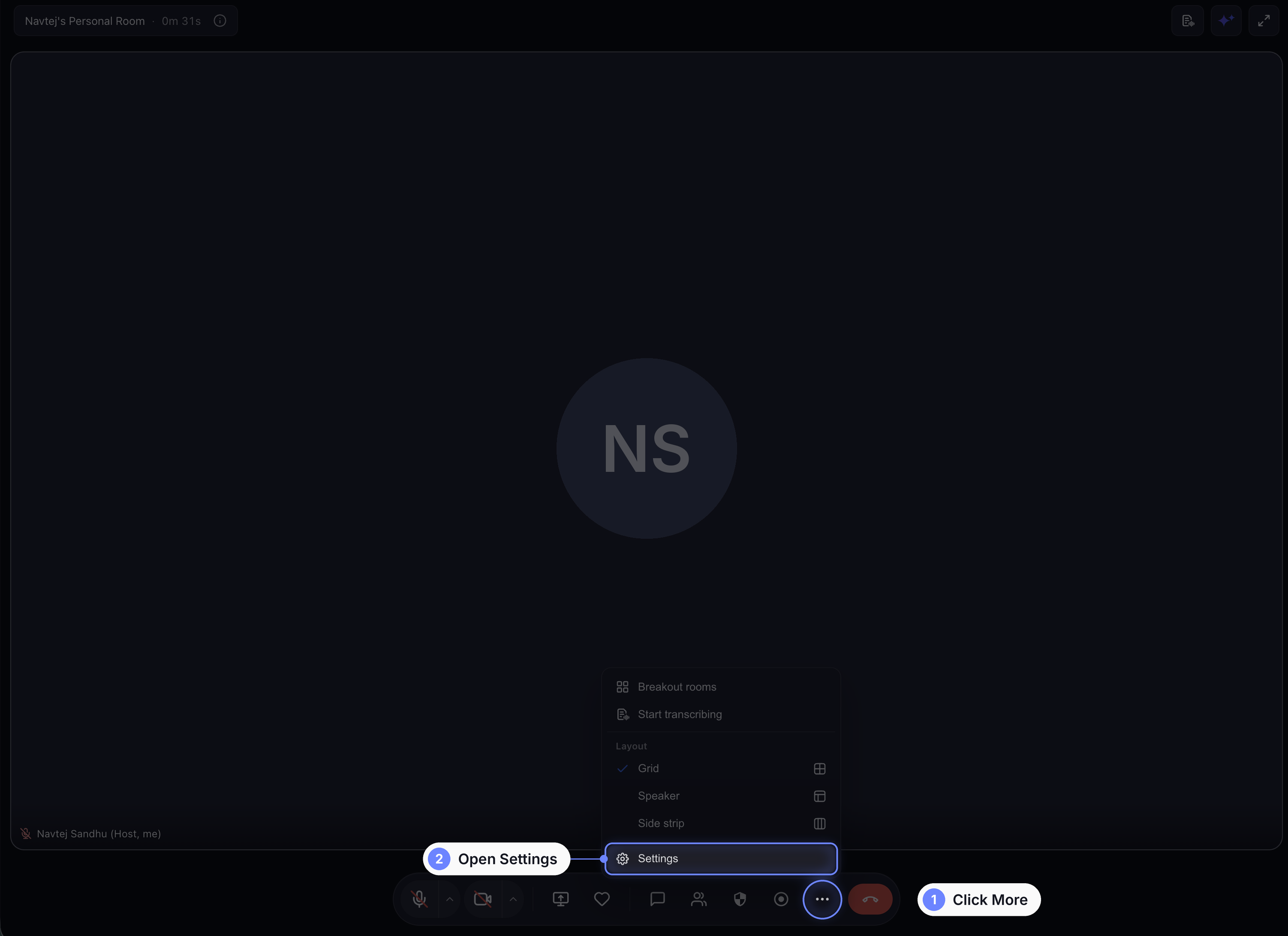
- While in a meeting, open More › Settings › Alerts.
- Use the switches to turn each sound on or off. When your changes are saved, you will see the Saved confirmation.
Happy meeting!