Meeting Room in EveryCatch now supports HIPAA-compliant workflows, so you can use recordings confidently with sensitive client information where required.
If someone misses a client call, coaching session, or internal training, you can now share the recording directly from Meeting Room with a secure link. There is no need to export files or send large attachments. You control who can view the recording, how long the link stays active, and what content is visible to viewers.
Share and manage access
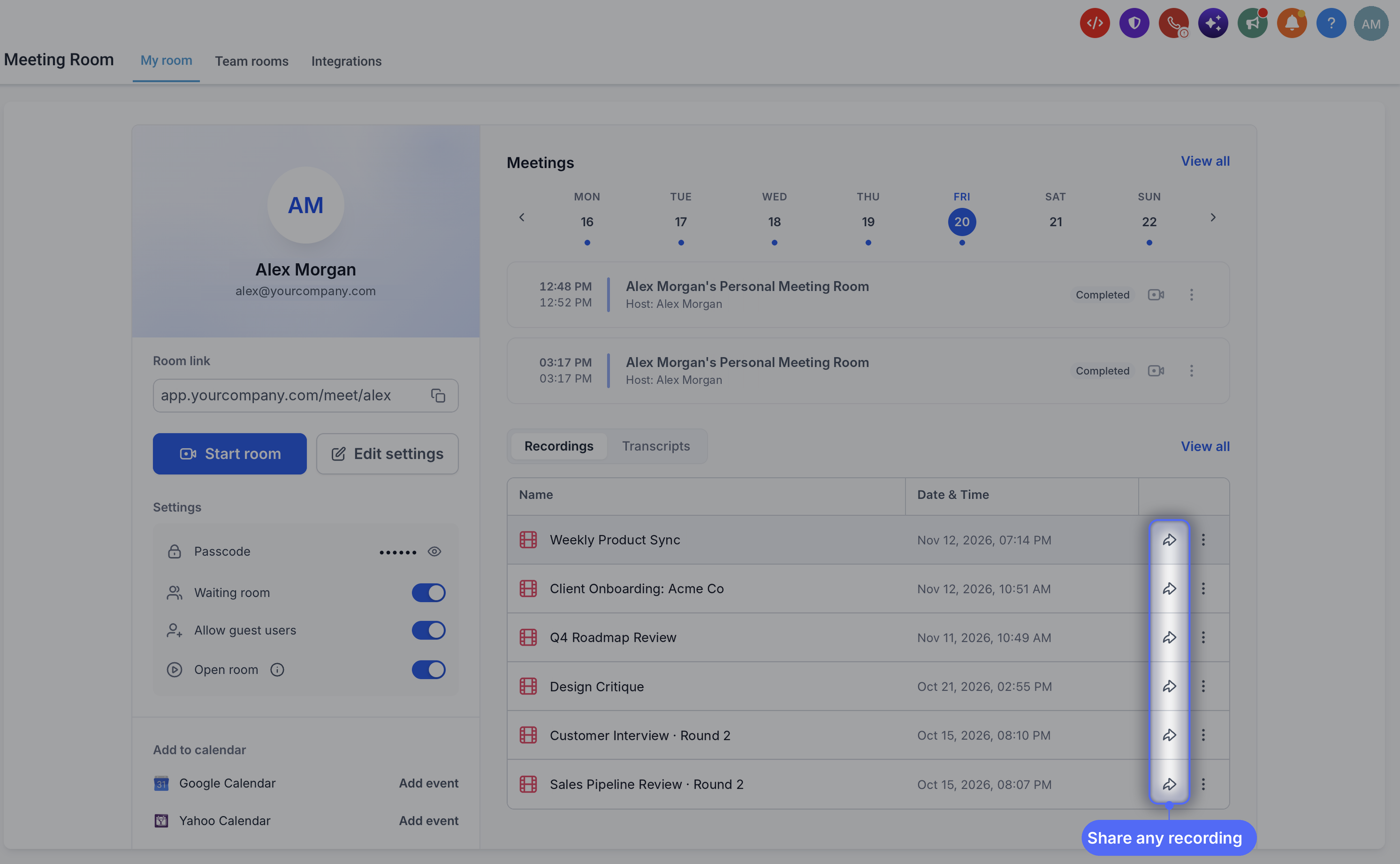
You can share recordings from the main Recordings list or from any individual recording’s detail page. Add multiple recipients, send them an email notification, and update or revoke their access at any time.
Choose the access level that matches your audience
- Restricted: Only you and the specific people you add can watch the recording
- Signed-in users: Anyone signed in to your EveryCatch account can watch with the link
- Anyone with the link: No sign-in required, and you can protect access with a passcode if you choose
Customize the viewing experience
- Expiration: Set the link to expire in 7, 30, or 90 days, or choose a custom end date
- Passcode: Create a 6-digit passcode and copy it along with the share link for secure access
- Downloads and content: Decide whether viewers can download the recording, and whether they can see its transcript and chat history
Email notifications
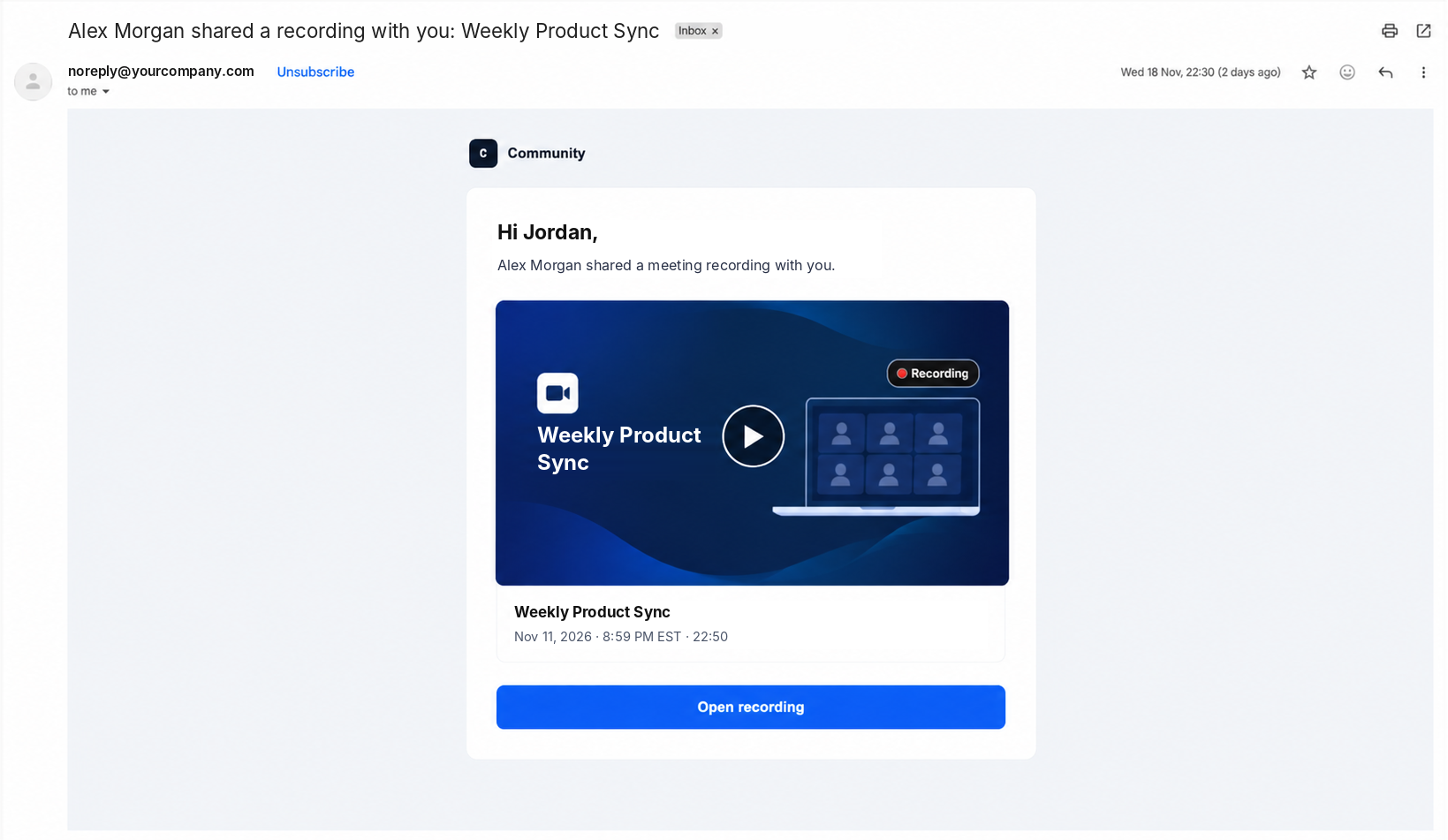
- Recording shared: People you share the recording with receive an email letting them know they have access
- Recording saved: Hosts receive an email when their meeting recording has finished processing and is ready to view or share
What viewers get
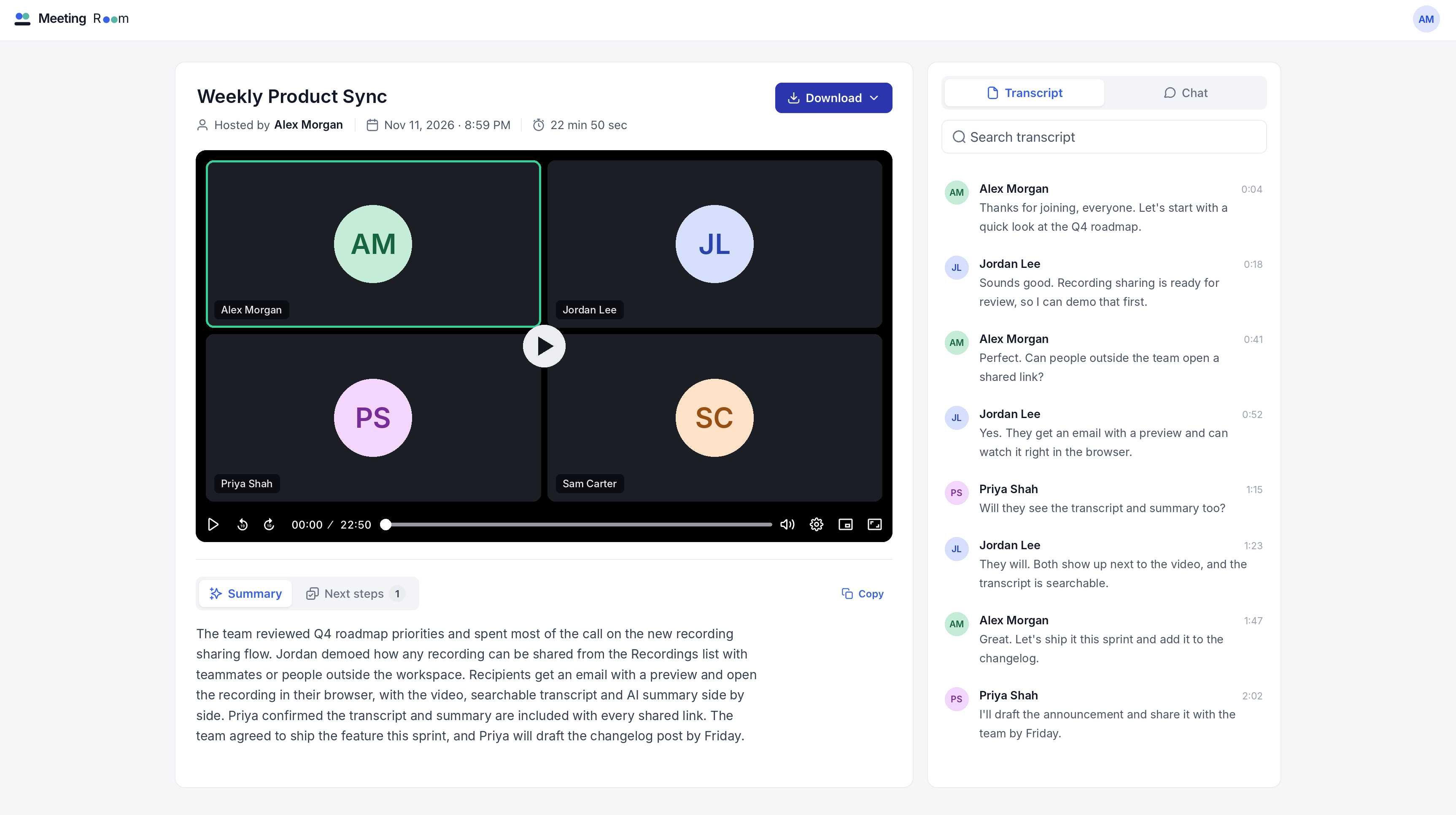
Viewers can watch the recording directly in their browser. If you have allowed transcript access, they can search the transcript and click to jump straight to specific points in the recording. When available and included, meeting summaries and next steps are also shown to help everyone quickly review key outcomes.
How to use
- Go to Meeting Room › Recordings in your EveryCatch account
- Click Share on any recording you manage
- Choose your access settings, then copy the link to send or let EveryCatch email it to your selected viewers
Improvements and fixes
- Better audio and video stability during live meetings
- Resolved issues affecting virtual video backgrounds
- Resolved a problem that prevented some hosts from starting recordings or transcription
Happy sharing from the EveryCatch team.