Breakout rooms in EveryCatch Meeting Room let you split a larger call into smaller groups for focused discussions, activities, and collaboration, all without leaving the main meeting.
What changed
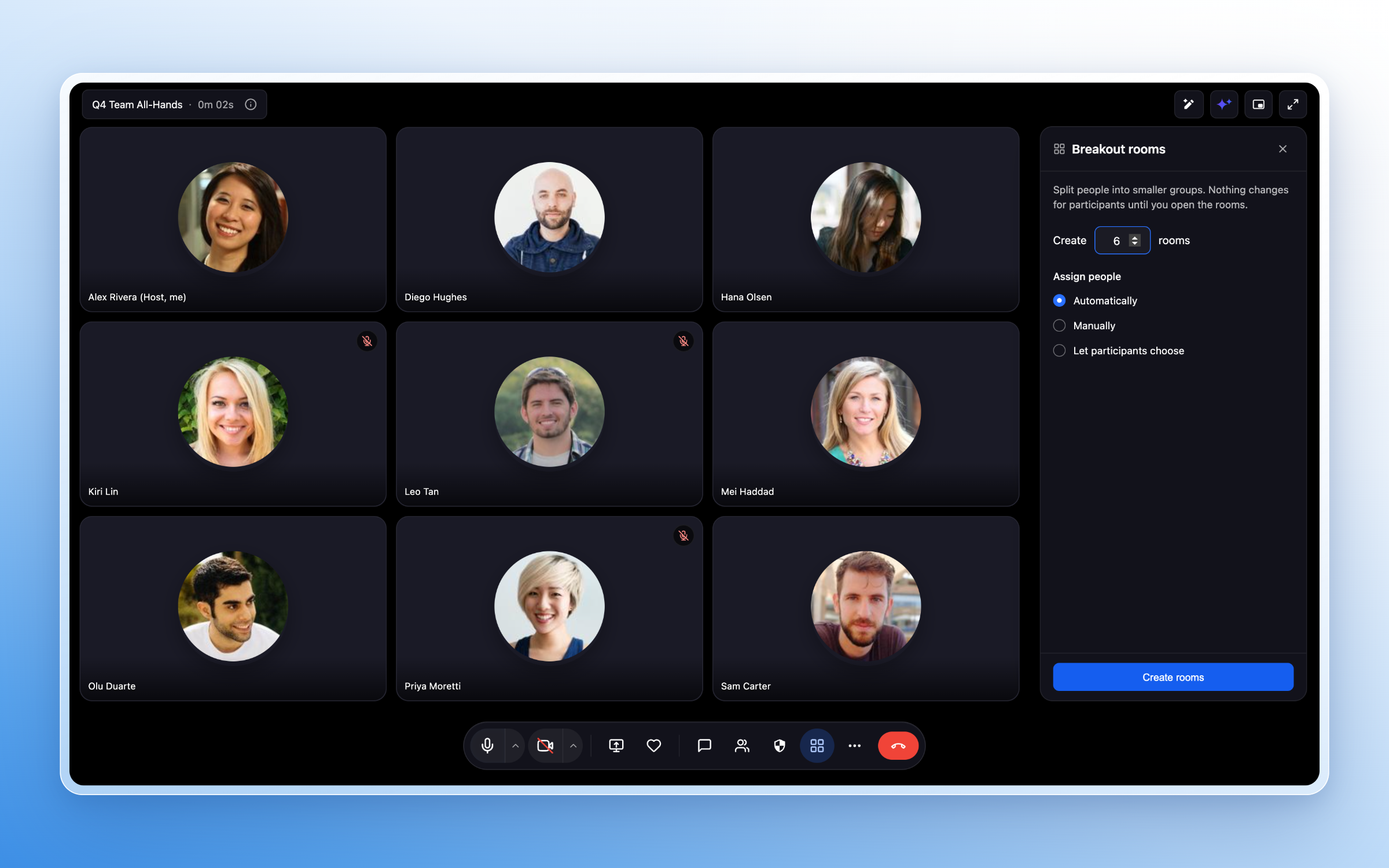
- Create up to 100 breakout rooms inside a single Meeting Room session so you can run many small groups at once.
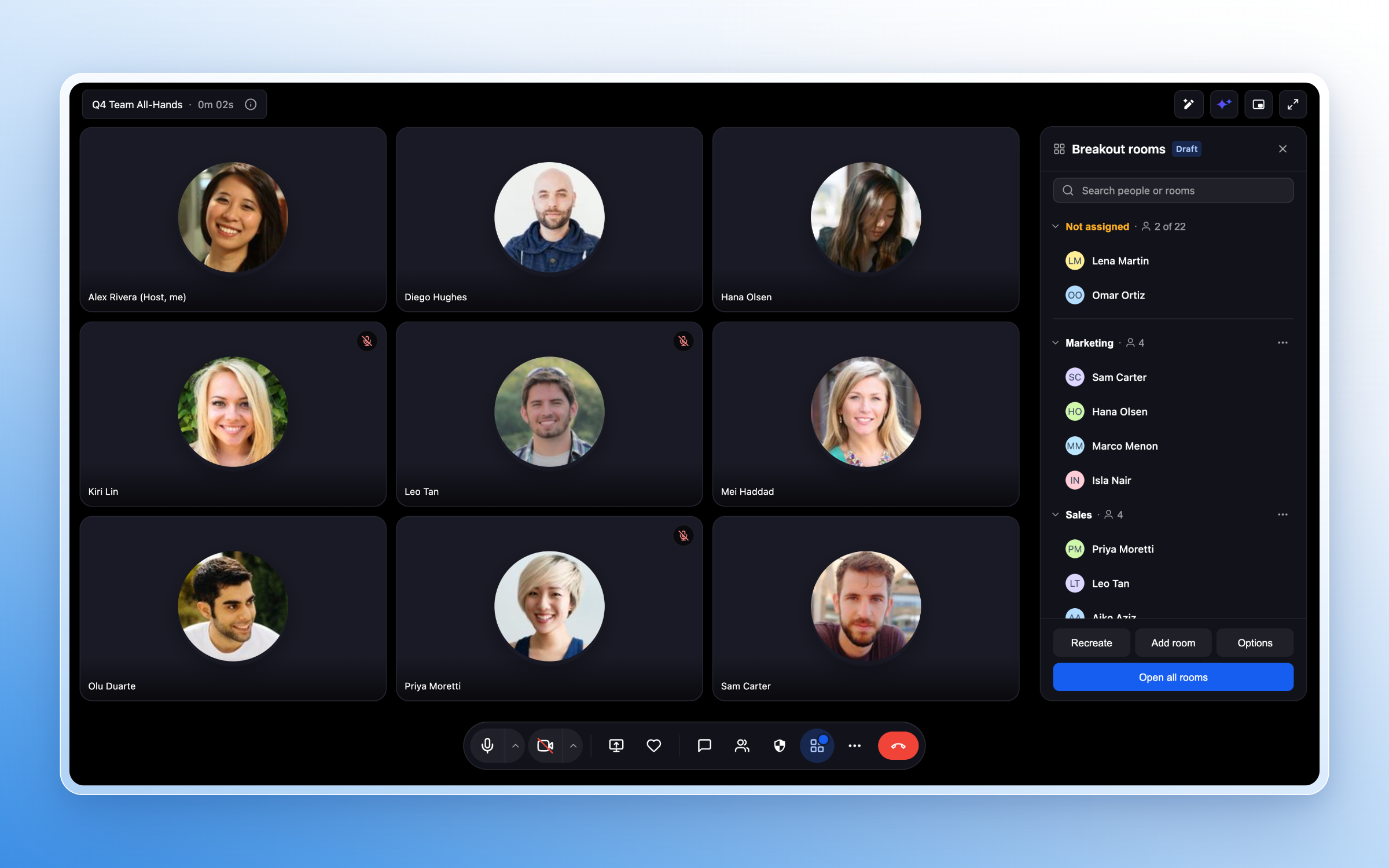
- Assign participants to rooms automatically or place them manually where you prefer.
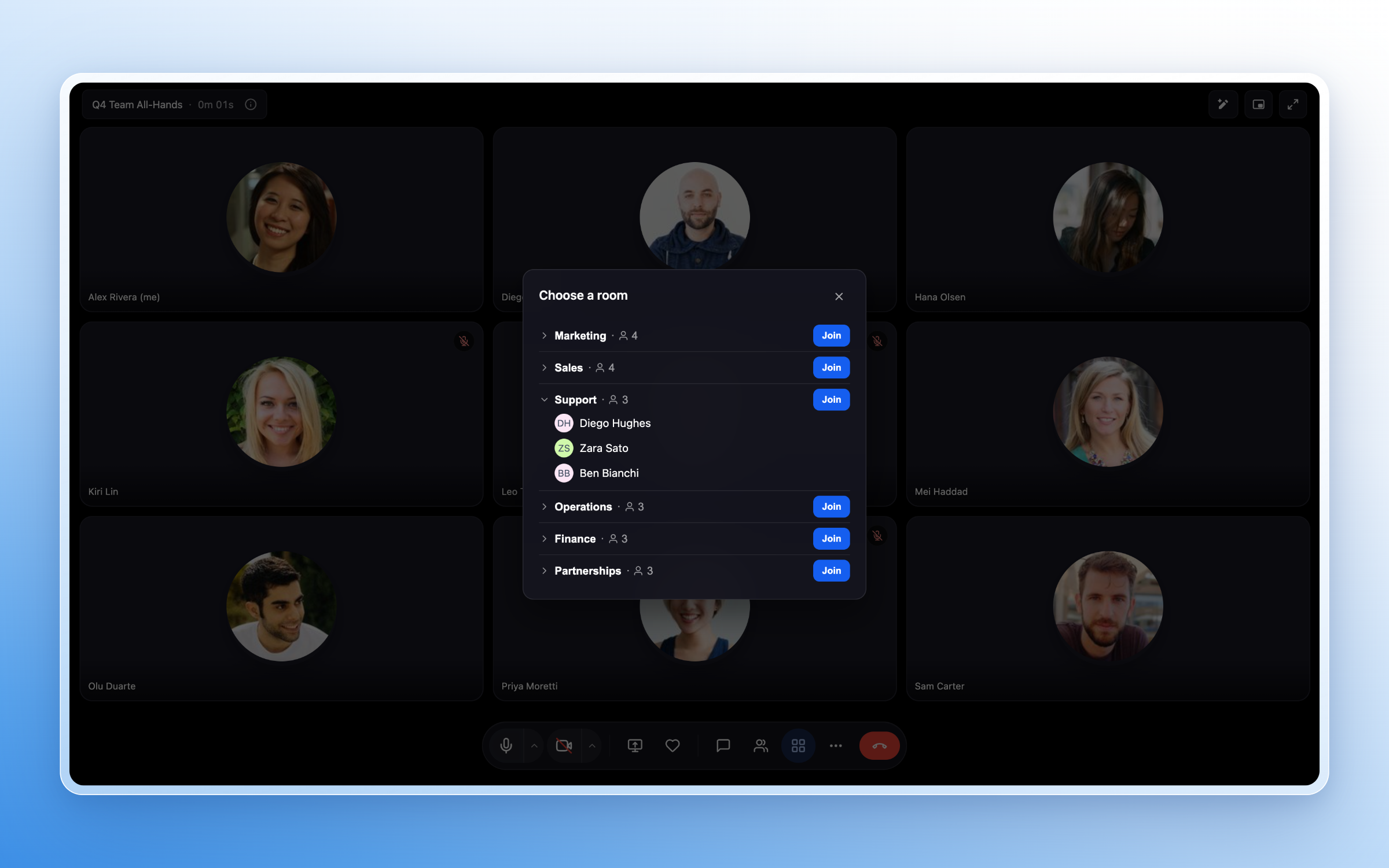
- Let participants choose which room to join when you want them to pick topics or groups themselves.
- Rename rooms and adjust who is in each room before you start the breakout session so everything is set up in advance.
Manage breakout sessions
As the meeting host in EveryCatch, you can control and adjust breakout rooms in real time while the session is running.
- Move participants between rooms whenever you need to rebalance or regroup.
- Join any breakout room to check in, answer questions, or guide the discussion.
- Broadcast a message that appears in every room at once so everyone sees important updates.
- Set a session timer so everyone knows how long they have in their breakout.
- Extend an active session if conversations need more time.
- Automatically bring participants back to the main meeting when the breakout timer ends.
Recordings and transcripts
You can manage recording and live transcription separately for each breakout room in EveryCatch Meeting Room so each group has the setup you want.
- Start or stop recording in specific rooms based on what you want to capture.
- Turn live transcription on or off per room so only the right sessions are transcribed.
- Quickly see which rooms are currently recording or using live transcription at a glance.
Participant experience
For participants, breakout rooms are simple to join and use.
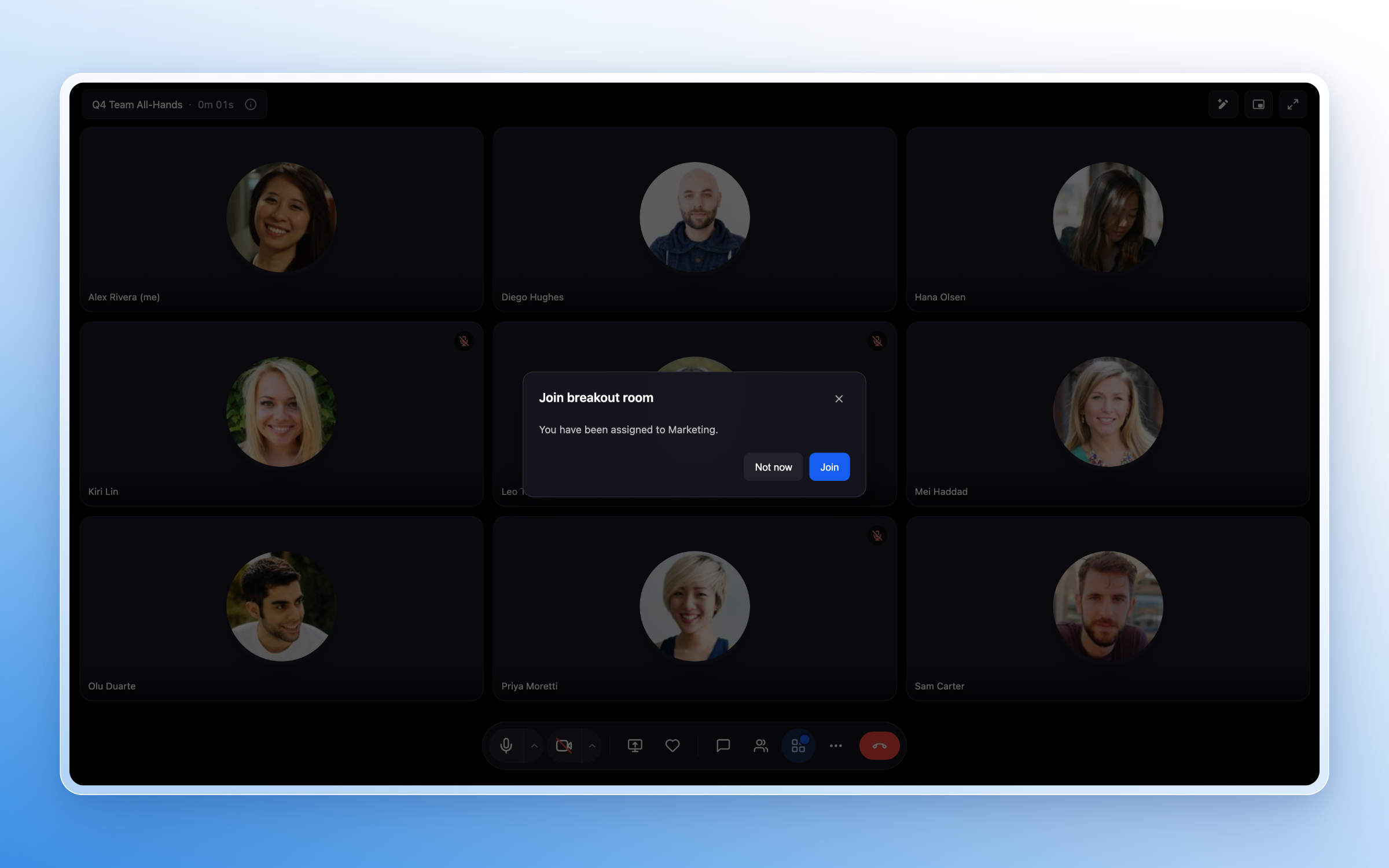
- Join their assigned breakout room with a single click or be moved there automatically by the host.
- Choose which room to join or switch between rooms when the host has enabled that option.
- See countdown reminders before the breakout session ends so they can wrap up.
- Return smoothly to the main meeting without needing to rejoin the call.
Built for collaborative sessions
EveryCatch breakout rooms support a wide range of collaborative formats, including:
- Training sessions and interactive workshops
- Focused brainstorming and team discussions
- Coaching programs and community conversations
- Small-group activities and peer collaboration
Get started
While hosting an EveryCatch Meeting Room, select Breakout Rooms from the meeting toolbar. From there, create your rooms, choose how participants will be assigned, and start the breakout session when you are ready.