Overview
Registration is the starting line of your event. The real experience begins once people have their tickets and are getting ready to attend.
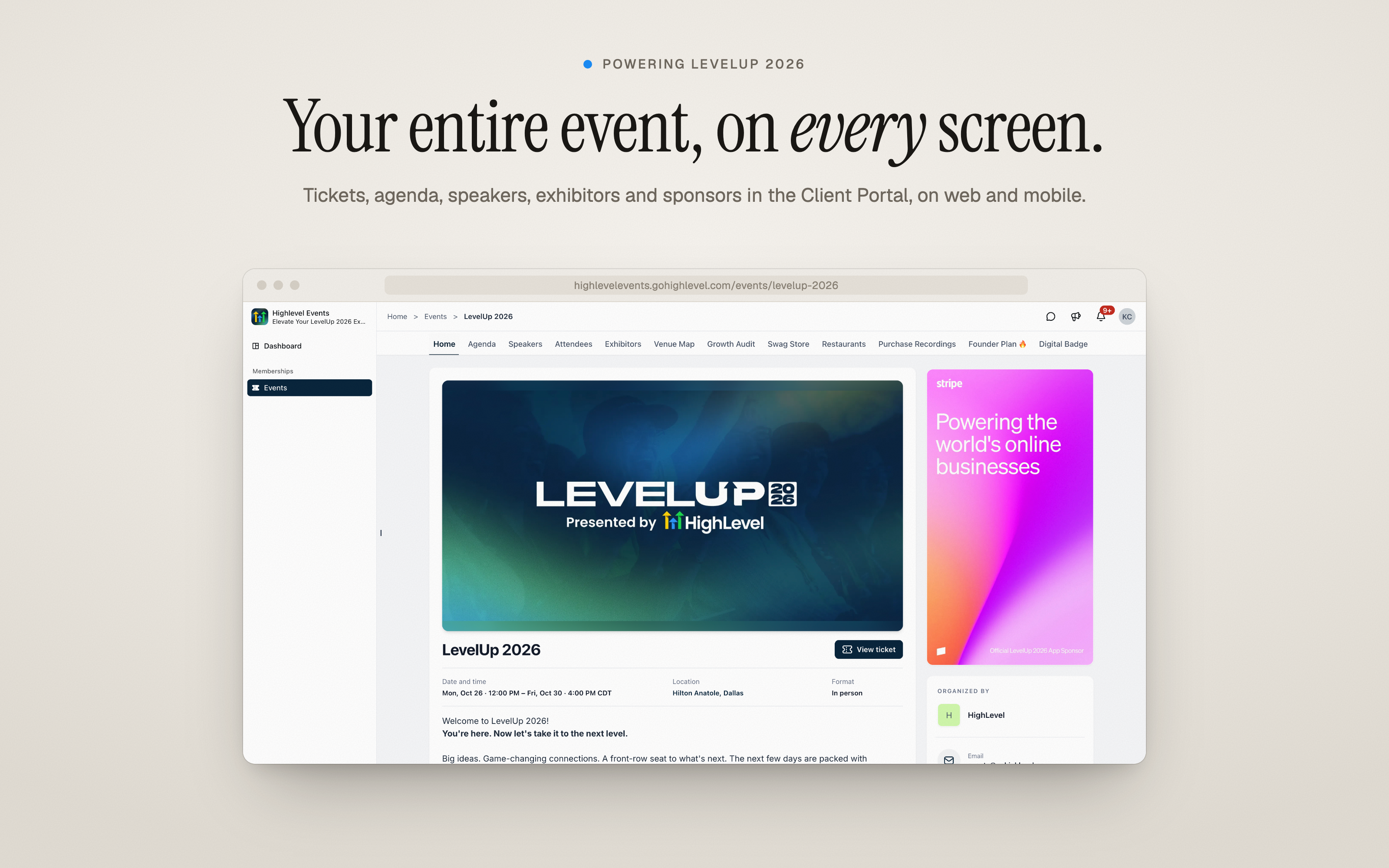
The Events Attendee App brings discovery, tickets, schedules, networking, exhibitors, sponsors and live updates together inside the EveryCatch Client Portal. Attendees can use it on the web, on iOS and Android, or through your own branded app. If your members already log in to your Client Portal for courses and communities, they can now find and manage your events there as well.
This is the same attendee experience that powered EveryCatch’s LevelUp 2026 event.
What changed
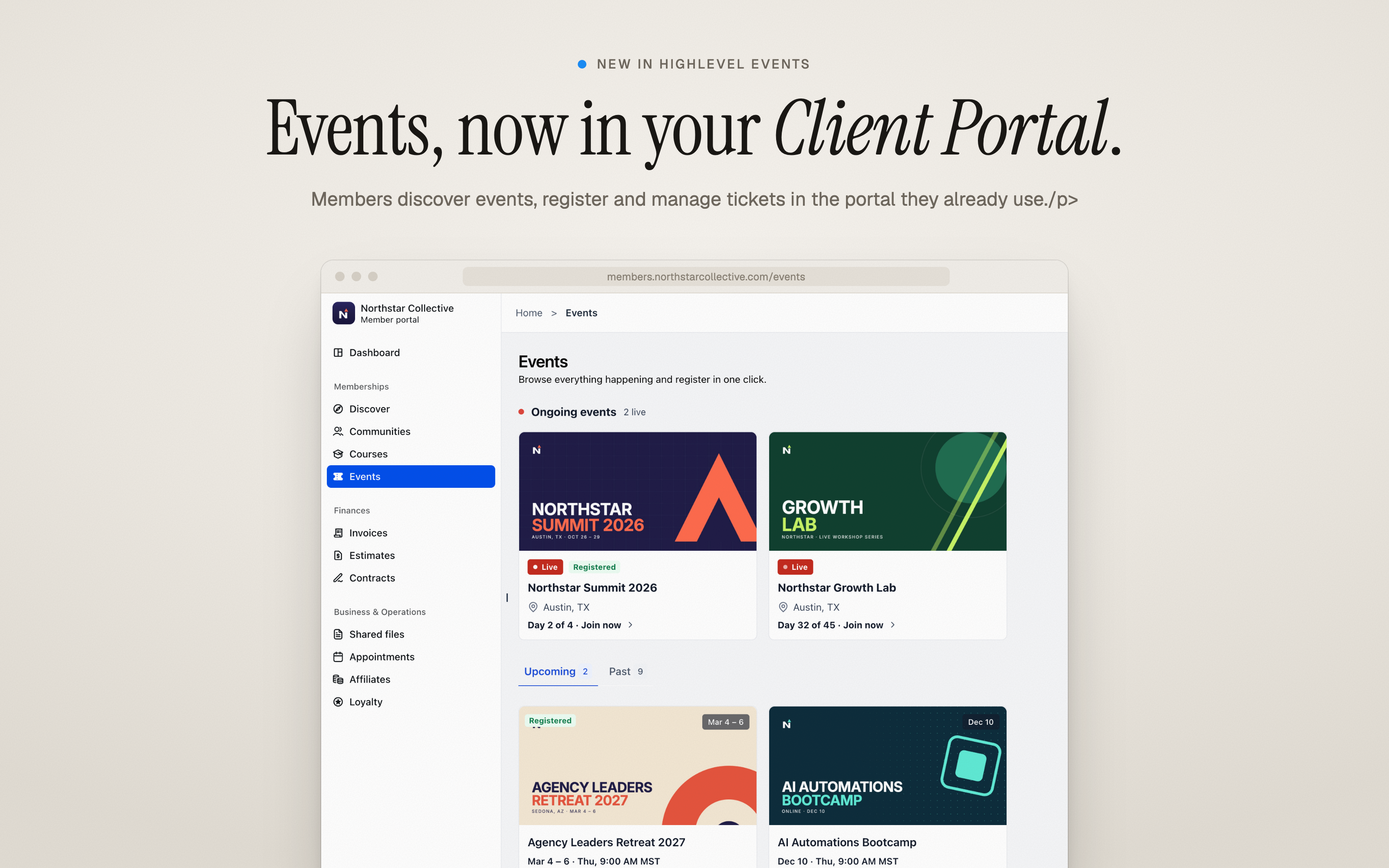
Events in your client portal
Events now has a dedicated space in the Client Portal, so your members can:
- See what’s happening right now and browse upcoming and past events
- Filter events by location
- Buy tickets in a few clicks: choose ticket types and quantities, apply a coupon, and check out
You stay in control of what appears. Turn on "Make this event discoverable" to show an event to all portal members, or leave it off so only registered attendees can see it.
From checkout straight into the event
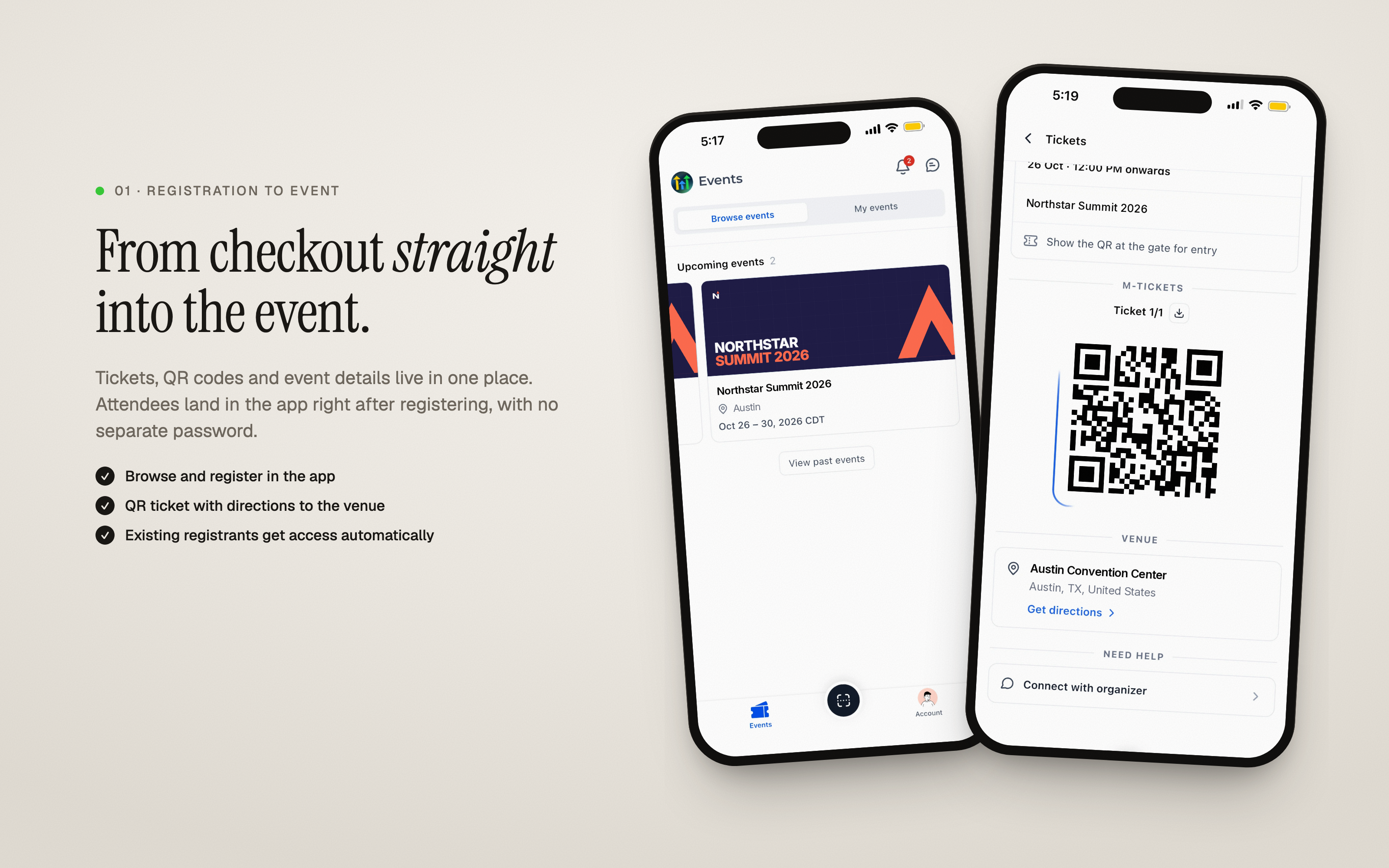
- Attendees move from checkout directly into the event in the portal, with no extra password to remember
- Every ticket is stored in one place, with its QR code, venue directions, and a one-click download
- On mobile, attendees can save tickets to Apple Wallet in a single tap
- Existing registrants gain access automatically once you switch the attendee app on
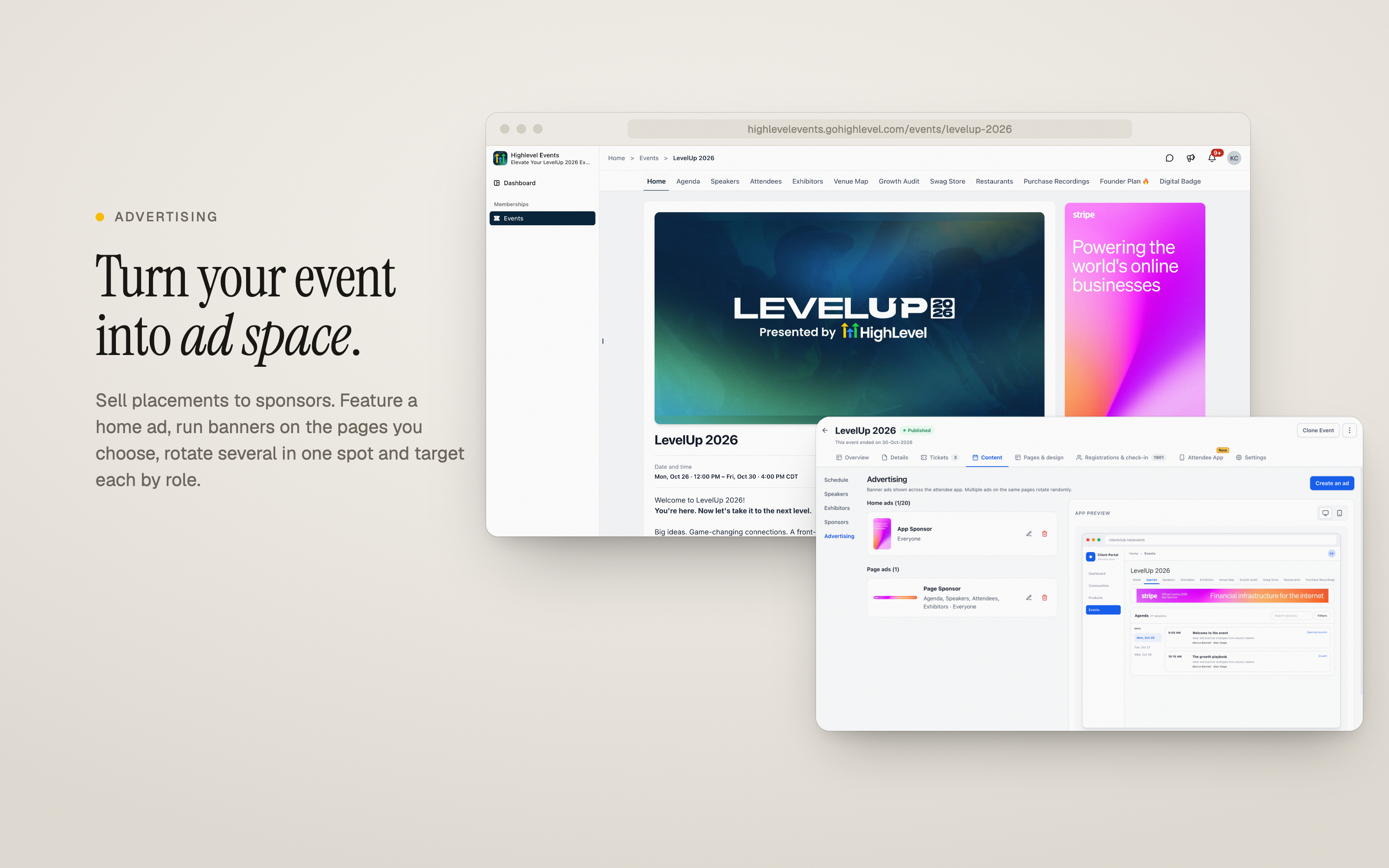
Connections that outlast the event
- Attendees can find other attendees, speakers, and exhibitors
- People can send personal connection requests or connect by scanning a QR badge
- Conversations continue in the app’s chat while keeping email addresses and phone numbers private
- Connections stay with each member across all events you host, and every member can choose whether they appear in the attendee list
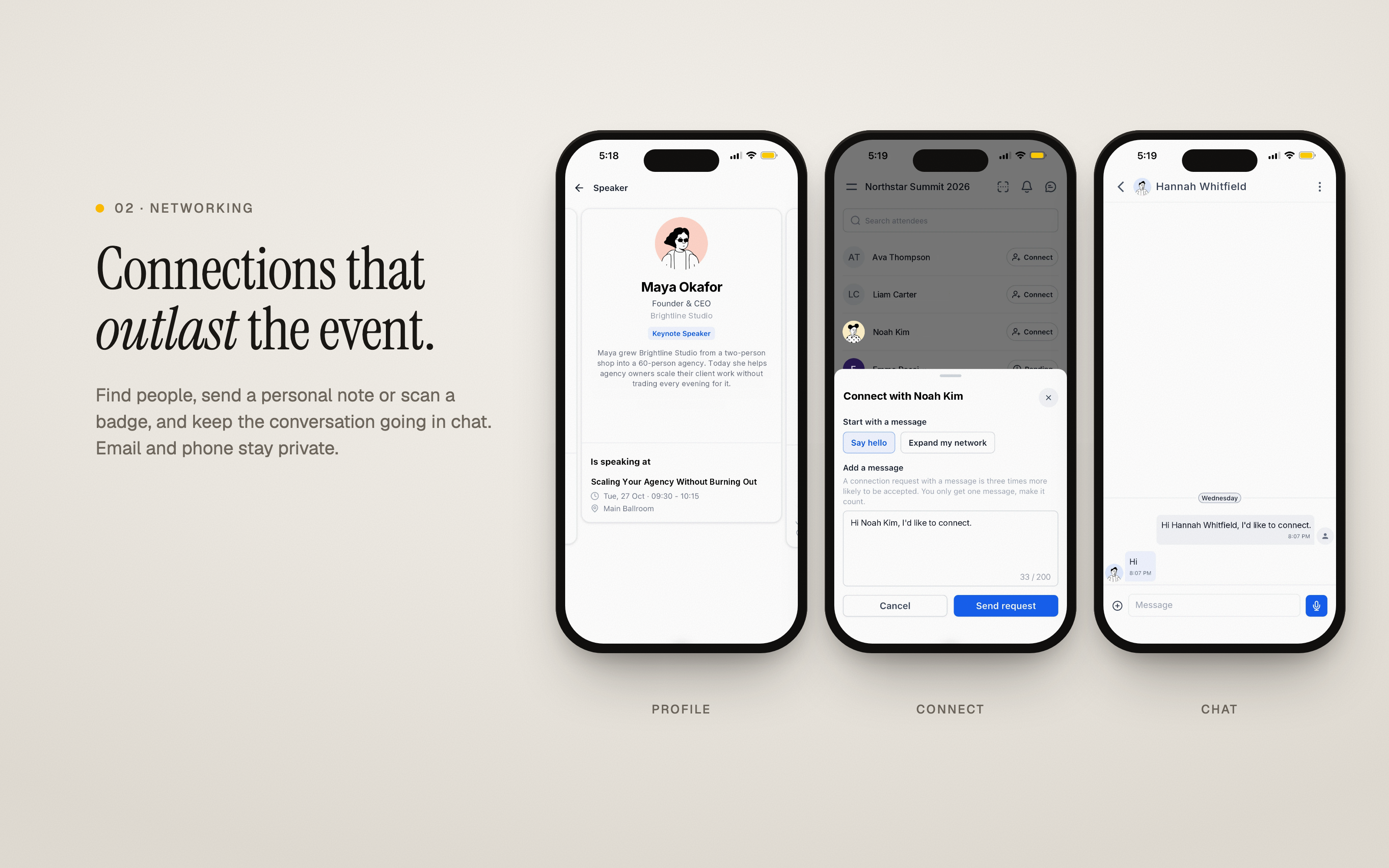
A personal agenda for every attendee
- Attendees can browse sessions by day, use search, and save the ones they care about to "My schedule"
- People can read speaker details ahead of time to plan what to attend
- Organizers can limit specific sessions to certain ticket types (for example, VIP-only sessions) and see how many people have saved each session
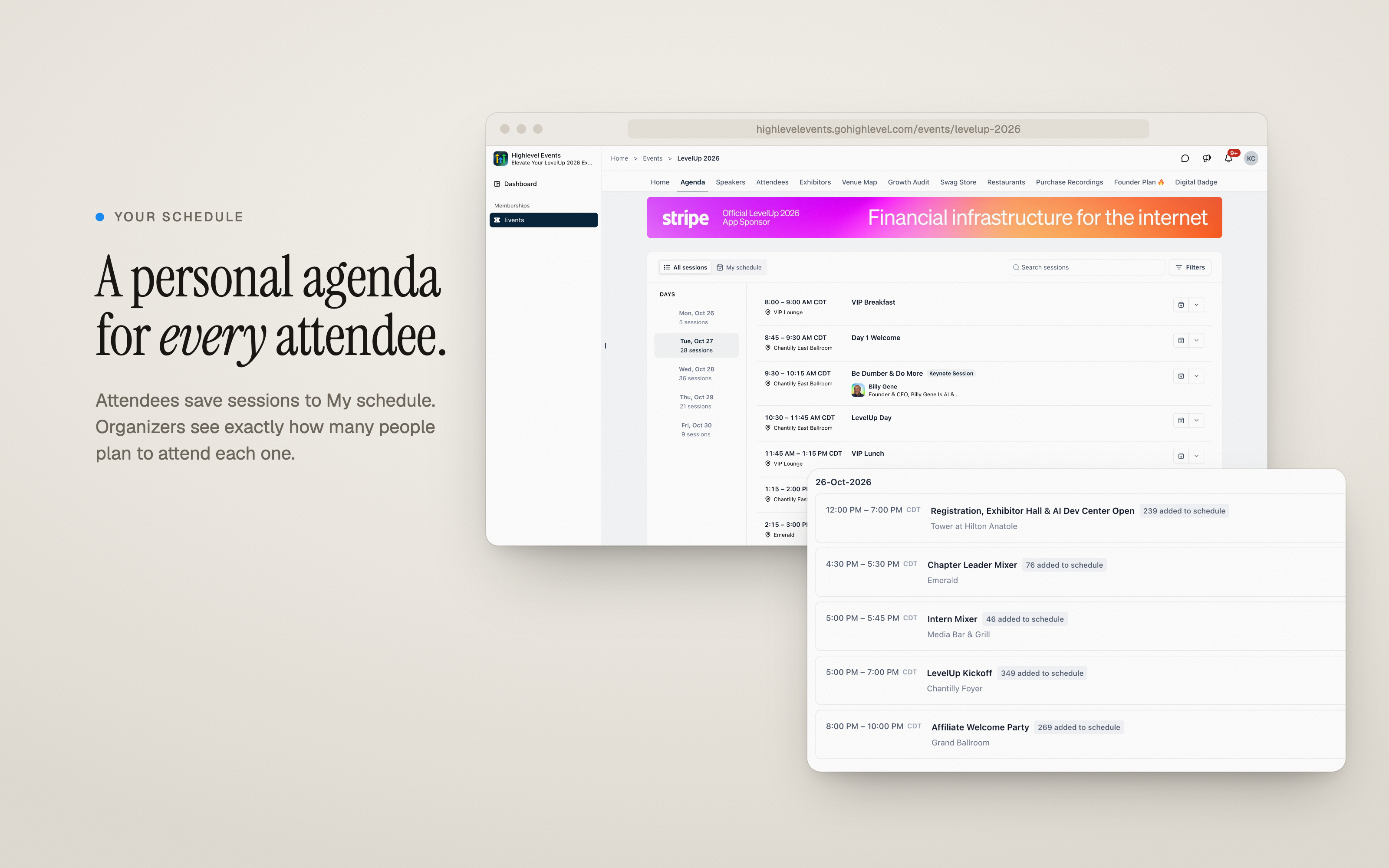
Booth visits that become leads
- Attendees can browse exhibitors by tier, bookmark booths they want to visit, and connect with booth staff
- Exhibitors can turn those connections and badge scans into leads, manage them in the Exhibitor Center, and export them for follow-up
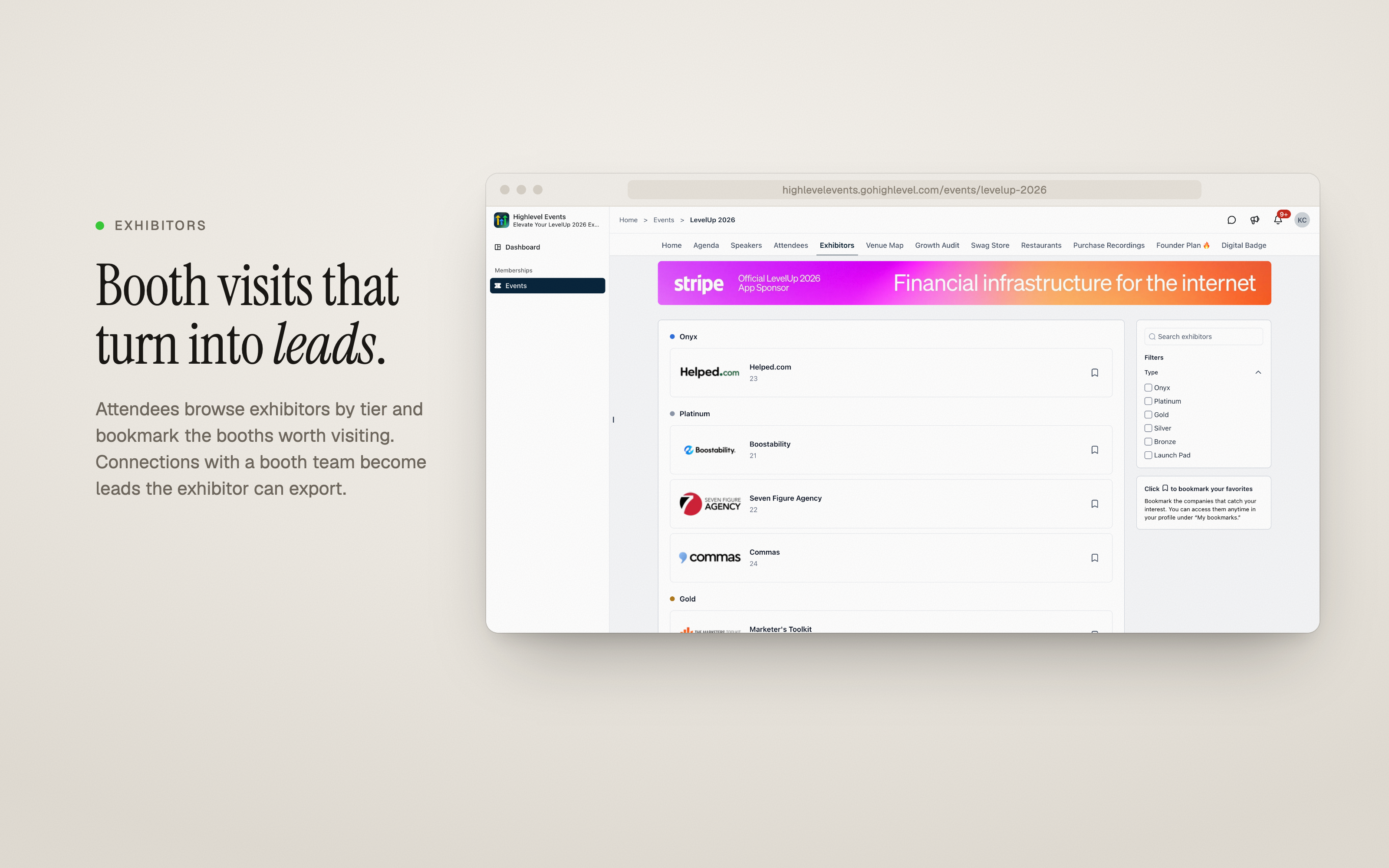
Turn your event into ad space
- Offer sponsors ad placements directly inside the event experience
- Highlight a full-size ad on the event home screen
- Run banner ads on selected pages, and rotate multiple sponsor ads in the same location
- Target each ad to everyone, to event members, or to specific roles such as attendees, exhibitors, or speakers
- Link each ad to the sponsor’s website to drive visits and track interest
Showcase your sponsors
You can display sponsors in tiers on the event page, so each partner gets visibility that matches the package they purchased.
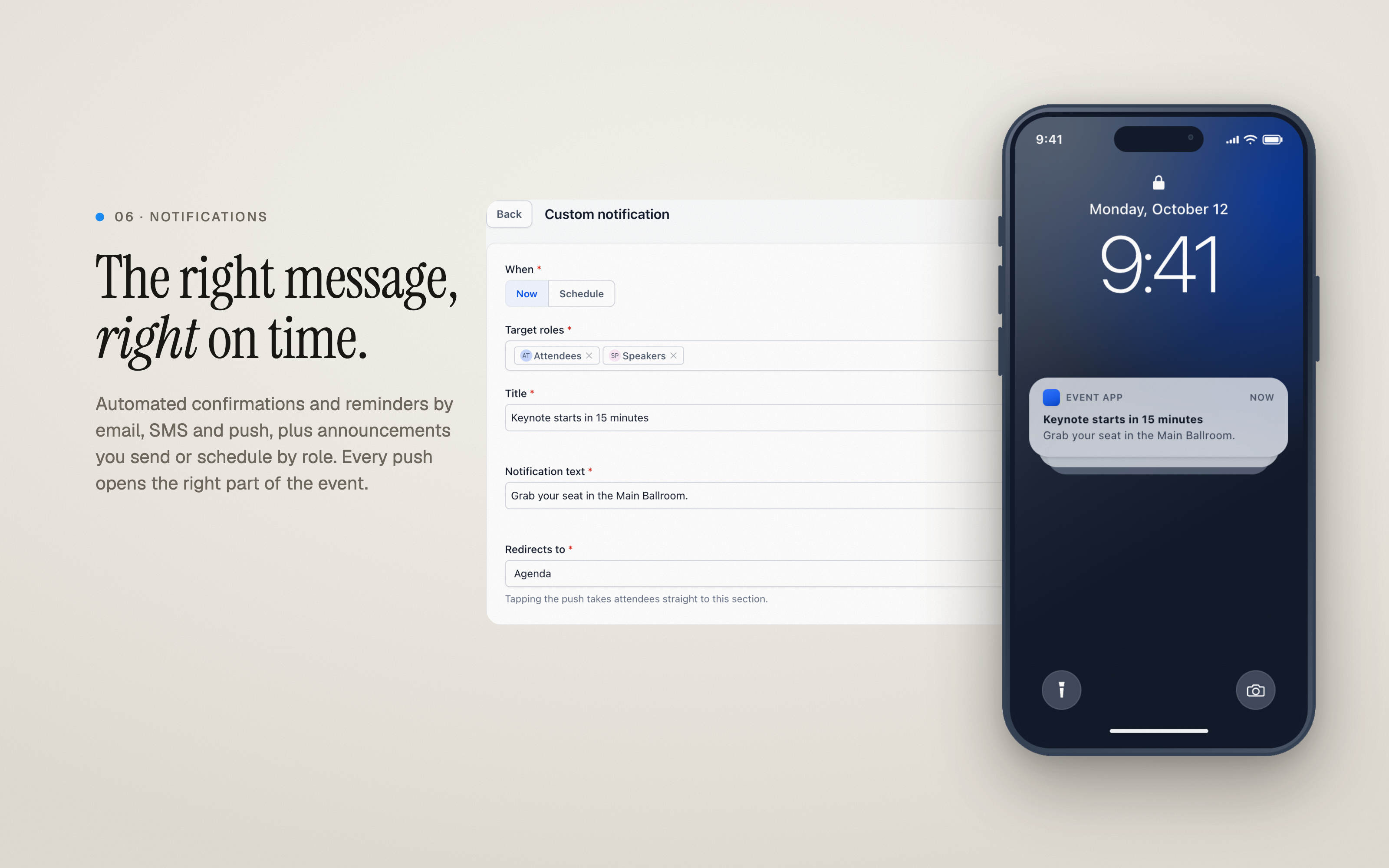
The right message, right on time
- Set up automated confirmations and reminders by email, SMS, in-app notification, and push
- Send announcements immediately or schedule them for later, targeting the roles you choose
- Each message deep-links to the relevant part of the event so attendees land exactly where they need to be
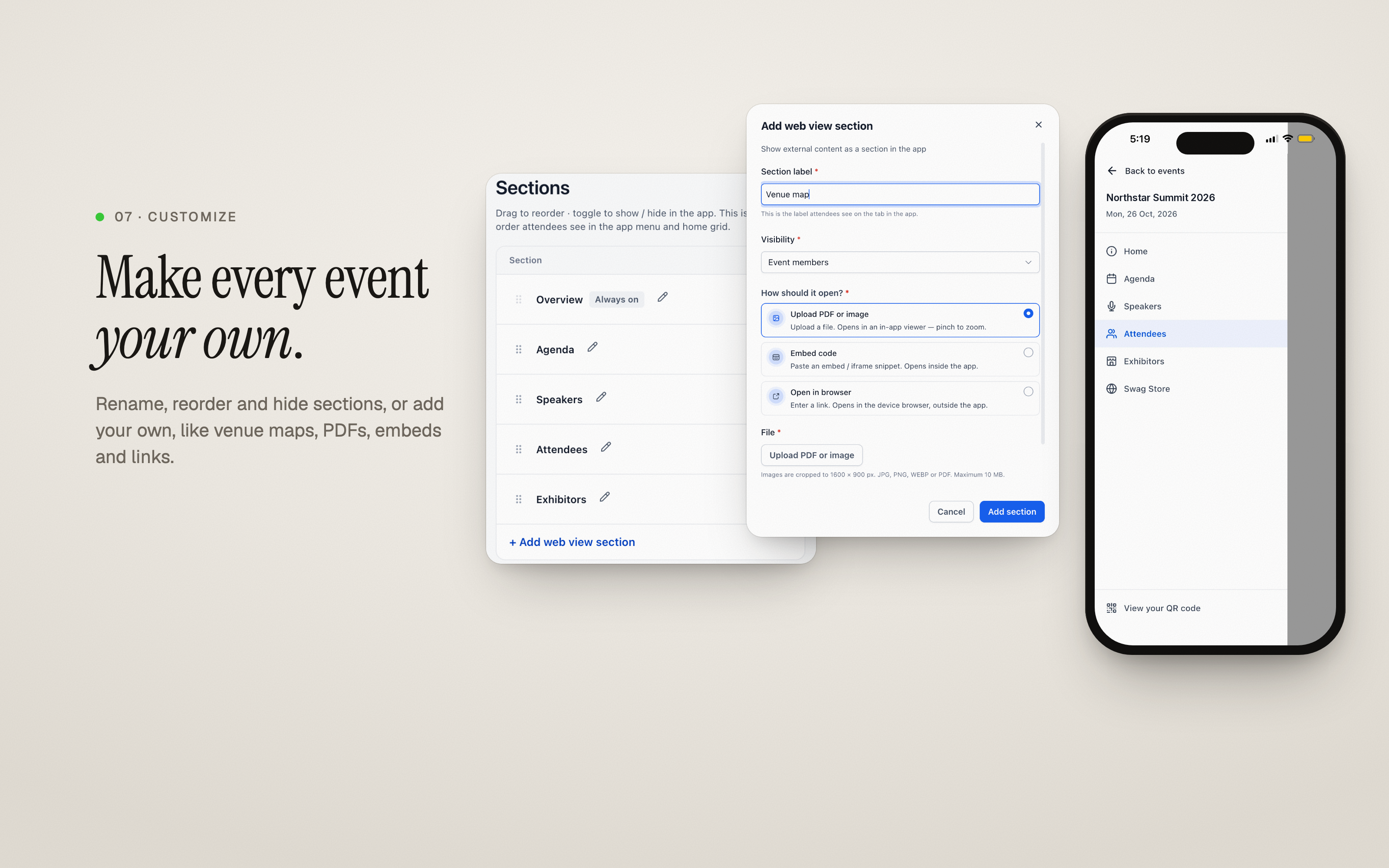
Make it yours
- Rename, reorder, or hide sections so the event layout matches your needs
- Add your own sections, such as venue maps, PDFs, embeds, and external links
- Deliver the full experience through the Client Portal on web and mobile, or through your own branded app built on EveryCatch
Why it matters
- For attendees: Everything needed before, during, and after the event in one place, accessible on any device
- For organizers: A single flow that encourages ticket sales to your existing members, fewer support emails, and clearer insight into what your audience cares about
- For exhibitors and sponsors: Focused visibility in front of the right attendees, plus structured leads they can act on quickly
How to get started
- Go to Events, select an event, then open the Attendee App tab
- Turn on Attendee app access. If you see a prompt to upgrade the Client Portal, click Upgrade Client Portal first. This usually completes within about a minute.
- Turn on "Make this event discoverable" if you want the event listed for all portal members.
Attendees can sign in on the web, in the EveryCatch Client Portal mobile app, or through your own branded app connected to EveryCatch.