Your managed agents in EveryCatch can now run on a schedule and post their updates directly into your conversations for you.
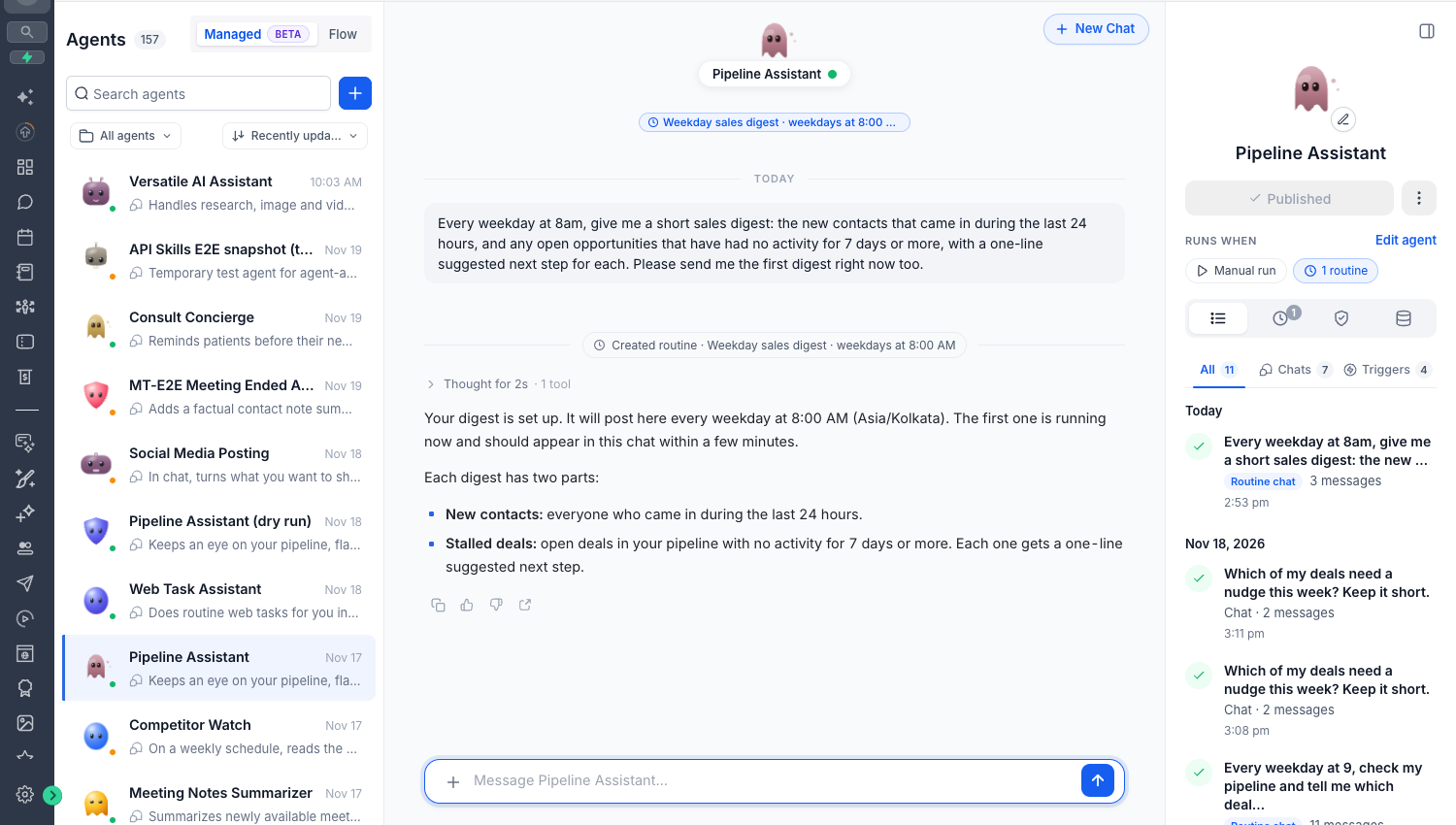
With the new routines feature, you can simply tell your managed agent what you want done and how often. The agent will automatically run the task on that schedule and share the results in the same chat, without any manual triggers or repeat prompts from you.
What changed
Use natural language to schedule tasks
You can now create routines just by asking your agent in plain language, for example: "Every weekday at 8 AM, summarize my new leads and inactive deals."
Set up recurring tasks without creating or configuring any separate automation triggers.
Each routine is tied to the specific conversation where you created it, so updates always show up in the right place.
Updates directly in chat
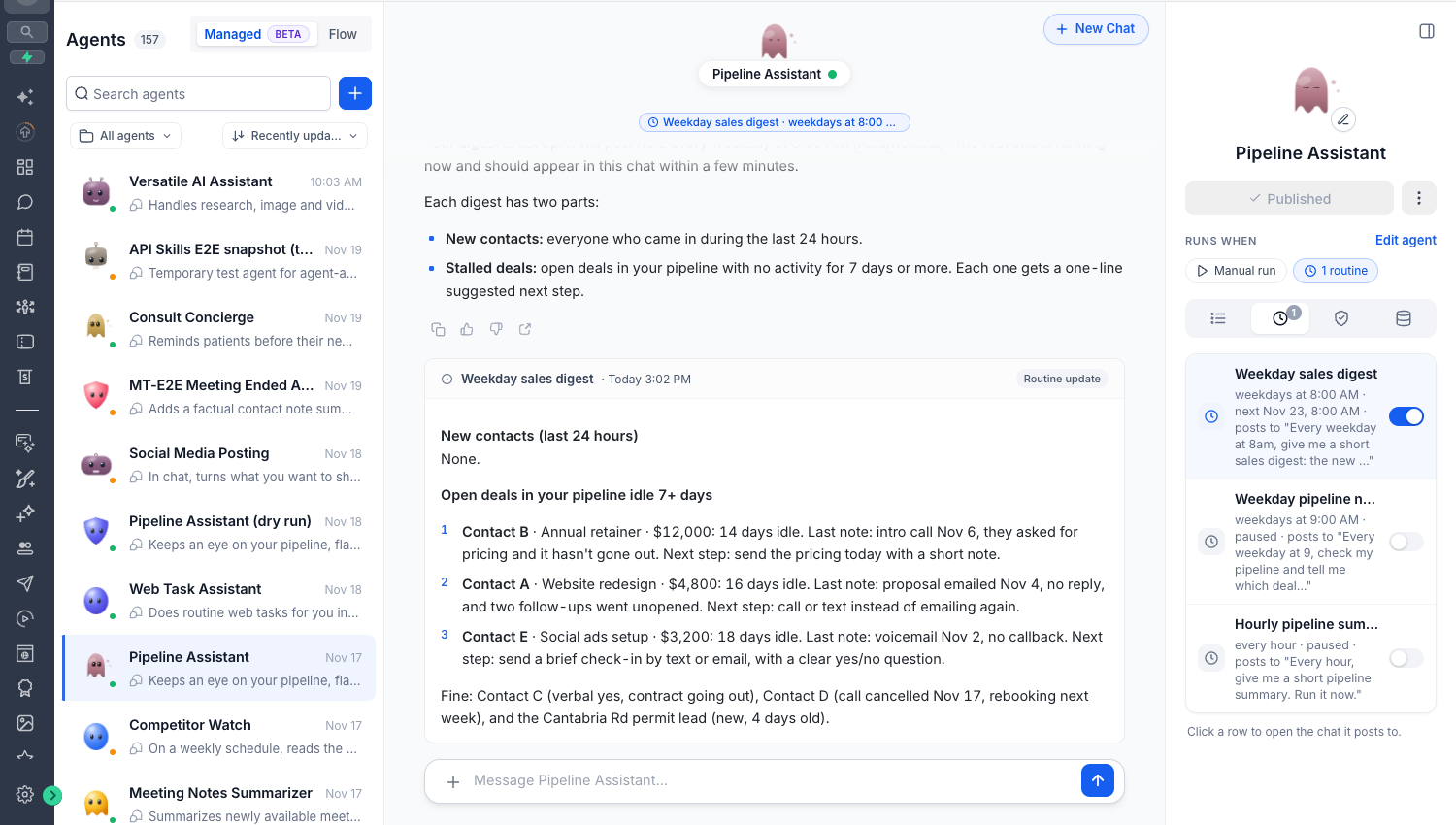
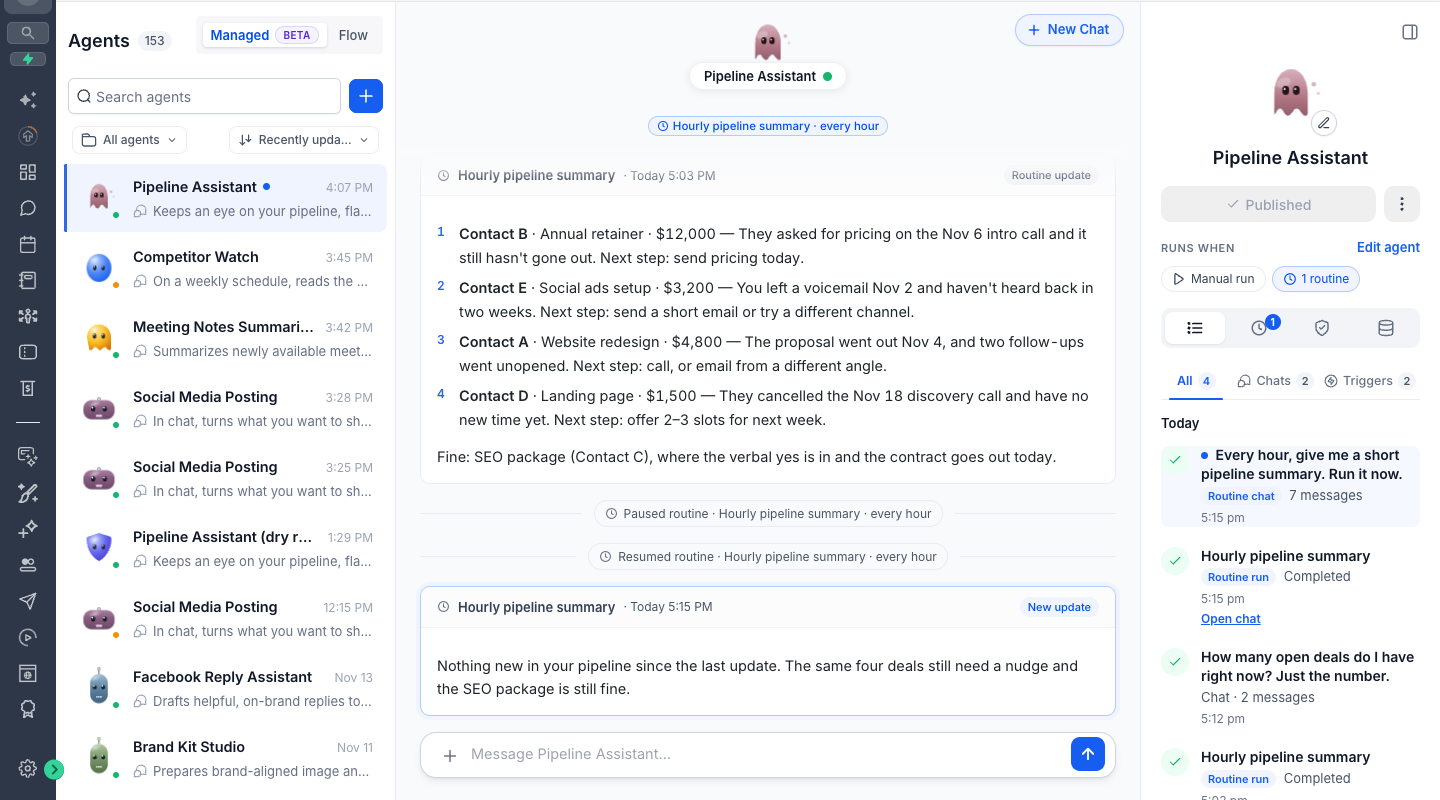
You automatically receive each scheduled update in the same conversation where you set up the routine.
You can keep talking with your agent about the results, ask follow-up questions, or adjust the routine right in that chat.
Unread indicators highlight new routine updates so you can quickly see what needs your attention.
Computer-powered routines
Managed agents can use Computer to browse websites and carry out recurring online tasks for you, such as checking dashboards, pulling data, or updating web forms that are supported.
For supported website actions, you can approve access once using "Allow for this routine" so your agent can reuse those permissions on each scheduled run.
Any sensitive actions that require new permissions will pause and wait for your approval, and payments always require a fresh approval from you before they proceed.
Easy routine management
You can see all your routines in one place in the dedicated Routines tab.
From there, you can pause or resume routines and adjust what each one is allowed to do by updating its permissions.
Safety controls are built in: if a routine runs into repeated failures, EveryCatch will automatically pause it so you can review and fix the issue before it runs again.
How to get started
Go to AI Agents → Agent Studio → Managed Agents in your EveryCatch account.
Open any managed agent that has been published.
In the conversation with that agent, ask it to perform a task on a schedule, describing what you need and how often it should run.
When the routine runs for the first time, approve any required Computer permissions so the agent can access the websites or actions it needs.
After that, you can review, edit, pause, or resume your routines at any time from the Routines tab.
Why it matters
Hands-free automation: Get recurring reports and operational updates on a schedule so you stay informed without manual effort.
Everything in one chat: Keep the data, context, and follow-up conversations together in a single conversation with your managed agent.
Beyond CRM: Use Computer to automate recurring tasks on supported websites, such as checking portals or updating online tools you use regularly.
Full control: Manage schedules, permissions, and each routine’s activity from a central place, with clear visibility into what your agent is doing and when.
Important notes
You can have up to 10 active routines per person, per managed agent.
The shortest scheduling interval available is 1 hour between runs.
Routines always use the agent’s current published version, so updates to the agent configuration apply to future runs.
Each routine run is billed using the standard managed agents usage rates that already apply to your account.
Email notifications for routine updates are planned and will be available in a future release.
Set your routine once, and let your EveryCatch managed agent take care of it on schedule.