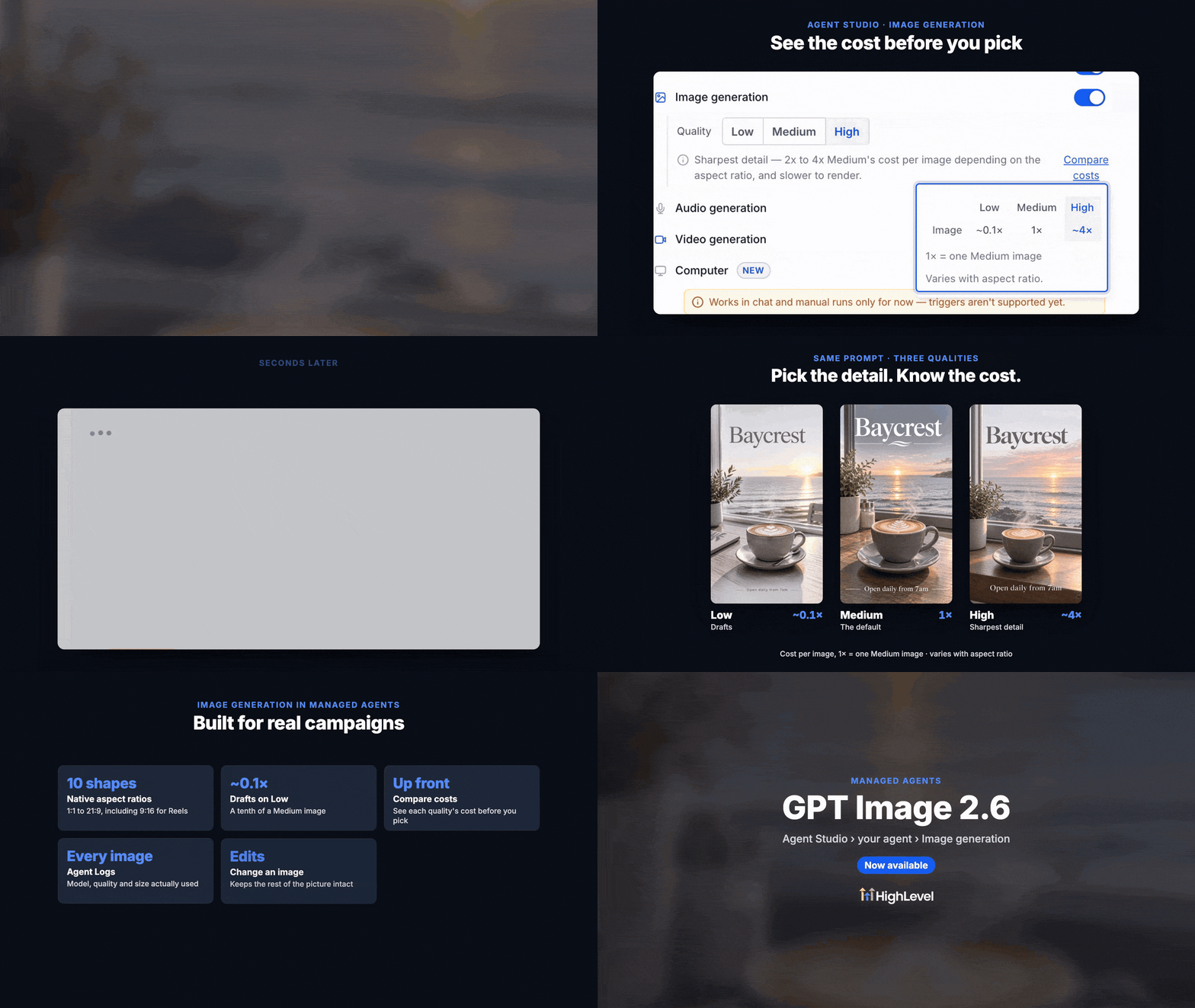
Managed agents in EveryCatch now generate sharper, more detailed images with cleaner on-image text using GPT image 2.6.
We have upgraded image generation so you get higher-quality visuals for social posts, ads, product shots, and other marketing creatives directly from your managed agents.
What changed
Improved image quality
Medium and High quality image settings now use GPT Image 2.6 to create images with finer details and more readable text.
Low quality continues to use GPT Image 2.5 so you can quickly produce lower-cost draft images when you want speed and budget efficiency.
All quality levels support multiple aspect ratios, including 1:1, 9:16, 16:9, and 21:9, so you can match formats for stories, feeds, banners, and wide layouts.
Compare image generation costs
EveryCatch now adds a Compare costs option in Agent Studio to help you understand image generation pricing before you commit.
You can quickly compare the relative costs for Low (~0.1×), Medium (1×), and High (~4×) image quality settings so you know how each choice affects spend.
This makes it easier to choose the quality setting that fits your use case, whether you are prioritizing premium output or keeping testing and iteration costs lower.
Better execution visibility
Agent Logs now show which image model, quality level, and size were used for each generated image so you can trace what produced a specific result.
Activity in your agent view automatically refreshes when background image generation finishes, so you see completed images without needing to manually reload.
How to get started
In EveryCatch, go to AI Agents → Agent Studio → Managed Agents.
Open the managed agent you want to use and enable Image Generation in its settings.
Choose Low, Medium, or High quality, then use Compare costs to review the pricing differences before saving your preferences.
Once enabled, ask your managed agent to generate an image based on your prompt and it will produce visuals using your selected quality and aspect ratio.
Why it matters
You get sharper visuals for campaigns, social content, and promotional materials, directly from your agent workflows.
Text rendered inside images is clearer, so you spend less time fixing spelling or legibility issues in an external editor.
You have transparent visibility into relative costs across image qualities, giving you flexible controls that match your budget and quality needs.
Existing managed agents are upgraded automatically to use the new image model where applicable, and your previous quality level settings are kept in place.
Enjoy sharper images, better overall quality, and smarter control over how you allocate image generation costs in EveryCatch.