Overview
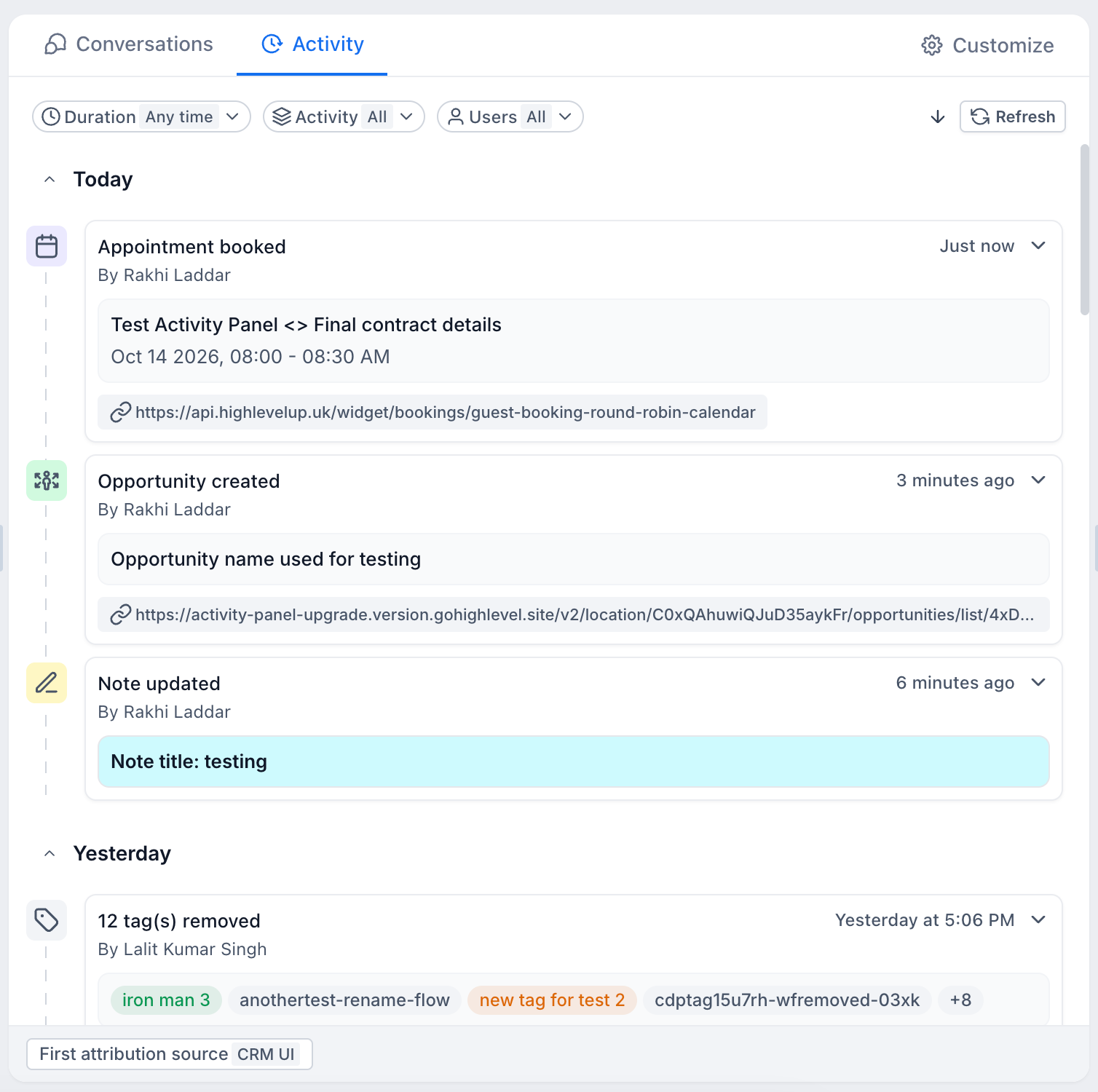
The contact activity panel in EveryCatch has been fully updated so you can more easily see and track the key activities and interactions linked to each contact record.
With the new layout, updated activity cards for opportunities, appointments, notes, and tags, stronger filters, and smoother movement between details, you can now get a clearer view of everything happening with a contact in one place.
What's changed?
1. A completely refreshed UI
- The contact activity panel now has a cleaner, more modern interface that is easier to understand at a glance.
- Activity cards have been redesigned so the most important details stand out, and the structure is easier to scan and work through.
- The new layout helps you move quickly through activities and spot the interactions that matter most without visual clutter.
2. Introducing new activity cards
EveryCatch now extends the activity panel beyond the original activity types with four new activity cards, so you can see more of what is happening across a contact’s lifecycle.
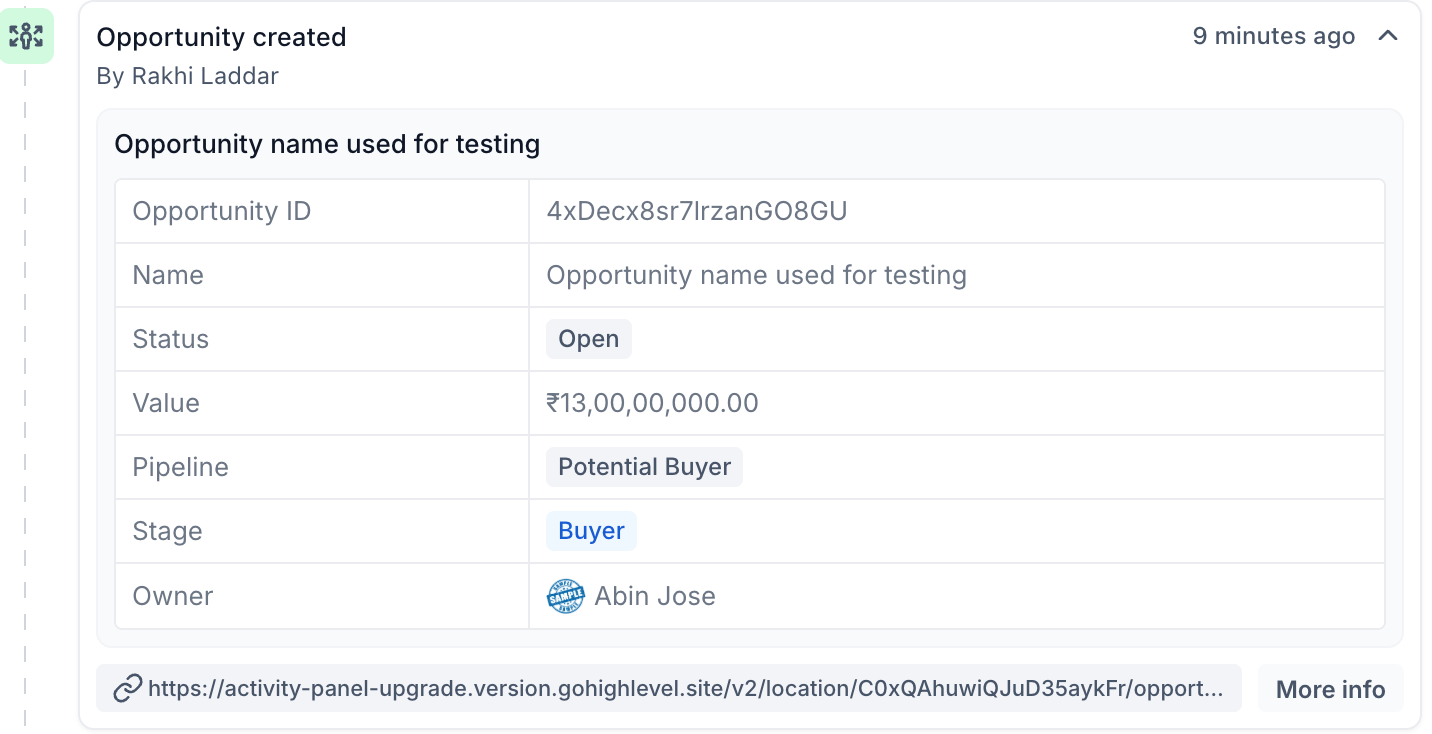
- Opportunities: Track opportunity-related activity such as when an opportunity is created, its stage changes, status updates, and other key edits. This helps you see how a contact is moving through your sales pipeline.
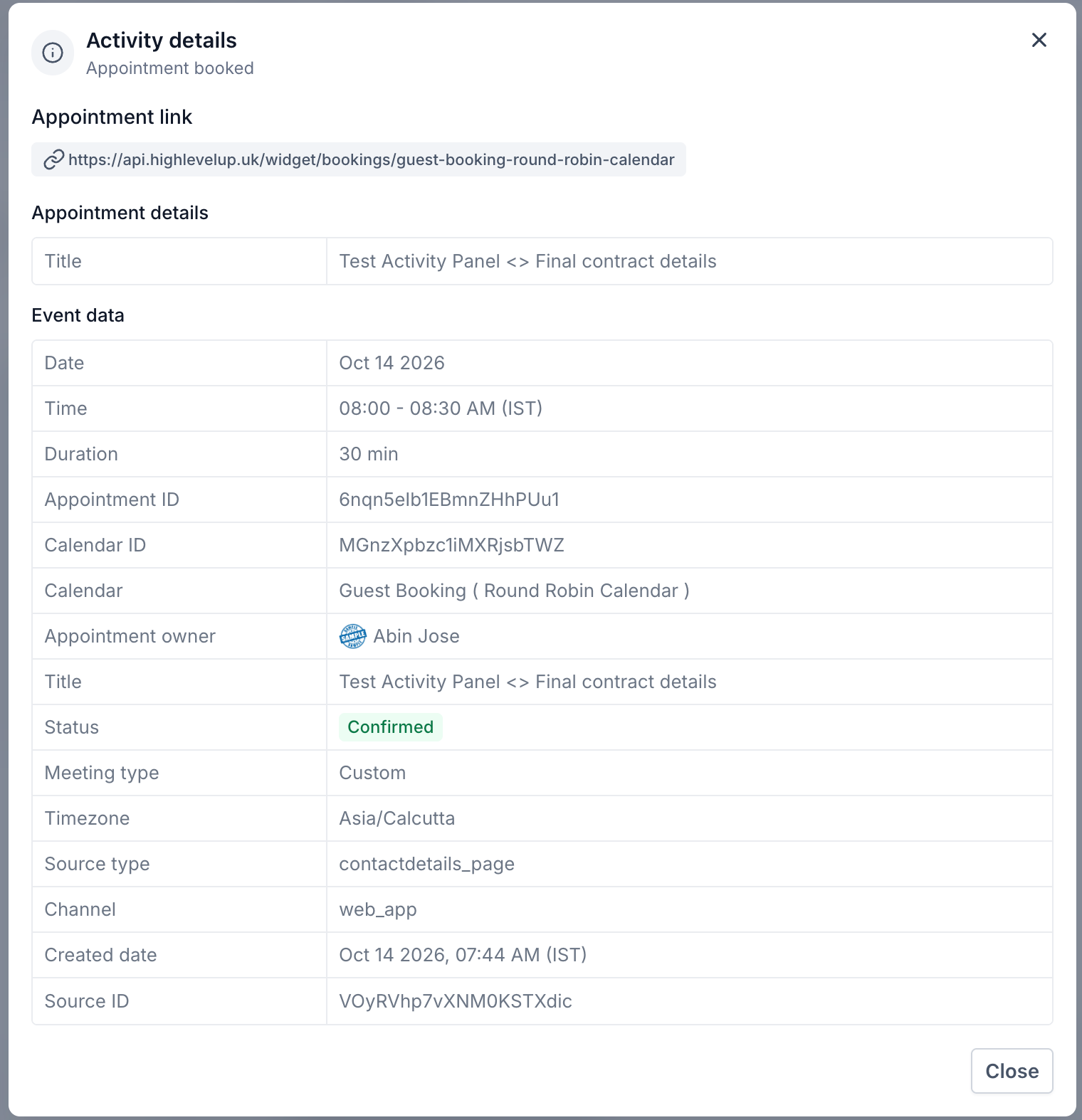
- Appointments: View appointment activity including new bookings, reschedules, cancellations, and status changes. You can understand a contact’s appointment history without leaving the contact record for the calendar.
- Notes: Keep up with new notes added to a contact so you can see important observations, follow-ups, and context your team has recorded.
- Tags: See when tags are added to or removed from a contact so you can follow how their segmentation and categorization changes over time.
With these cards, you can view a wider range of activity from one central place instead of jumping between multiple modules.
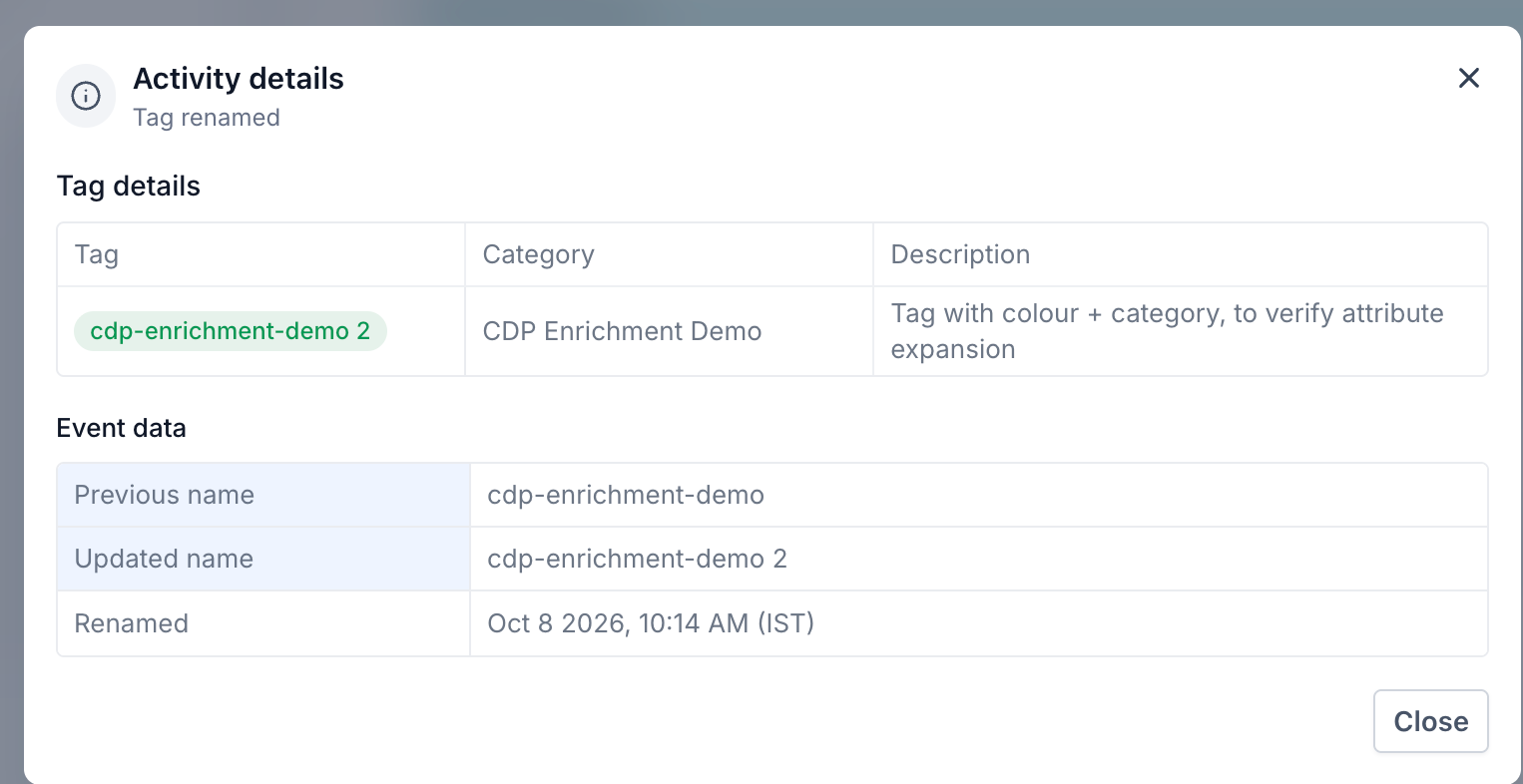
3. New filters for faster activity review
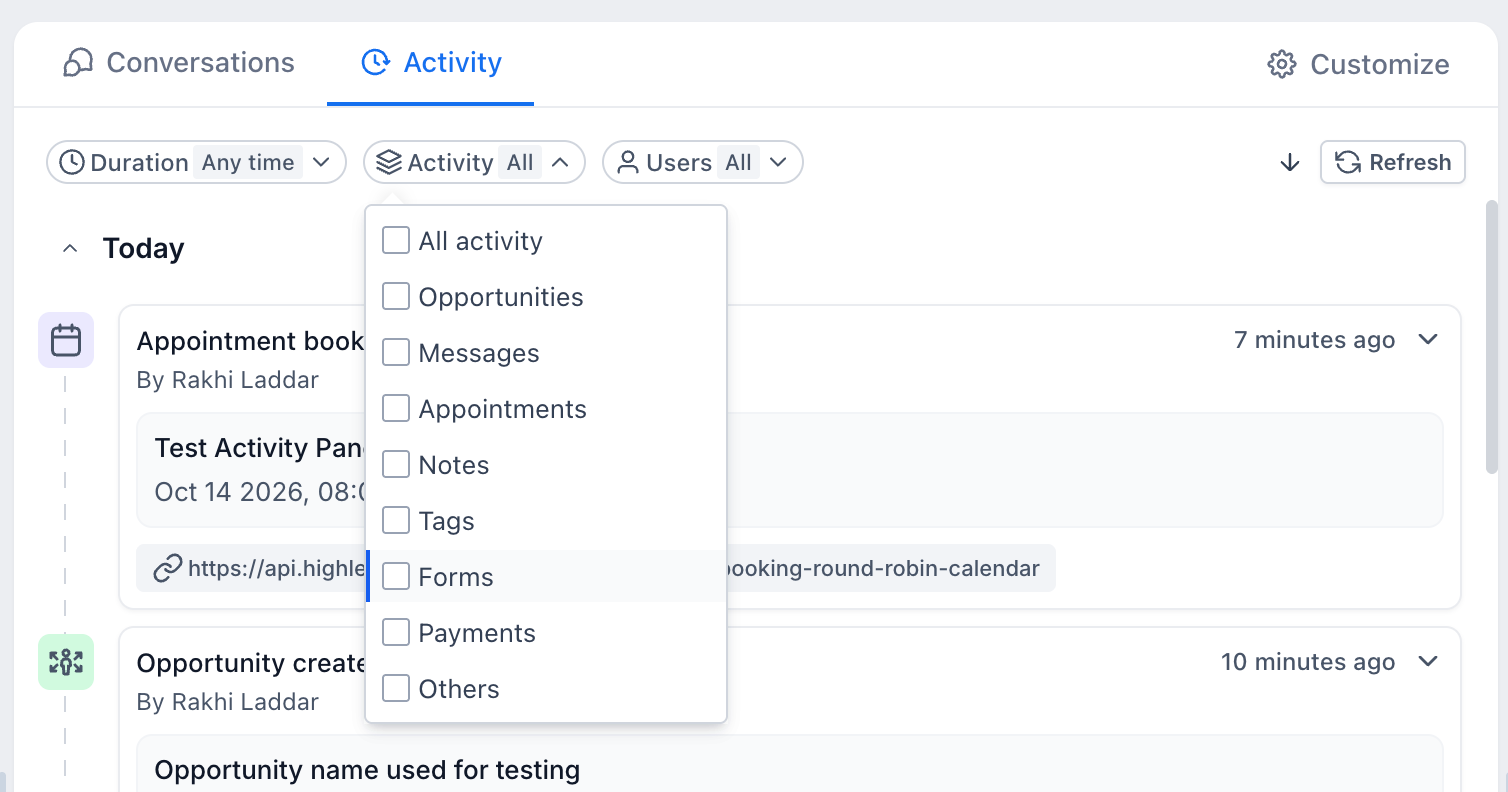
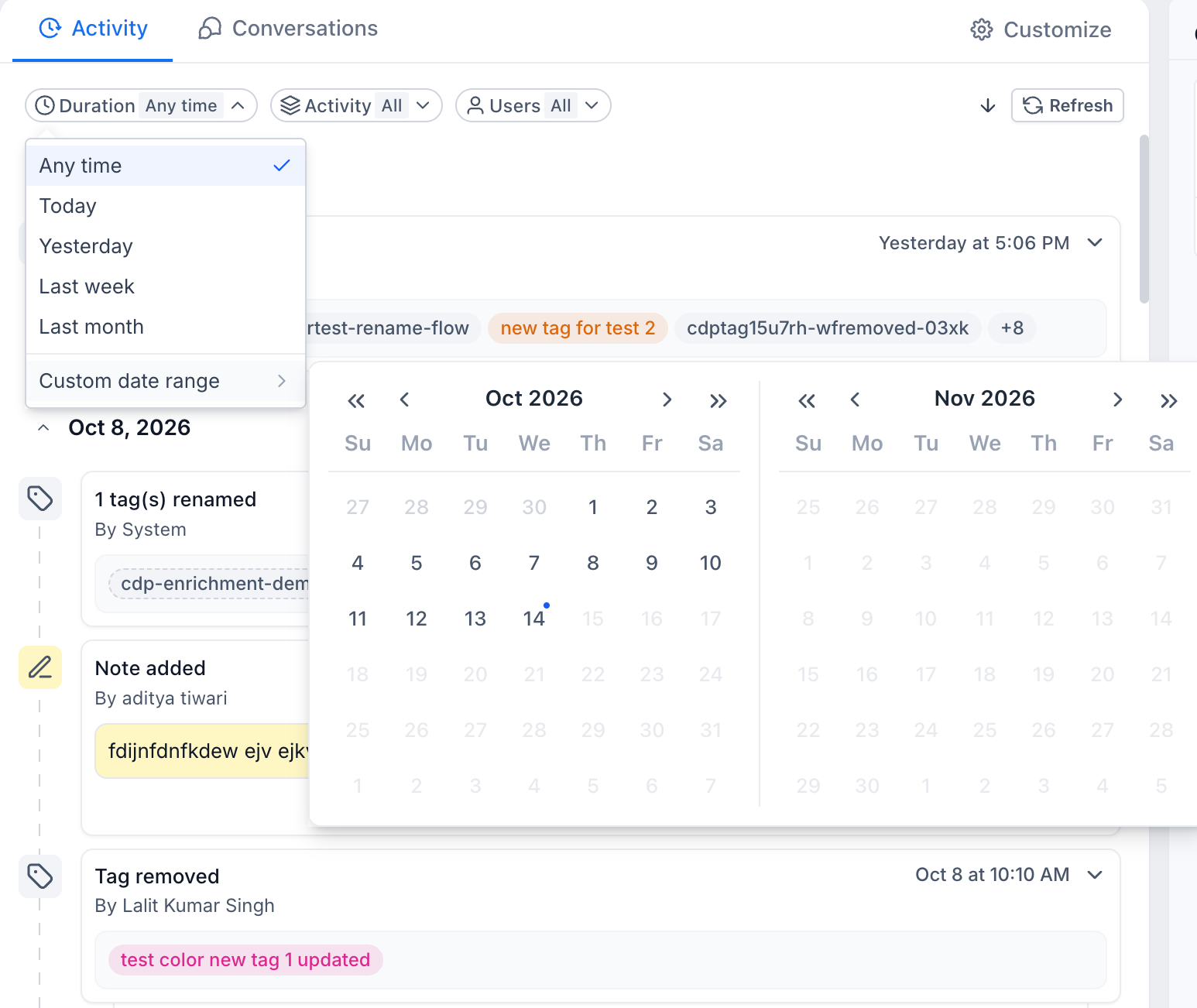
EveryCatch now includes three new filters in the activity panel so you can narrow the timeline and find the details you need without scrolling through the full history.
- Duration: Filter activities to a specific date range so you only see events from the period you care about.
- Users: Show activities performed by selected users to better understand who interacted with the contact and how.
- Module type: Filter by module so you can focus on particular activity types and events.
These filters are especially helpful for contacts with long or busy histories, where you need to pinpoint certain interactions quickly.
4. Activity panel moved to the center
- The activity panel now appears in the center panel next to Conversations instead of on the right, so it is easier to reach and use.
- This placement lets you switch between conversations and activities quickly without jumping between different sections of the contact detail page.
- If you prefer the old layout, you can move the activity panel back to the right side using the contact detail page customization options.
- Recommended: Keep the activity panel in the center for smoother switching between conversations and activity history.
5. Expandable and collapsible activity cards
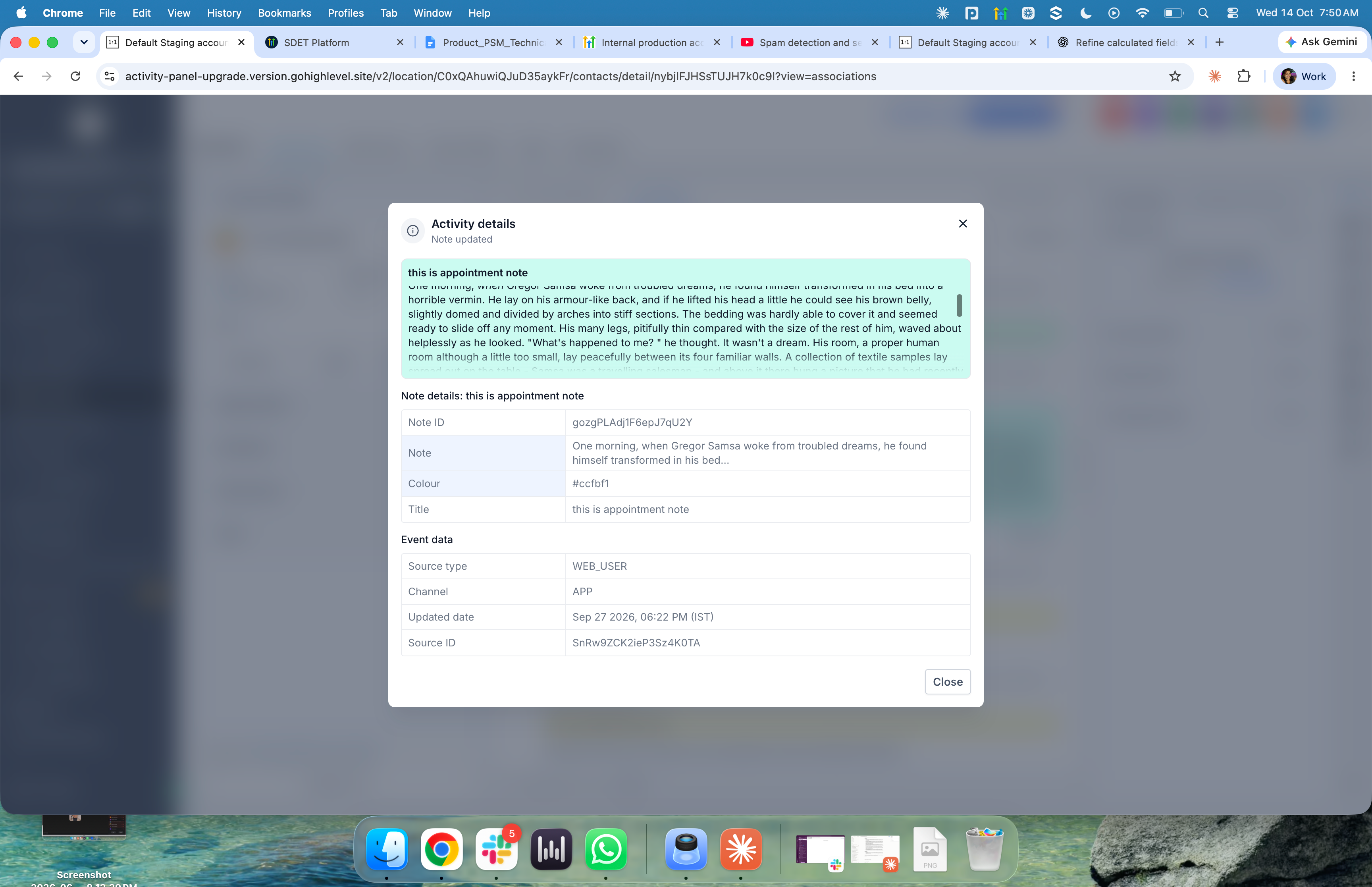
Every activity card now supports two display modes so you can control how much detail you see at once.
- Collapsed view: Shows only the key details of an activity so you can scan through many events quickly.
- Expanded view: Shows extra context and full details about the activity so you can understand what happened without leaving the panel.
This gives you flexibility to move between quick review and deeper investigation while keeping the panel readable.
What’s next: The team will continue to build out the contact activity panel so it becomes an even more complete place to track everything happening with a contact.
- More activity cards: Extend activity coverage to include updates to custom fields, workflow-related events, contact changes, payments, courses, and other key actions.
- Richer activity insights: Add more granular filters for activity event types such as updates, creations, and deletions.
- Continuous improvements: Use your feedback to keep refining usability, ease of use, and the overall activity tracking experience.
The goal is to make the contact activity panel your central, trusted place to understand a contact’s full history so you spend less time moving around the platform to piece it together.



