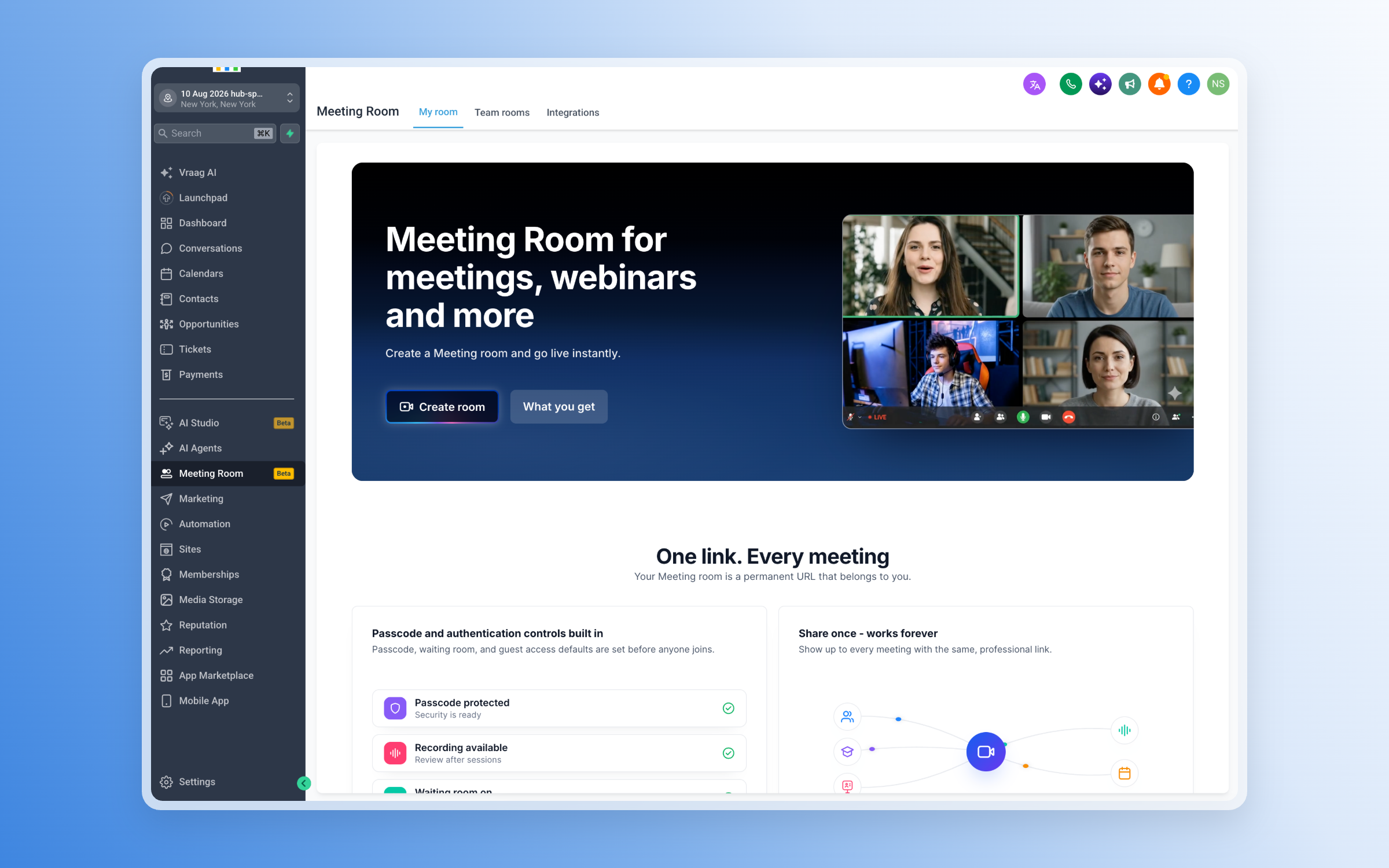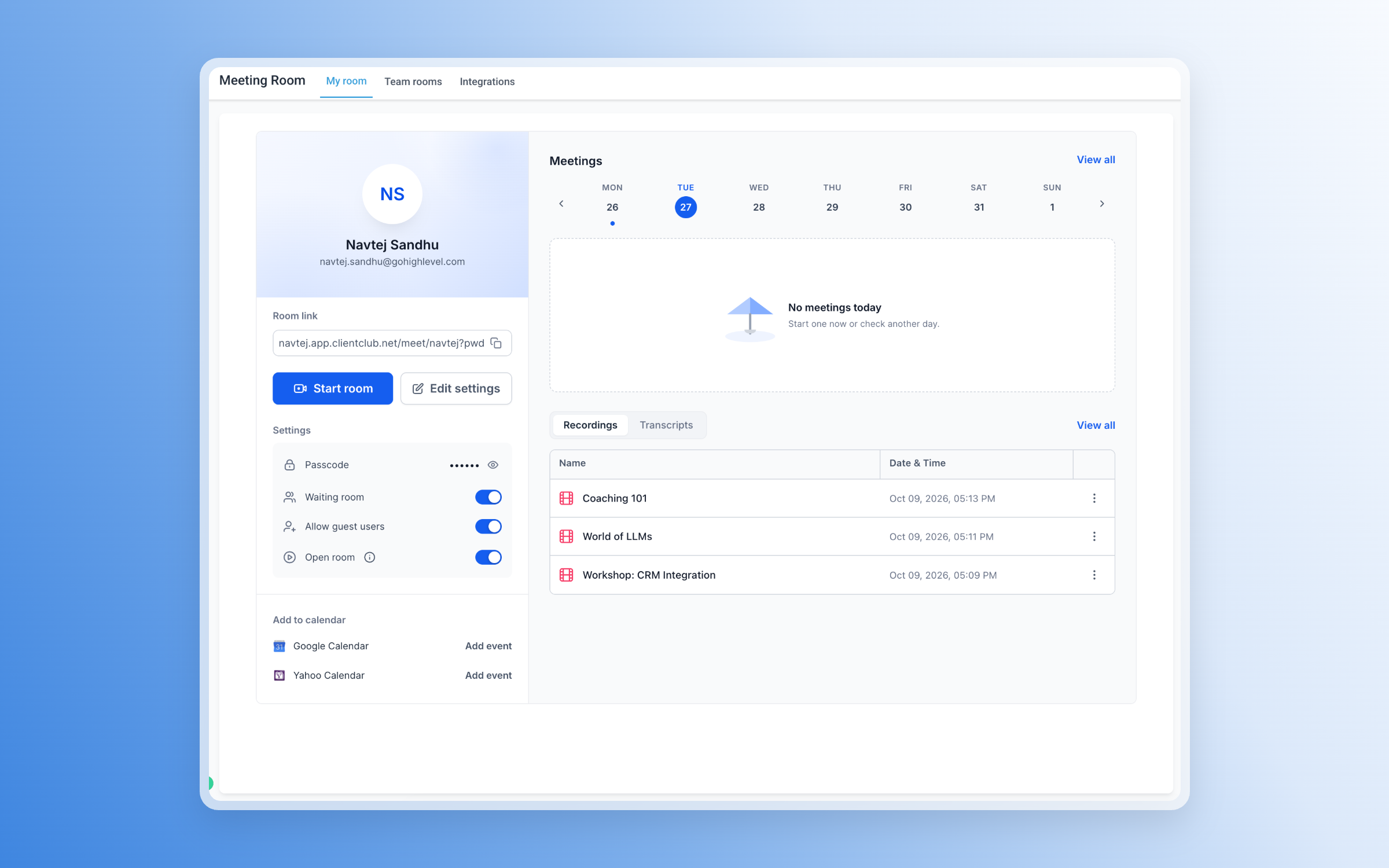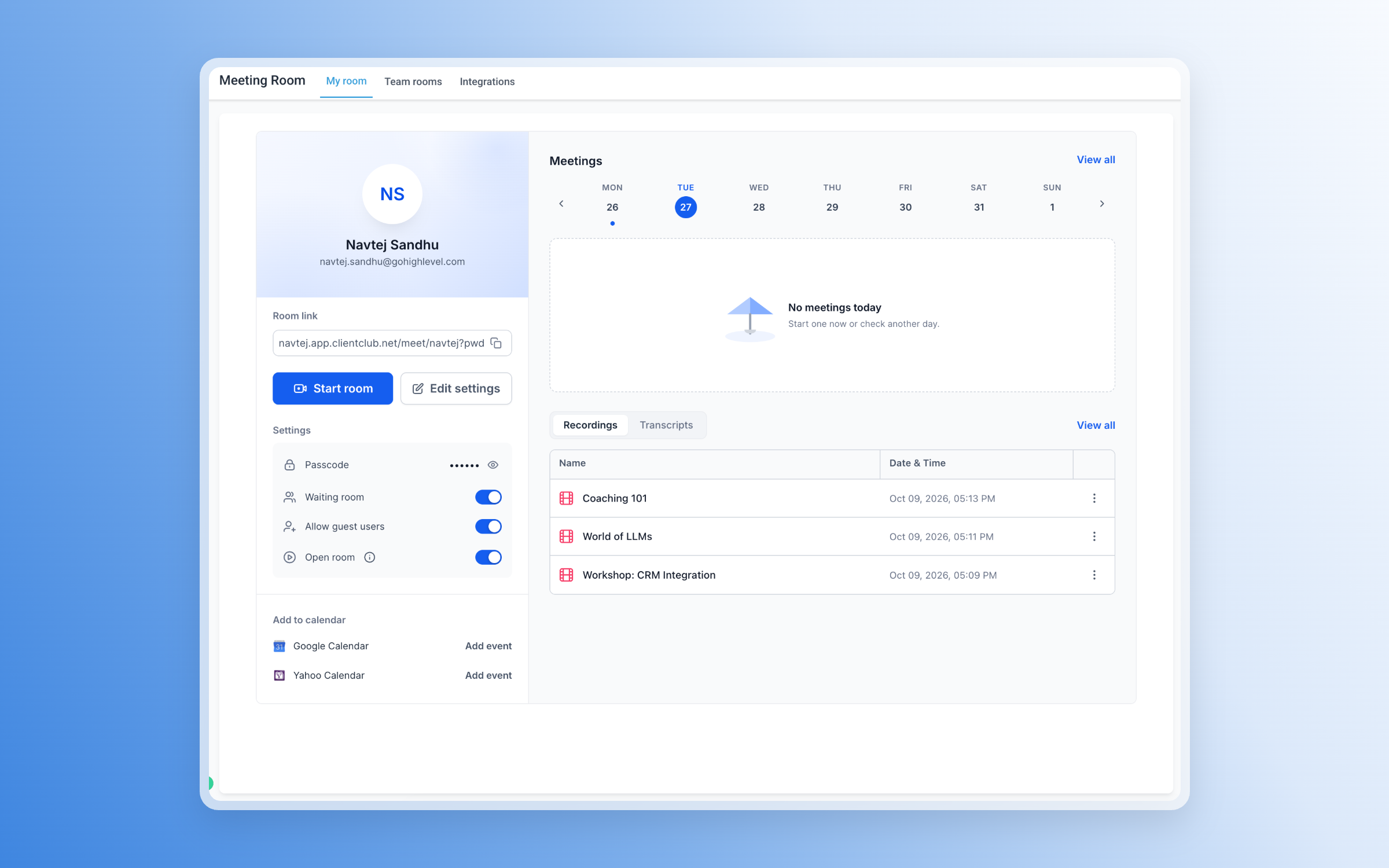
Meeting Room is a new built-in video meeting experience in EveryCatch that brings scheduling, live video calls, collaboration tools, recordings, transcripts, and AI-powered summaries together in one place so you can run and review your meetings without switching platforms.
What’s here
- Create your own personal meeting room with a permanent link you can reuse for recurring calls and quick check-ins.
- Start instant meetings at any time without needing to schedule an appointment first.
- Automatically generate unique Meeting Room links when you create calendar appointments in EveryCatch.
- Invite guests by sharing a link so they can join from their browser without creating an EveryCatch account.
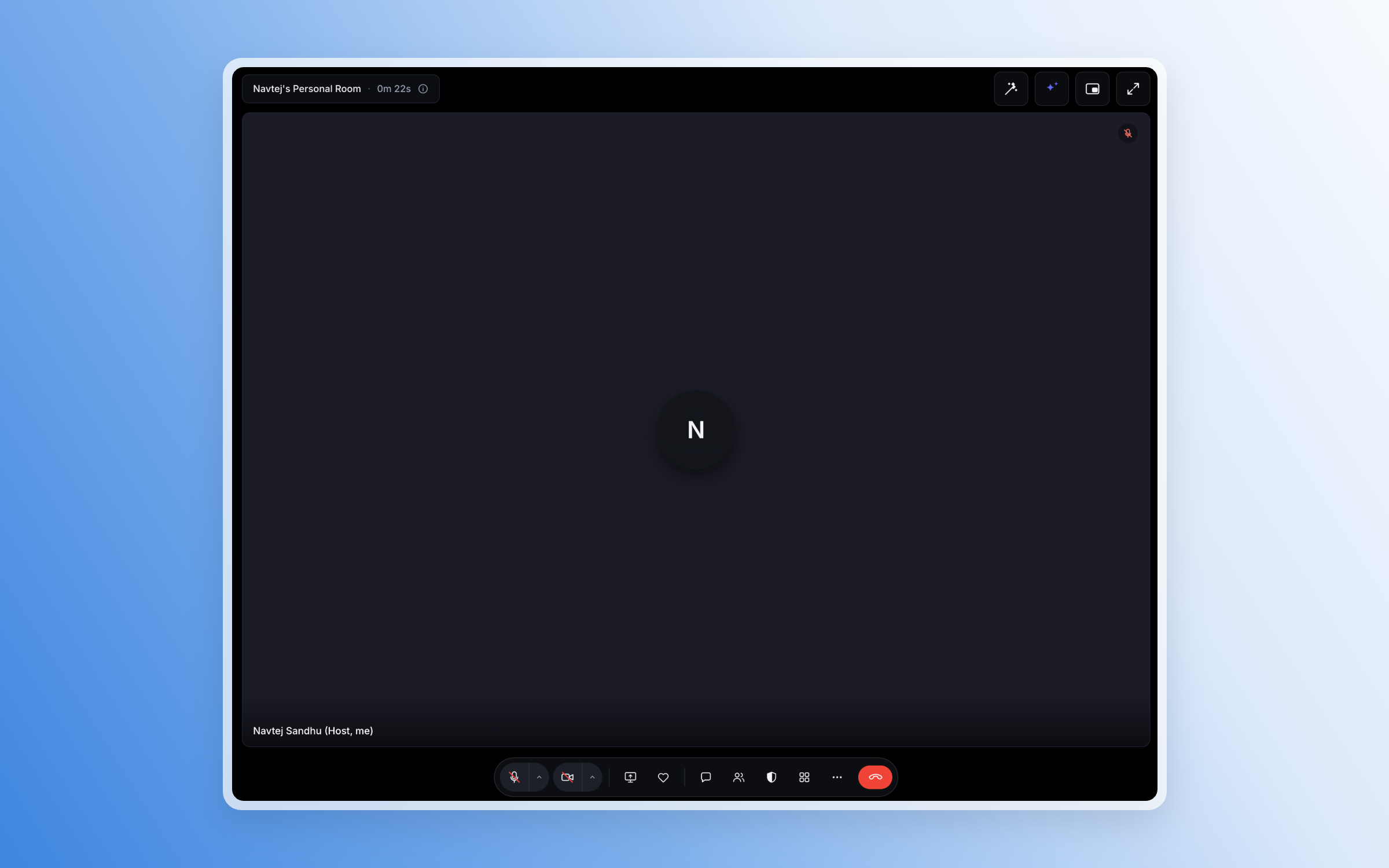
- Host HD video and audio calls with built-in screen sharing and live chat during the meeting.
- Assign co-hosts and manage participant microphones, cameras, and screen-sharing permissions for smoother, more controlled meetings.
- Add security with waiting rooms and passcodes so only approved guests can enter.
- Collaborate in real time with reactions, hand raising, and flexible meeting layouts that adapt to your conversation.
- Upload your own custom backgrounds when you are signed in to keep your meetings on brand or improve privacy.
- Keep a meeting visible while you multitask using picture-in-picture mode, so you can follow the conversation while working in other tabs.
Recordings and meeting history
You can record important meetings in EveryCatch and revisit them later from Meeting History. When available, each meeting entry can include:
- Video and audio recordings of the meeting
- Speaker-labeled transcripts so you can see who said what
- Participant details and core meeting information for quick context
AI-powered meeting summaries
From a meeting transcript, you can ask EveryCatch to generate an AI summary so you can quickly review the key points without rewatching the entire recording. Summaries help you identify:
- Key takeaways from the conversation
- Action items and next steps to follow up on
- Important decisions and outcomes to share with your team or clients
This helps your team spend less time replaying or rereading conversations and more time following through on what was decided.
Built for every conversation
Meeting Room is flexible enough to support many types of conversations, including:
- Sales calls and client consultations
- Client appointments booked through your calendars
- Team discussions, standups, and project review meetings
- Coaching sessions, training calls, and product demonstrations
Get started
Open Meeting Rooms from the EveryCatch side panel to create your personal meeting room or launch an instant meeting with a reusable link.
To use Meeting Room for scheduled appointments, choose Meeting Room as the meeting location while you configure your EveryCatch calendar, and each booking will automatically get its own meeting link.
Custom background uploads are available to users who are signed in to EveryCatch, so make sure you are logged in before you personalize your meeting view.