Overview
Calculated fields let you create custom fields that fill themselves in automatically. Instead of updating numbers, dates or text by hand, you set up a formula once and let EveryCatch keep the value up to date for you. The field calculates its value from other data on the same record, so you can use it to score leads, measure how long it has been since a contact last engaged, count down to a renewal date, or keep data in a consistent format without manual edits or workarounds. Calculated fields are currently available in private beta.
What changed
1. New "calculated" custom field type: you can now create custom fields whose values are automatically worked out from other fields on the same contact, opportunity or custom object record.
Four calculation types
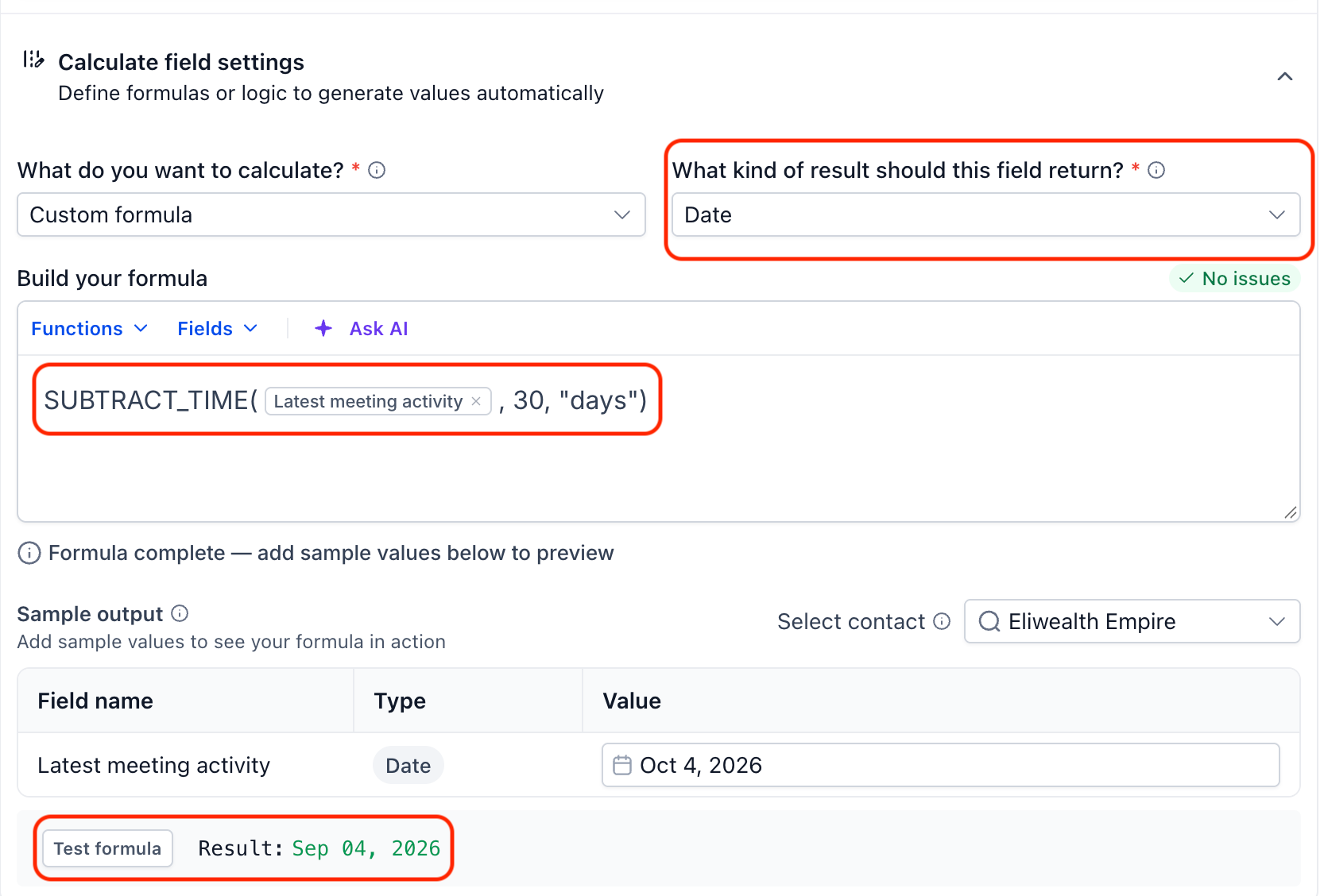
- Custom formula: build your own equation using operators and functions to combine and process your data.
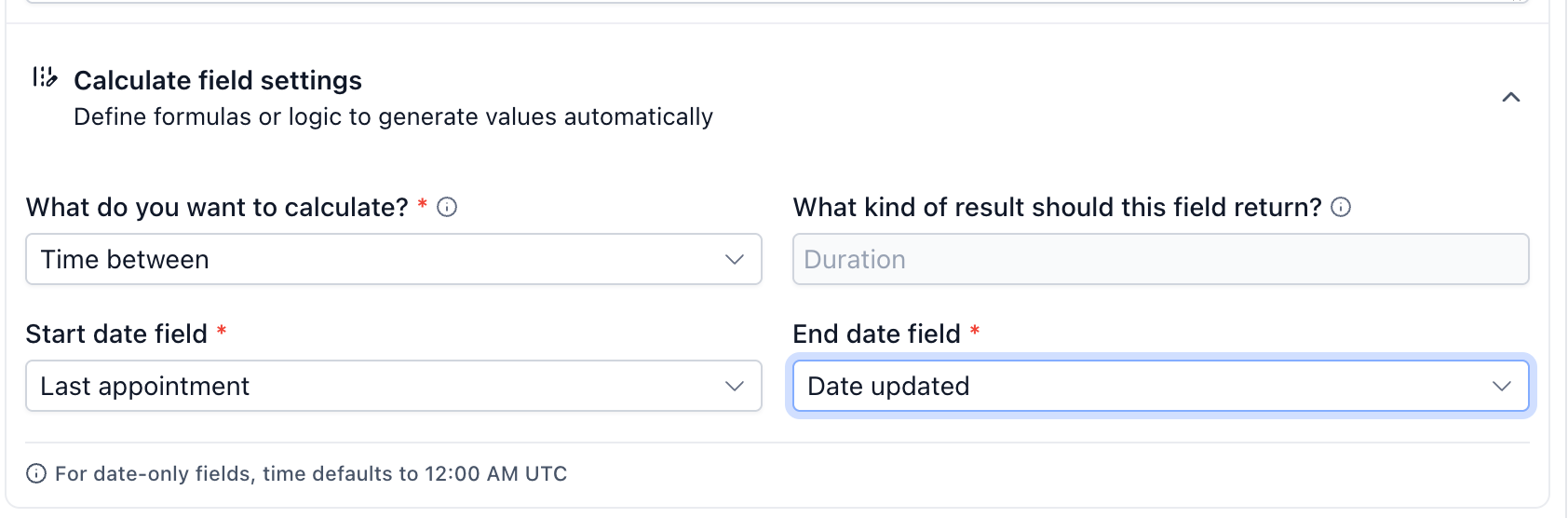
- Time between: calculate the time between two date fields, such as between signup and first purchase.
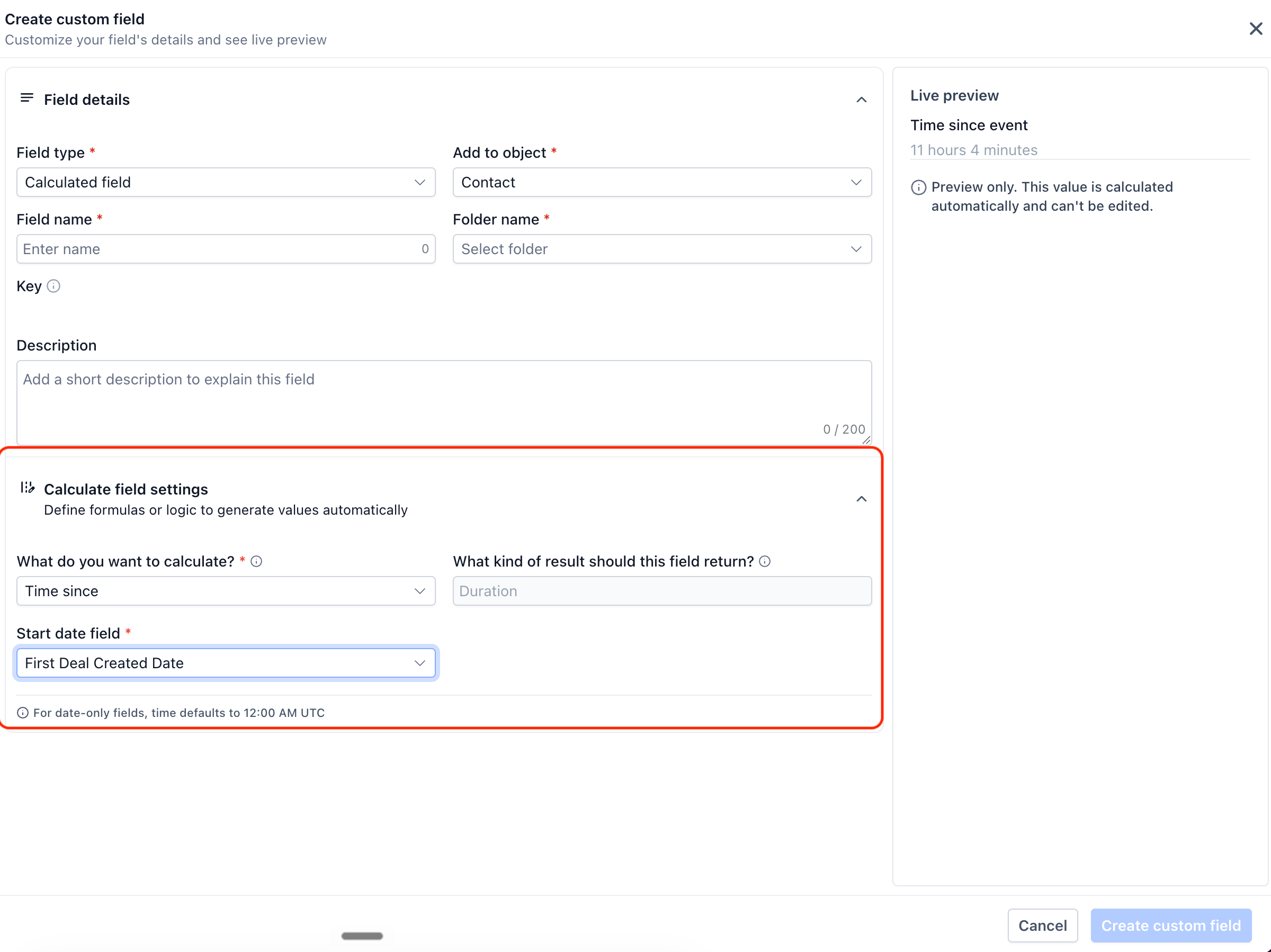
- Time since: calculate how much time has passed since a date, such as days since last purchase or last email open.
- Time until: calculate how much time is left until a date, such as days until renewal, trial end, or a booked appointment.
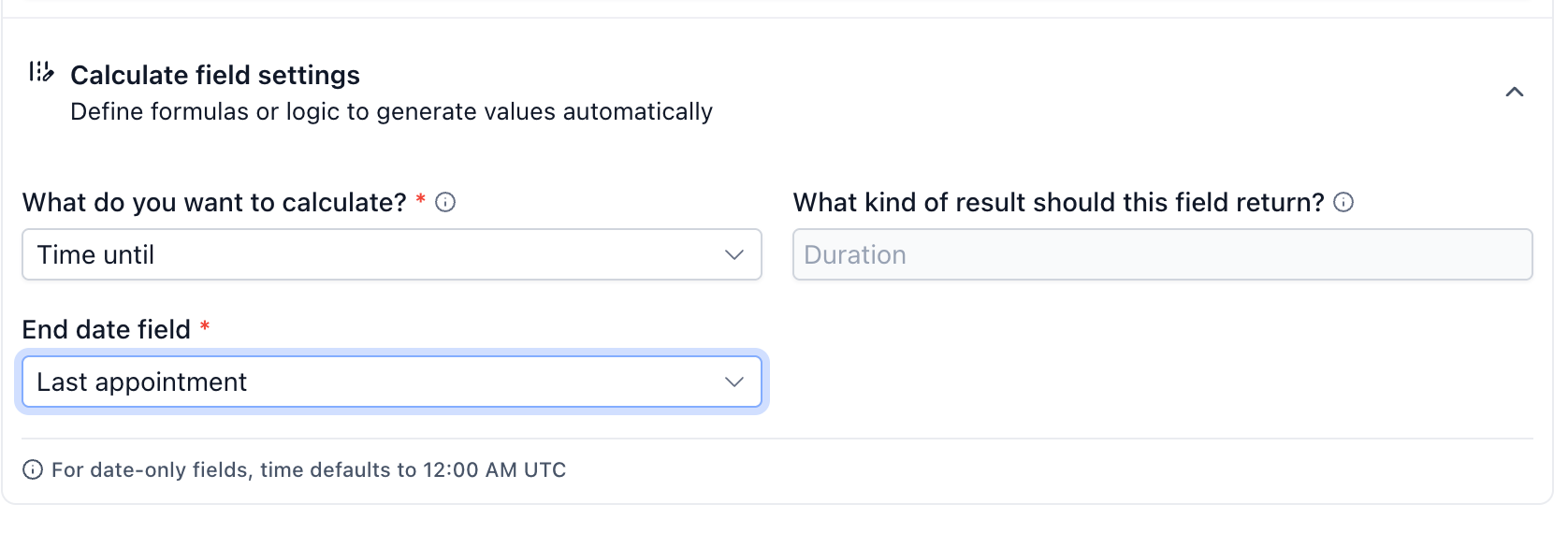
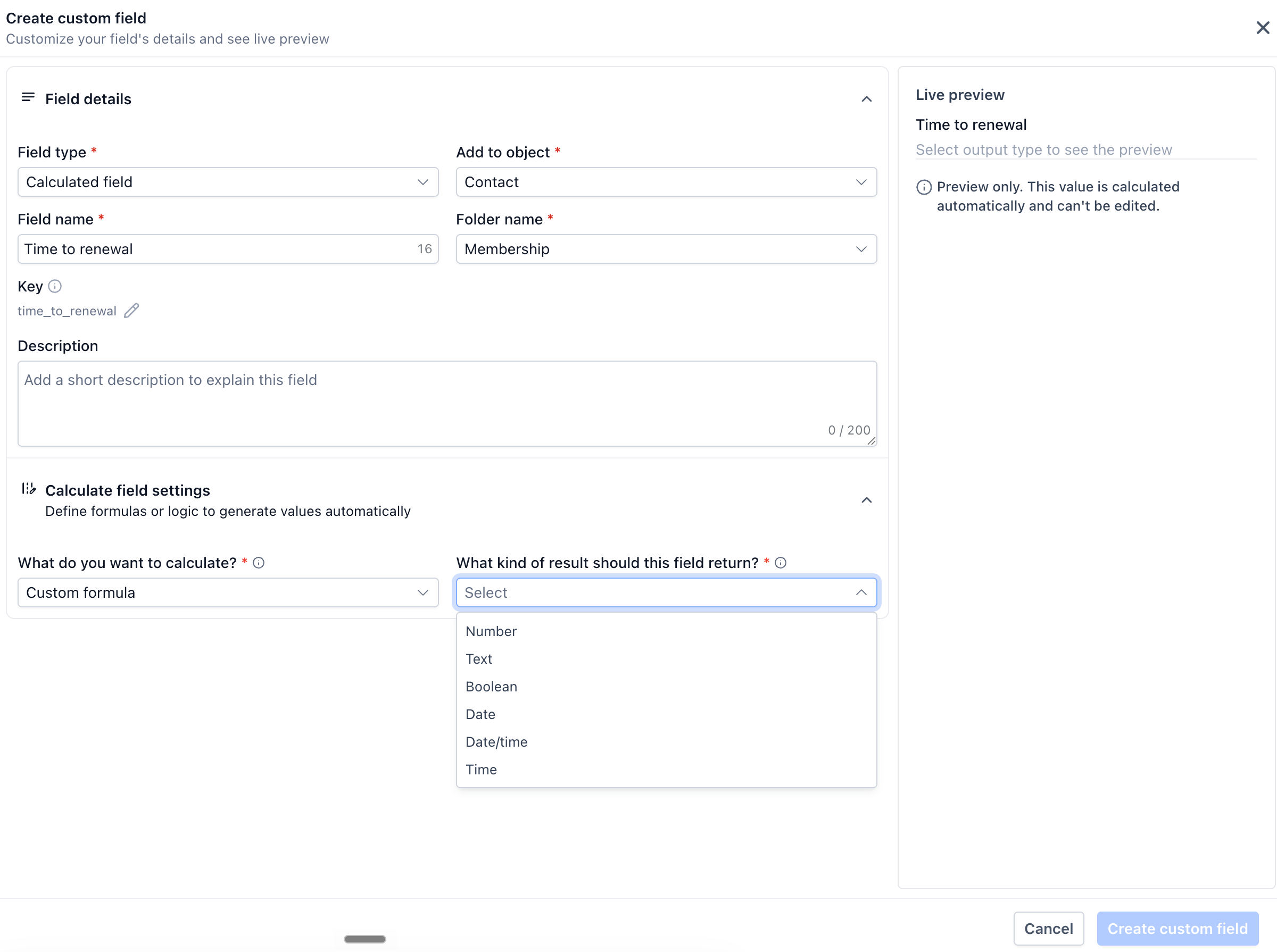
2. Multiple output types: EveryCatch now lets you choose the type of result your calculation should return. A calculated field can output a Number, Boolean (true/false), Text, Date or Date-Time value, so you can use the result in filters, workflows and views in a way that fits your use case.
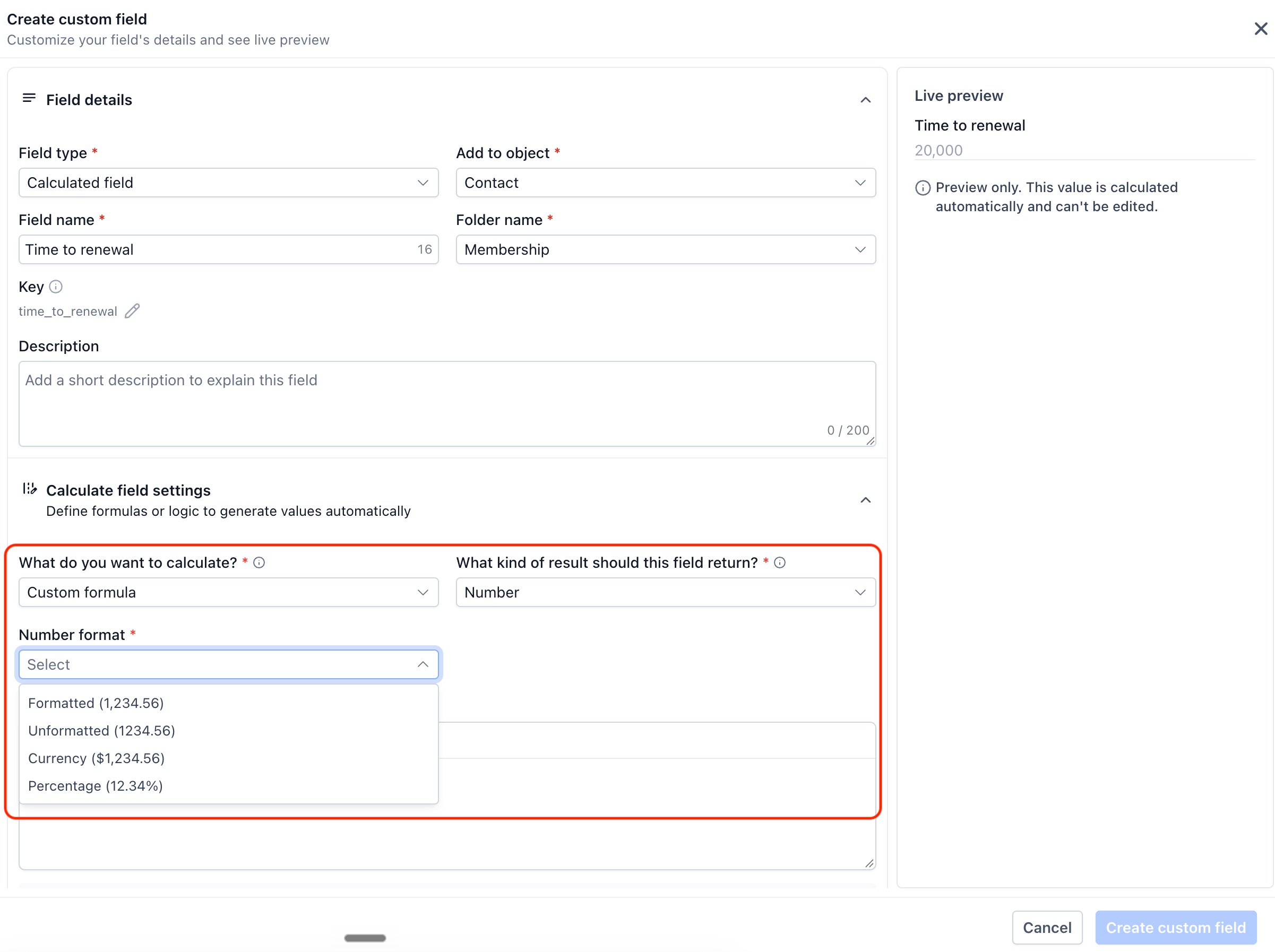
3. Flexible number formatting: you can format numeric results in the way that makes the most sense for your team. Show a value as a formatted number with separators, an unformatted raw number, a currency amount, a percentage, or a duration such as "3 hrs 9 mins" for time-based calculations.
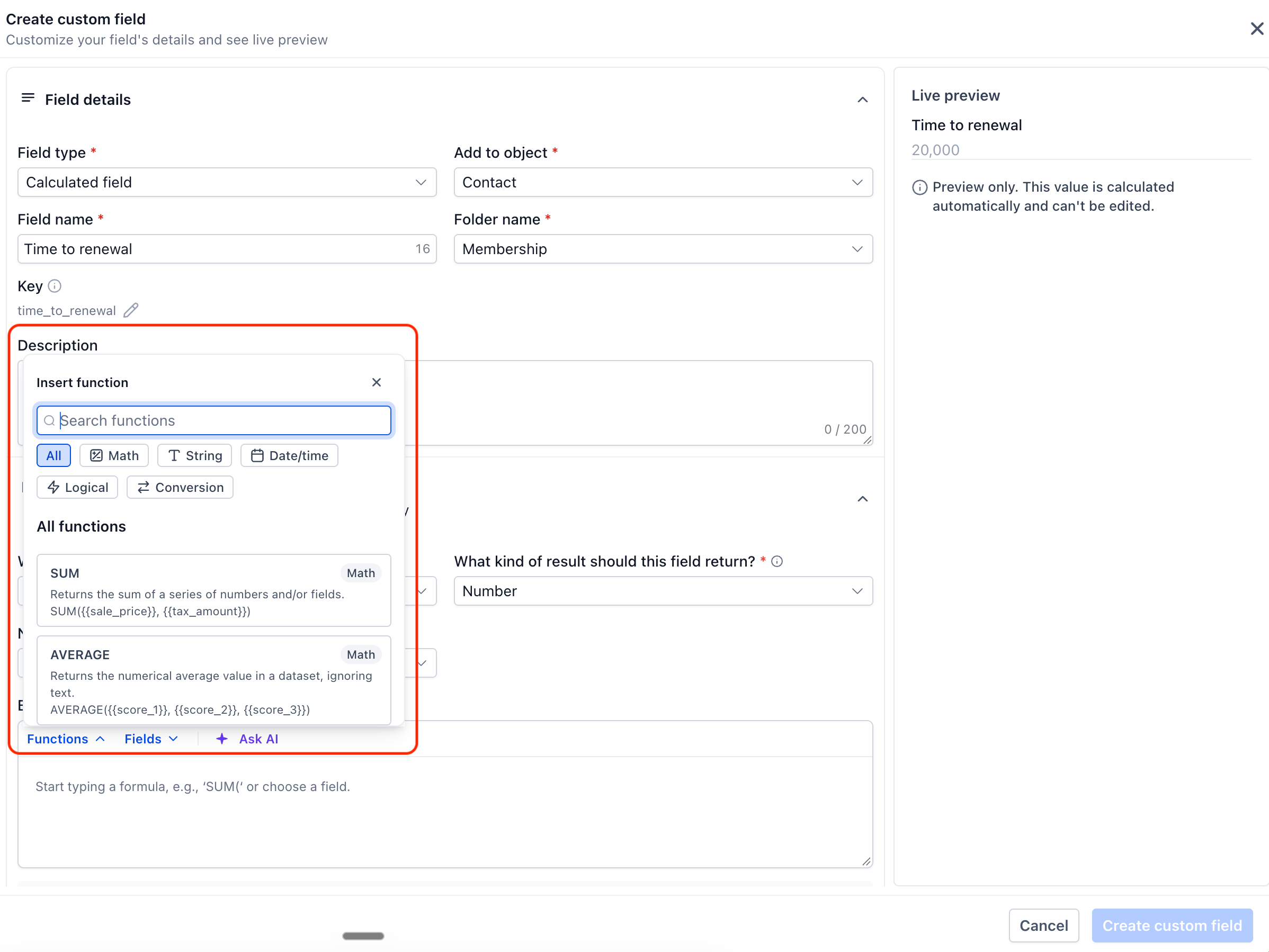
4. Built-in function library: when you create a custom formula, you have access to a function library similar to a spreadsheet. This includes Math functions (SUM, AVERAGE, ROUND, MIN, MAX, ABS and others), Text functions (CONCAT, UPPER, LOWER, TRIM, LEFT, RIGHT, REPLACE and others), Date/Time functions (ADD_TIME, YEAR, MONTH, DAY, WEEKDAY and others) and Logic functions (IF, AND, OR, IS_KNOWN). These functions help you build powerful calculated fields without writing code.
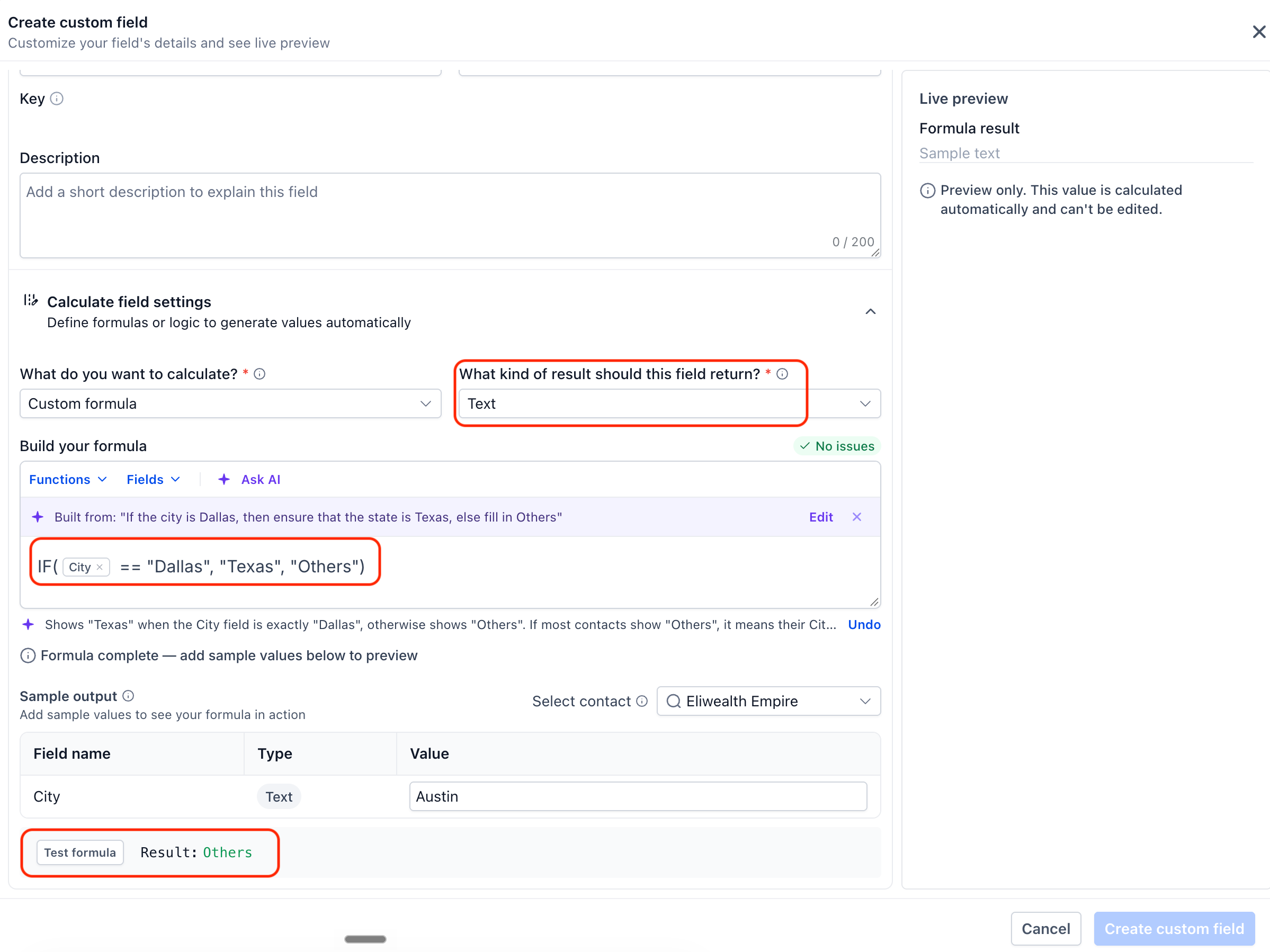
5. Test before you save: when you set up a formula, you can test it with sample values before saving the field. If there is an issue with the formula, EveryCatch shows a clear error message that points you to what needs to be fixed, so you can correct problems early.
6. Always accurate: calculated field values update automatically whenever their source fields change. These fields are read-only, so you, your team, imports and workflows cannot edit them directly by accident. This helps keep your calculated data consistent across your CRM.
7. Available for opportunities and custom objects: you can now create calculated fields on contacts, opportunities and custom objects. All three record types are included in the private beta, so you can keep calculations consistent wherever you store your data.
8. Filter smart lists by calculated fields: you can now use calculated fields to filter your smart lists. This lets you build views based on scores or calculated dates. "Time since" and "Time until" fields are the exception: they can be added as smart list columns, but they cannot be used as filters.
9. Use them across your CRM: calculated fields can be added as columns in smart lists, used as filters where supported, and referenced in workflows. This helps you bring your calculations into everyday views and automations without extra setup.



