What changed
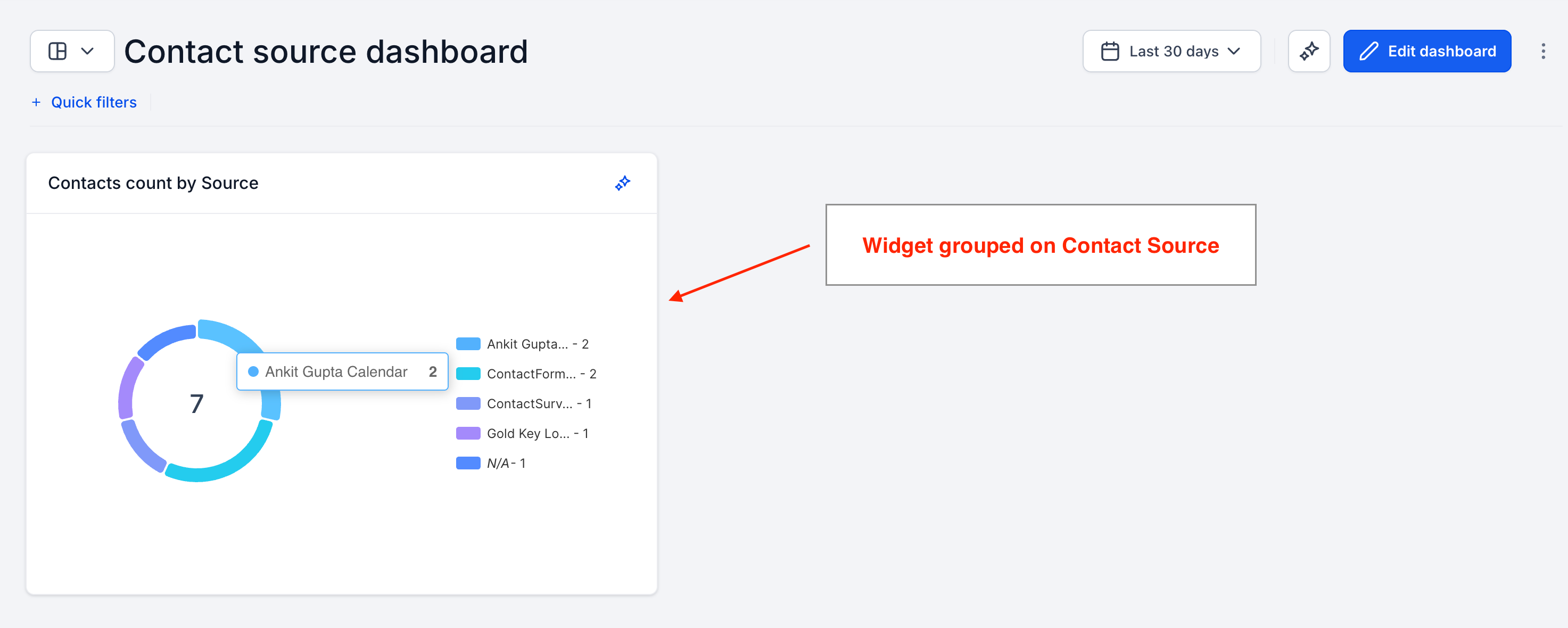
- You can now group Contacts widgets by Source in your EveryCatch dashboards and reports.
- You can break down your contact counts by where they came from, so you see at a glance which sources are bringing in the most contacts.
- The same Source grouping you use today for Opportunities is now available for Contacts, so your reporting stays aligned.
How it works
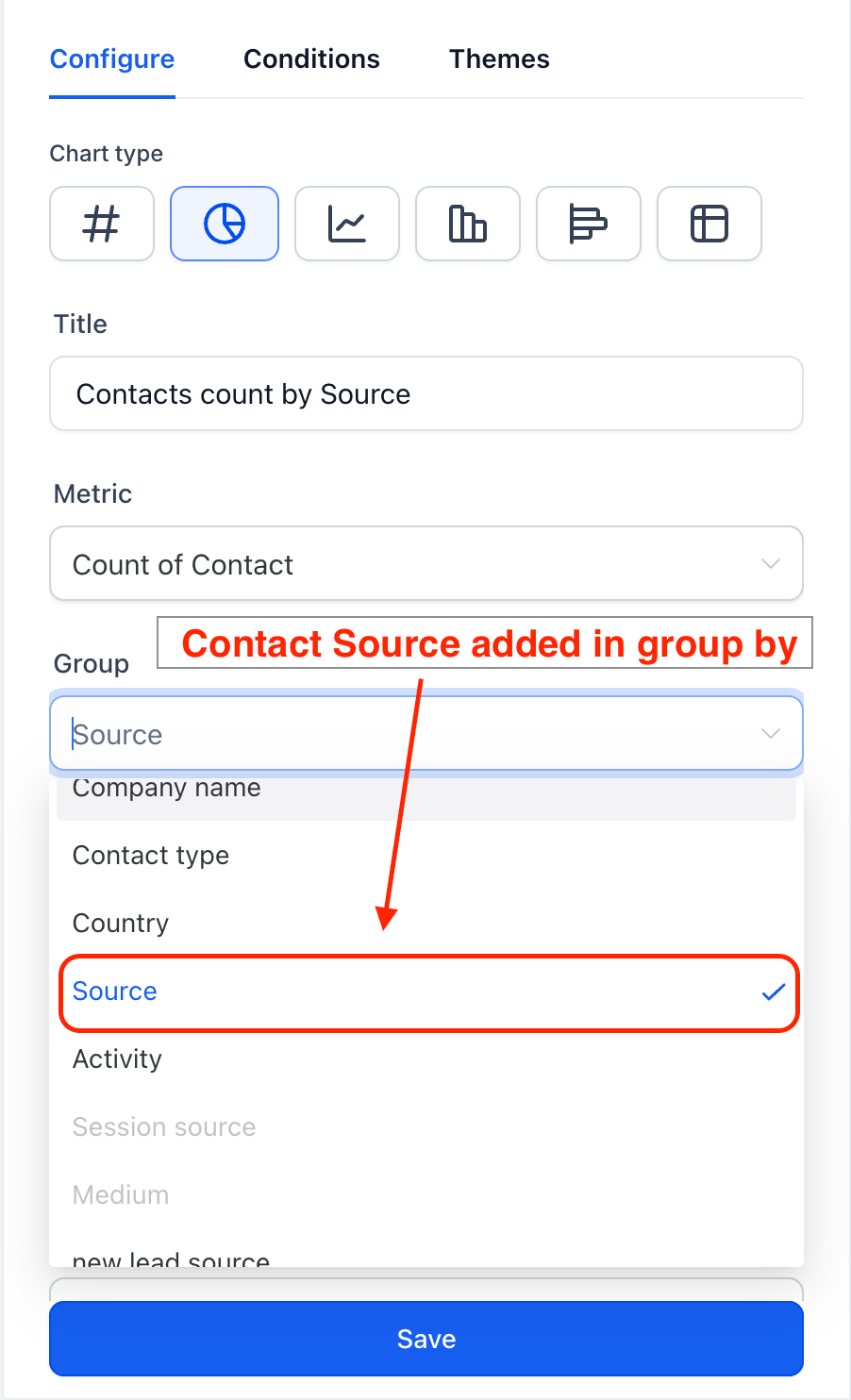
- Open any dashboard and add a new Contacts widget, or edit an existing one.
- In the widget settings, open the Group by dropdown menu.
- Choose Source to organize your contacts into buckets based on their source.
Why it matters
- Channel visibility: quickly see which sources are generating the highest number of contacts in your account.
- Consistent experience: grouping by Source works the same way across Contacts and Opportunities, so it is easier to compare performance between them.
- Better lead-source decisions: use the Source breakdown to direct your time and budget toward the channels that deliver.