Your leads are already messaging you on WhatsApp. Until now, collecting their details meant sending a link to a form in a browser. EveryCatch now lets you open your form directly inside the WhatsApp conversation, so people can answer your questions without leaving the chat.
Each external link in a WhatsApp chat is a point where a lead can quietly drop off. With in-chat forms, you remove that step and keep the entire interaction inside WhatsApp.
What changed
Your form, inside the conversation
- No redirect, no browser: Send a form as a WhatsApp Flow and your customer fills it out right inside the existing chat window. They stay in the same app, so there is no landing page to close and no “I’ll do it later” page load in another tab.
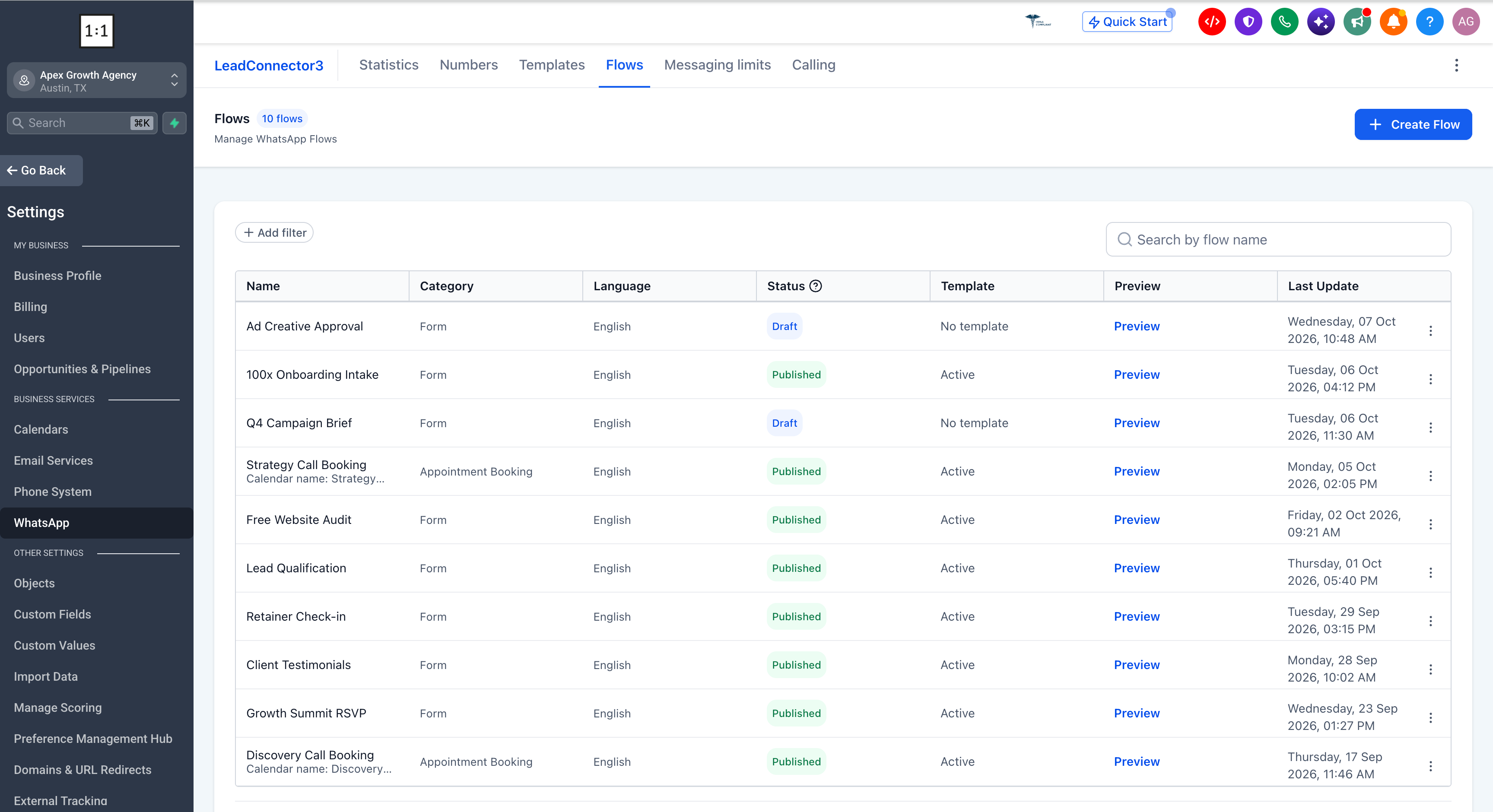
- Use the forms you already built: Select any existing EveryCatch form instead of rebuilding it for WhatsApp. If you need a new form, you can create it from the Flows screen while you set up the WhatsApp Flow.
See exactly what they will see
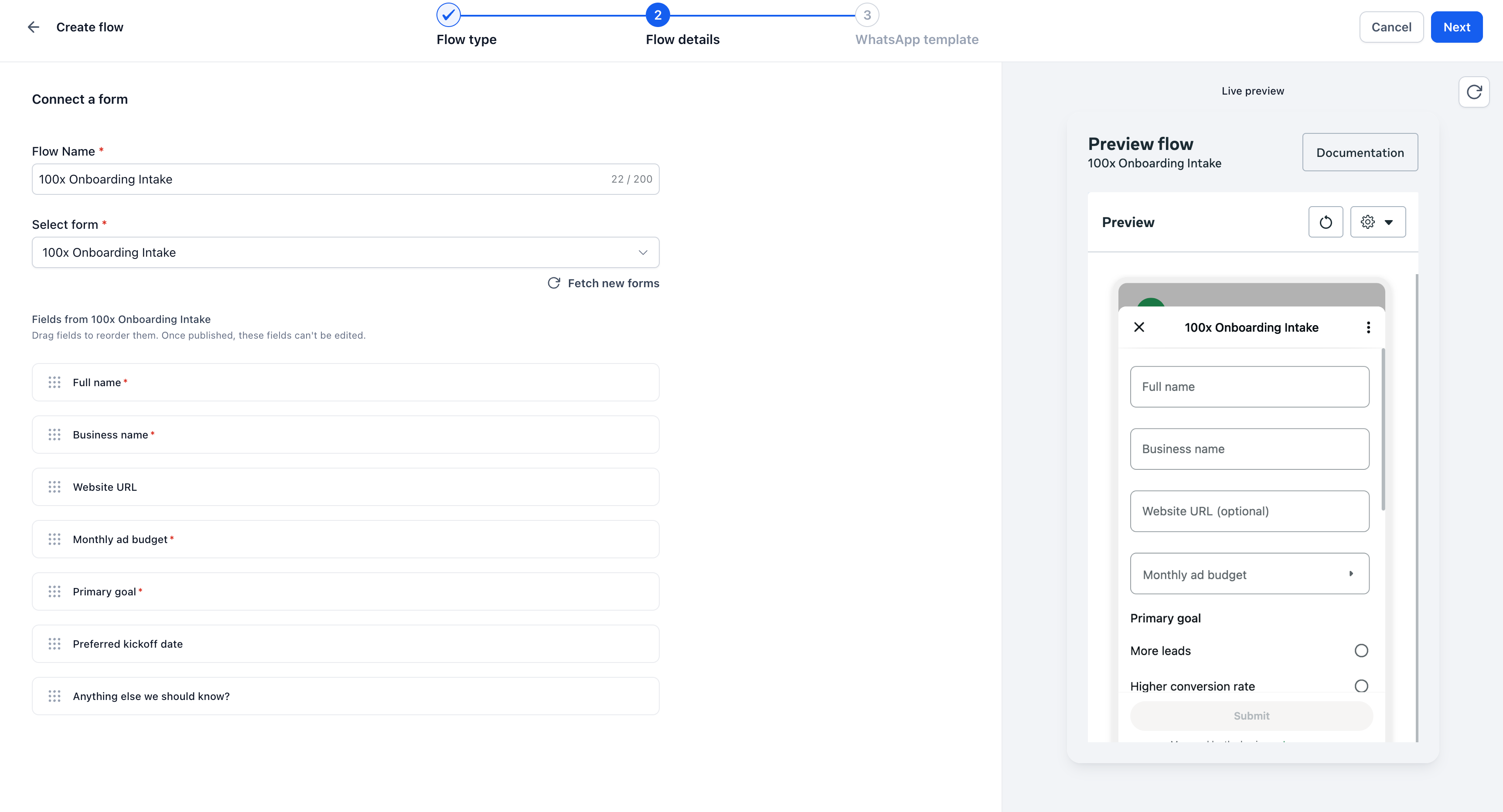
- Live preview as you build: As you configure the Flow, EveryCatch shows a live WhatsApp-style preview of your form fields. What you see and approve while building is what your customers see on their phones.
- Only supported field types are carried over: If a field type in your form is not supported by WhatsApp Flows, EveryCatch excludes it before you publish. You find out while building, instead of learning from a broken or incomplete Flow after you send it.
Answers land where you work
- Straight into Forms → Submissions: Every response goes directly into Forms → Submissions in EveryCatch and is automatically linked to the correct contact. Your team does not need to copy and paste data from WhatsApp into the CRM.
- Published flows stay stable: Once you publish a Flow, later edits to the underlying form do not change what that Flow collects. This keeps your data consistent throughout a campaign, even if you adjust the original form for other use cases.
How to use it
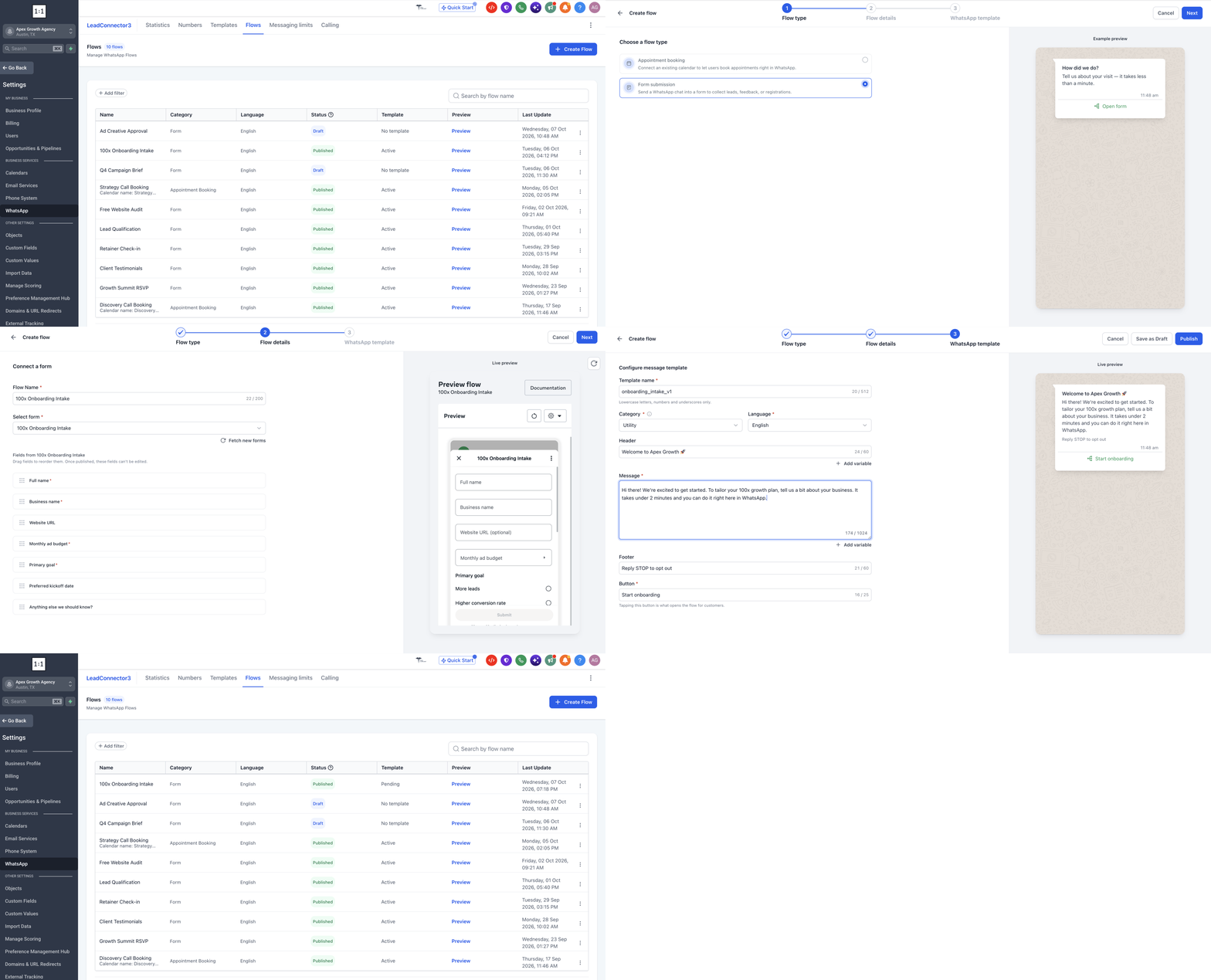
- Go to Settings → WhatsApp → Flows and click Create Flow.
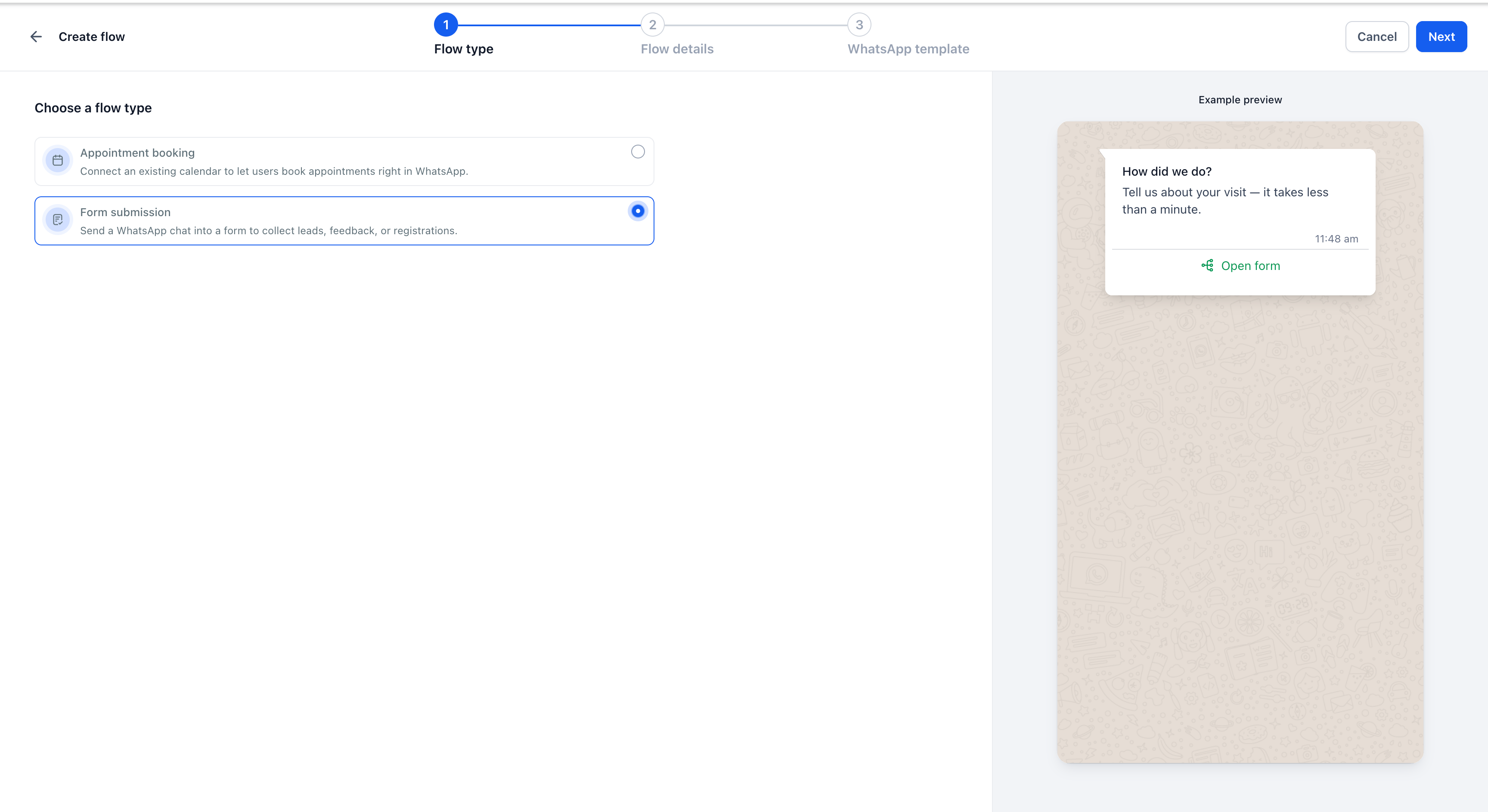
- Choose Form submission as the Flow type.
- Select the form you want to send and review the live preview to confirm it looks correct.
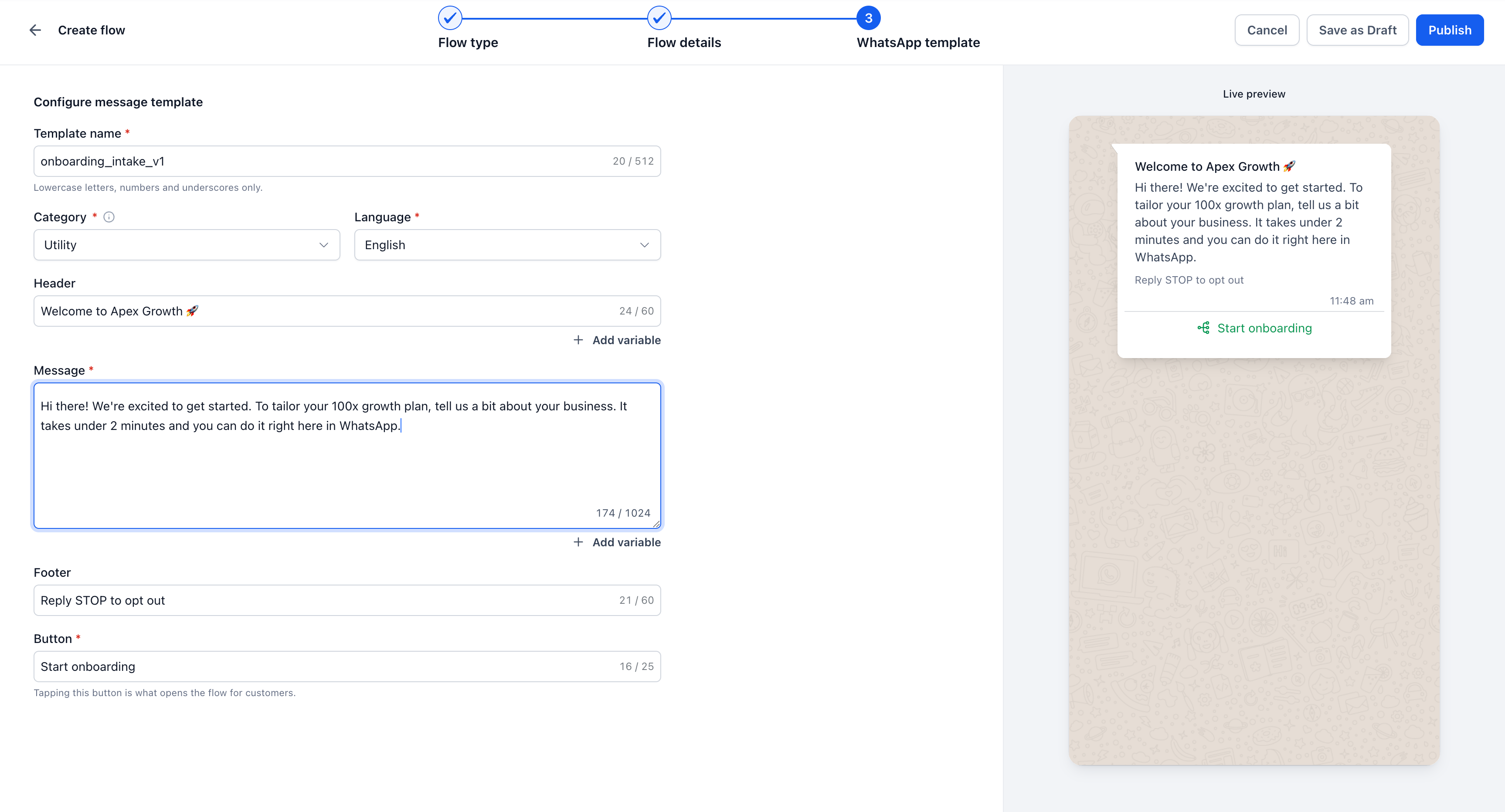
- Configure the WhatsApp template that will deliver the Flow, including the button customers tap to open the form in the chat.
- Publish the Flow, then send it from Conversations, a workflow, or a bulk action, depending on how you manage outreach.
Why this matters for your business
The step between an interested lead and a qualified lead is usually a form, and that form usually lives on a website. Each redirect to a browser is a chance for attention to drift: they tap the link, a new window opens, something interrupts them, and the chat thread stalls without the information you need. Keeping the form inside WhatsApp keeps the conversation and the questions in one place.
- No handoff to lose people at. The question and the answer stay in the same WhatsApp thread, in the app your lead already has open.
- Qualified before the first conversation. Budget, goals, timeline, and any other details you request arrive already attached to the contact, so your team can focus on the plan instead of running through basic qualification questions.
- No manual data entry. Responses are automatically mapped to the contact, which keeps your pipeline accurate without extra typing or copy-paste work.
- Use it beyond intake. You can run lead qualification, onboarding, feedback collection, event registrations, and similar flows in the same way, all inside WhatsApp.



