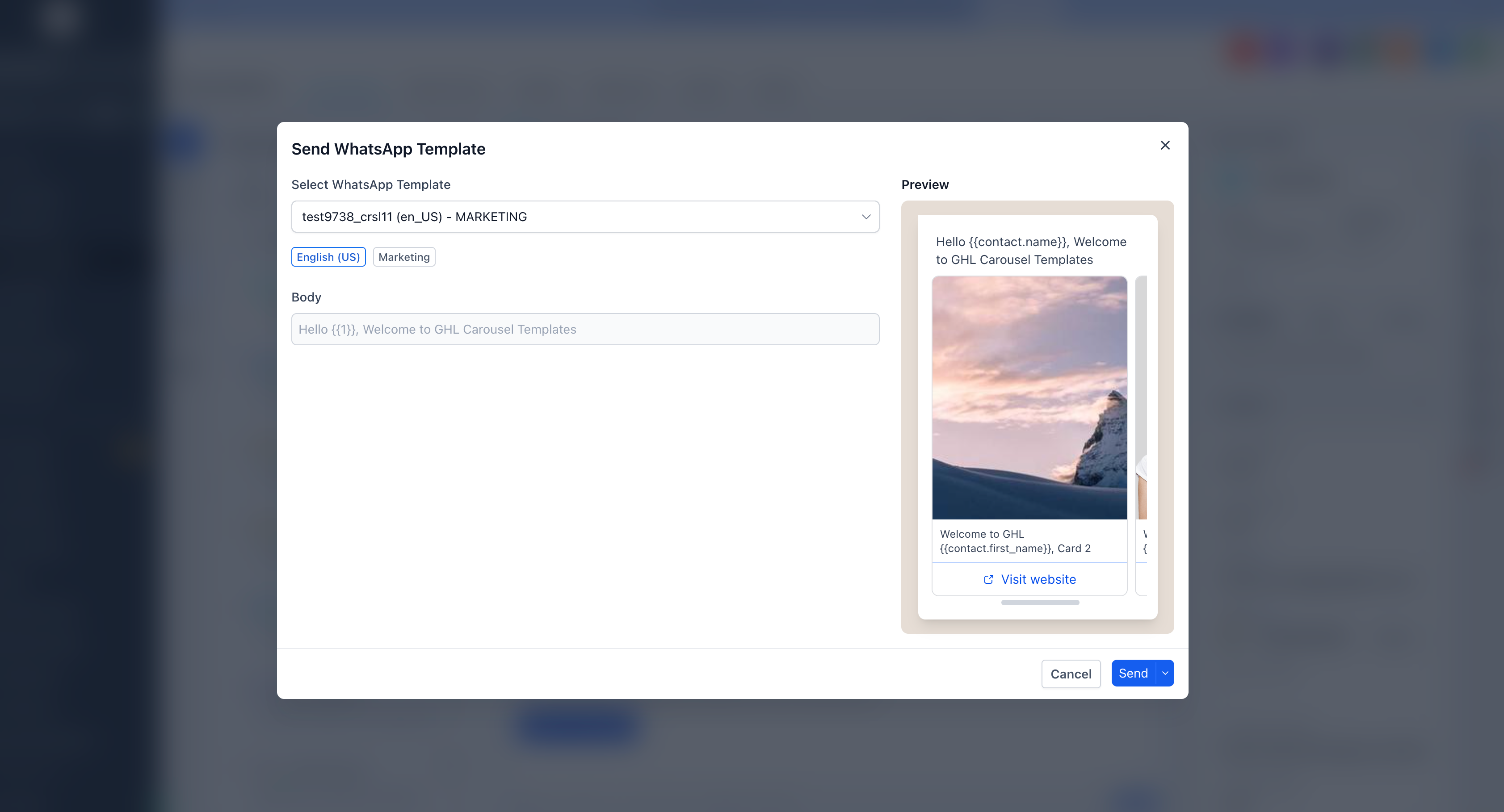
You can now highlight up to ten products, offers, or services in a single WhatsApp message. Each card in the carousel has its own image or video and its own buttons, and your customer can swipe through them directly in the chat. You send once, pay for one marketing message, and still present a full range of options.
Previously, one message usually meant one offer. With carousels, that same message can show ten options, and you see exactly what a customer prefers based on which card and button they tap.
What changed
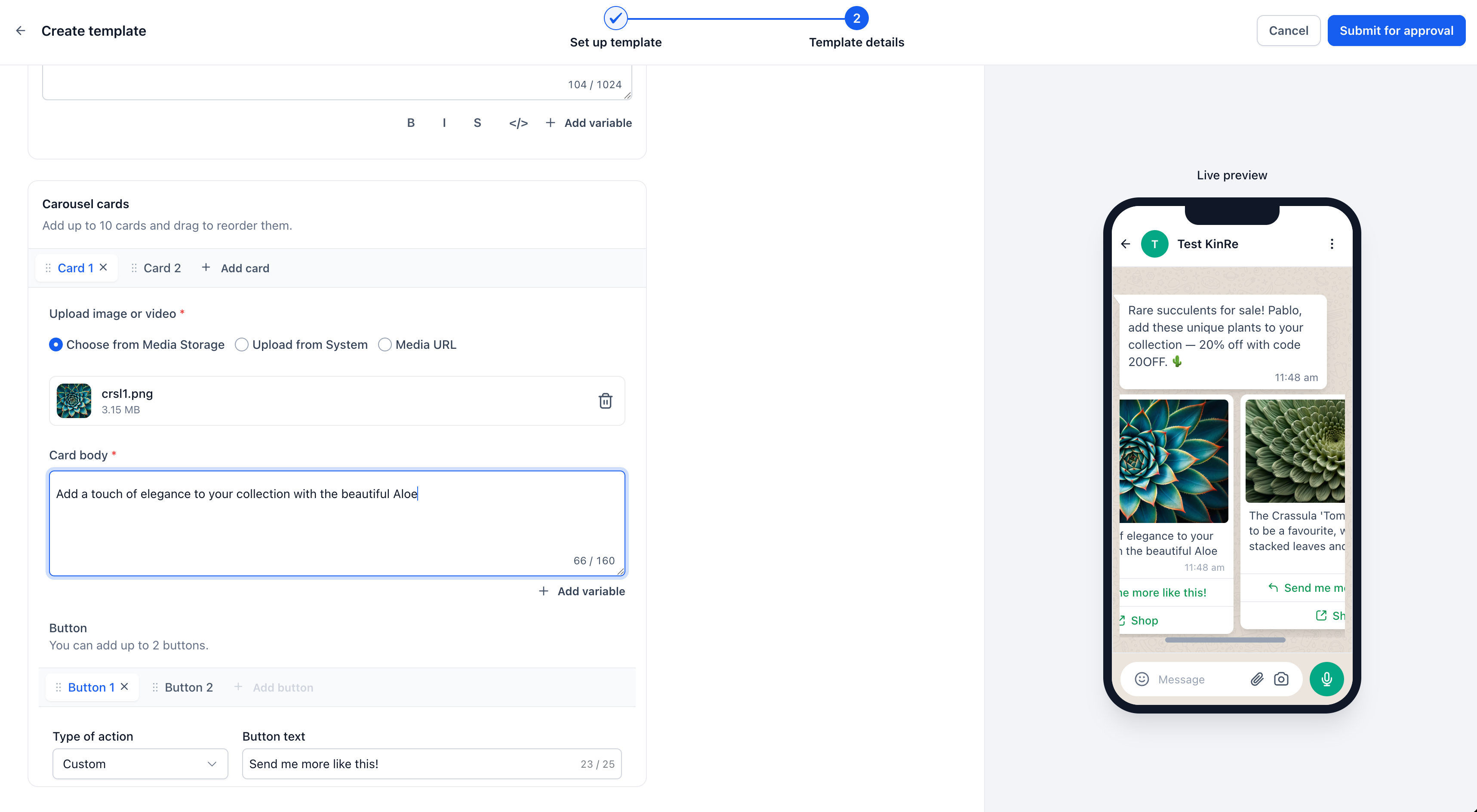
Up to ten cards in one message
- A scrollable row of cards: Write your message body once, then attach between 2 and 10 cards. Each card has its own image or video header, optional text, and up to two buttons. Customers swipe horizontally through the cards without leaving the conversation.
- One message, not ten: WhatsApp bills per message, so a ten-card carousel is charged as a single marketing message instead of ten separate sends. It also counts once against your WhatsApp messaging limits for that contact.
Buttons that show real intent
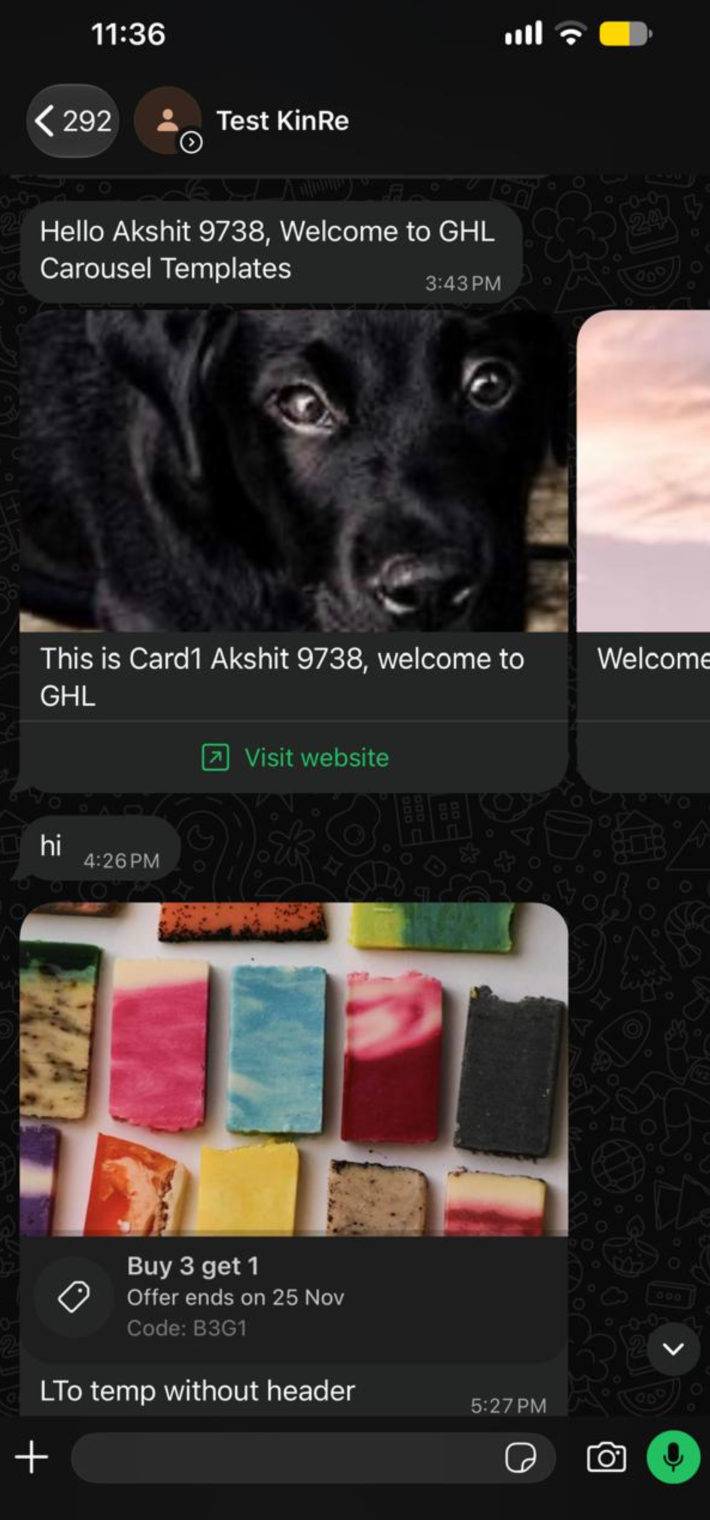
- Two buttons per card: Mix quick reply, call, and website buttons on each card. When someone taps the button on card three instead of a generic “Shop now,” you see which specific product or offer caught their attention.
- Quick replies keep the conversation going: A quick reply button sends a response in the same WhatsApp thread and triggers a webhook that you can feed into an EveryCatch workflow. You can then follow up based on the exact item they selected, without sending them to a browser.
- Per-card links: Each card’s website button can use its own URL or variable, so card one can open that item’s page, and card two can direct people elsewhere.
Image or video on every card
- Show the offer visually: Card headers accept images or video and are automatically cropped for the customer’s device. This works well for product launches, property listings, menu items, class schedules, or seasonal bundles where visuals help customers choose.
How to use it
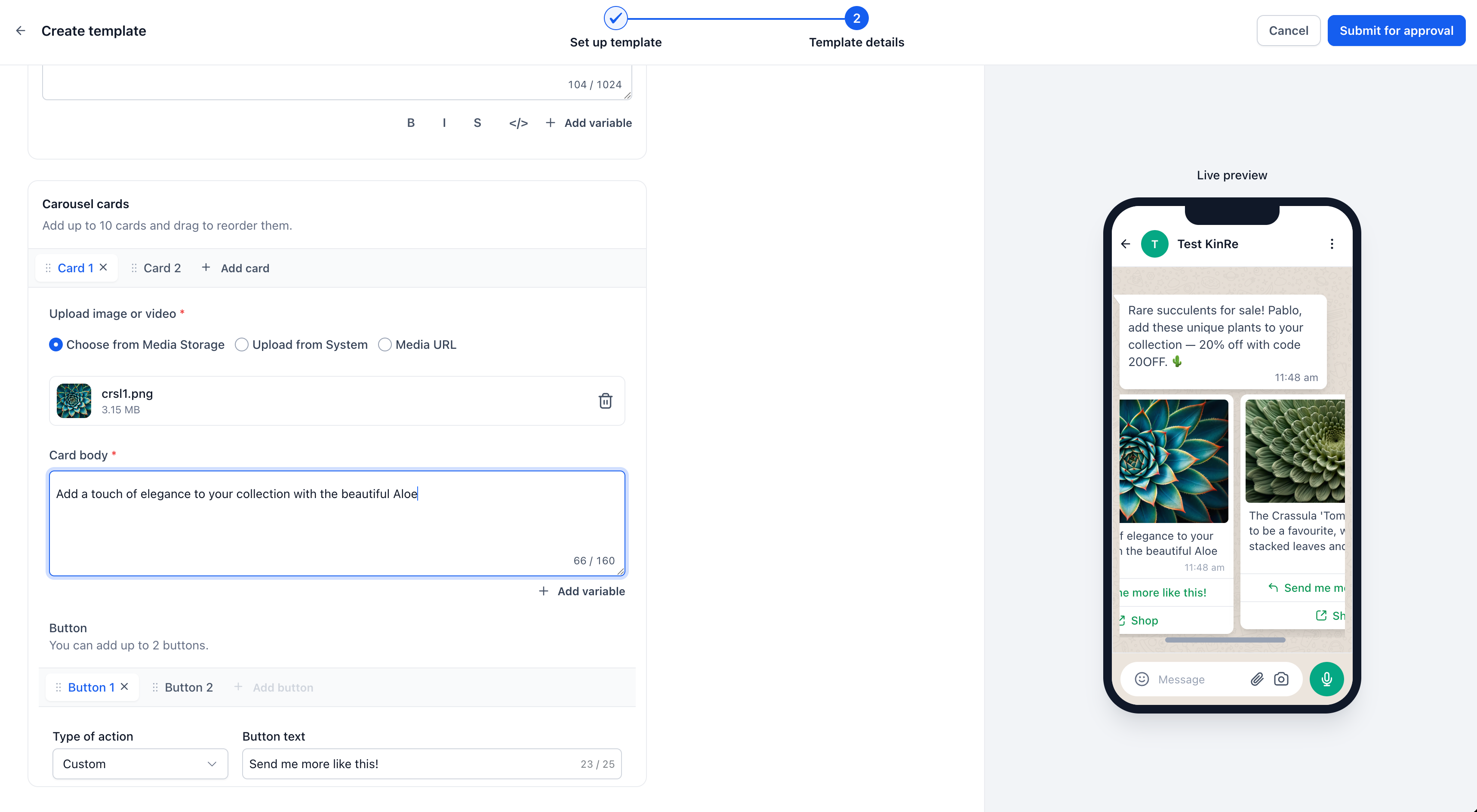
- In EveryCatch, go to Settings → WhatsApp → Templates and click Create template.
- Set Category to Marketing and choose the Carousel type.
- Write your message body, then add your cards with their images or video, text, and buttons.
- Submit the template for Meta approval. Once approved, send it from Conversations, a workflow, or a bulk action in EveryCatch.
Two things to plan for
- Card count is fixed after approval: If a template is approved with five cards, it will always send with five cards. If you also want a four-card version, create and submit a separate template for that layout.
- Every card must follow the same structure: If one card has body text, all cards in that template must have body text. If one card uses two buttons, they must all use two buttons. This keeps card heights consistent as customers swipe across the carousel.
Why this matters for your business
WhatsApp marketing often meant choosing a single offer and hoping it matched the customer, or sending multiple messages and using more of your Meta messaging allowance for that person. Carousels give you a way to present a whole range in one message, then use the customer’s tap to identify what they want and tailor your follow-up in EveryCatch.
- Lower cost per offer shown. You can feature up to ten products in one paid marketing message.
- Gentler impact on messaging limits. One send counts against your per-customer frequency instead of multiple individual messages.
- Clearer intent data. You see which product or offer a person chose, instead of only seeing that they clicked something.
- Less guesswork. You do not have to pick a single lead offer without knowing what each contact prefers.
- Reusable across use cases. Product drops, property listings, menus, class timetables, and service packages all work well in this format for your own business or on behalf of your clients.



