You can now get to your campaigns, templates and email results faster. EveryCatch email marketing has a cleaner, more consistent look across the pages you use every day, a quicker start when you open your email tools, and a smoother experience while you build and edit emails.
What changed
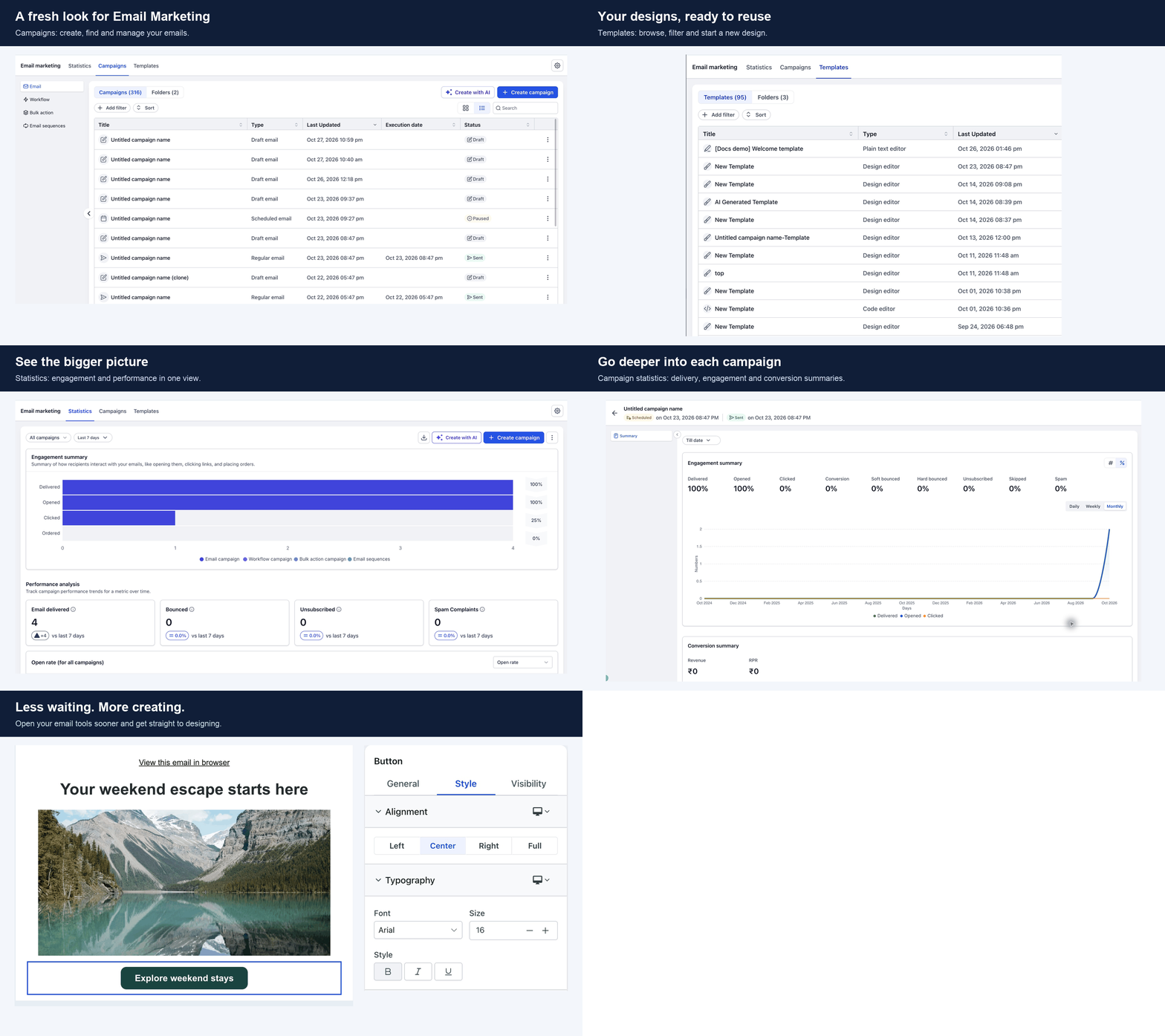
- A refreshed experience across email marketing: Create campaigns, manage templates, review email statistics and access settings in one consistent interface. The builder now feels fully connected to the rest of the experience, with smoother drag-and-drop editing.
- Get into your email tools sooner: Spend less time waiting when you open email marketing or launch the builder. Your email tools now load up to 7x faster on a first visit.
- Pick up where you left off faster: When you come back to edit another email, EveryCatch reuses what is already loaded. Returning to email marketing and reopening the builder feels quicker.
What's refreshed
- Campaigns: Create and manage emails, with filters, sorting, and list or grid views to help you find what you need quickly.
- Templates: Find and reuse your saved designs, or start a new one from a fresh layout.
- Statistics: Review overall email performance in one place to see how your sending is doing.
- Campaign details: Drill into the performance of a specific sent campaign to understand results at a deeper level.
- Settings: Access your email configuration from the same updated experience.
- Email builder: Design your email with integrated editing controls and improved drag-and-drop behavior.
Why it matters
You can move from idea to finished email with less waiting and fewer context shifts. Manage campaigns, reuse templates, create emails and review results in a single, consistent interface that keeps you focused on your content instead of the tool.
How to use it
- Go to Marketing > Emails.
- Explore the Campaigns, Templates and Statistics sections.
- Open Settings from the gear icon to review your email configuration.
- Create a new email or open an existing one to use the refreshed builder.
Good to know
- The "up to 7x faster" figure refers to the time needed to load the email tools themselves on a first visit. Each screen may still need to load your campaigns, templates or statistics separately.
- Your actual waiting time depends on your internet connection, device performance and how recently you visited these tools.



