You can now warm up your dedicated sending domains directly inside EveryCatch Email, without any third-party warm-up tools, SMTP credentials, or extra subscriptions.
Watch the walkthrough video
What changed
- Automated warm-up: EveryCatch creates warm-up mailboxes on your domain and steadily increases daily sending volume toward the goal you set.
- Real engagement signals: Warm-up sends natural, threaded conversations and replies. Emails are marked as important and pulled out of spam, which strengthens your reputation with Gmail, Outlook, and Yahoo.
- Agency and account domains: You can use warm-up on both agency-level and individual account domains.
- No impact on your contacts: Warm-up mailboxes are fully managed by the platform, so your contacts never receive warm-up emails. Your normal campaigns and broadcasts continue as usual.
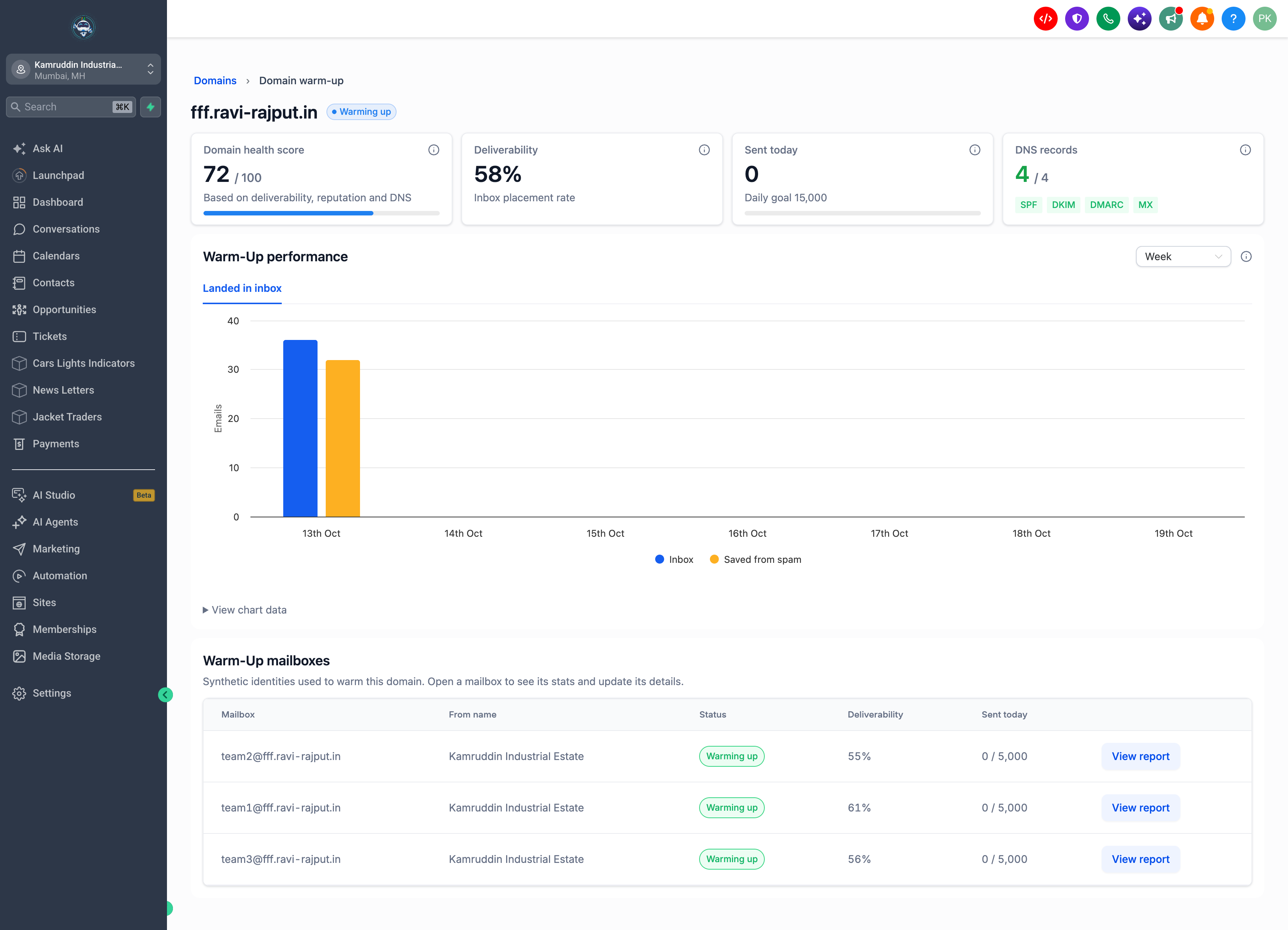
Domain health reporting
Each domain card now shows a health score (0–100), deliverability status, and how many emails were sent today toward your warm-up goal. Select "View report" to see SPF/DKIM/DMARC/MX status, a chart of inbox vs. saved-from-spam placement, and mailbox-level details. From there, you can also update a mailbox's sender name.
How to get started
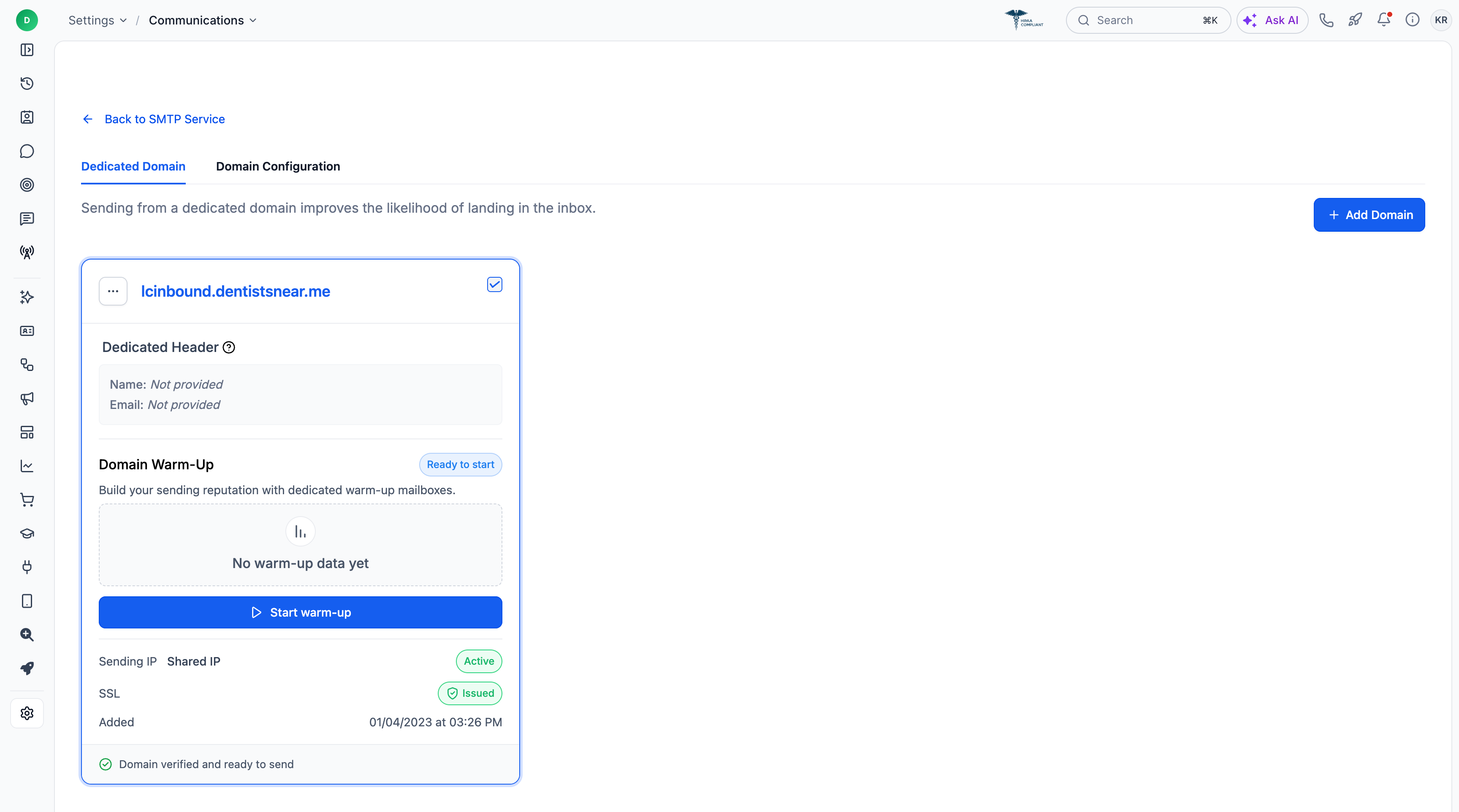
- Confirm that your dedicated domain is verified and has an active SSL certificate issued.
- Request beta access here: Email Domain Warm-Up beta form
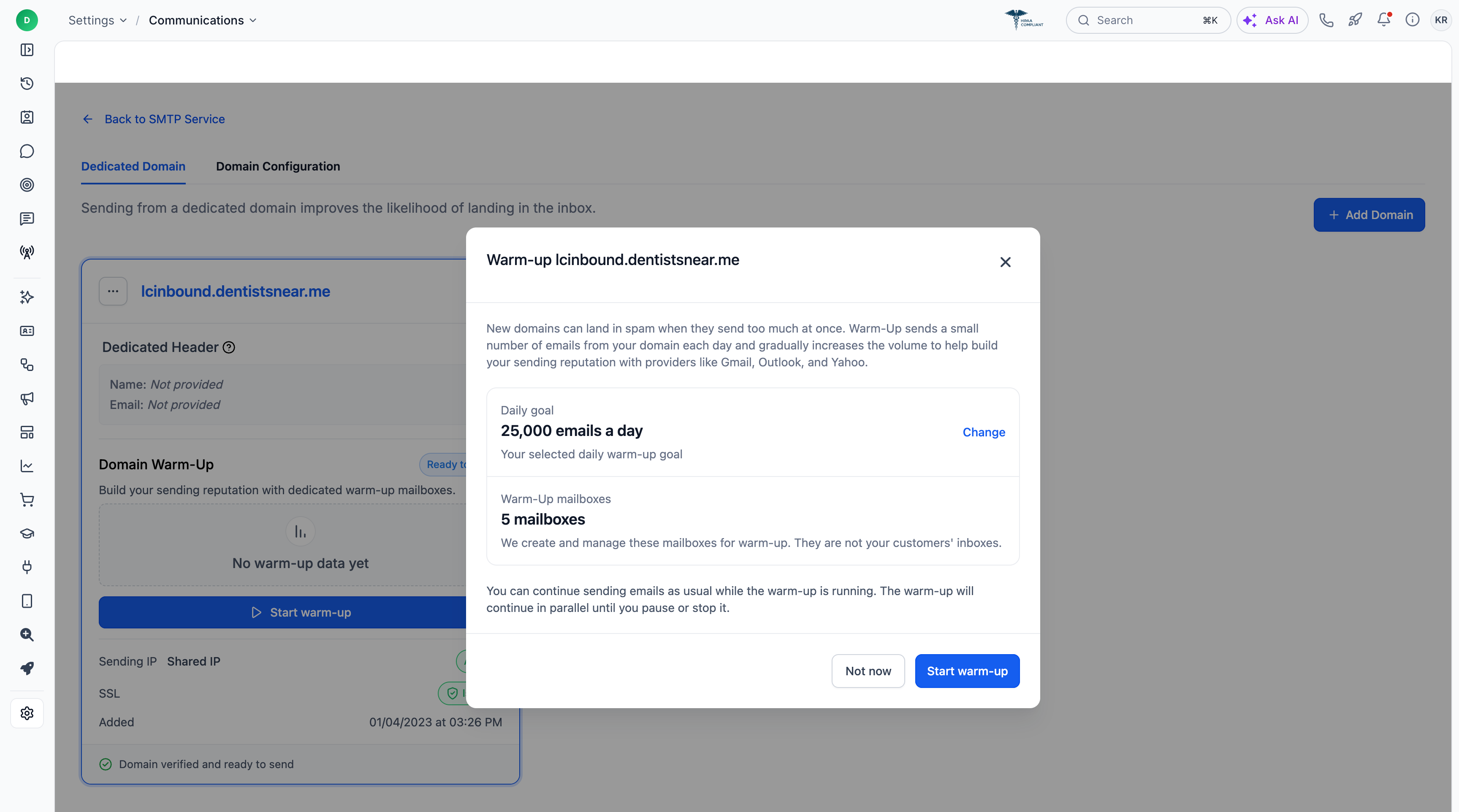
- After approval, go to Settings → Email Services → Dedicated Domain and IP, then select Start warm-up.
- Choose a daily goal (for example, 10K or 25K per day). This is the maximum the system will aim for, not a guaranteed daily volume.
Good to know
- Warm-up results usually take a day or two to show up, so seeing 0% health or 0 sent right after you start is expected.
- You can pause or stop warm-up anytime from the ⋯ menu on the domain card. If you stop early, reputation will build more slowly.
- While warm-up is enabled, the previous daily sending limit ramp is disabled for that domain.
- If any DNS records appear in red in your report, resolve those before relying on the health score. Incorrect DNS settings reduce both your score and deliverability.
- Warm-up is free while the beta is active.
Coming soon
- Recommended warm-up goals
- Warm-up using your own email templates so warm-up traffic closely matches your typical sends
- Additional warm-up mailbox configuration options
Learn more: Email Domain Warm-Up help article