
Overview
TikTok Ads are now available inside EveryCatch Ad Manager, alongside Meta, Google and LinkedIn. You can build, publish, manage and track TikTok Lead Generation campaigns without leaving EveryCatch. Your TikTok campaigns can capture leads through Instant Forms or TikTok Direct Messages.
What changed
- TikTok in the campaign builder: Create TikTok Lead Generation campaigns using the same campaign builder you already use for your other channels.
- Collect leads your way: Choose how new leads come into EveryCatch so they fit your existing workflows.
- Instant Forms: Select any of your existing TikTok Instant Forms so people can submit their details directly from the ad experience.
- Direct Messages: Let prospects message your TikTok account. Set up a message template with a greeting and suggested questions, or connect an automated chat that captures contact details for you.
- Ad group controls: Choose your budget, schedule and bidding strategy, and target the right people using detailed interest and behavior options.
- Carousel image and video ads: Upload multiple images or a single video for each ad, and see a live preview of how it will appear in supported TikTok placements before you publish.
- Performance in one place: TikTok results now appear in the Statistics section alongside your other ad channels.
- Easy campaign management: Your TikTok campaigns are listed in the same Campaigns table you already use, so you can edit, pause, resume or duplicate them with a click.
- Connect and manage your TikTok account: Manage your TikTok Business Center and ad account directly from Ad Manager settings.
How to use it
Connect your tiktok account
- Go to Ad Manager → Settings → TikTok → Ad accounts, then click Connect account.
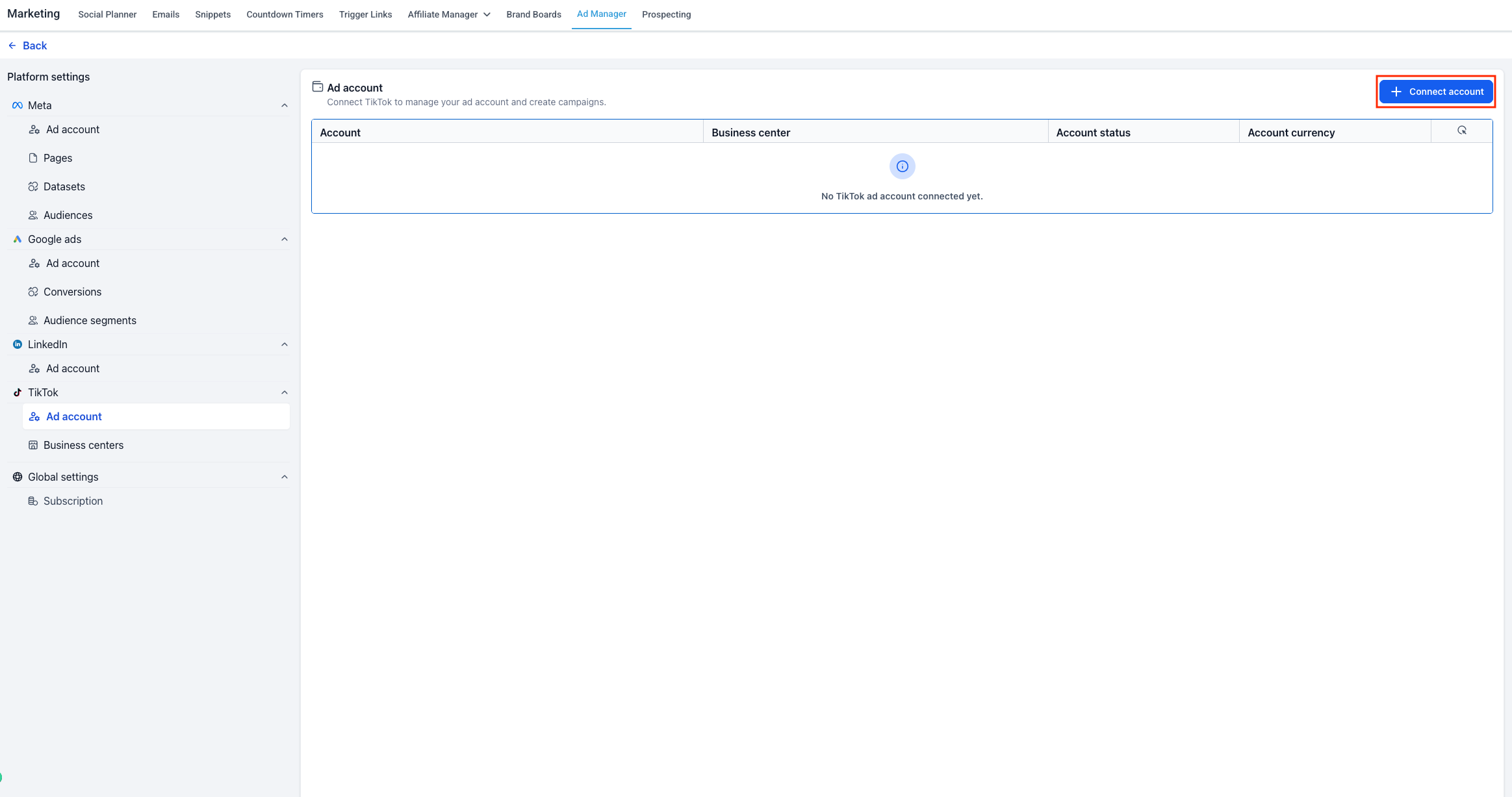
New to Ad Manager? Here is how to complete the TikTok connection setup.
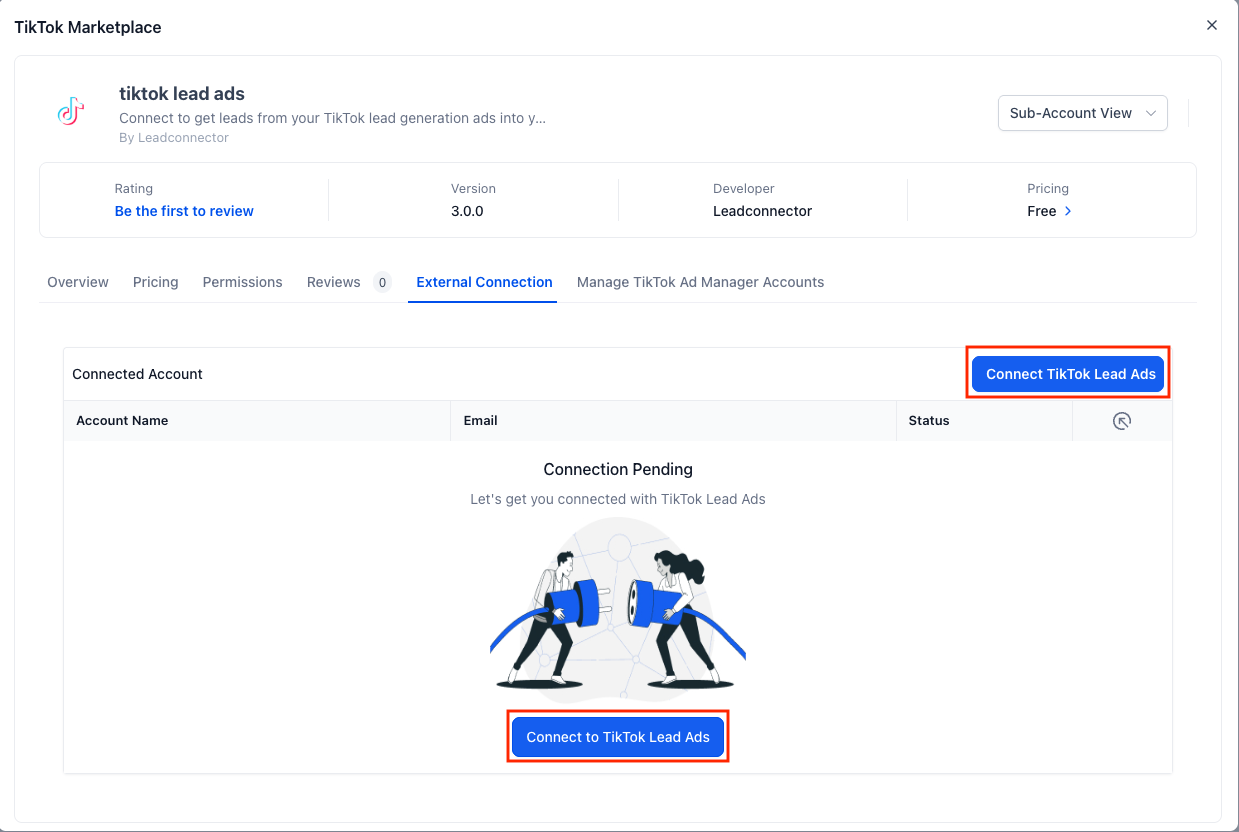
- Click Connect TikTok Lead Ads, sign in with your TikTok account, then review and approve the access being requested.
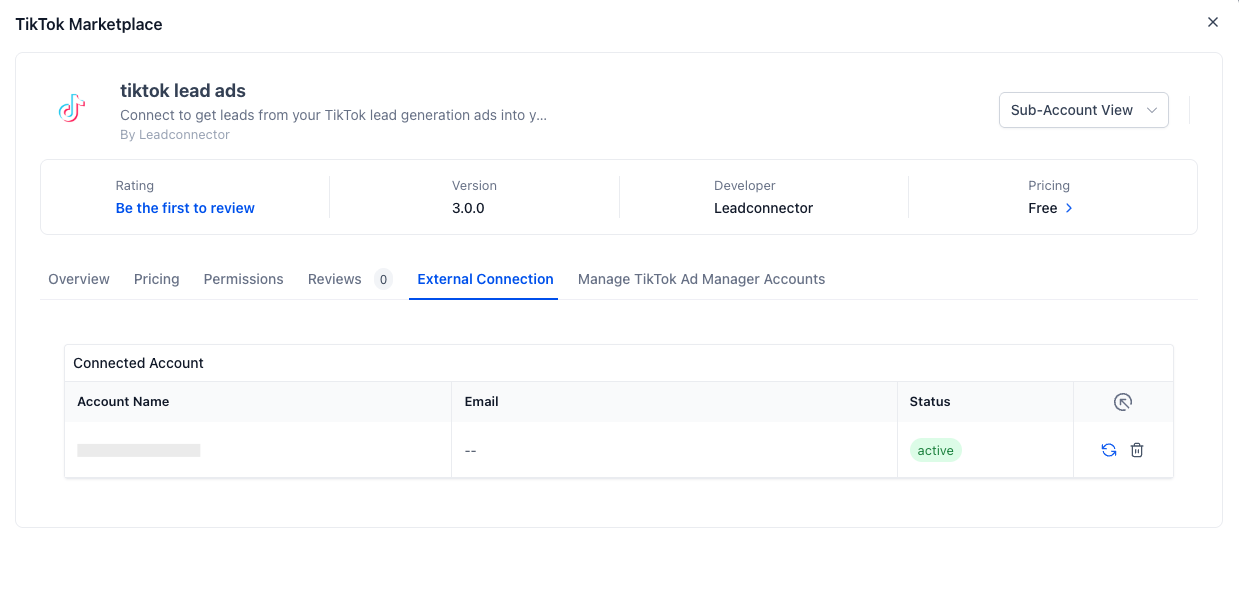
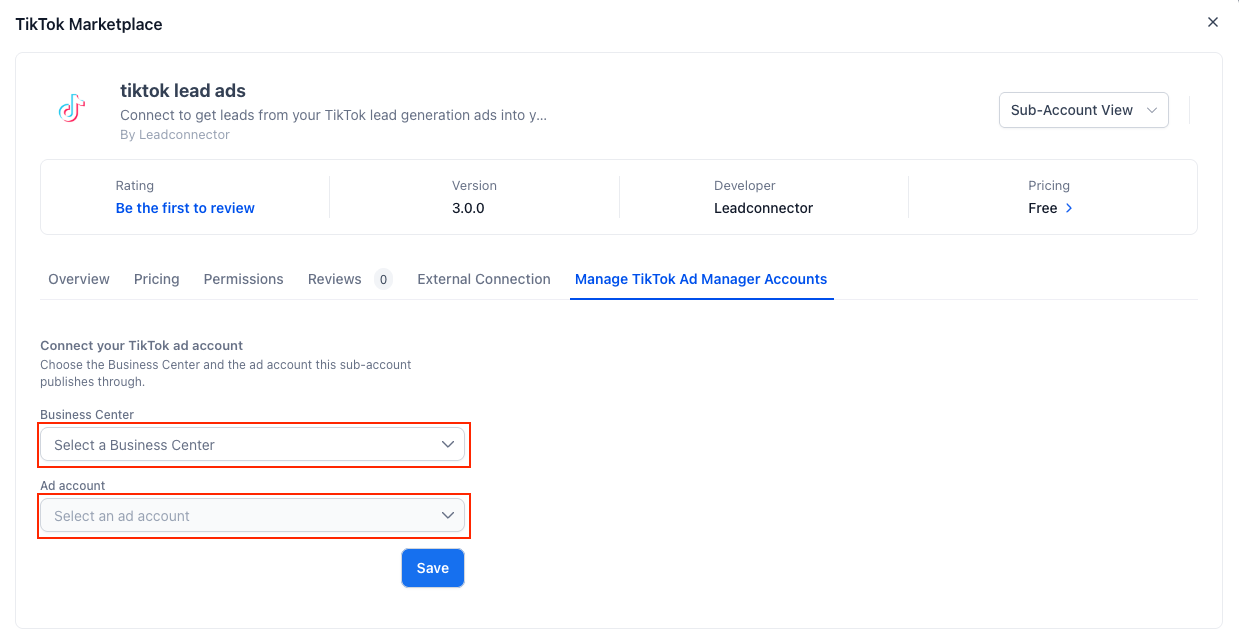
- Choose your Business Center and Ad account from the list, then click Save to finish connecting.
Launch a campaign
- Go to Ad Manager → Campaigns → Create Campaign → TikTok → Start from scratch.
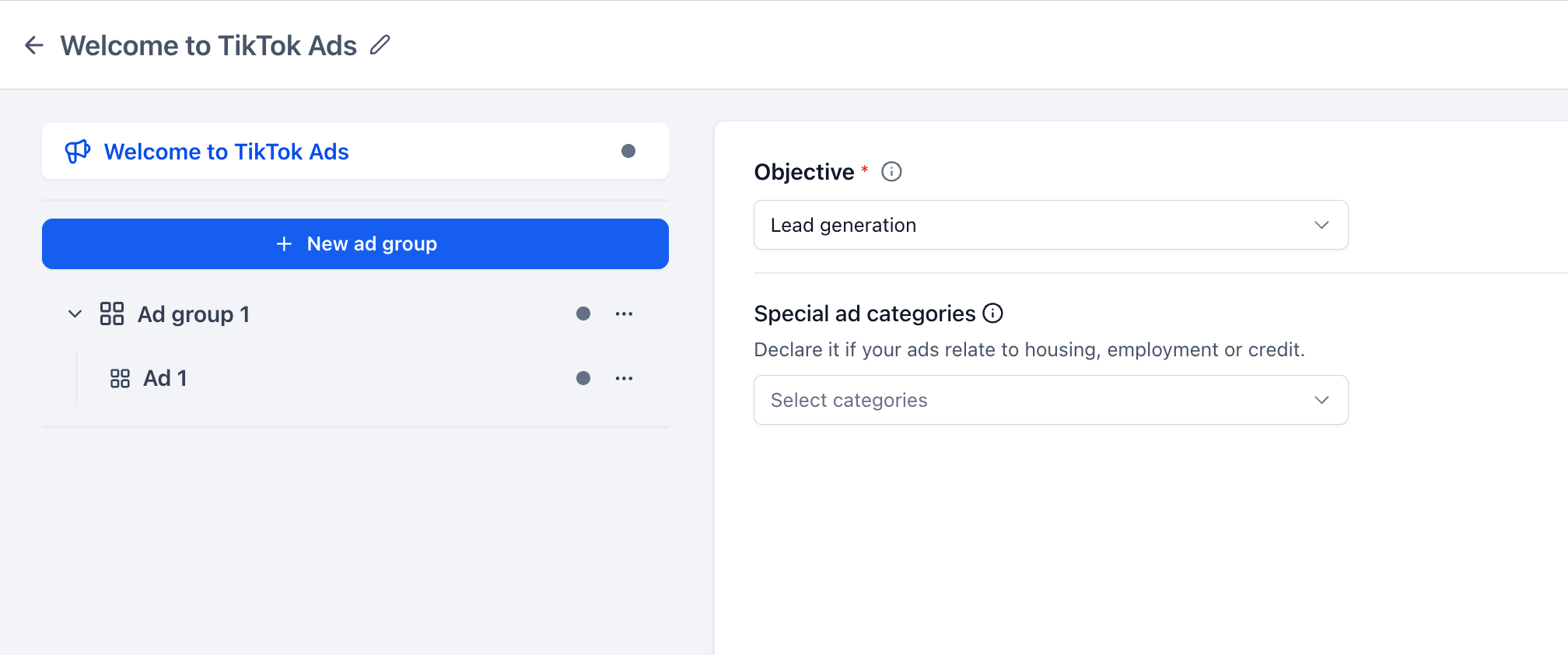
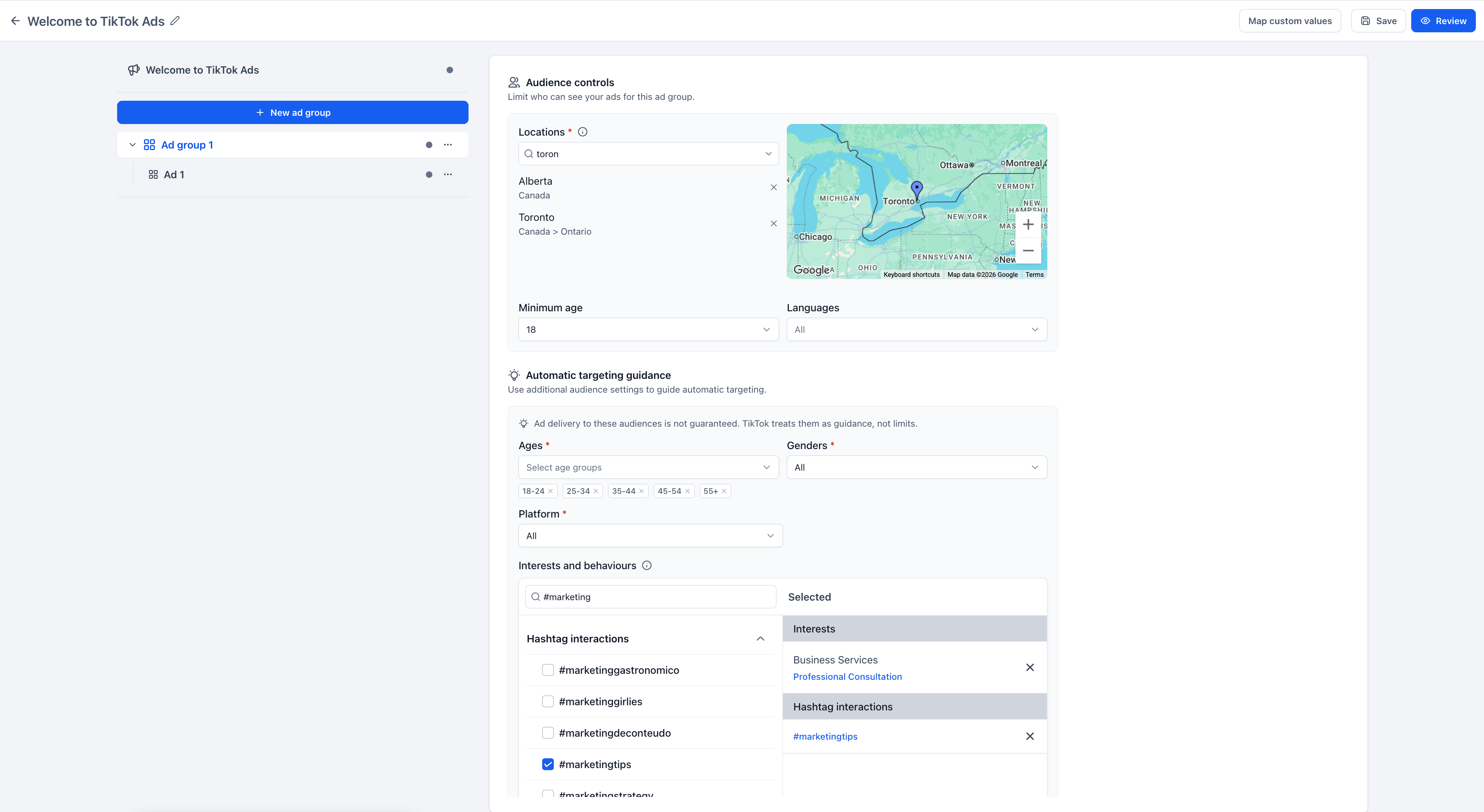
- In the Ad Group step, choose your Conversion location (Instant Form or Direct Messages), then set your budget, schedule and audience targeting.
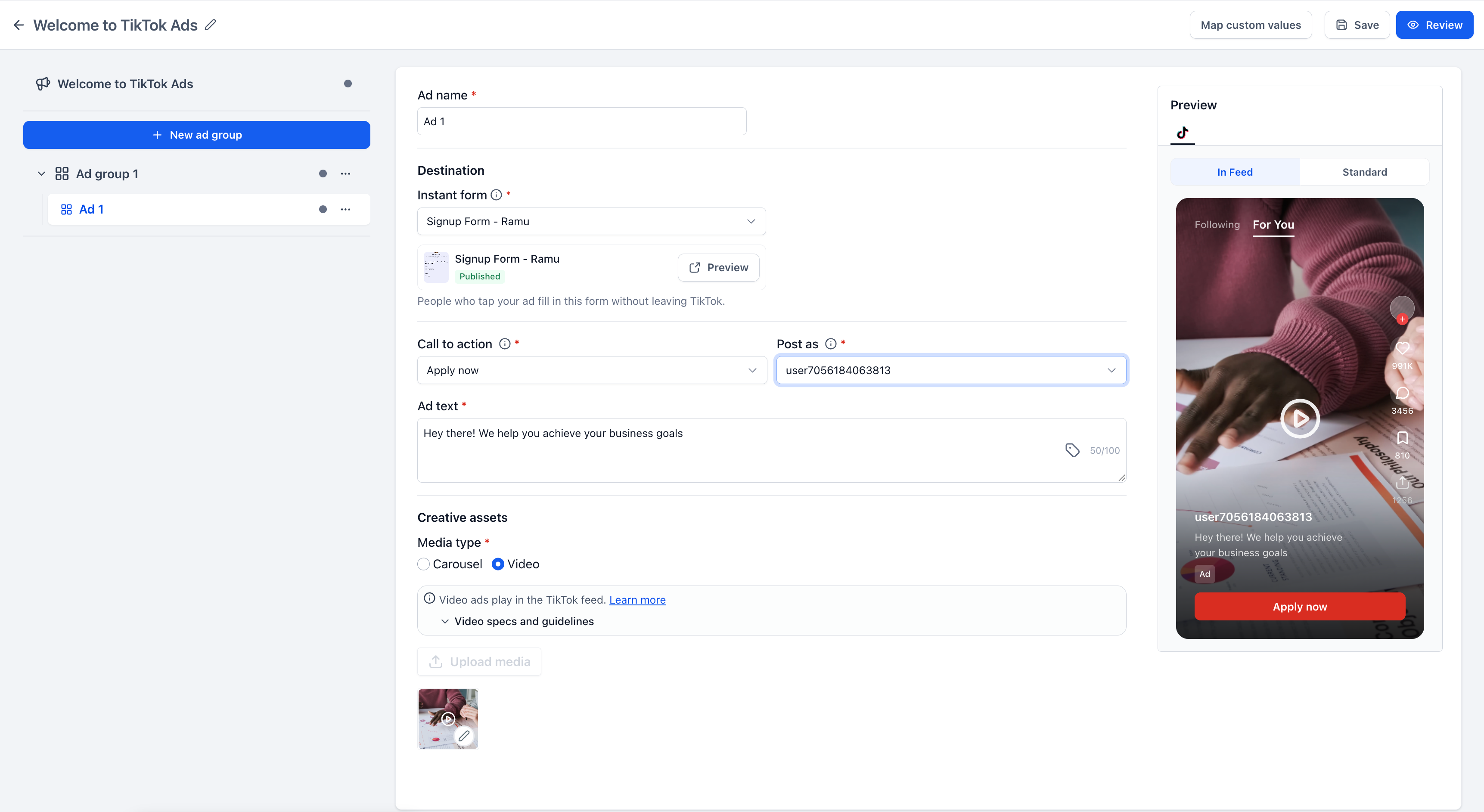
- In the Ad step, select your Destination (Instant Form or Direct Message Template), choose the TikTok account to use, upload your creative assets and add your primary text and call to action.
- Click Review, check your settings, then click Publish.
Note: If you want to use Instant Forms, you must create those forms in TikTok Ads Manager before you can select them in your EveryCatch campaigns.
Why this matters
You can now reach TikTok's audience directly from EveryCatch and turn their scrolling into qualified leads for your business.
- All your paid lead generation in one place: Plan, launch and report TikTok campaigns alongside Meta, Google and LinkedIn in a single workflow.
- Expanded reach across engaged users: Access TikTok's audience and use interest and behavior targeting to focus on the people who are most relevant to you.
- Launch with confidence: Built-in checks highlight missing details, unmapped forms and accounts that are not ready before you publish, so you can fix issues early.
- Manage all your ad spend in EveryCatch: TikTok now sits with your other ad channels, so you can manage budgets and results without switching tools.



