Gamification in EveryCatch Communities now gives you finer control. As an admin, you can define your own levels, decide exactly how members earn points, and align rewards with the behaviors that matter most to your community, all from a single settings page.
What’s new?
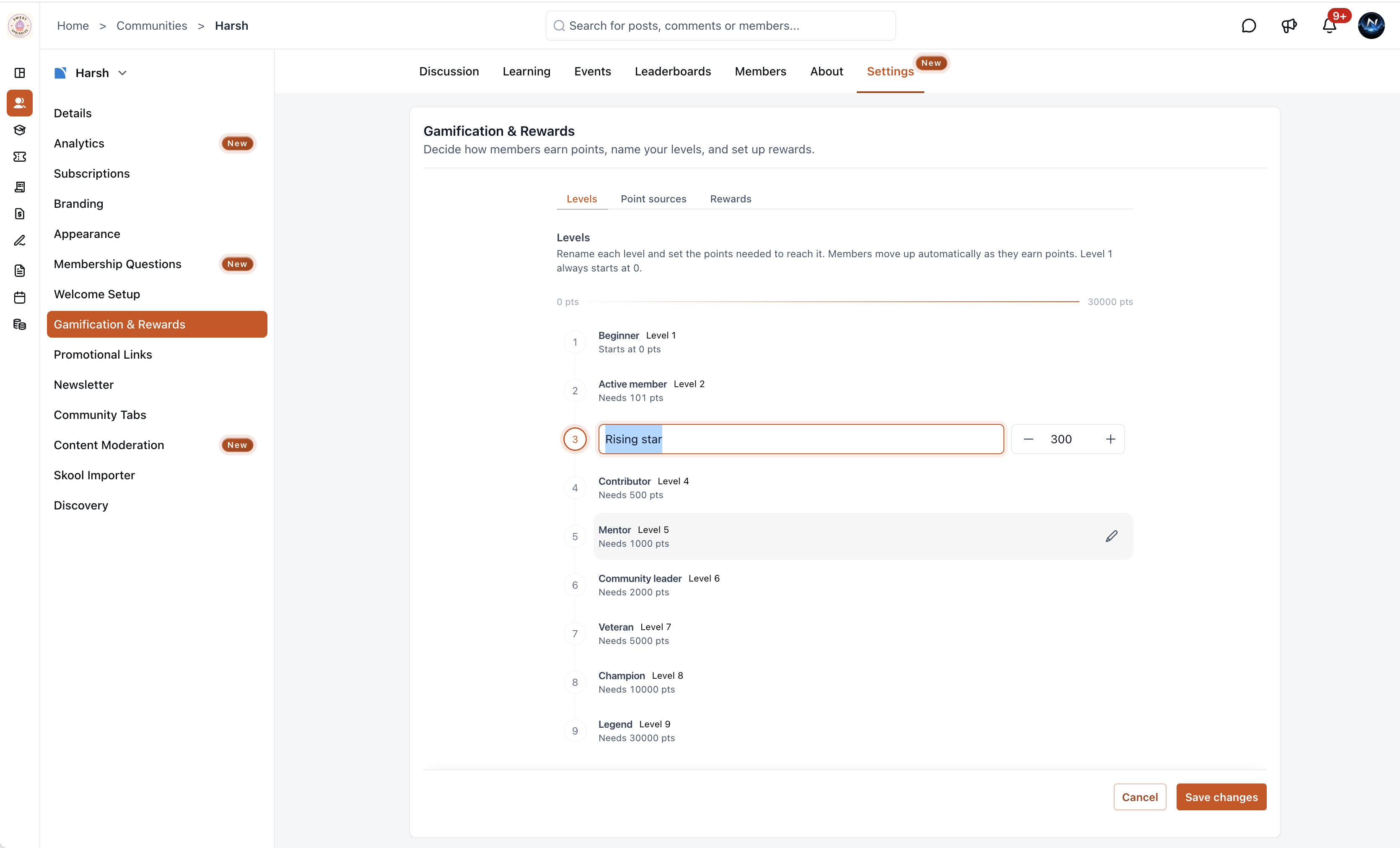
Custom levels
You can set up to 9 levels for your community, each with a custom name and point threshold. Members move through levels automatically as they collect points. The defaults range from Beginner (0 pts) to Legend (30,000 pts), and you can edit both the names and thresholds so they fit your tone, structure, and goals.
Configurable point sources
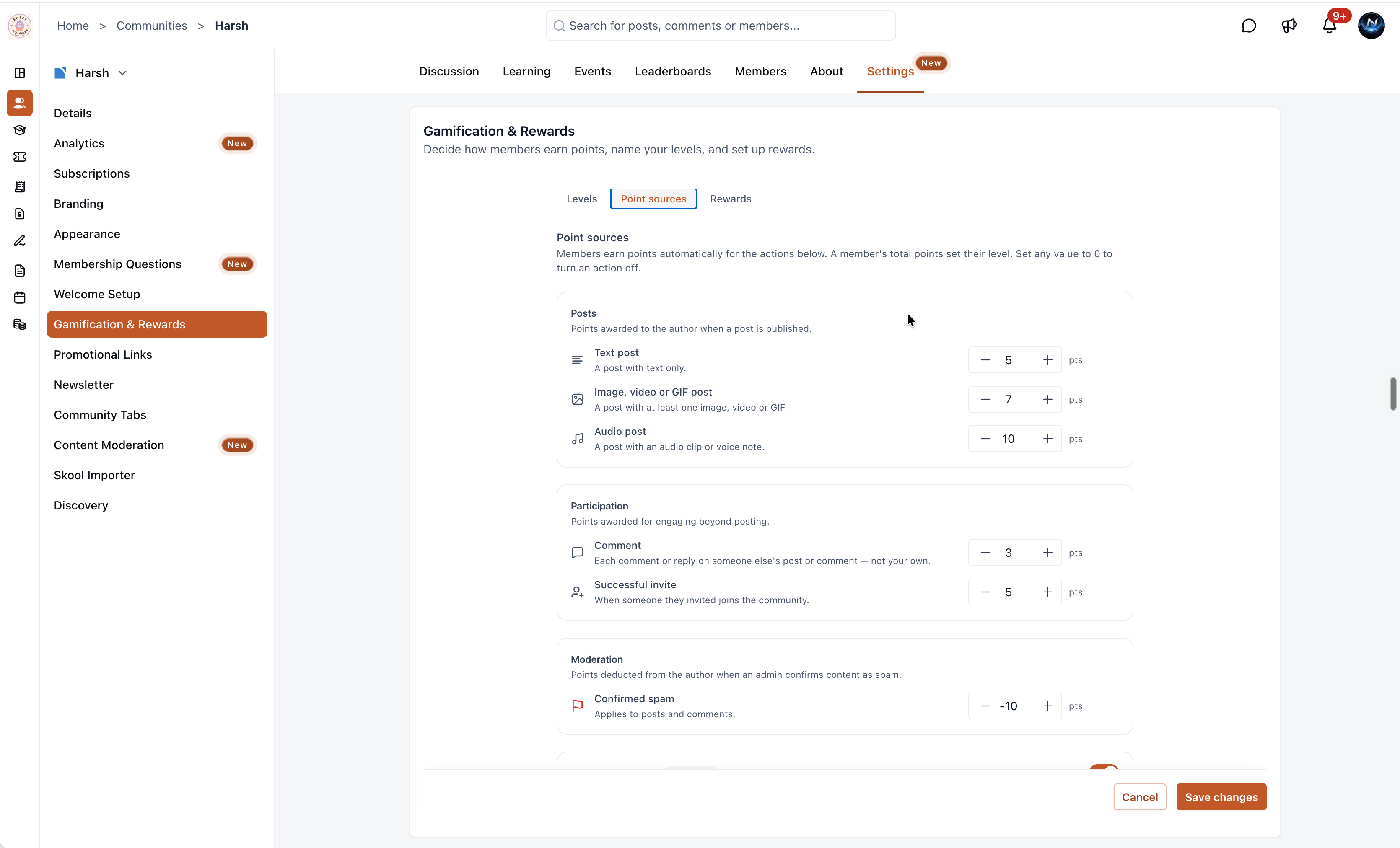
EveryCatch now lets you control exactly how members earn or lose points. In the Point sources tab, admins can assign point values across five categories:
- Posts - Reward members for publishing content and set different point values for text, media, and audio posts.
- Participation - Award points for commenting and for referral invites that are successfully completed.
- Moderation - Deduct points when an admin confirms that a member’s content is spam.
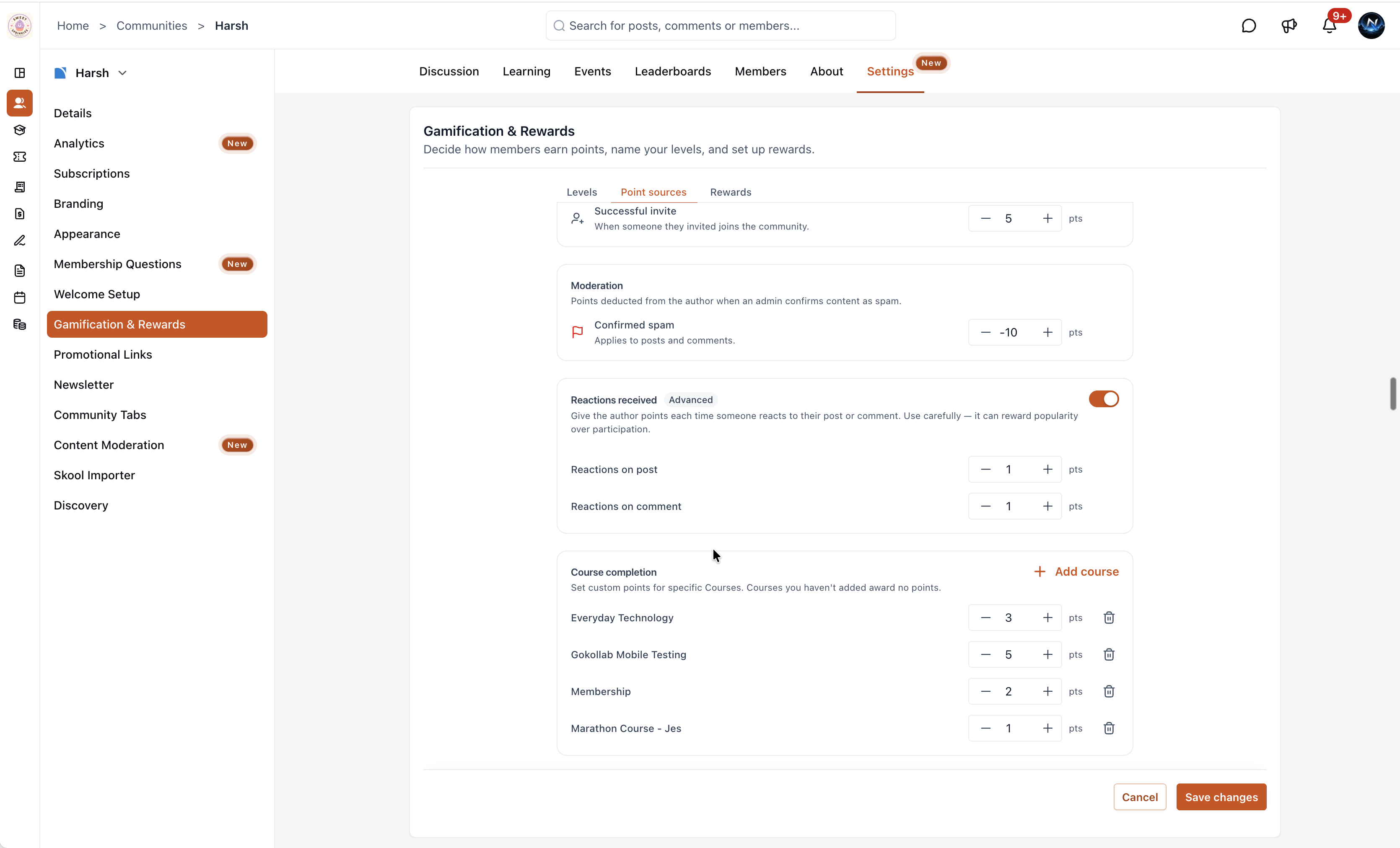
- Reactions received (advanced, toggleable) - Optionally give points when someone reacts to a member’s post or comment. Use this carefully, as it can lean more toward rewarding popularity than activity quality.
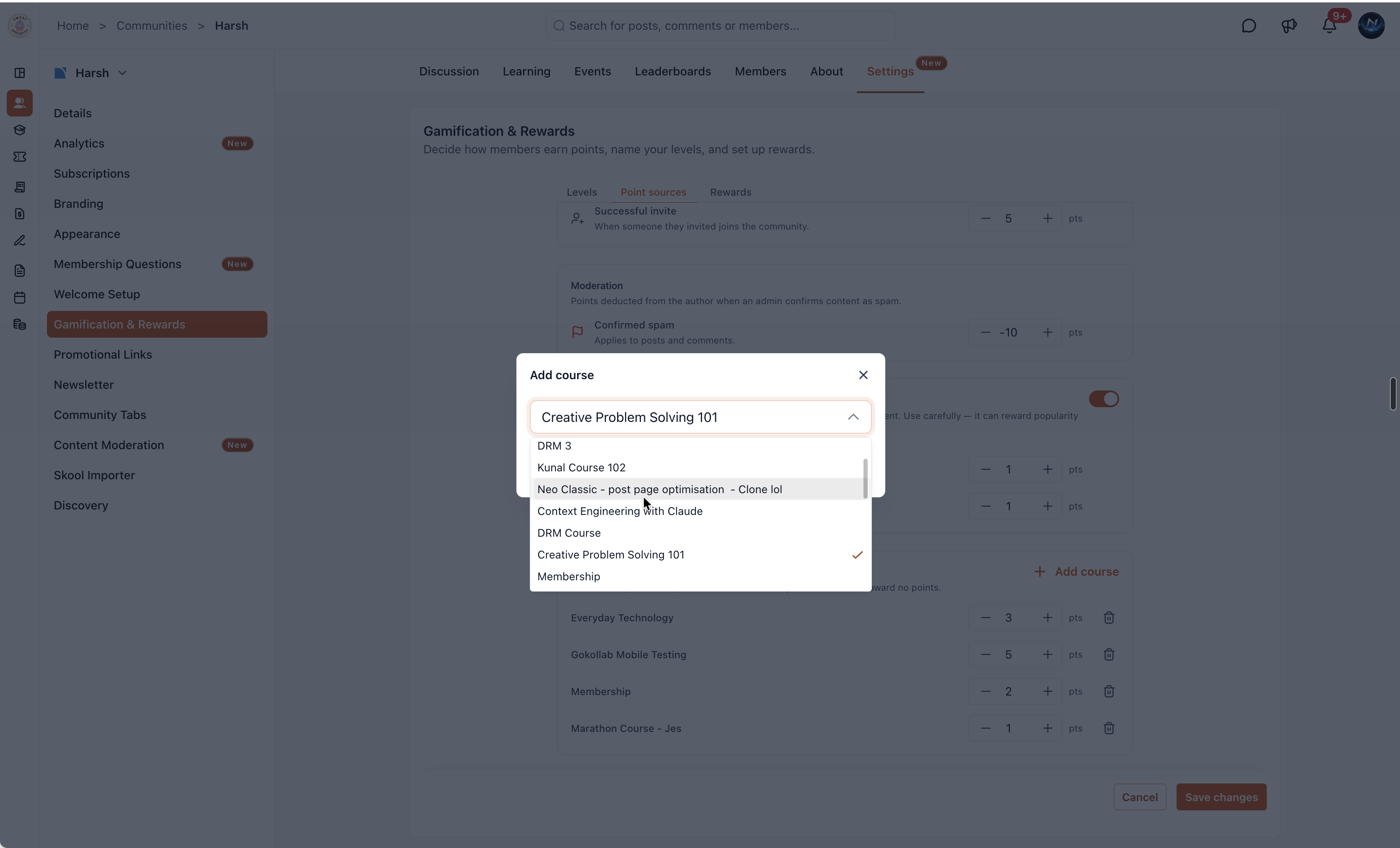
- Course completion - Assign custom point values to specific courses. Use + Add course to choose which courses count and set completion points for each one.
You can set any value to 0 to turn that action off completely so it no longer grants or removes points.
How to configure
- Go to Settings → Gamification & rewards in your EveryCatch account.
- Open the Levels tab to rename levels and adjust the point thresholds so they match your community structure.
- Switch to the Point sources tab to set point values for each action type. Set any action to 0 points if you want to disable it.
- Optionally turn on Reactions received and add specific courses with their own completion point values.
- Click Save changes to apply your new gamification rules.
Why this matters
Strong communities grow when you make it clear which actions are valuable and then recognize the people who take them. Custom levels and point sources give admins a practical gamification toolkit to encourage posting, comments, referrals, and course completions, while discouraging spam. Members can see their progress, level up as they contribute, and have a clear reason to keep engaging with your community.
Notes
- All point values and level thresholds are fully customizable so you can change them as your community evolves.
- Members advance through levels automatically as their total points go up or down based on your rules.
- Course completion points are configured per course. Courses that are not added in the Point sources tab do not award any points.
- The Rewards tab setup experience is being updated and will receive changes in a future release.