You can now pull opportunity details directly into workflows that run from a custom date reminder based on an opportunity date field. Use values such as {{opportunity.name}} in your messages, tasks, and internal notifications without adding a separate Find Opportunity step.
What’s improved?
- Opportunity values are available directly: When you add custom values, open the Opportunity menu in the value picker to use opportunity fields, including your custom fields, without any extra setup.
- Notify the right people: In Internal Notification actions, you can now pick the Owner of the opportunity or choose Opportunity followers so the right team members stay updated at the right time.
- Fewer steps to maintain: Build date-based reminders that use the opportunity tied to the workflow enrollment, so you do not need an additional lookup step to find the related opportunity.
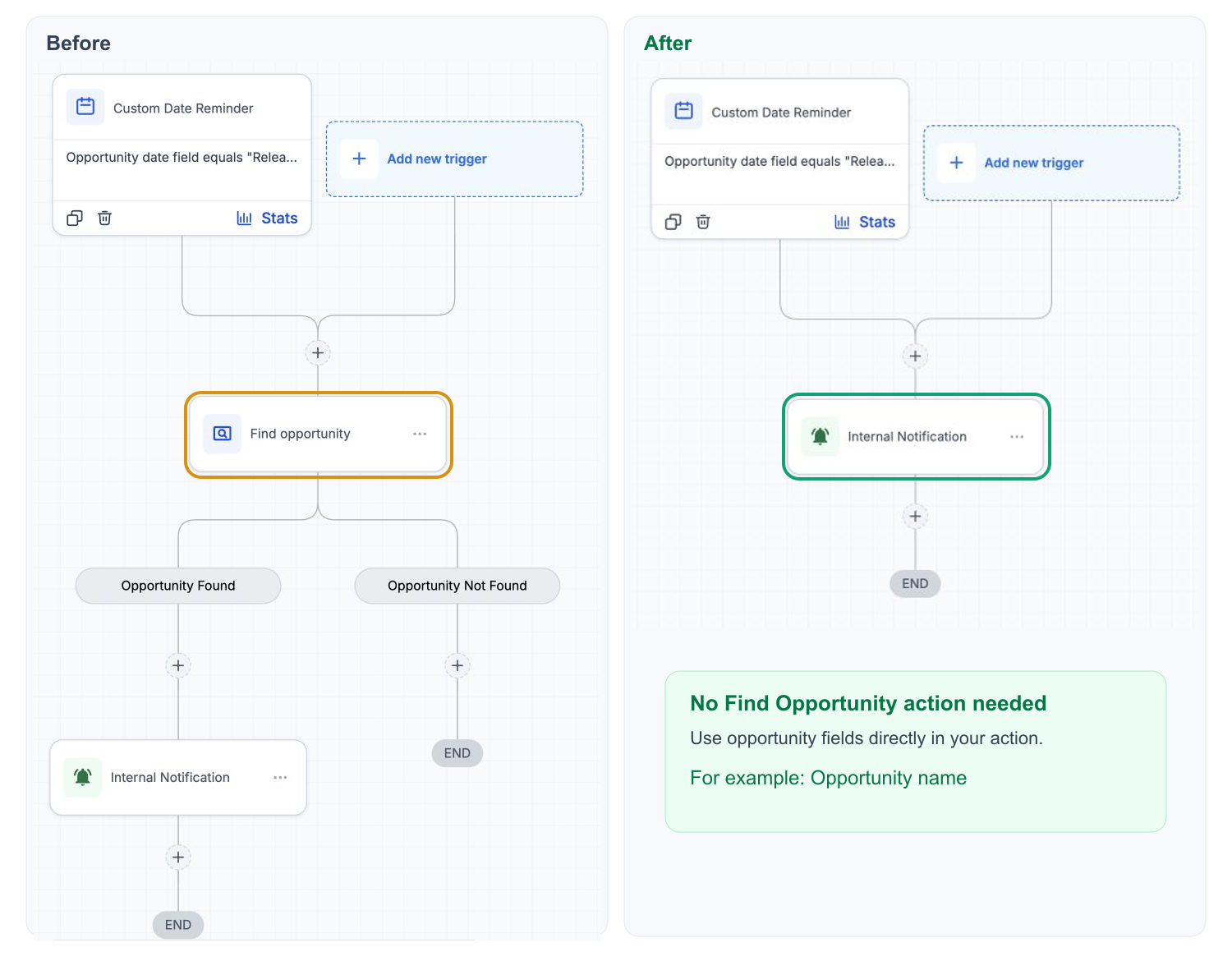
Example
For a reminder based on an opportunity’s contract review date, you can set the subject or message to something like: Review {{opportunity.name}} and confirm the next steps.
This behavior applies when the custom date reminder is configured on an opportunity date field. Workflows that use custom date reminders on contact date fields continue to work as they do today.
Note: This update is fully backward compatible. All of your existing workflows continue to run as before without any changes required.