Overview
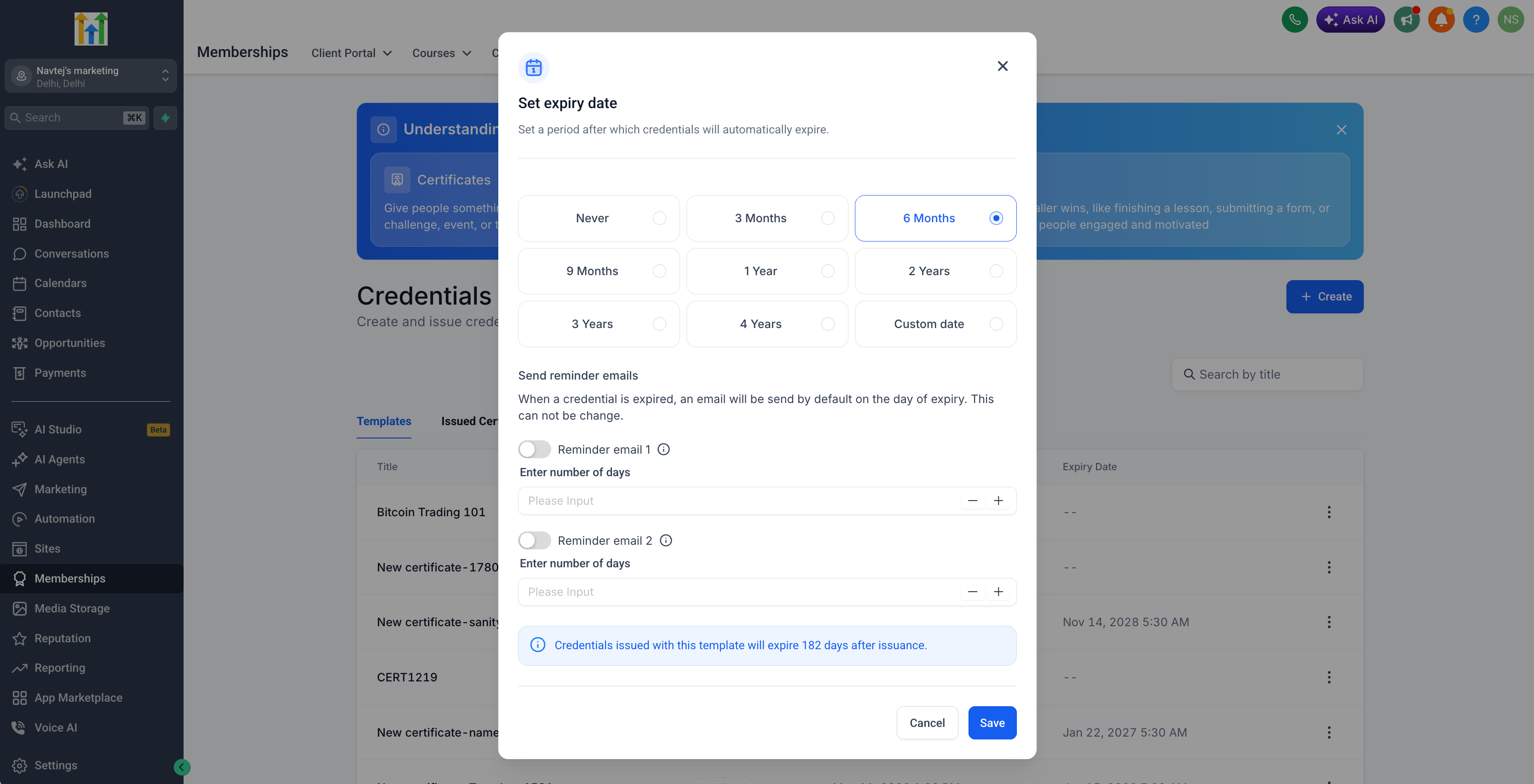
EveryCatch now lets you set custom expiration rules for your certificates and templates, so you can decide exactly how long issued credentials stay valid. You can keep them active indefinitely, choose a specific calendar date, or set a duration that runs for a set number of months from the issue date.
Key highlights
- Choose an expiry option: never expire, a fixed calendar date, or a time period based on the issue date
- Use relative duration options of 3, 6, 9, 12, 24, or 36 months from the date the credential is issued
- Set reminder offsets so recipients get notified before their credential expires
- Rely on timezone-aware expiry calculations and reminder scheduling for accurate timing
- See expiry settings clearly in your credential and template lists, as well as in the edit modals
Why this matters
- Give creators flexible, consistent expiry rules so they do not need to manage manual follow-ups
- Cut down on unexpected expirations for recipients by sending clear, timely reminders
Getting started
- Open a certificate or credential template in EveryCatch
- Configure expiration as either never, a fixed expiry date, or a number of months from the issue date
- Optionally add reminder offsets so recipients are contacted in advance of expiry
- Issue new credentials; each one will calculate and store its expiry date based on the template settings you chose