
Understanding how learners interact with your videos is now much clearer. With course video analytics in EveryCatch, you can track how each video performs, see where learners drop off, and use AI-powered recommendations from Course AI to refine your content and support stronger engagement.
What changed
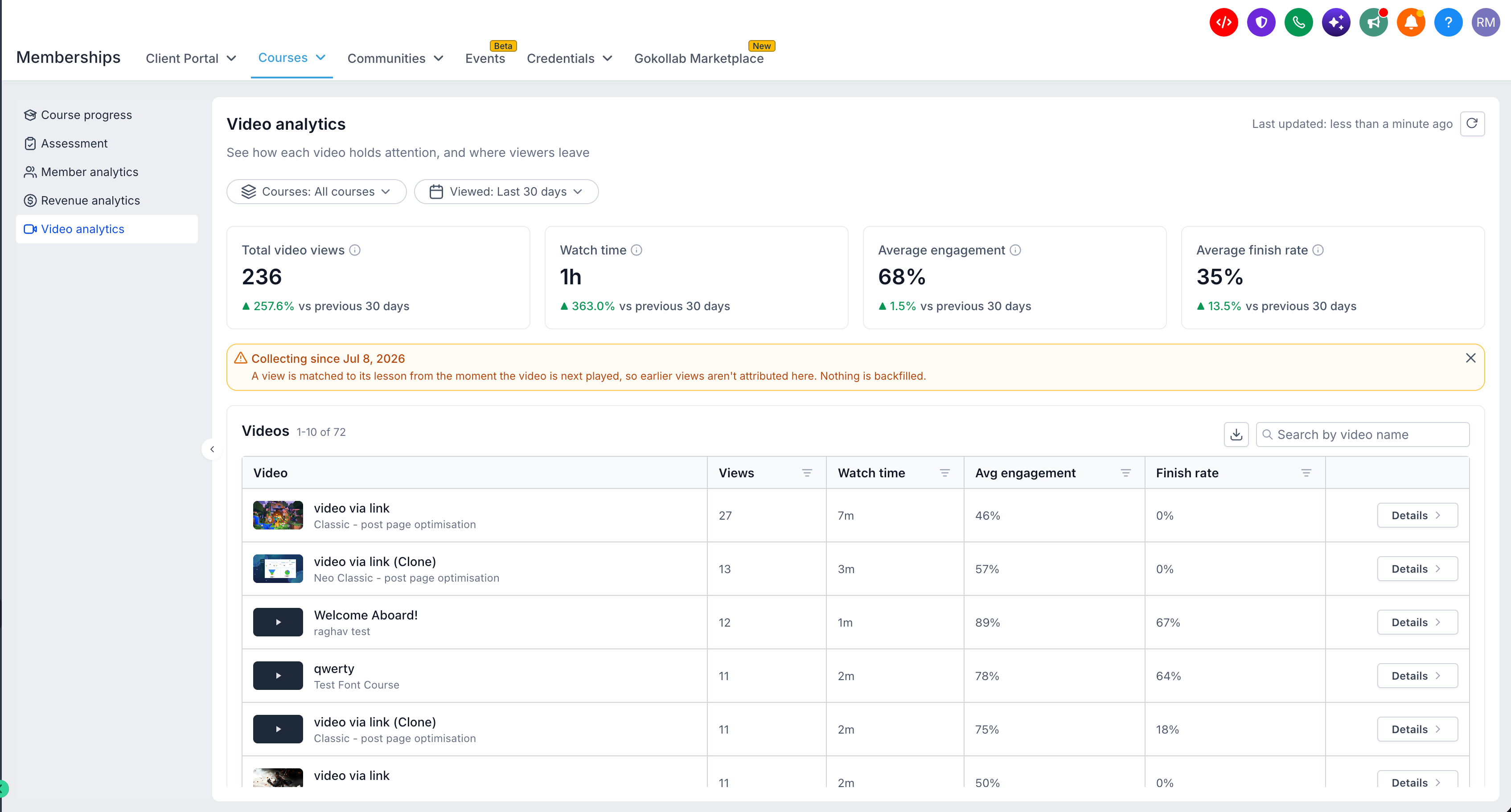
- Video analytics dashboard - Track views, watch time, average engagement, and finish rates across all your course videos, and compare performance across different time periods.
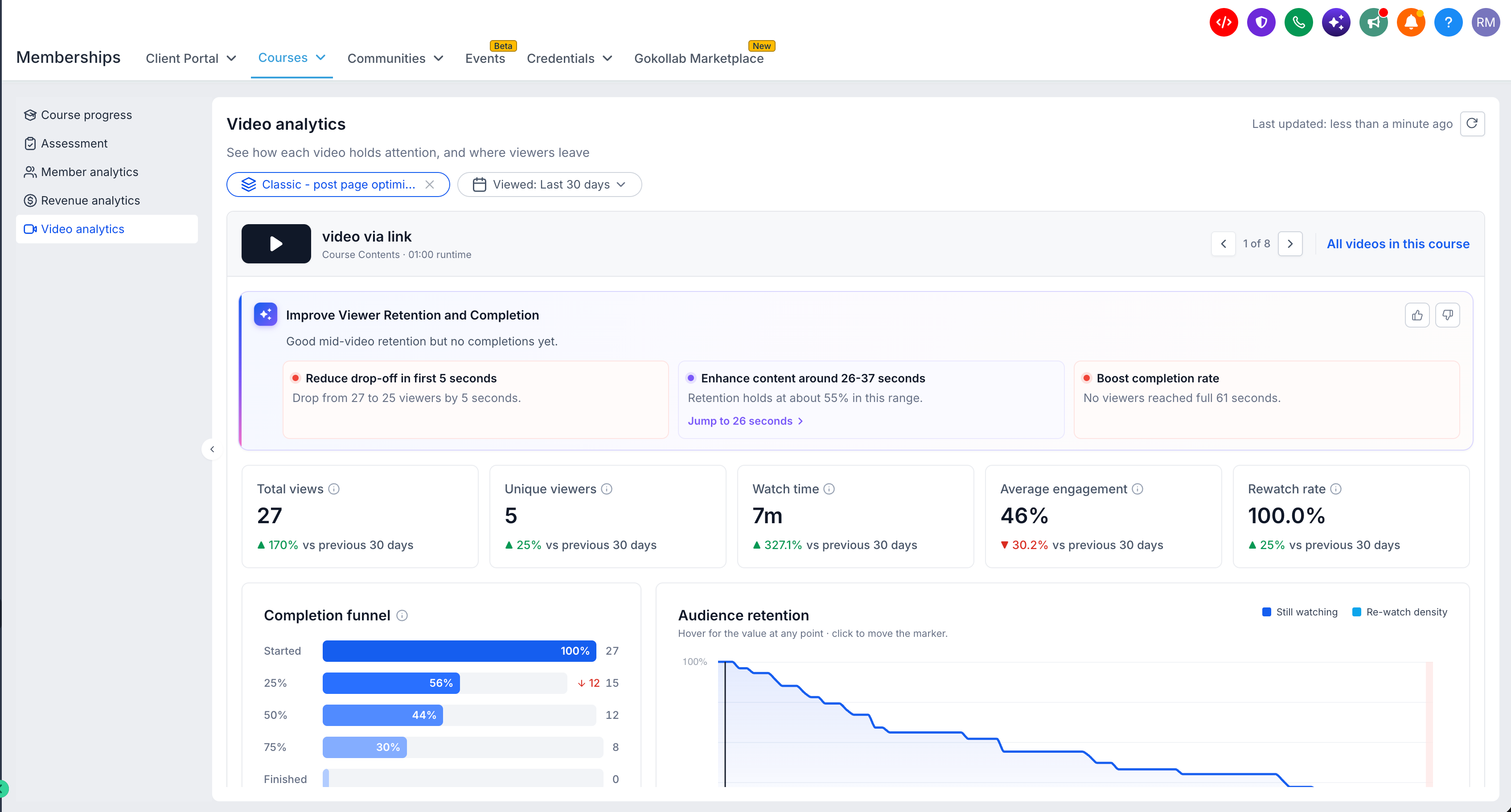
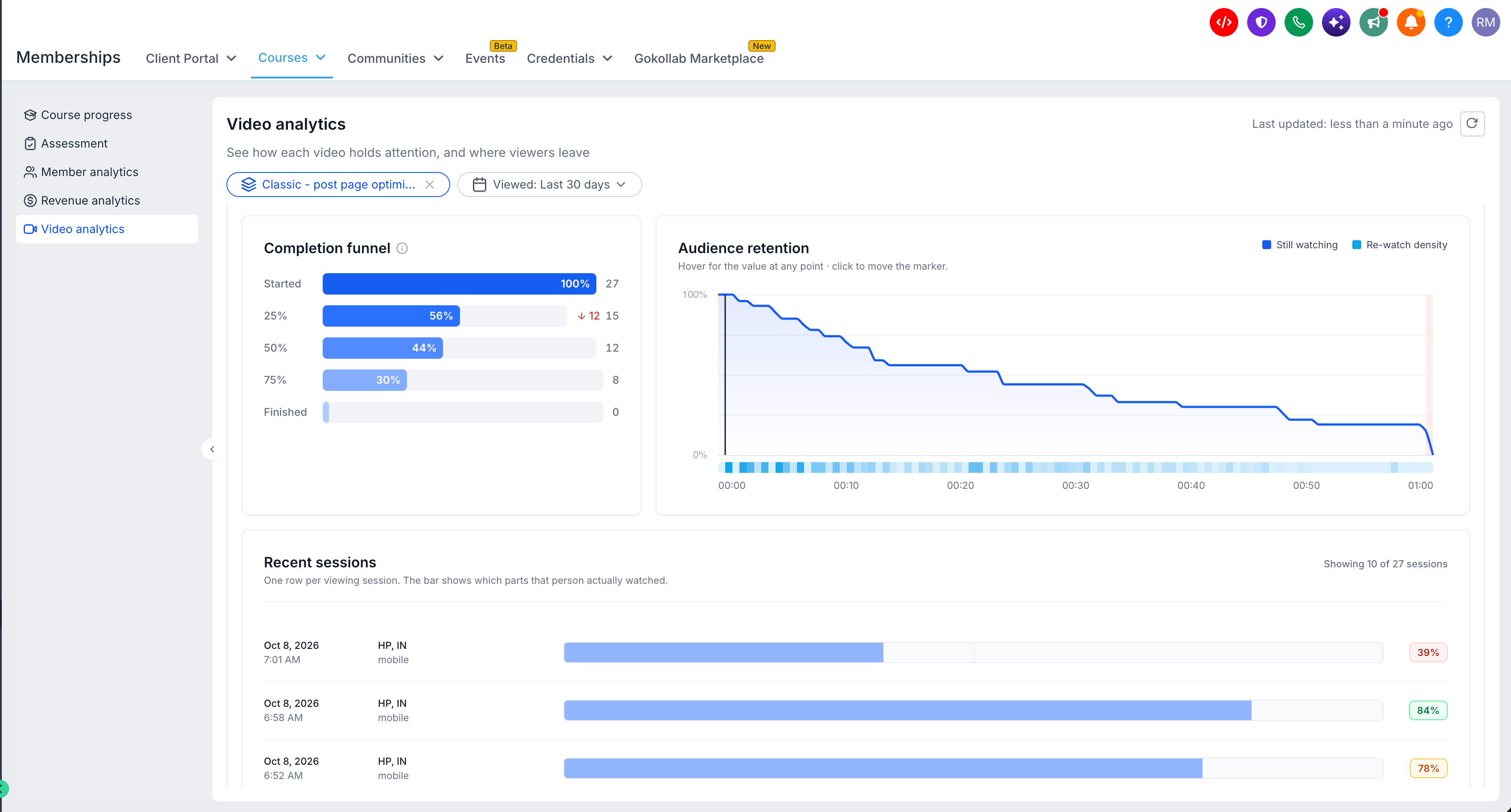
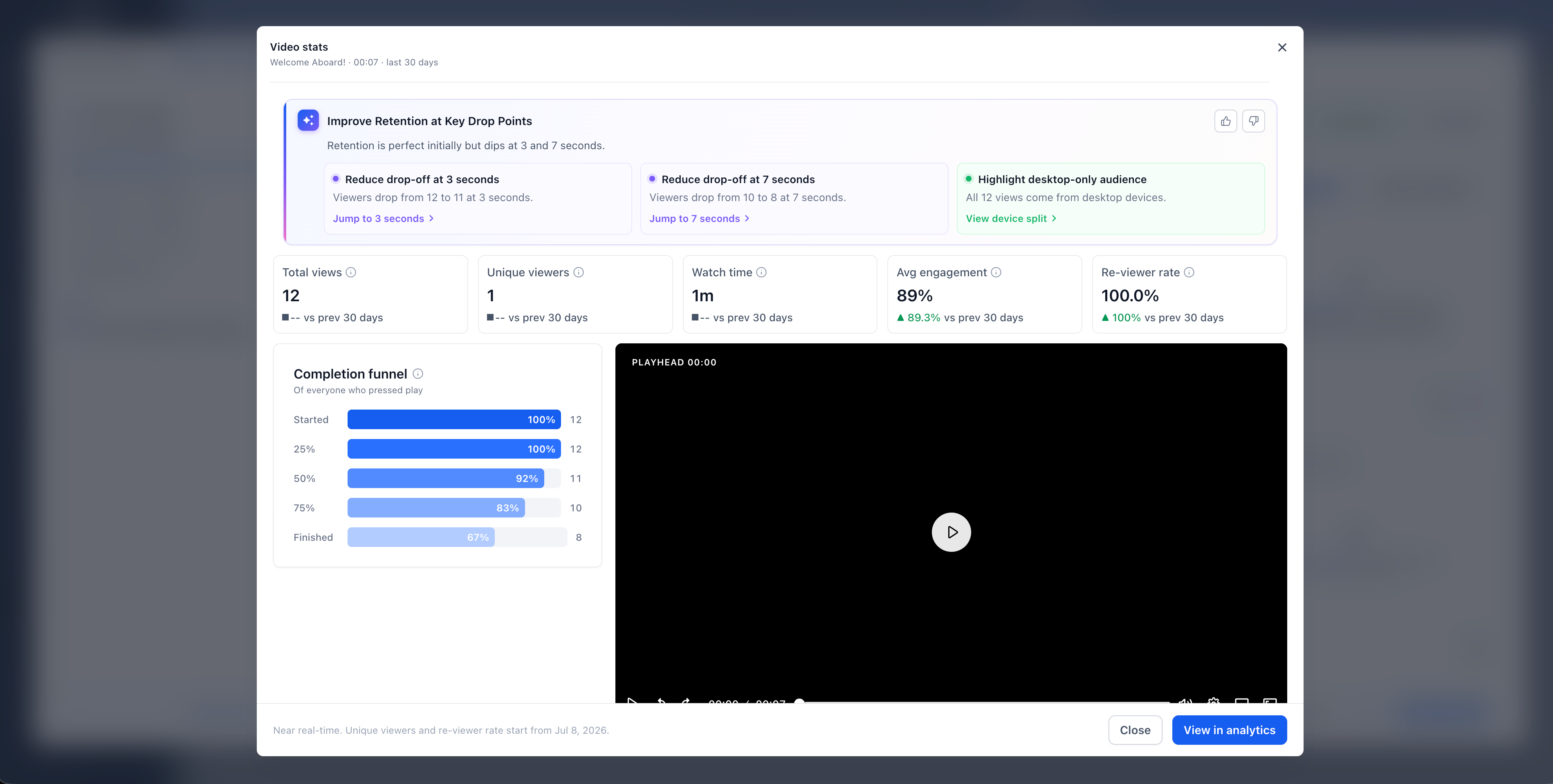
- Detailed video insights - Open any individual video to see unique viewers, rewatch rates, completion funnels, and how viewing behavior changes over time.
- Audience retention heatmaps - See where learners stop watching, skip ahead, or replay specific sections of your videos so you can adjust content at the right points.
- AI-powered insights with Course AI - Get practical recommendations that highlight engagement patterns, drop-off points, and opportunities to improve, based on your actual video performance data.
- Audience breakdown - Understand how learners watch your videos across devices, countries, and regions so you can tailor content and delivery.
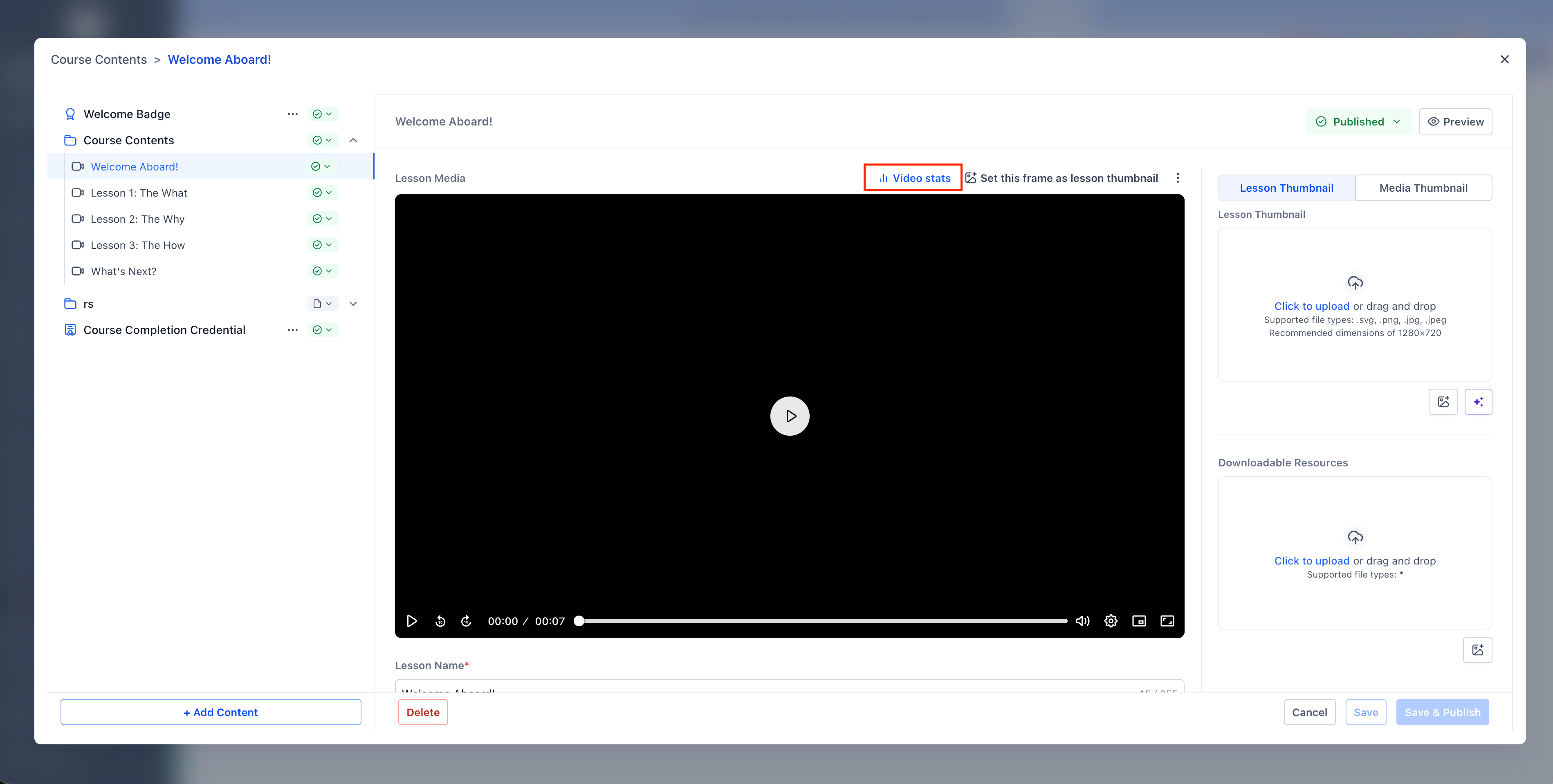
- Analytics within the lesson editor - View key video metrics from the last 30 days directly inside the lesson editor while you update your content.
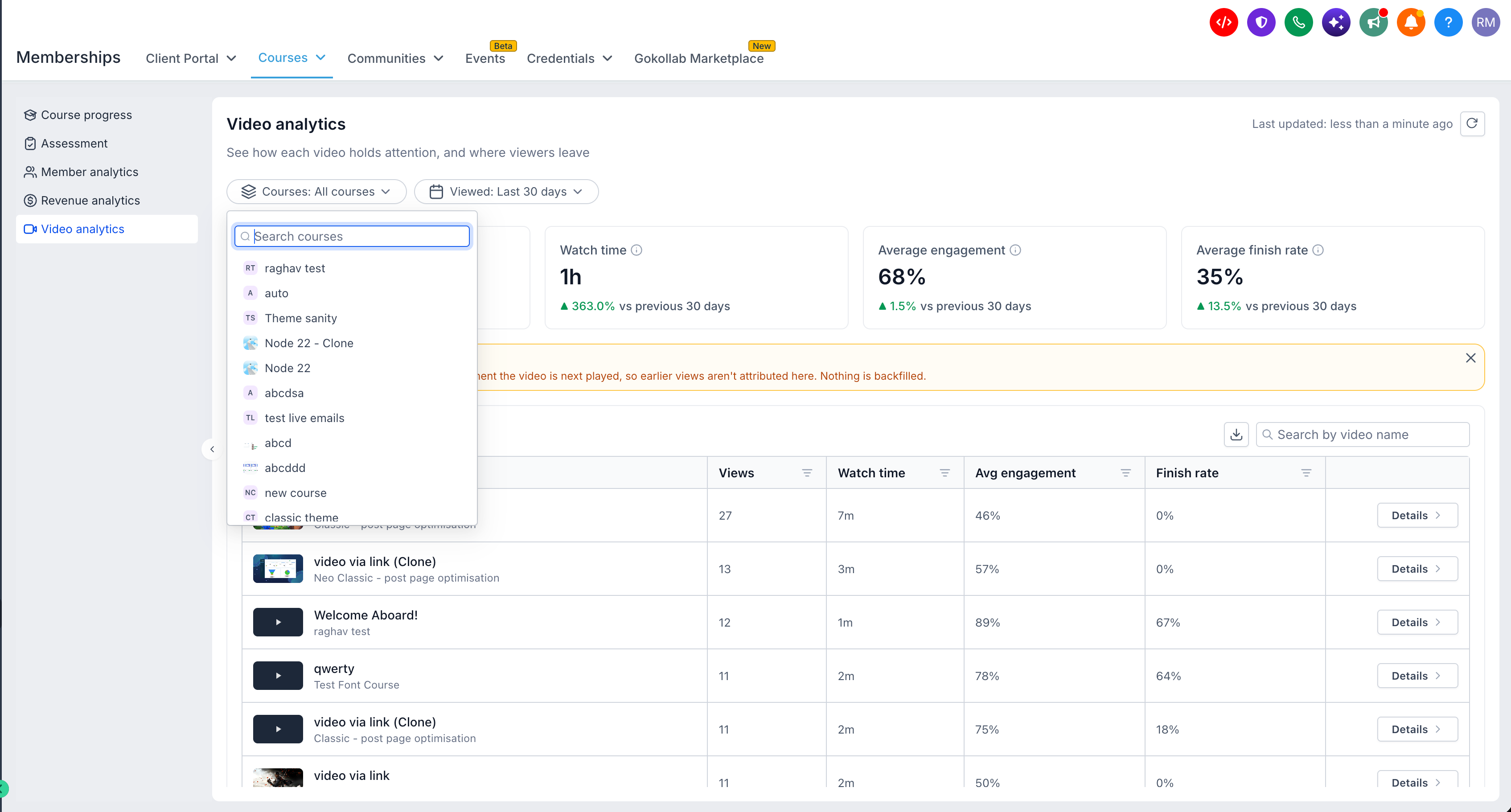
- Flexible filters & exports - Filter analytics by course and date range, search for specific videos, and export performance reports for deeper analysis or sharing with your team.
Why it matters
Previously, creators using EveryCatch had very limited visibility into how learners engaged with their video lessons beyond basic view counts.
With course video analytics, you can now see whether someone watched a video, how they watched it, where attention drops off, and which sections keep learners engaged the longest.
When you connect these analytics with Course AI, you receive clear, data-backed guidance to adjust your lessons, improve engagement, and design more effective learning experiences over time.
What you'll benefit from
- Identify drop-offs - Quickly find the exact moments where learners lose interest so you can tighten, clarify, or reorder content.
- Improve video engagement - Compare videos to see which lessons perform strongly and which ones may need updates or re-recording.
- Make data-driven improvements - Turn AI suggestions and performance metrics into specific changes to scripts, pacing, and structure.
- Understand your audience - See how different devices and locations influence viewing habits so you can plan content and delivery formats with more confidence.
- Save time - Review key video metrics and AI recommendations inside EveryCatch instead of pulling data from separate tools.
Getting started
- Go to Labs → Subaccounts → Video analytics and enable the feature for the subaccounts that need it.
- Open Memberships → Courses → Analytics → Video analytics.
- Review video performance across all your courses, or select a specific video to see detailed engagement and audience insights.
- Use retention heatmaps, completion funnels, and core engagement metrics to decide where to trim, expand, or clarify content.
- To enable AI-powered insights, join the Course AI beta and connect it with your course video analytics.
Availability: Video analytics in EveryCatch is currently available under Labs. AI-powered insights are only available if you have access to Course AI.
Note: Analytics currently supports videos uploaded natively in Courses. Desktop viewing data is available from July 4, 2026, and mobile viewing data from September 18, 2026. Historical views before these dates are not included in the reports.



