You can now price every menu item in the same currency your guests use to pay.
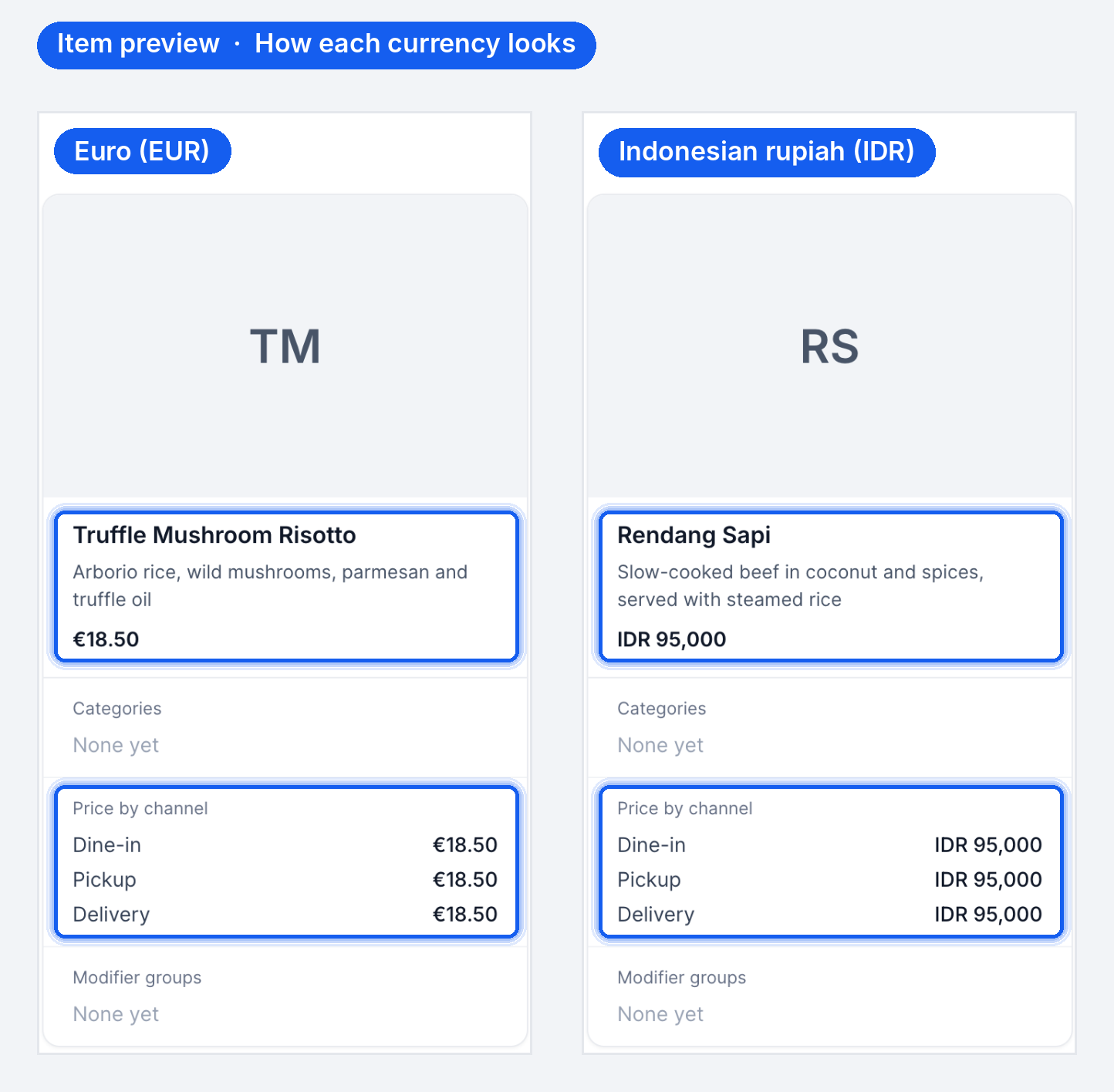
When you add a new item, EveryCatch now lets you choose its currency right next to the price. A risotto in Europe can show as €18.50, and a rendang in Indonesia can show as IDR 95,000.
What changed
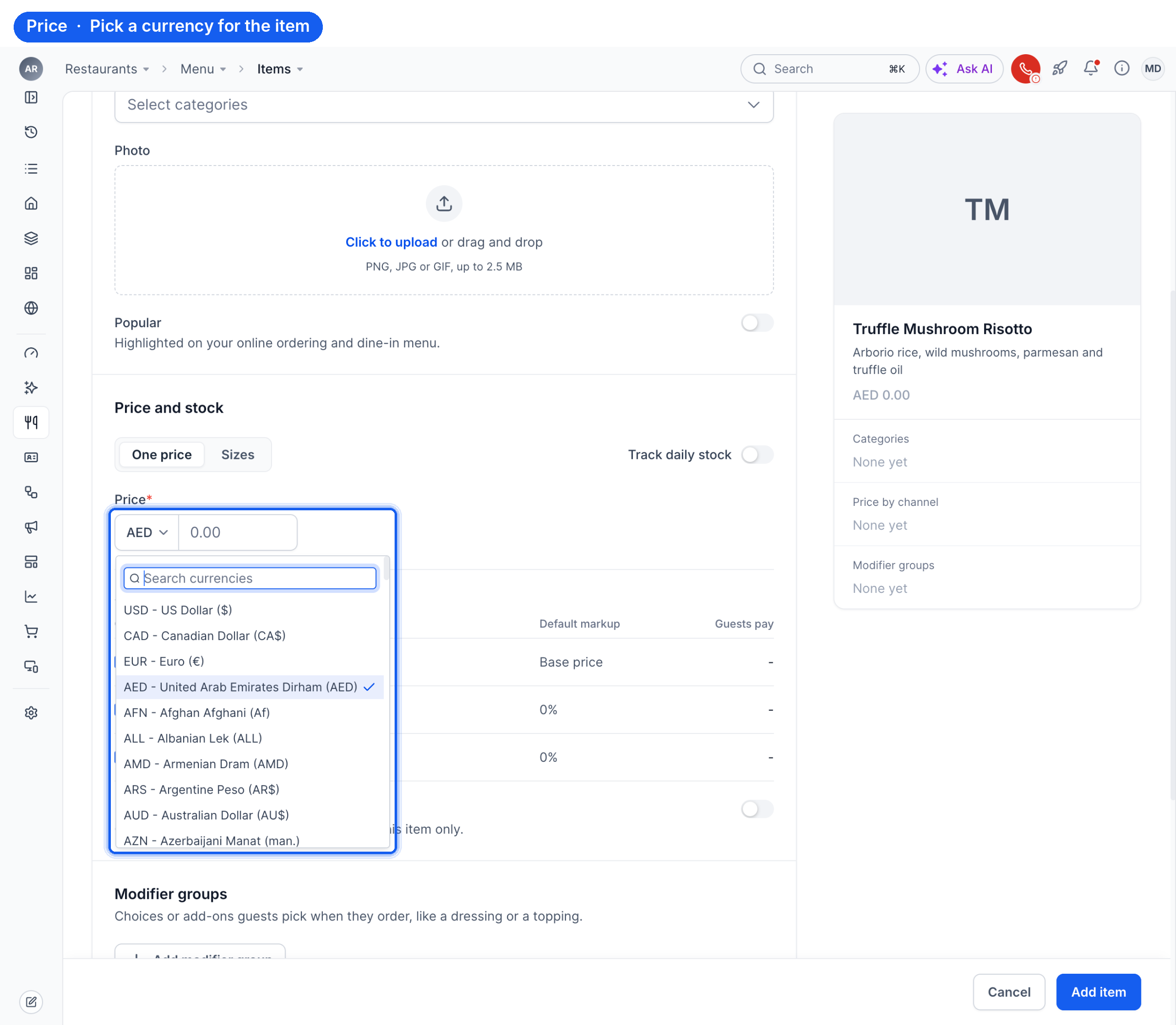
- Currency next to the price: Search by code or name, like EUR or rupiah, and choose the one you need for each item.
- Live preview: See the price in the selected currency as you type it in.
- Shared across channels: Dine-in, Pickup, and Delivery all use the same currency for that item.
- Clear formatting: Each currency shows in the expected format, like €18.50 or IDR 95,000.
- Locked after saving: Once you save the item, its currency is fixed so the price does not move to a different currency by accident.
How to get started
- Go to Restaurants → Menu → Items and click Add item.
- Under Price, open the currency dropdown and pick the currency you want for this item.
- Enter the price, confirm the preview looks right, then click Add item.
Why it matters
- Fits each market: You can price menu items in the currency that makes sense for the location you are serving.
- Fewer pricing errors: You see the price exactly as guests will see it in that currency before you save.
Availability
This feature is available for agencies using Restaurants on the Founder's plan in EveryCatch.
Your menu, your currency, priced clearly for your guests.