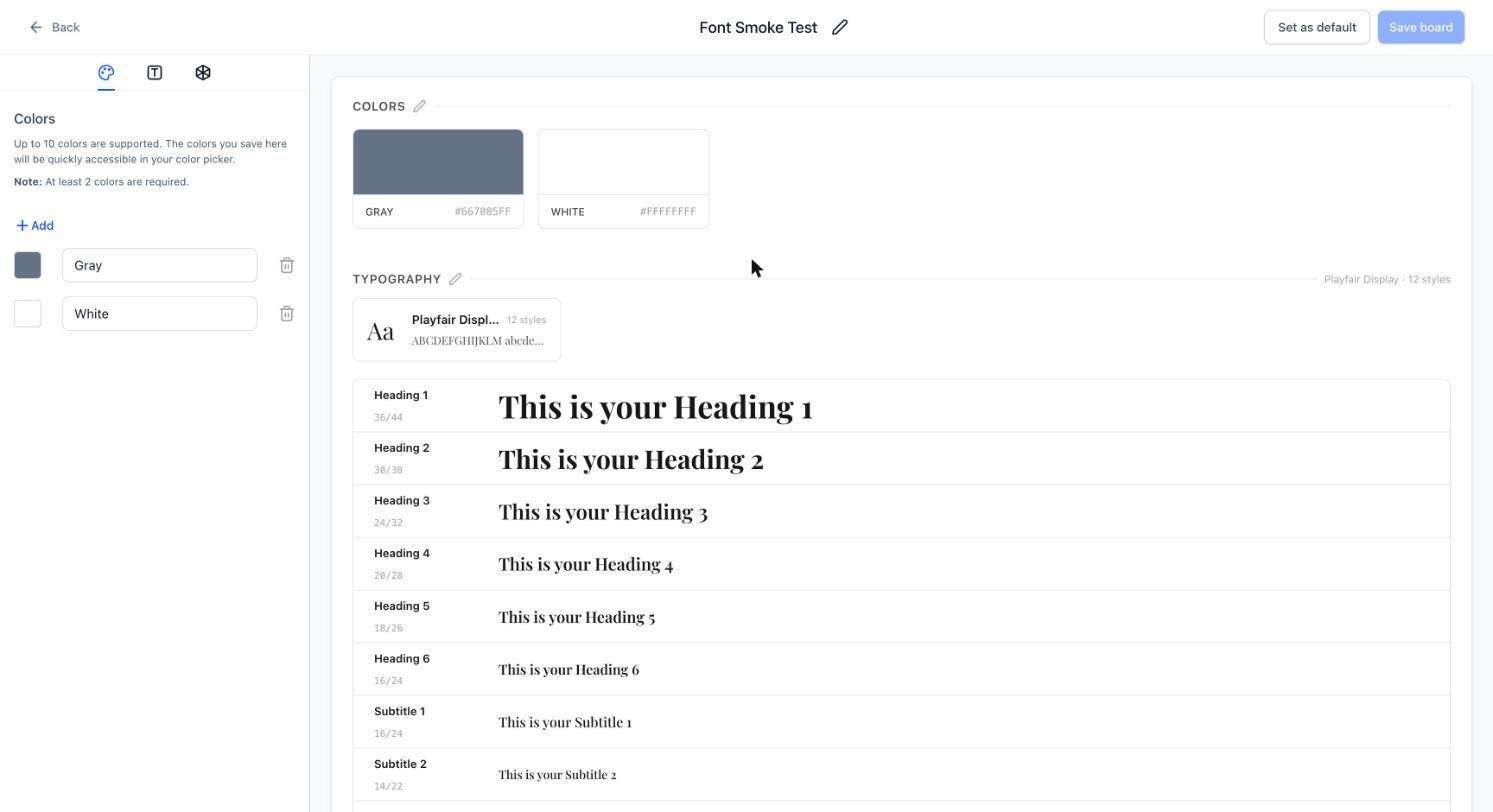
Your branded mobile apps can now reflect your brand typography more closely. With brand board font support in EveryCatch’s client app builder, you can bring your brand’s heading and body fonts directly into your mobile apps so your website, funnels, client portal, and mobile app all share the same look and feel.
What changed
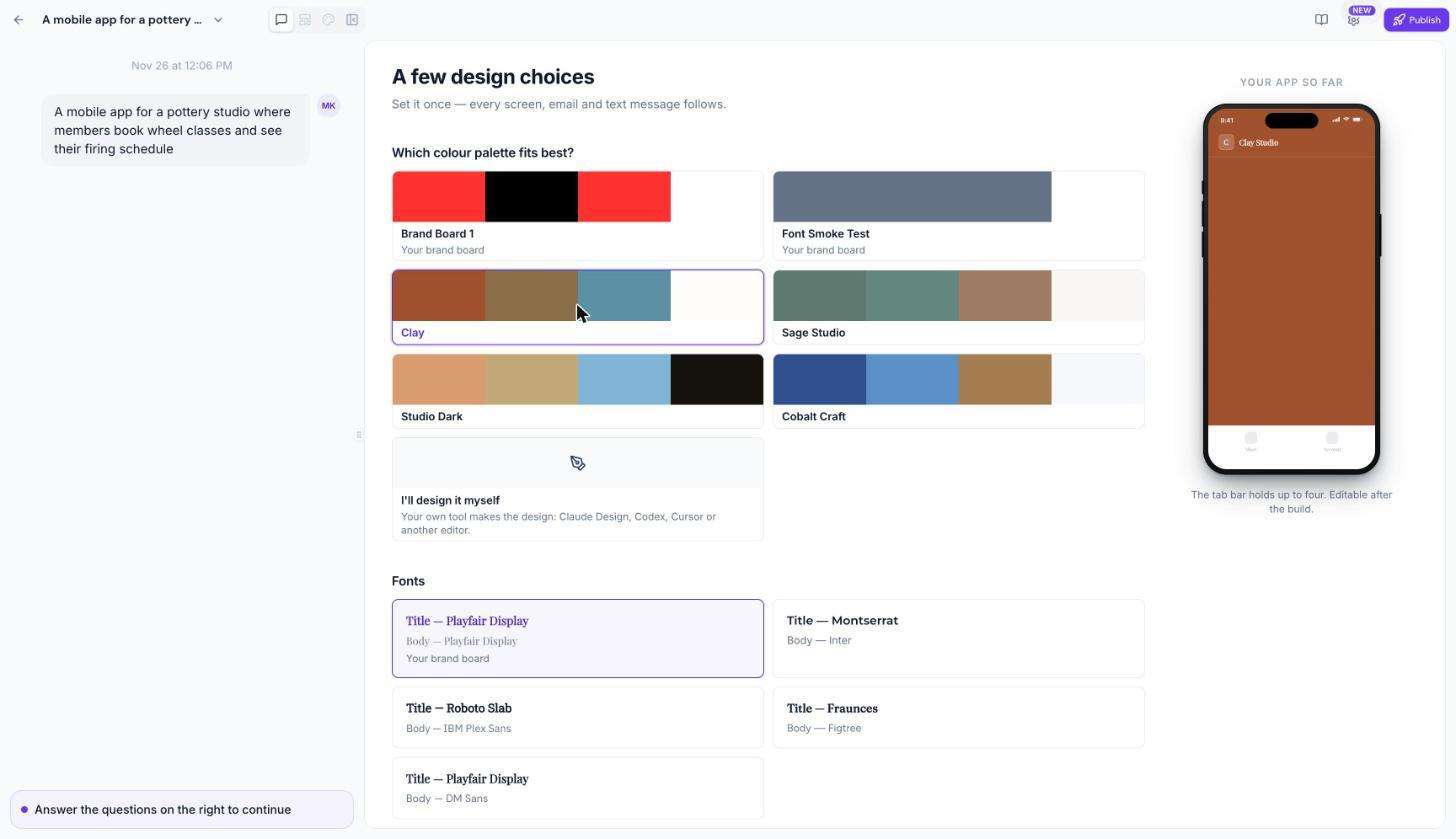
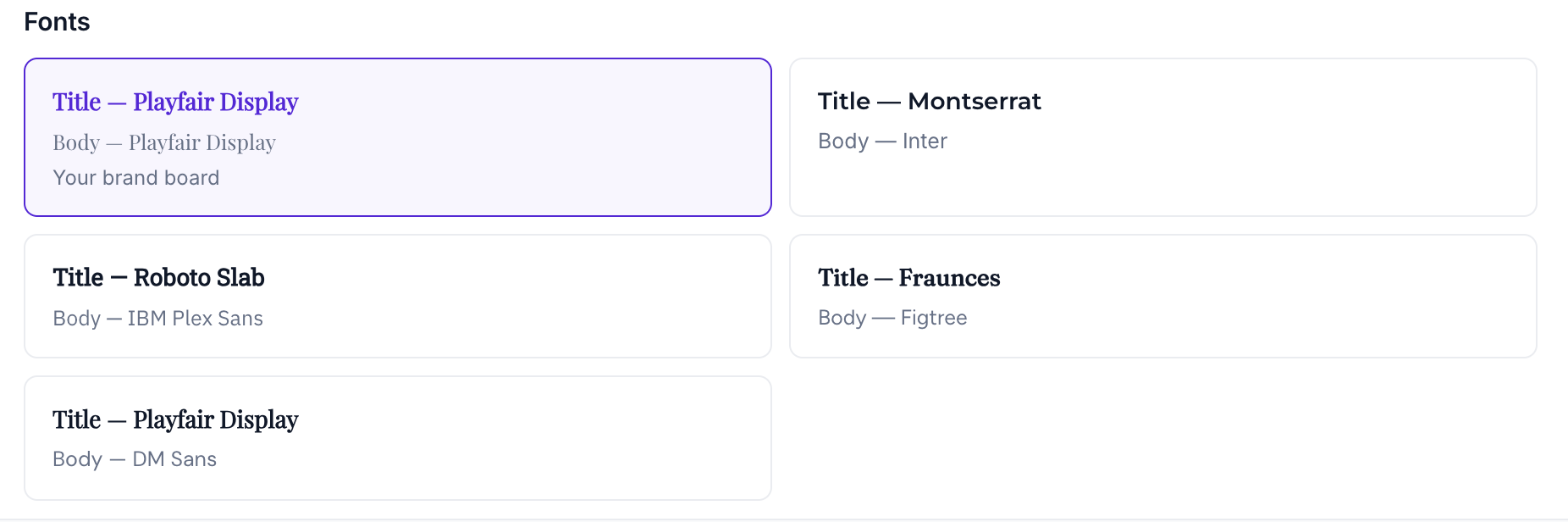
- Brand board fonts in design selection – Your brand board’s heading and body fonts now appear as a recommended option during the “A few design choices” step, so you can pick them with a single click.
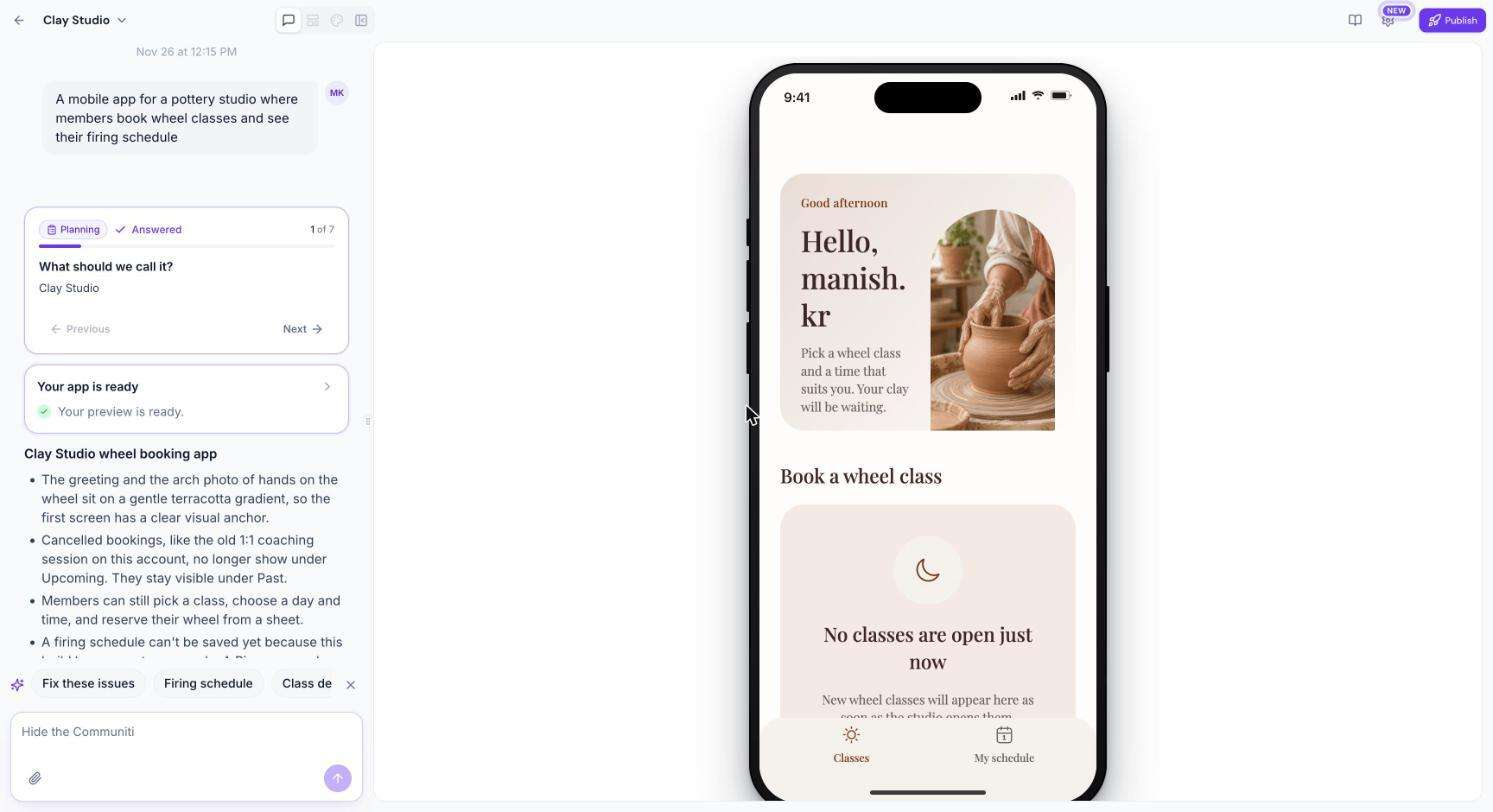
- Consistent typography across your app – Once selected, your brand fonts are automatically applied to headings and body text throughout your mobile app, including in the in-builder preview.
- AI keeps your brand fonts in place – When you refine your app with AI prompts, your chosen fonts stay in use. AI can adjust styling, spacing, and font weights while keeping your brand typography unchanged.
- Customize fonts anytime – Your brand board fonts are available later in the mobile customizer, clearly labeled as (Brand Board) alongside other font options so you can switch or fine-tune as needed.
- Google Fonts support – Brand board fonts that are available through Google Fonts are supported automatically. If a brand font is not supported, the app will use built-in font alternatives instead.
Why it matters
Previously, matching your mobile app typography with the rest of your brand required extra manual setup in the builder.
Now, EveryCatch’s client app builder automatically pulls your brand board fonts into your mobile app so you can provide a consistent, professional brand experience without reconfiguring typography on each screen.
What you'll benefit from
- Consistent branding – Keep the same typography across your websites, funnels, web portals, and mobile apps.
- Faster app creation – Use your existing brand board fonts without applying them screen by screen.
- Effortless customization – Refine layouts and styling with AI while preserving your brand’s visual identity.
- Greater design control – Quickly switch between supported brand board fonts and built-in font options in the customizer.
Getting started
- Open the client app builder in EveryCatch and start creating your mobile app.
- During the “A few design choices” step, choose the “Your brand board font” option.
- Continue building your app. Your selected fonts will automatically apply across your app screens and preview.
- To change fonts later, open the mobile customizer and select your preferred brand board fonts labeled with (Brand Board).
Note: Brand board fonts must be available through Google Fonts. Fonts that are not available through Google Fonts, including privately uploaded fonts, will automatically fall back to built-in font options.
Availability: This feature is available in the client app builder under Labs in EveryCatch.