EveryCatch now lets you automatically record and transcribe every WhatsApp call your team makes or receives. Each call appears in the conversation alongside your messages as an audio file, with a transcript that clearly shows who said what. You get a complete, written and audible history of each customer conversation in one place.
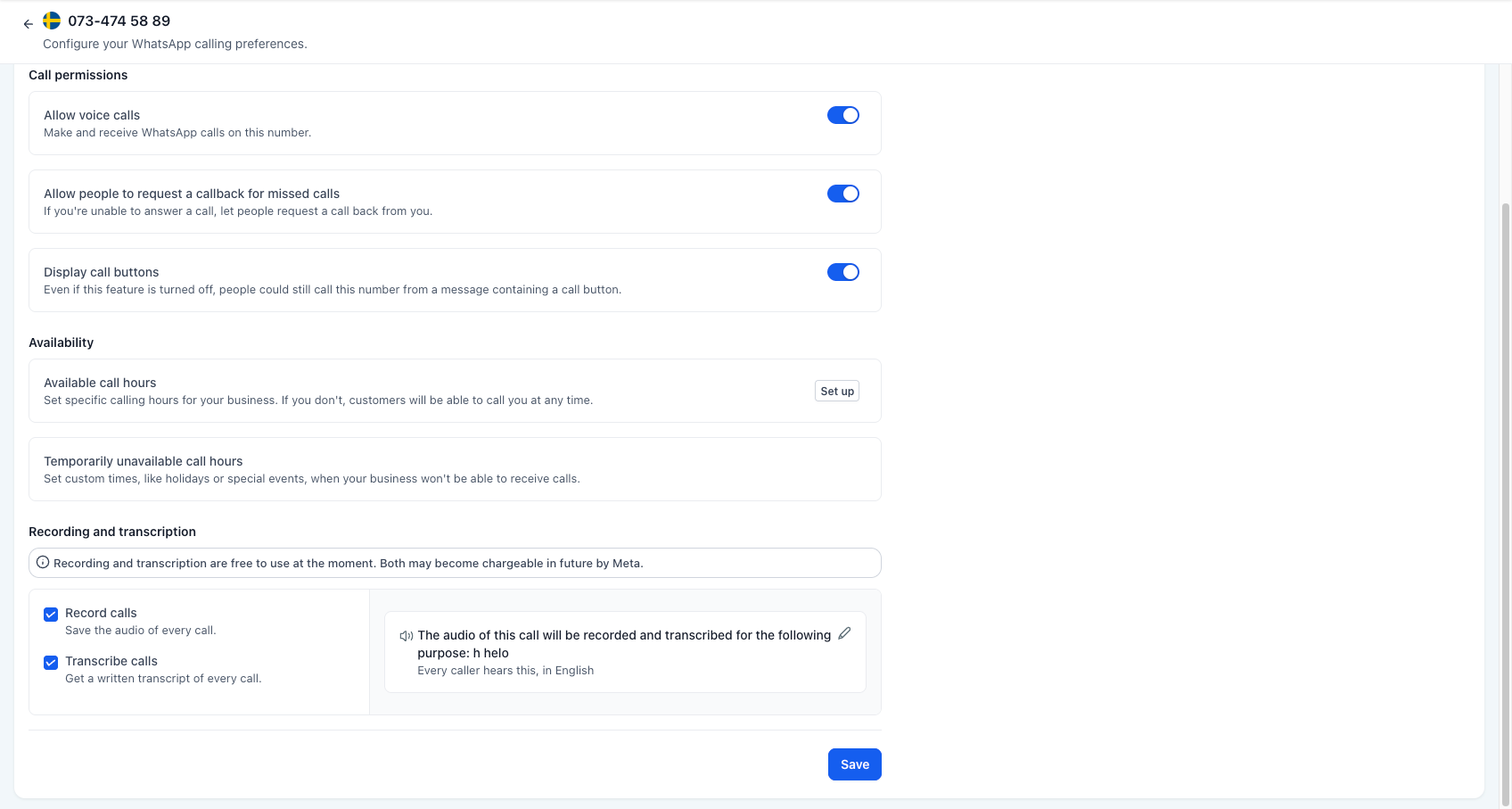
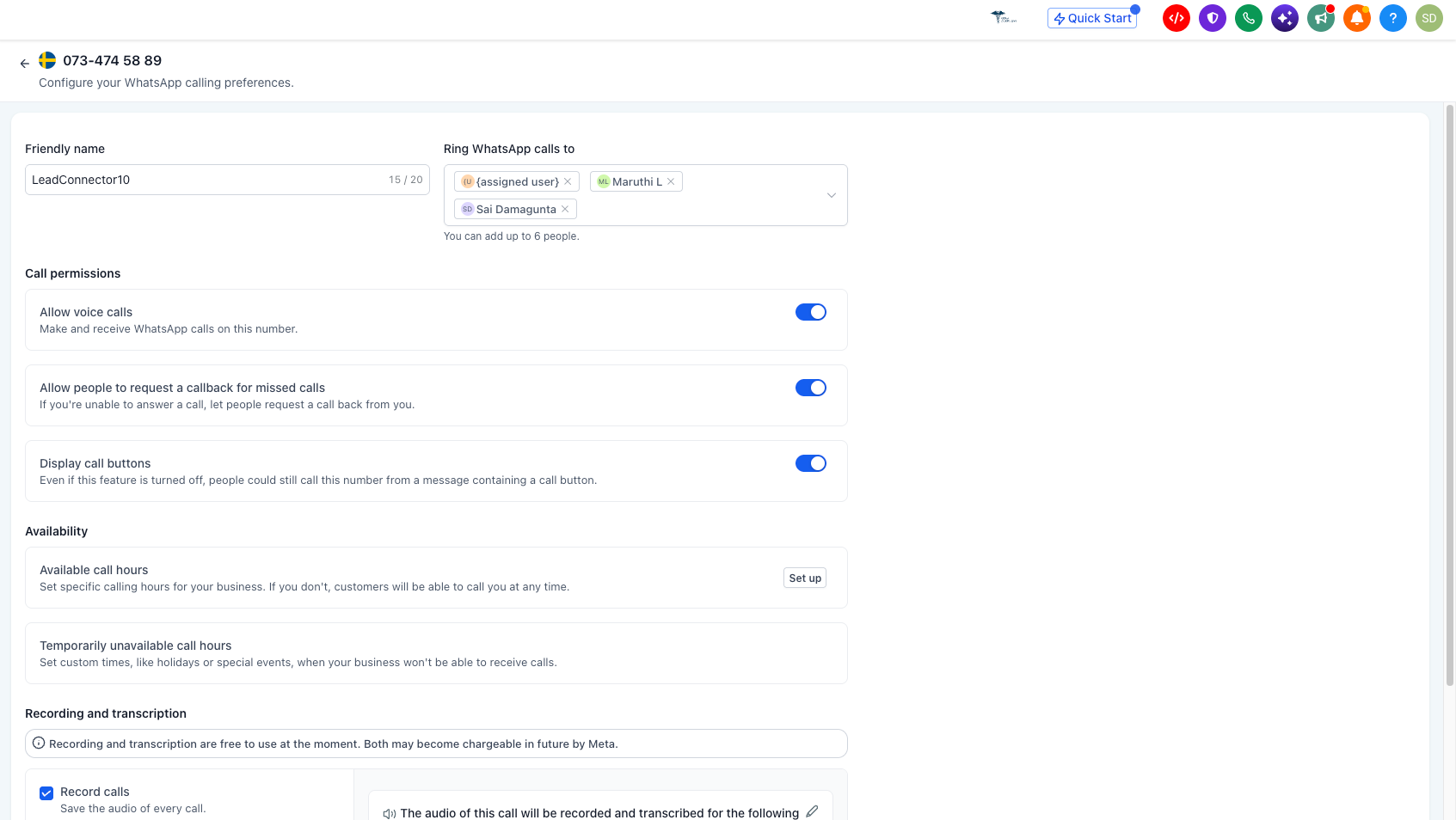
You turn recording on once for a specific WhatsApp number, and from that point, every call on that number is captured. Before recording starts, your caller hears a short announcement that explains the recording and its purpose, so consent is included in your call flow by default.
What changed
The call, saved where you work
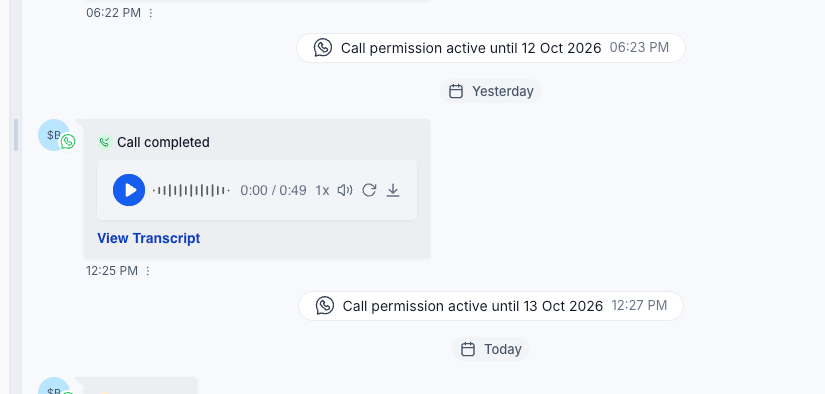
- Audio in the conversation: Once a call ends, it appears inside Conversations as a playable recording right next to that customer’s WhatsApp messages. Anyone who opens the thread later can hear the original call and see exactly what was agreed, without chasing colleagues for context.
- Skim instead of relisten: You can play, scrub, and adjust playback speed, so reviewing a call takes much less time than the live conversation. This helps with quick checks, quality reviews, and picking out exact details when you need them.
A written record of every call
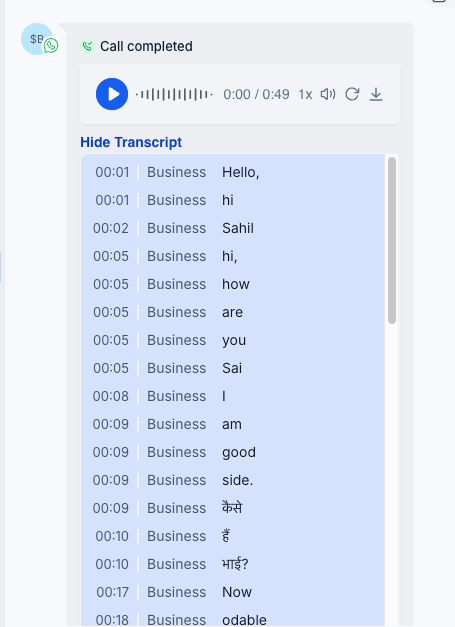
- Who said what: EveryCatch generates a transcript that separates what your team member said from what the customer said. You can scan through the text in seconds instead of listening end to end, which speeds up reviews and handovers.
- Searchable history: Because the conversation is in text, you can search across calls for names, prices, questions, objections, or commitments. This turns past calls into a reference you and your team can actually use when following up or resolving issues.
- Works in the language spoken: EveryCatch automatically detects the language spoken in the call and produces the transcript in that language. This supports teams working across different regions without extra setup for each market.
Consent, handled
- Your caller is told first: Before any part of the call is recorded, the caller hears a short announcement that explains that the call will be recorded and why. Recording starts only after this message finishes playing, which helps you run a more compliant and transparent process.
- In your customer's language: You can choose the language used for the consent announcement, including Spanish, Portuguese, French, German, Italian, Dutch, Hindi, Kannada, Telugu, and Vietnamese. This makes it easier for callers to understand what is happening in their own language.
- In your words: You set the reason the caller hears in the announcement, so it reflects your real use case, whether that is quality assurance, training, accuracy, or compliance. This keeps the experience aligned with how your business operates.
Where this pays off
- Agencies: Every client call is captured, so scope and deliverables are clearly documented and less likely to be disputed months later. When an account manager changes, the new owner can read or listen to key calls instead of relying on secondhand summaries.
- Real estate: Buyer preferences and property details are stored in the thread, not only in an agent’s personal notes. Stepping in for a colleague becomes easier because you can see what has already been discussed before you speak to the client.
- Home services and trades: Phone quotes and job details are recorded and transcribed. If an invoice or scope is questioned later, you have a clear record of what was said to refer back to.
- Clinics and appointment-based businesses: Front desk calls about bookings, rescheduling, or preparation instructions are captured in full. Your team does not have to reconstruct past conversations from memory when patients call back.
- Recruitment: Screening calls can be reviewed as text so hiring managers can see the exact answers candidates gave. Shortlisting and calibration discussions can use the transcript instead of relying only on notes.
- Any team that coaches: Team leads and managers can review real calls to understand what great conversations sound like and use them in training. Feedback can be based on actual interactions instead of recollections.
How to turn it on
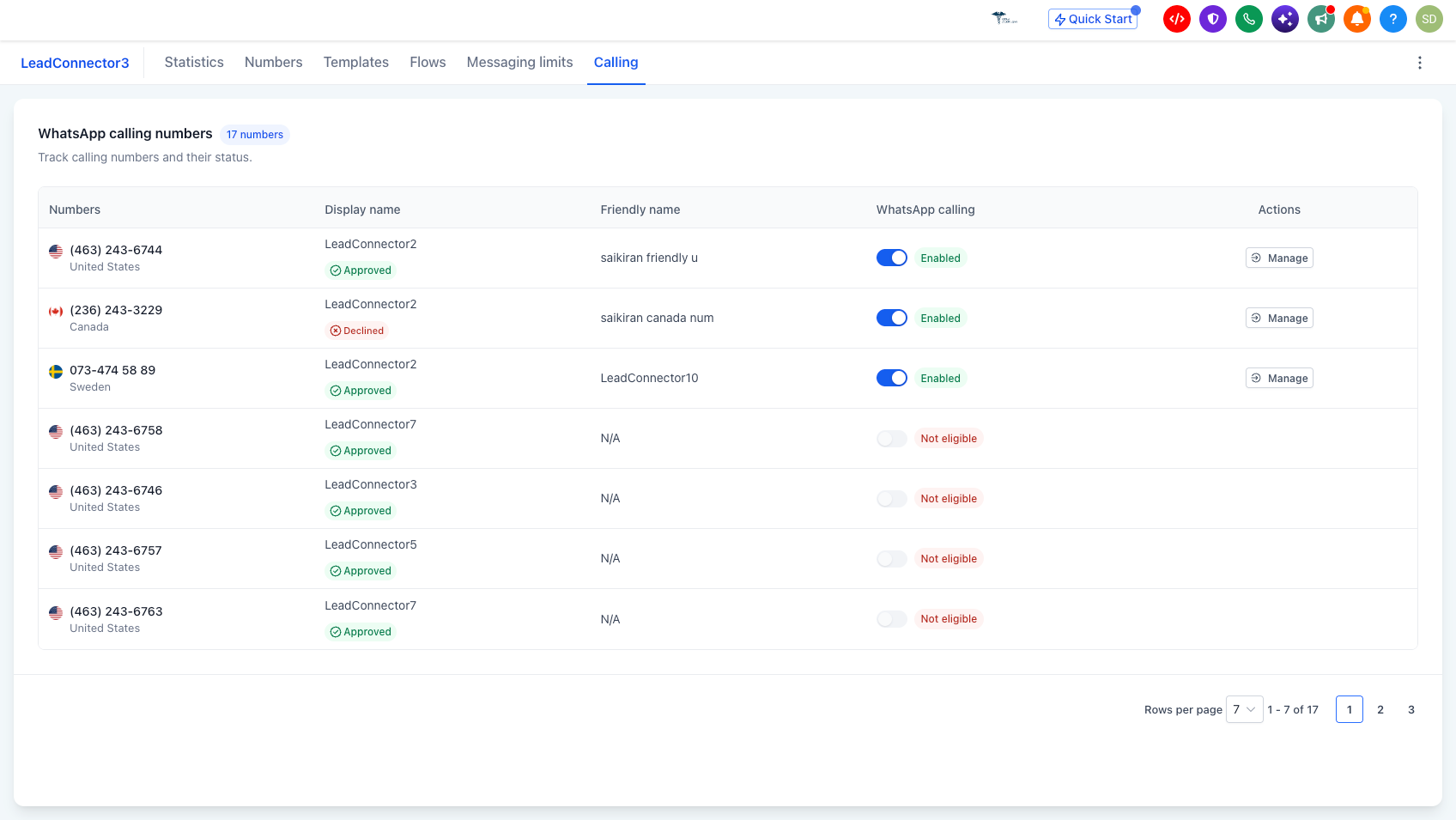
- Go to Settings → Communications → WhatsApp.
- Open the Calling tab.
- Select the WhatsApp number you want to configure.
- Under Recording and transcription, tick Record calls, Transcribe calls, or both, depending on what you need.
- Set the reason that callers will hear in the announcement, and choose the language it will be spoken in.
- Click Save. From this point on, calls on that number will follow the settings you selected.
Why this matters for your business
Calls are often where final prices, scope, next steps, and key promises are agreed, yet they usually leave no automatic record. With WhatsApp call recording and transcripts in EveryCatch, those conversations are now captured directly in the same thread as your messages, ready for review at any time.
- Settle disagreements using the call record instead of relying on conflicting memories
- Train your team using real conversations rather than only personal recollections
- Stay focused on the customer during the call instead of typing long notes while they speak
- Hand accounts over between team members without losing context, because everything sits in the conversation history
- Show that consent to recording was given, using an announcement in the customer’s own language
- Turn calls into searchable text so they become part of your usable customer history rather than an opaque gap between messages
To get started, open Settings → Communications → WhatsApp → Calling, choose your busiest number, and switch both recording and transcription on.
Resources
- Call recording and transcripts (support article)



