Every WordPress site you manage in EveryCatch now includes Antivirus. It scans for harmful files and common security gaps, explains what it finds in clear language, and lets you fix issues with a single click.
You can now see problems early, fix them in a controlled way, and close the most common ways attackers get in.
What changed
1. Shield: scan, review and fix
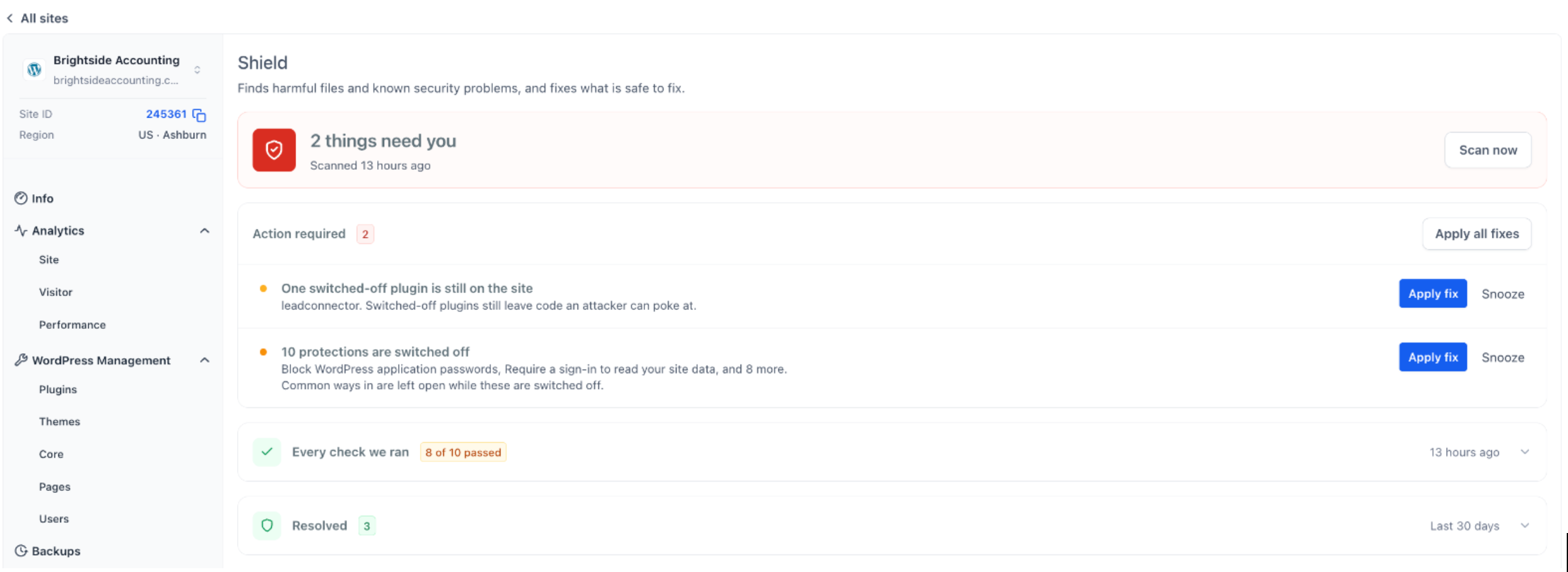
Shield gives you a simple overview of your site’s security: how many items need attention and when the last scan ran.
- Scan now runs a fresh security scan whenever you choose
- Action required lists each issue, what it means, and why it matters
- Apply fix lets you resolve a single issue, or you can Apply all fixes at once
- Snooze lets you postpone an item until the next scan, for 7 days, or for 30 days
- Resolved keeps a 30‑day history of what was fixed
2. Every check we ran
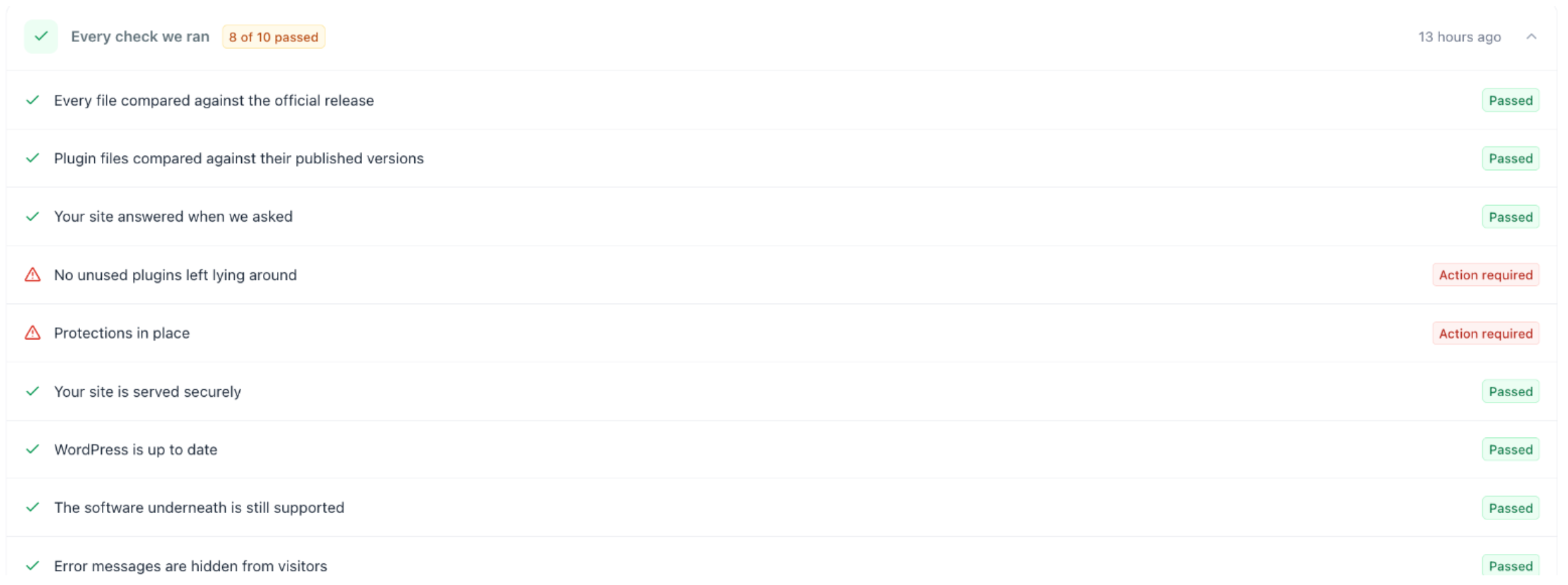
Antivirus runs ten focused checks and shows a clear Passed or Action required result for each, including:
- Core and plugin files compared against their official versions
- Unused plugins and disabled security protections
- HTTPS status, WordPress version, and supported server software
- Hidden error messages and search engine visibility settings
3. Safe fixes with backups
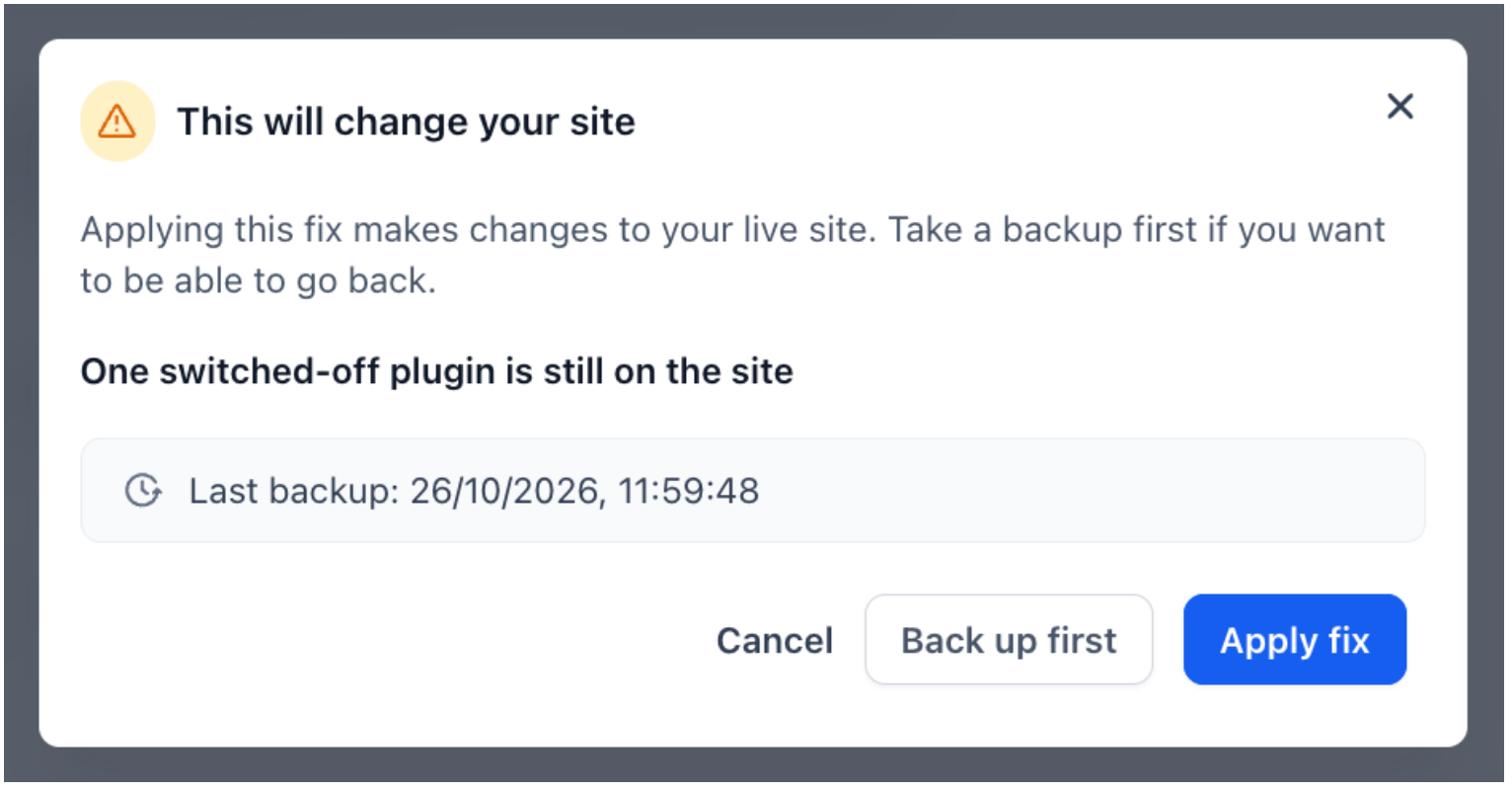
EveryCatch now gives you more control when you fix problems. Each fix asks for confirmation, shows when the last backup was taken, and offers a Back up first option before anything changes on the live site.
4. Hardening
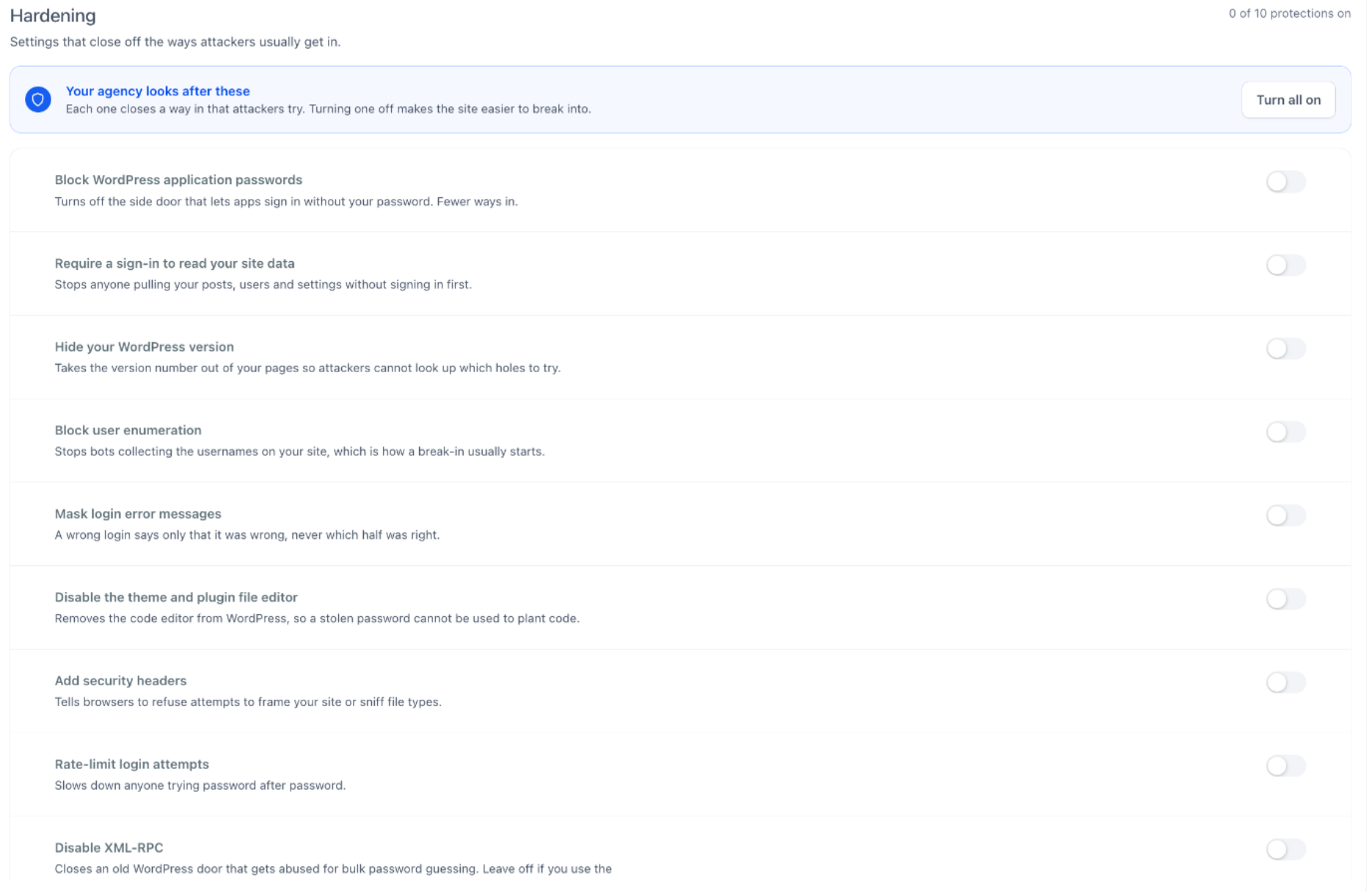
You now get ten one‑click protections, each with a short explanation and a Turn all on control so you can secure the site in a few seconds.
- Block application passwords and user enumeration
- Hide the WordPress version and mask login errors
- Disable the file editor and XML-RPC
- Add security headers and rate‑limit login attempts
- Harden .htaccess settings
5. Threats across all sites
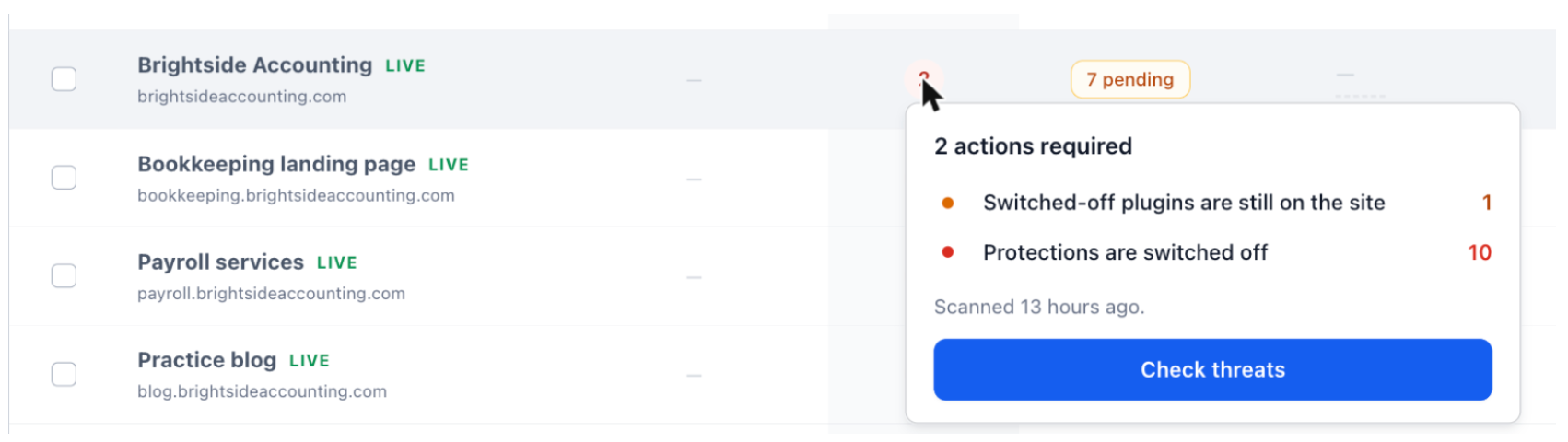
- A Threats column now appears on the WordPress sites list so you can see risk at a glance
- Hover over the threat count to see what was found, then click Check threats to open details
- Run a scan across all WordPress sites in one click to keep everything up to date
How to use this feature
- Go to Sites → WordPress
- Open the site you want to review
- Open Antivirus → Shield
- Review the Action required list and click Apply fix or Apply all fixes
- Open Antivirus → Hardening and turn on the protections you want for that site
Why it matters
- Spot and fix site issues before visitors run into them
- Lower the risk of site compromise with straightforward protections
- Fix with more confidence, with a backup always one click away
- Oversee security for every client site from a single list in EveryCatch
Notes
- Applying a fix changes the live site immediately. Take a backup first if you want the option to roll back
- Leave Disable XML-RPC off if you use the official WordPress phone app
- Antivirus focuses on common threats and security gaps. It does not replace regular updates and scheduled backups



