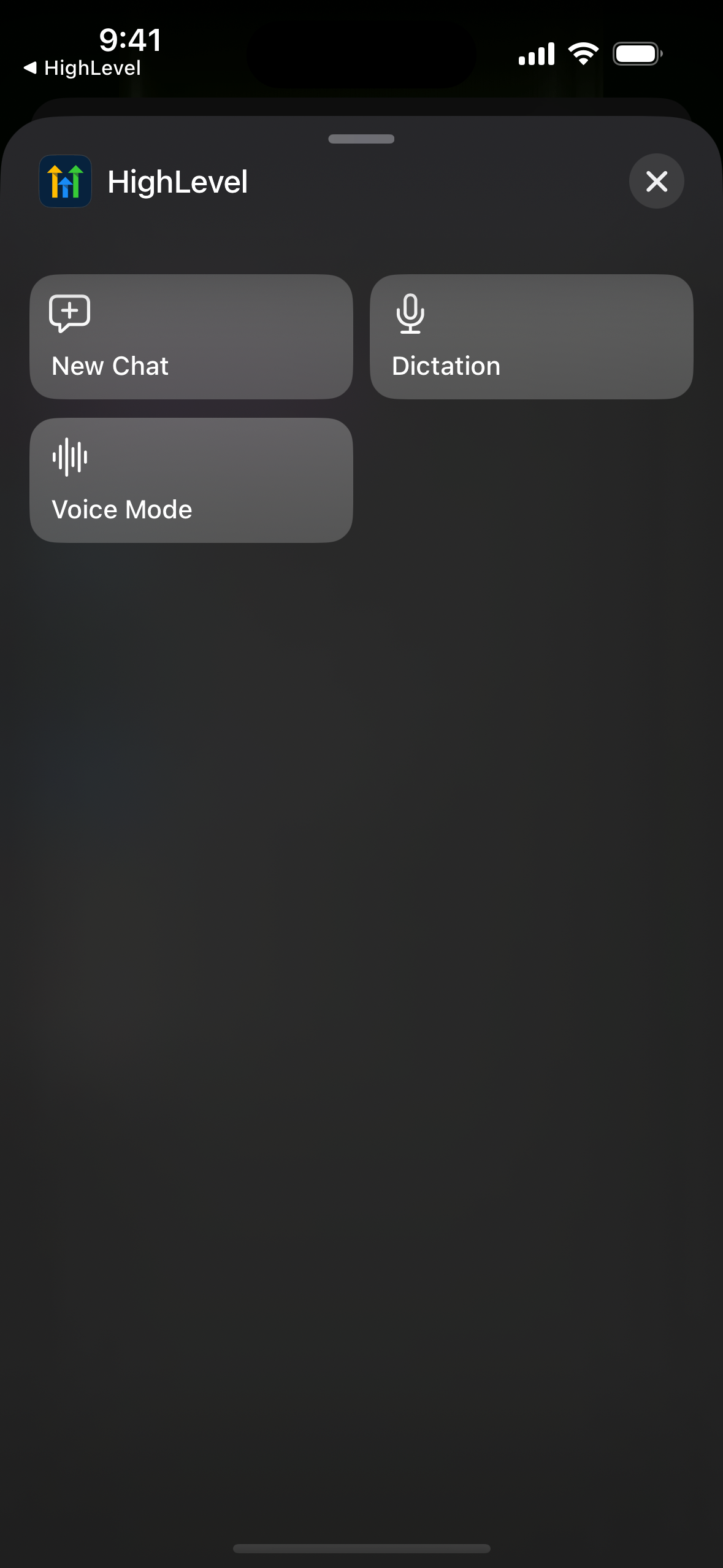
Ask AI in EveryCatch now includes three quick iOS shortcuts: New chat, Dictation, and Voice mode. You can assign one to your iPhone Action button, or launch it with Siri or Spotlight, so Ask AI opens immediately and is ready to listen.
The challenge
Ideas often show up when you are walking to a meeting, driving between visits, or wrapping up a client call. Unlocking your phone, opening EveryCatch, finding Ask AI, starting a new chat, and then tapping the mic adds several steps. By the time you get everything open, it is easy to lose the thought you wanted to capture or the question you meant to ask.
Our solution
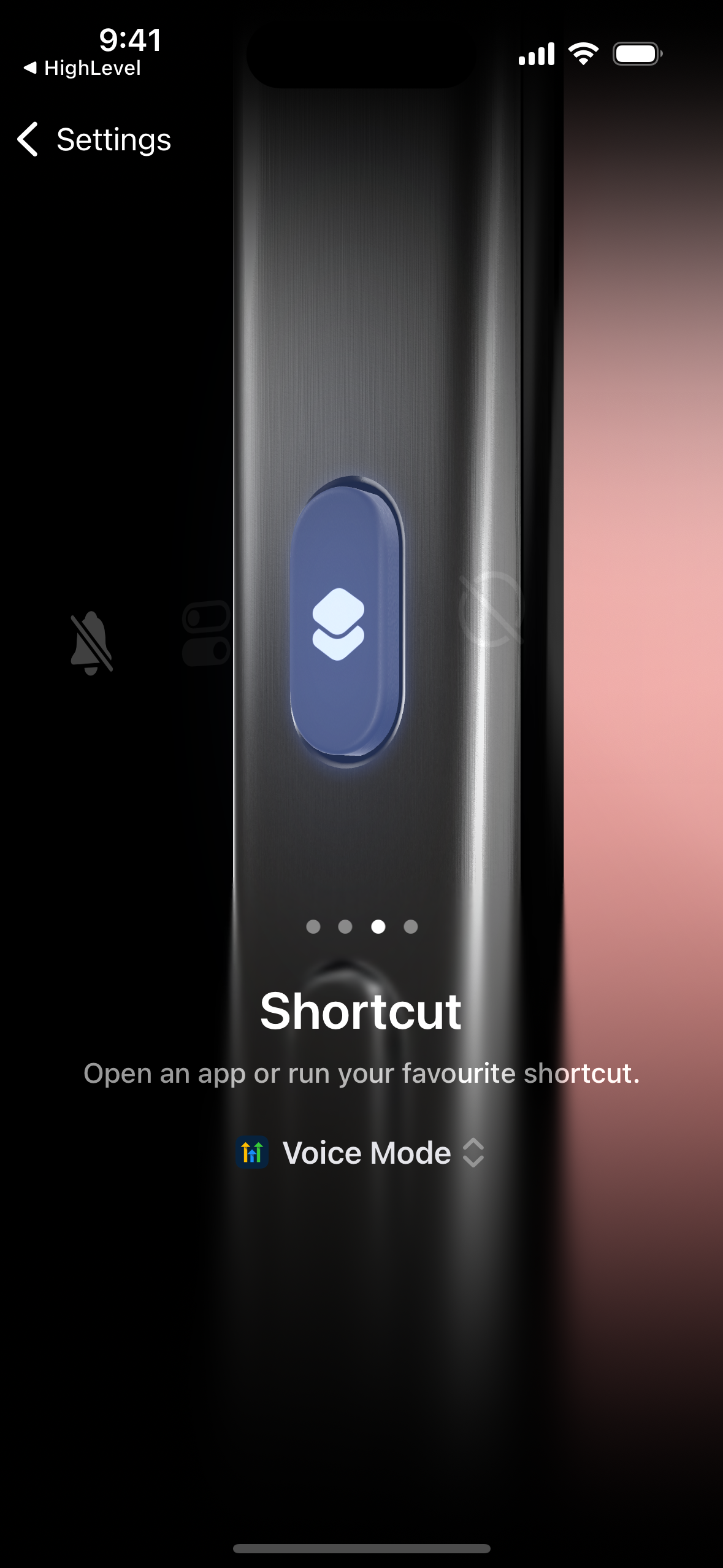
You can now pick an Ask AI shortcut for your iPhone Action button. One press opens EveryCatch, even from a locked screen, starts a new chat, and for Dictation and Voice mode, turns on the microphone right away. You can also use Siri and say something like “Start voice mode in EveryCatch” or use Spotlight search to trigger the same shortcuts.
How this helps your work
- One press to ask: go from a locked phone to talking with Ask AI in a few seconds.
- Hands-free updates: dictate notes or have a voice conversation while you are walking, driving, or juggling tasks.
- A fresh start every time: each press opens a new chat so previous topics stay separate from new questions and answers.
- Works with Siri and Spotlight: access Ask AI quickly even if your iPhone does not have an Action button.
- Safe by design: your existing consent and access controls still apply, and the microphone only turns on when you trigger the shortcut.
How to get started
- Open iPhone Settings → Action Button and swipe until you reach Shortcut.
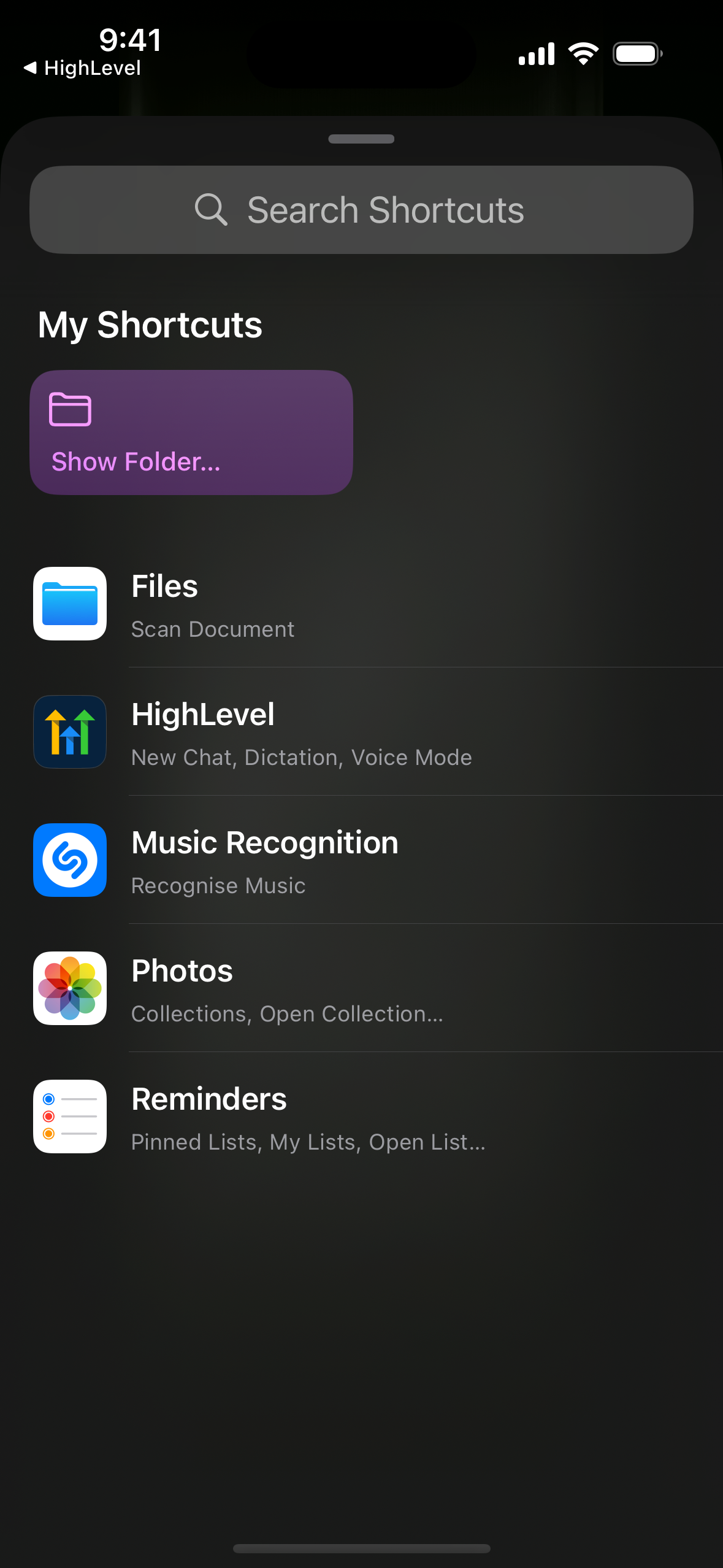
- Tap “Choose a Shortcut,” search for EveryCatch (or your white-label app name), then pick New chat, Dictation, or Voice mode.
- Press and hold the Action button and Ask AI opens ready to go. If you do not have an Action button, you can say “Start a new chat in EveryCatch” to Siri, or search for the shortcut name in Spotlight.
Roll-out and availability
- Release date: October 2026
- Available version: v4.27.0 and later
- Platform: iOS only (Action button requires iPhone 15 Pro or later; Siri and Spotlight shortcuts work on iOS 16.6 or later)
- Status: Public for accounts with Ask AI enabled
- EveryCatch mobile app support
- EveryCatch white-label support
- White-label app compatibility