What changed
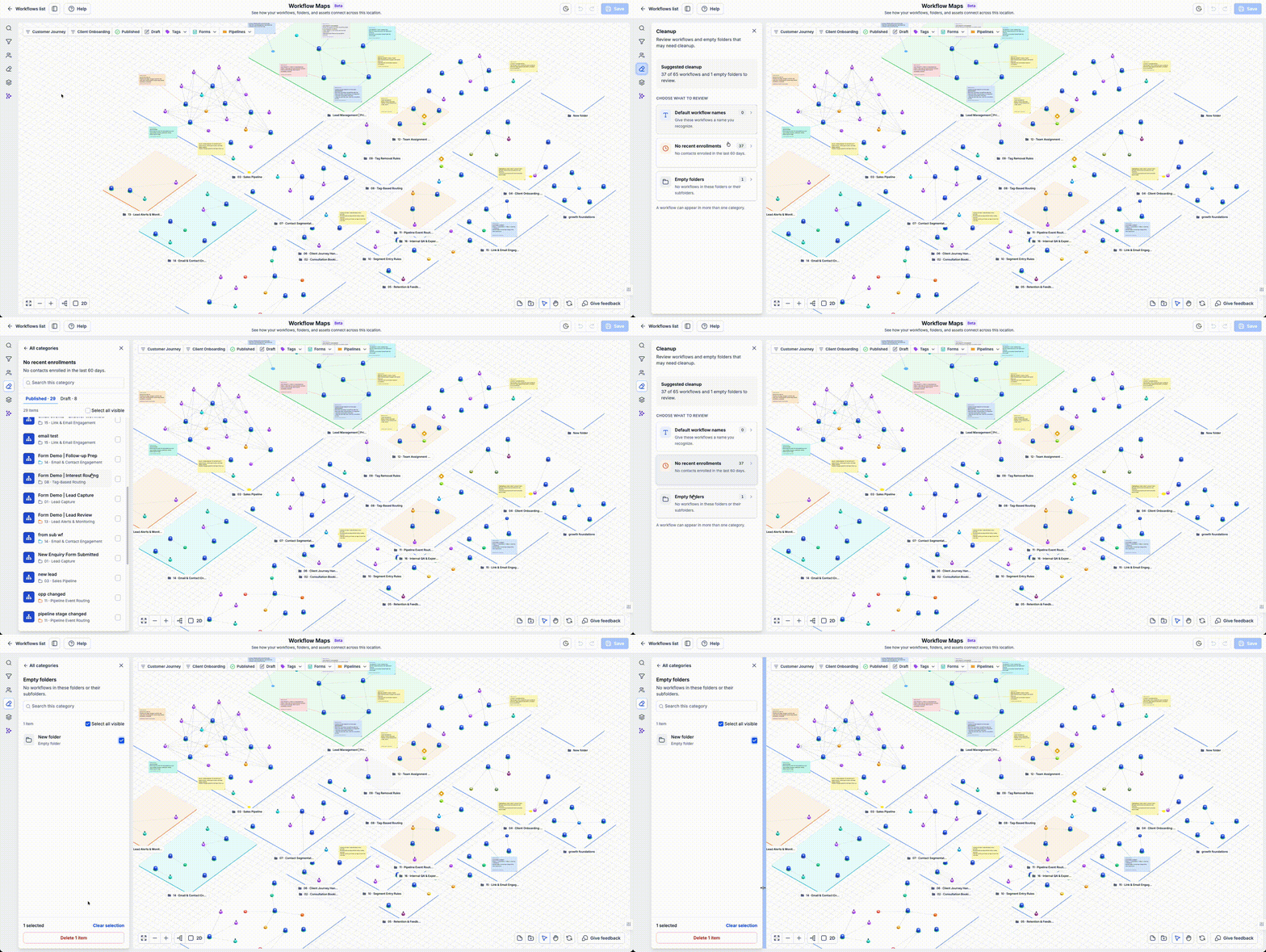
You can now use the Cleanup view in EveryCatch workflow maps to quickly find workflows and folders that may need attention. Cleanup highlights workflows with default names, workflows with no enrollments in the last 60 days, and empty folders so you can decide what to keep, rename, or remove.
Why this matters
As you test ideas and run campaigns, old workflows, half-finished experiments, and empty folders can build up and make your automation harder to scan and manage. Cleanup gives you a focused way to review that clutter so your workflows stay organized and easier to understand for you and your team.
How it works
Go to Automation > Workflows > Workflow maps, then open Cleanup from the left-hand panel.
- Review default workflow names: See workflows that still use a default name so you can rename them to reflect their real purpose.
- Review inactive workflows: Spot workflows that have had no enrollments in the last 60 days and decide whether they should stay active.
- Find empty folders: Identify folders that do not contain any workflows and may be ready to archive or delete.
- Inspect the candidates: Open each item to confirm what it does, how it is used, and whether it is still needed before making changes.
- Confirm removals: Select the workflows and folders you want to delete, then confirm to remove them from your account.
Common use cases
- Review test workflows after completing a campaign or experiment so they do not linger in your account.
- Prepare an account before handing it to a client or a new team member, so they see a tidy workflow list.
- Run a regular housekeeping review as your automation setup grows, using Cleanup as your checklist.
Additional notes
- A workflow with no recent enrollments may still be important for a seasonal, rare, or backup process, so review carefully before deleting.
- Cleanup only flags items as candidates for review. Deletion always needs your confirmation and respects your existing access permissions.
- Before you remove anything, confirm what it does and whether other workflows, campaigns, or teams depend on it.
Preview