EveryCatch Affiliate Manager now identifies payouts that PayPal denies or fails, so your payout statuses stay accurate and you can resolve failed payouts yourself. Previously, payouts sent to PayPal were marked Paid without checking PayPal’s response, so a denied payout (for example after a risk review) still appeared as paid in EveryCatch.
What changed
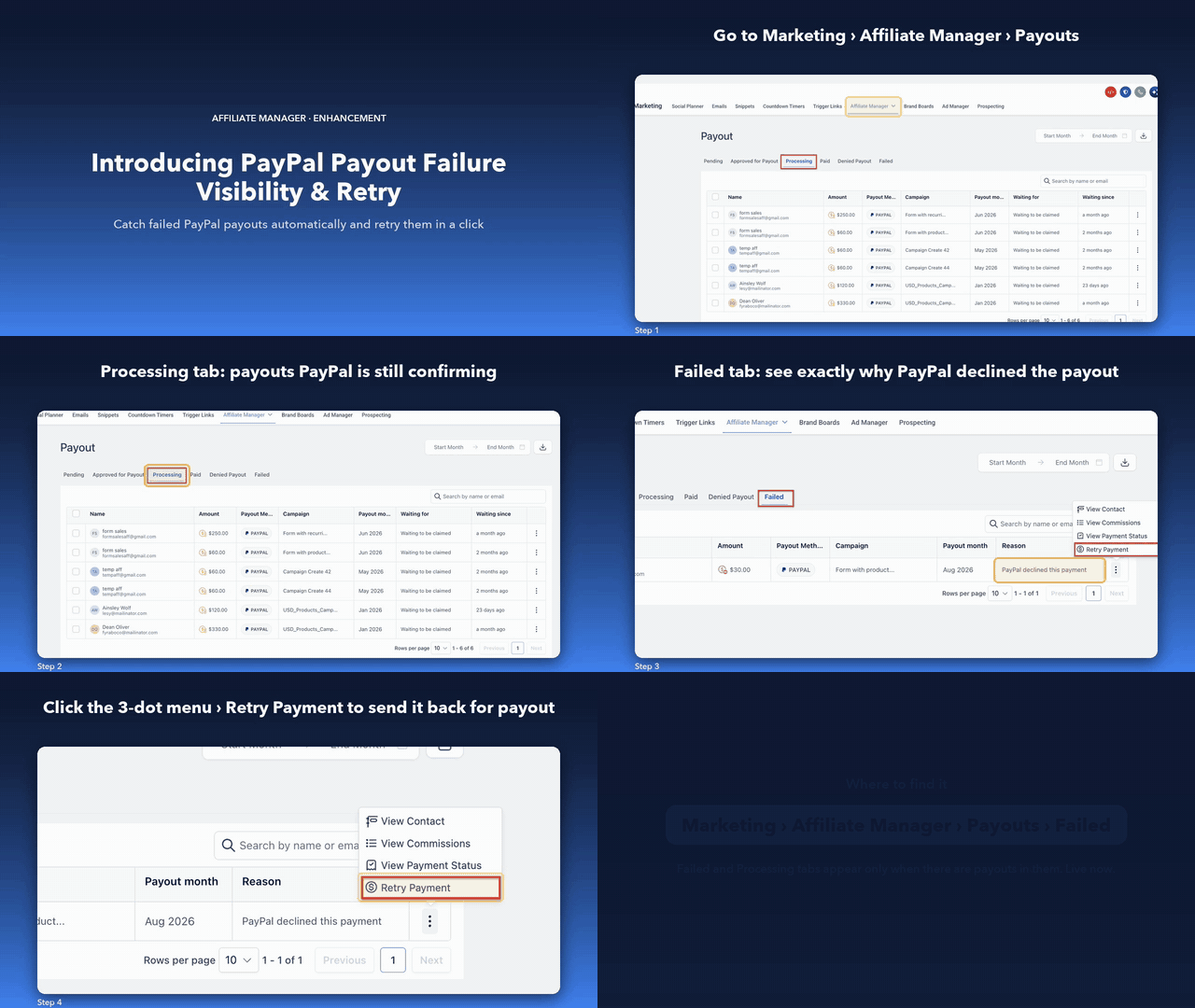
- New "Failed" tab on the Payouts page that shows payouts denied or failed by the payment gateway
- New "Processing" tab for payouts that are still being confirmed (shown only when there are In Progress payouts)
- Each failed payout shows a PAYMENT FAILED badge along with the reason returned by PayPal
- New admin actions on every failed payout: View Contact, View Commission(s), View Payment Status and Retry Payment
- Retry Payment moves the payout back to "Approved for Payout" so you can send it again
How it works
- Go to Marketing > Affiliate Manager > Payouts in EveryCatch.
- Open the "Processing" tab to see payouts that are still being confirmed.
- Open the "Failed" tab (it appears only when there are failed payouts).
- Review the failure reason, then click the three-dot menu > Retry Payment.
- The payout moves back to "Approved for Payout". Complete the payout again from there.
Why it matters
- Payout status now reflects what PayPal actually did, so no payout shows as paid unless PayPal confirms it
- Self-serve recovery for failed payouts, with no need to contact support
- You can identify and fix a failed payout before your affiliate has to reach out to you
Read the detailed help guide here: https://help.gohighlevel.com/support/solutions/articles/155000009072-how-to-review-and-retry-failed-paypal-payouts-in-affiliate-manager
Walkthrough