Building smarter, more personalized order forms in EveryCatch just got easier.
EveryCatch now supports product-level conditional logic in forms and surveys, so you have finer control over how products appear and how your forms react to each customer’s choices.
You can configure rules based on specific products, then automatically show or hide individual products and variants. This makes your order forms flexible, responsive, and better aligned with each customer’s path to purchase.

What changed
1. Product-based conditions for more control and flexibility
Until now, you could not directly use individual products as conditions inside a form or survey’s conditional logic.
That has changed.
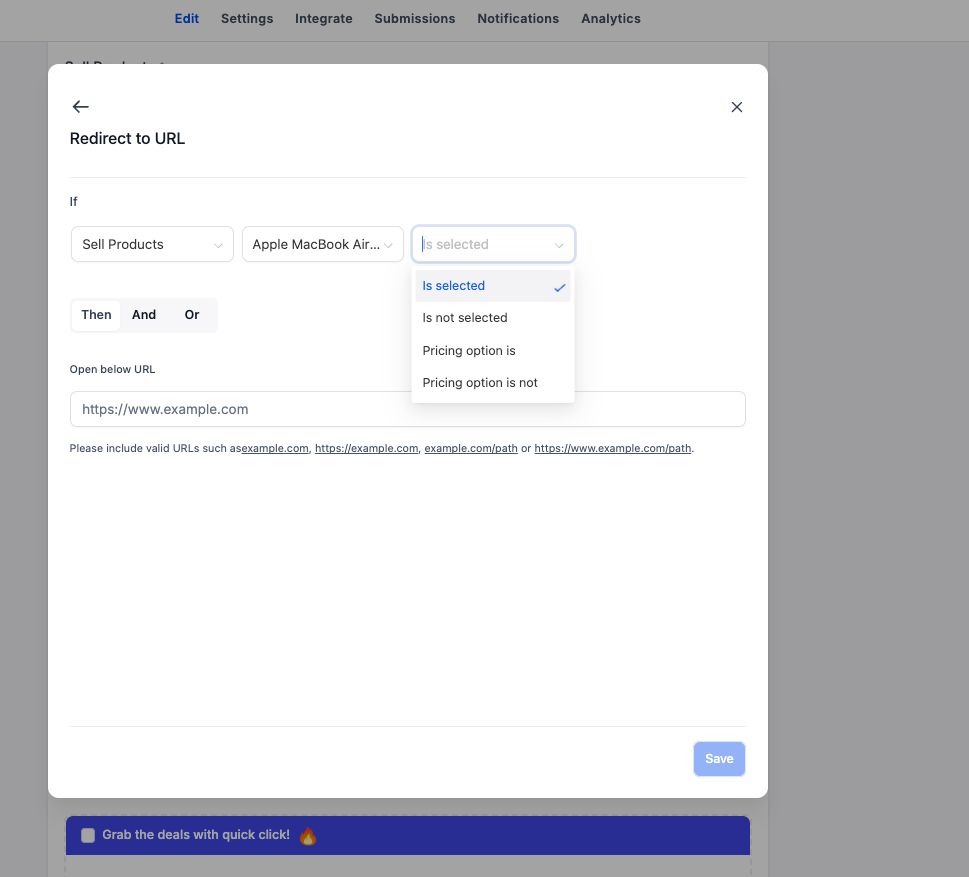
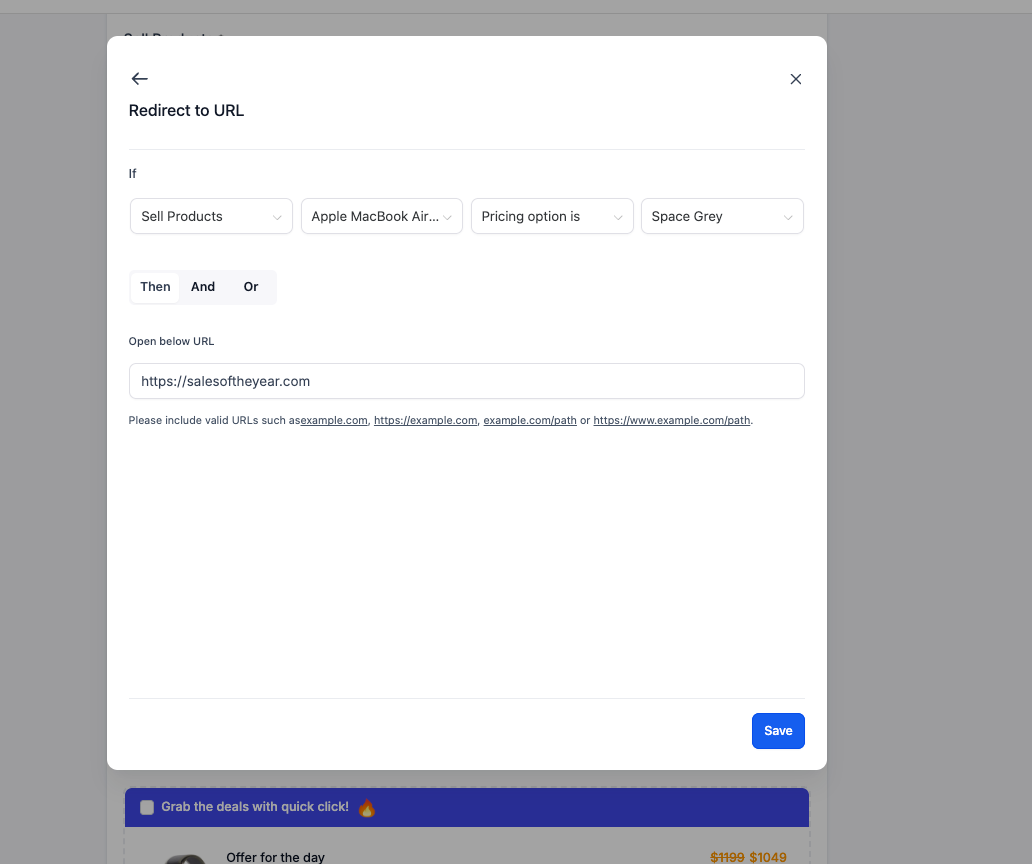
You can now set IF conditions based on products across all four existing conditional logic types in EveryCatch forms and surveys.
Here is what is supported:
- Redirect URL: Redirect users to a specific URL based on the product they select.
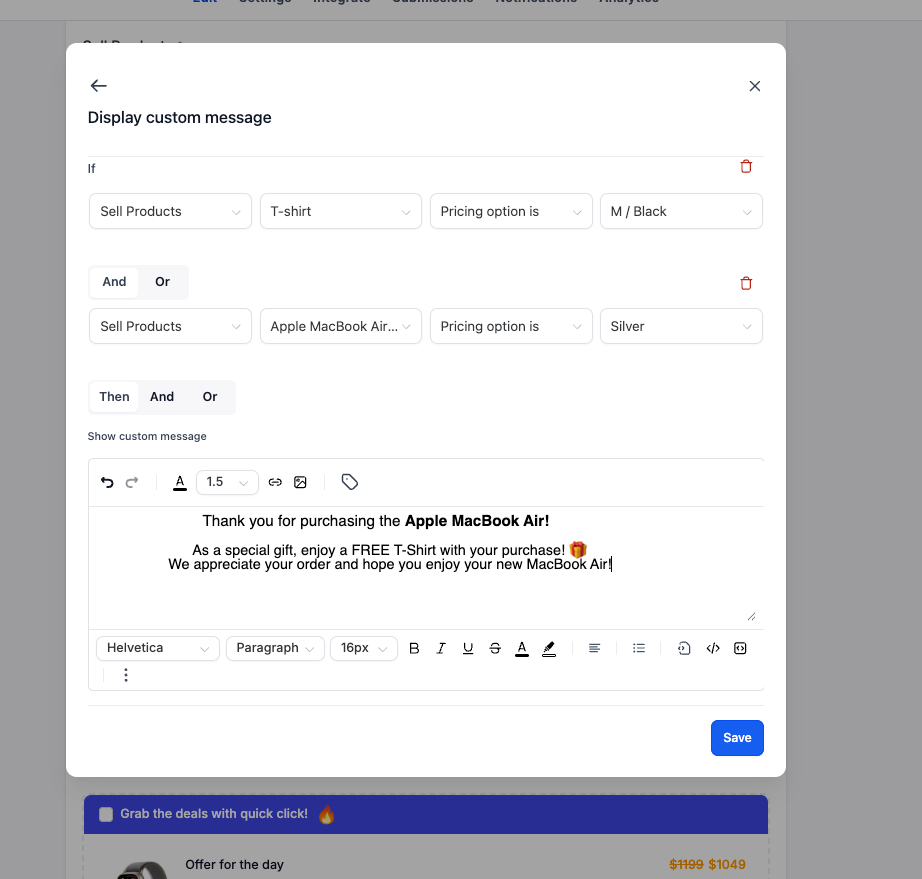
- Display custom message: Show tailored messages that change depending on the product a customer selects.
- Disqualify lead: Disqualify leads automatically based on specific product selections that do not fit your criteria.
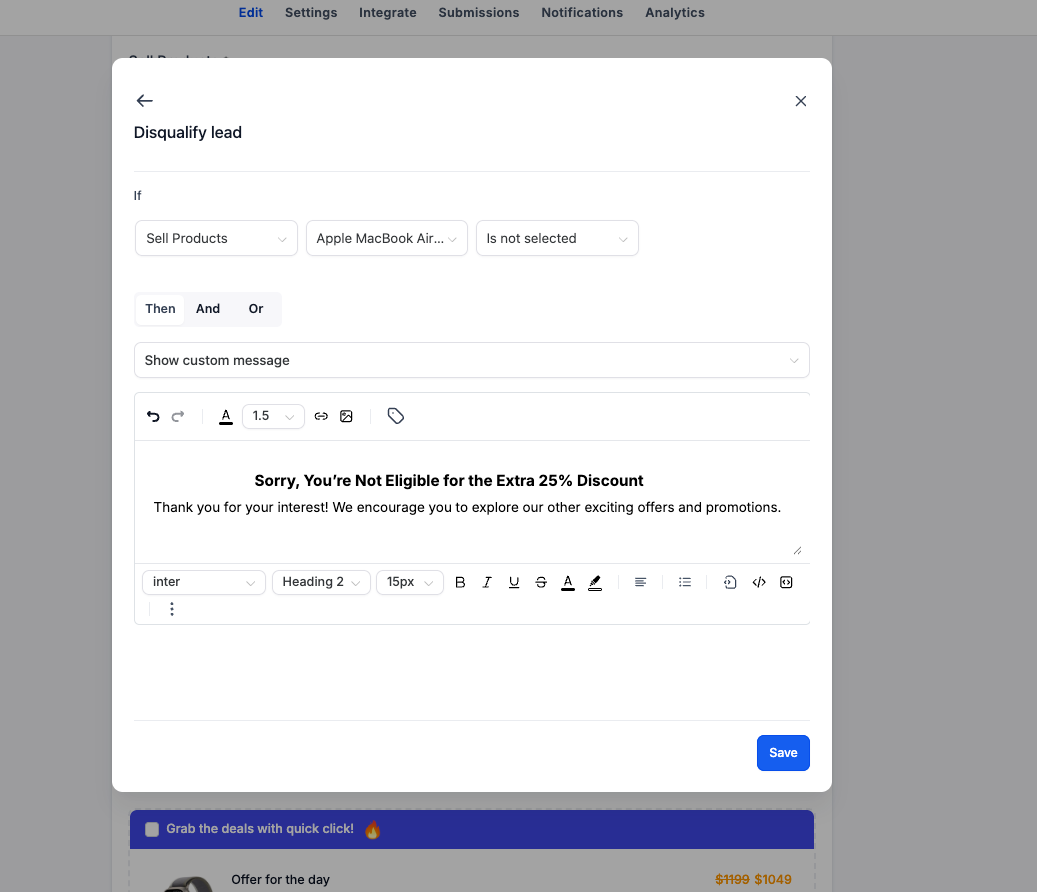
- Show/hide fields: Dynamically show or hide fields based on the products a customer selects.
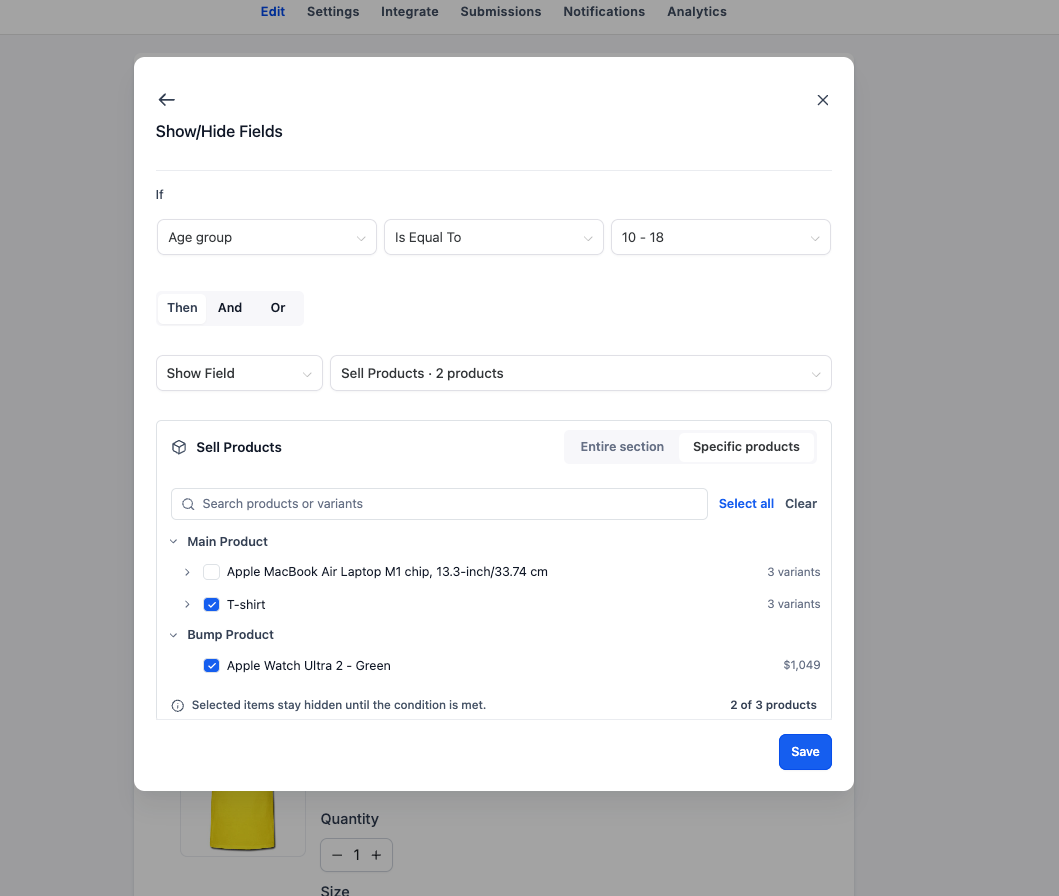
These options give you more control over the experience so you can design conditional journeys that adapt to the products your customers choose.
2. Show or hide individual products and variants for smarter order forms
EveryCatch also extends the Show/Hide Fields conditional logic type to give you more precise control.
Previously, you could only show or hide the entire Sell Products element, which limited your ability to control which specific products appeared based on customer responses.
That limitation has been removed.
You can now dynamically show or hide specific products, or even individual product variants, based on the conditions you define.
Here is what is new:
- Show/hide entire products: Dynamically control the visibility of individual products within the Sell Products element.
- Show/hide specific variants: Go a level deeper and control which variants of a product are visible to customers.
- Conditional product visibility: Show or hide products and variants based on a customer’s earlier choices and responses.
- Existing functionality retained: You can still show or hide the entire Sell Products element, just as before.
For example:
Imagine you are building an order form that offers different products based on a customer’s preferences.
- Product selection: Show specific products based on what the customer selects earlier in the form.
- Variant selection: Display only relevant product variants depending on the customer’s choices.
- Personalized order forms: Keep irrelevant products out of view so customers only see options that match their needs.
Instead of listing every available product or hiding the entire Sell Products section, you can set up a focused, tailored product selection experience for each customer.
How it works
- Open your builder: Go to any existing or new form or survey in EveryCatch.
- Access conditional logic: Open the Conditional Logic section inside the builder.
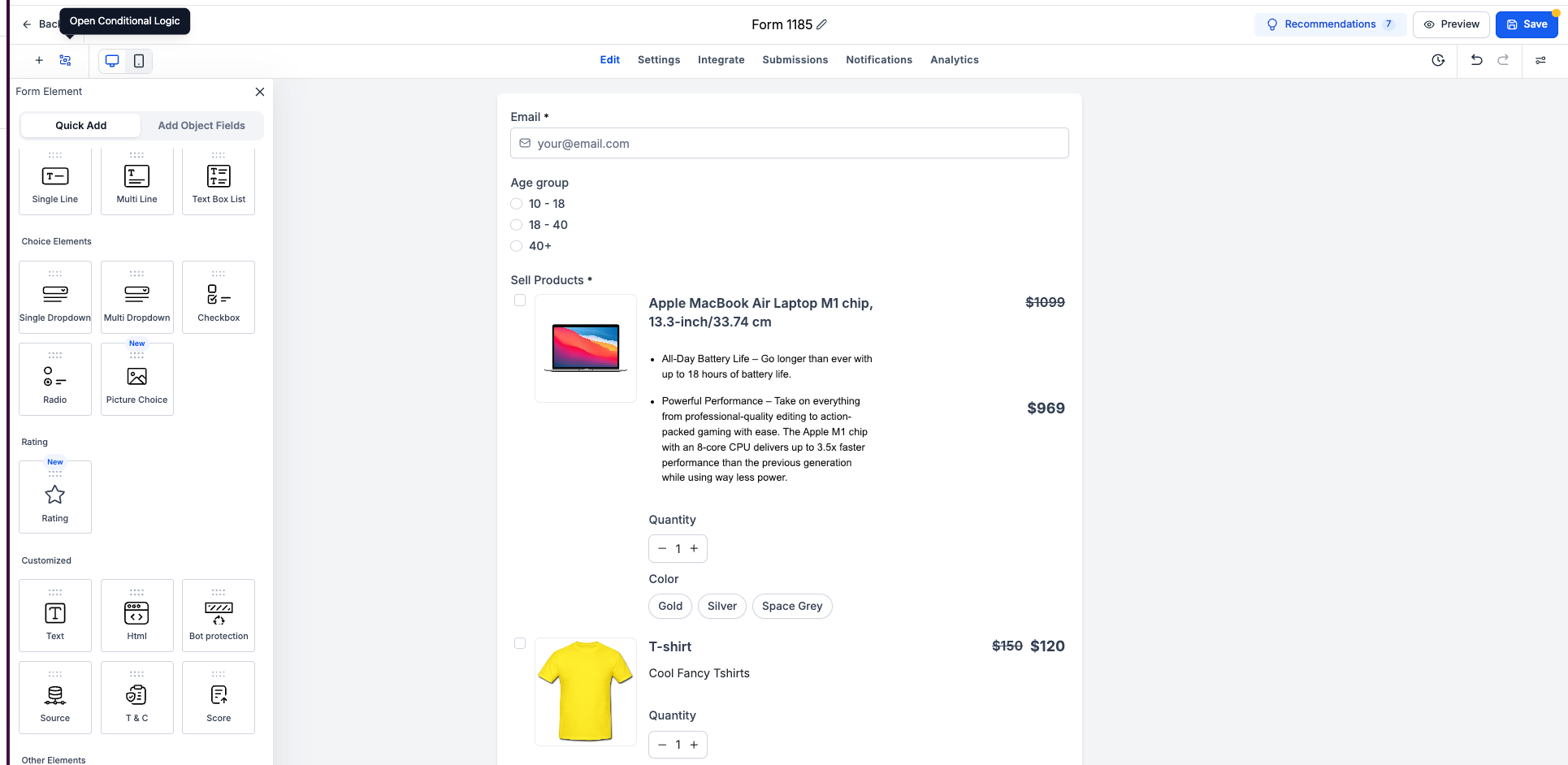
- Set product-based conditions: When you add an IF condition for any of the four supported logic types, choose a product as the condition trigger.
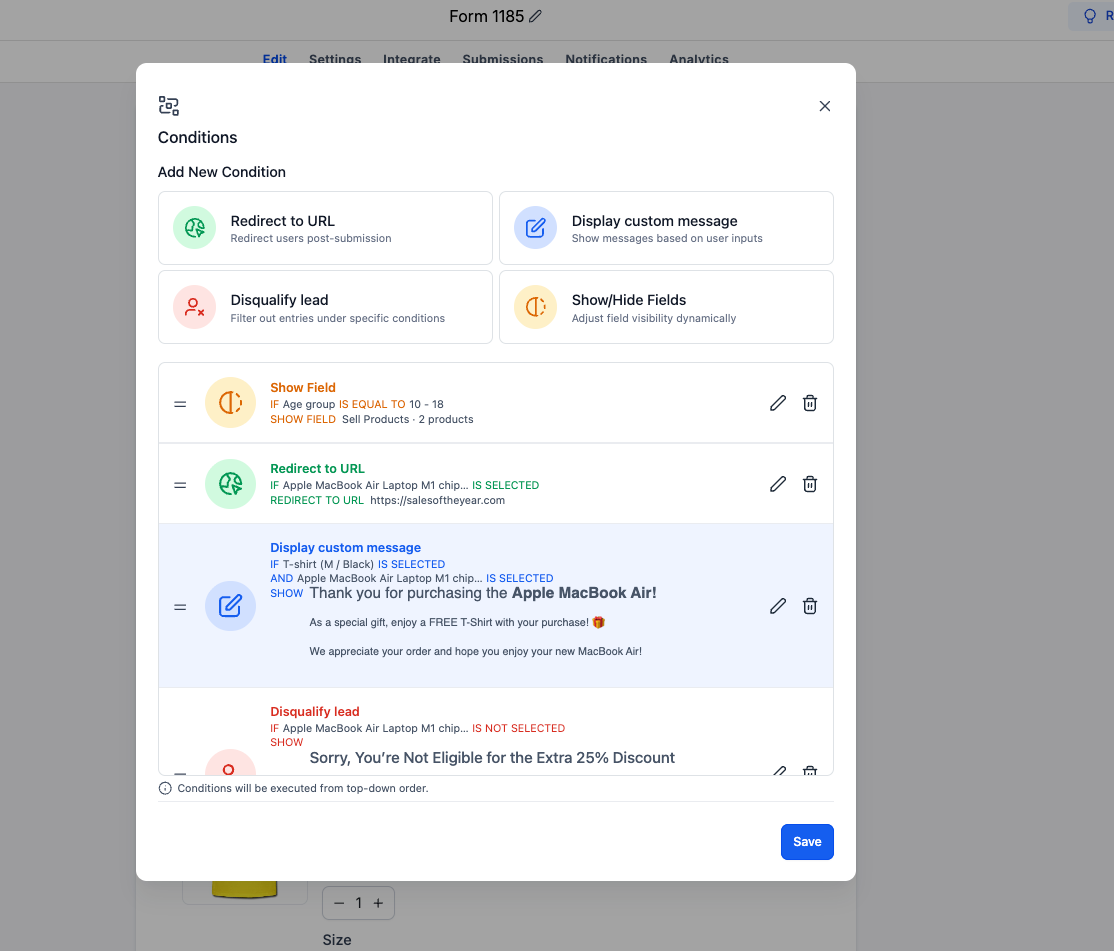
- Configure show/hide logic: Select the Show/Hide Fields logic type to manage which products appear.
- Choose what to show or hide: Target an entire Sell Products element, a specific product, or individual product variants.
- Define your conditions: Set up when products or variants should appear or disappear based on customer selections in the form or survey.
Key highlights
- Product-level IF conditions: Use individual products as conditions across all four conditional logic types.
- Smarter redirects: Send customers to different URLs depending on the products they choose.
- Personalized messaging: Show tailored messages based on a customer’s selected products.
- Conditional lead disqualification: Disqualify leads when certain product-based conditions are met.
- Individual product visibility: Show or hide specific products without affecting the whole Sell Products element.
- Variant-level control: Reveal or hide individual product variants for detailed personalization.
- Backward compatibility: The option to show or hide the entire Sell Products element is still available.
- Old and new builder support: Works in both the old and new forms and surveys builders in EveryCatch.
Notes
- Availability: This enhancement is live for both old and new forms and surveys in EveryCatch.
- Product-based conditions: Supported across all four conditional logic types: Redirect URL, Display Custom Message, Disqualify Lead, and Show/Hide Fields.
- Product visibility: You can now control visibility for individual products and specific variants using conditional logic.
- Existing functionality: Showing or hiding the entire Sell Products element continues to work as before.
- Configuration: Product and variant visibility is driven by the conditions you configure inside each form or survey.
Why this matters
Order forms in EveryCatch play an important role in creating a purchase experience that matches each customer’s needs. To achieve that, you need flexible controls that respond to customer selections, highlight relevant products, and guide buyers through a clear path to the right choice. Product-level conditional logic helps you achieve this level of precision.
By combining product-based conditions across all four logic types with granular visibility for individual products and variants, you can now design order forms that adapt in real time to each customer’s selections.
More control, smarter logic, personalized product views, and stronger-performing order forms with EveryCatch.



