EveryCatch now lets you connect your custom domain before your AI Studio project is published. Add your domain first, and as soon as DNS is verified, your site will automatically go live on that domain.
What changed
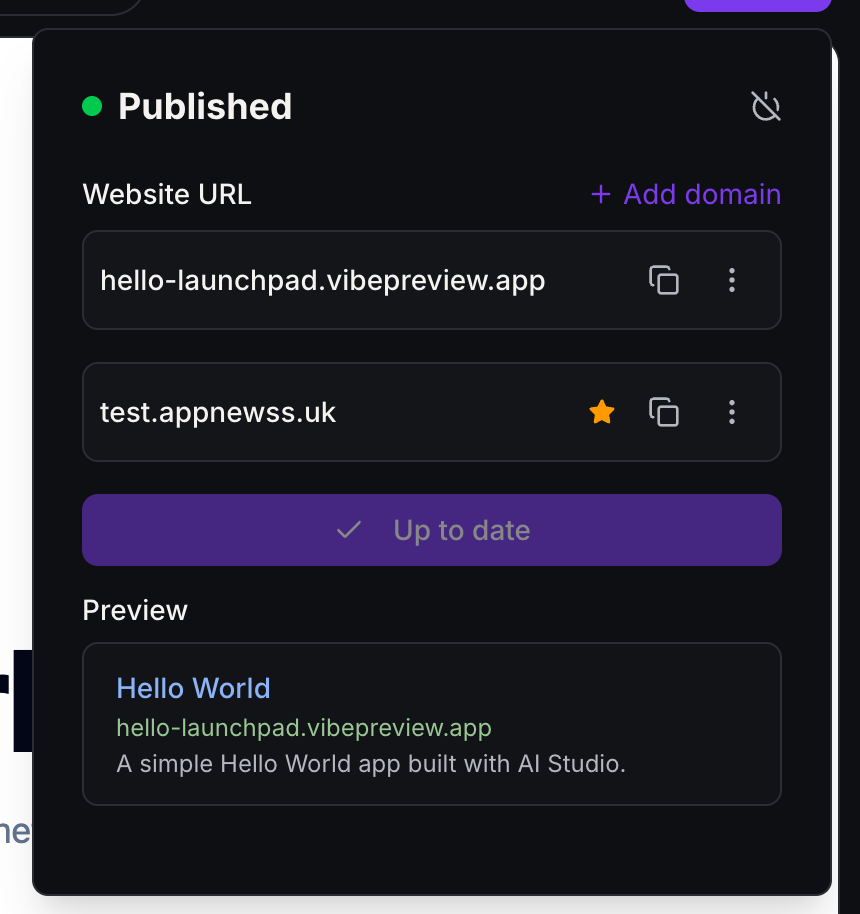
- Add a domain anytime: You can now click + Add domain next to Website URL in the Publish panel, or go to Settings › Domains, even if the project has never been published before.
- Automatic first publish: After your DNS records are verified and your domains are saved, EveryCatch automatically publishes the latest ready version of your project to your connected domain.
- Your domain is the main URL: Your connected domain is marked with a ★ and becomes the primary URL. Your vibepreview.app / vibepreview.com link still works so you can keep using it for previews and testing.
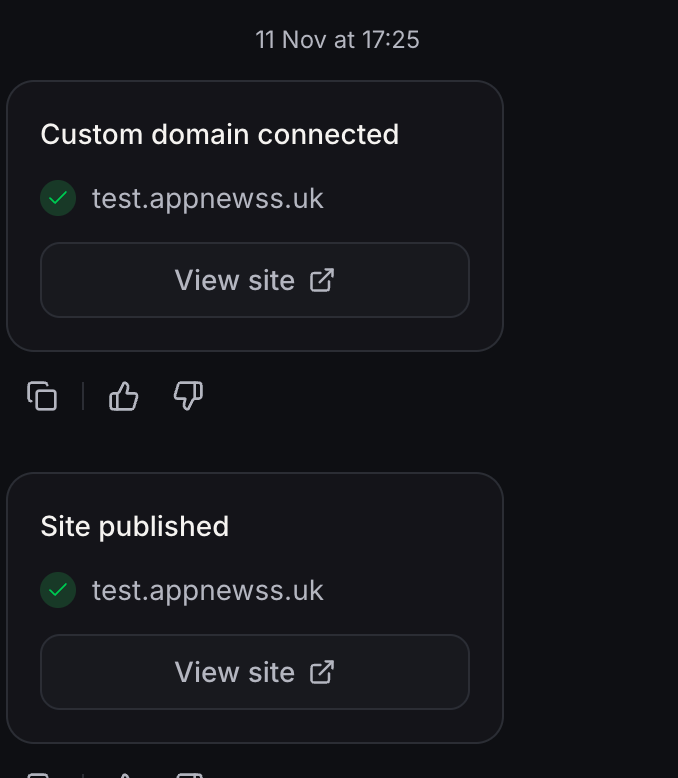
- Updates in chat: You will see Custom domain connected and Site published updates in chat, each with a View site button so you can quickly open your live site.
- Nothing lost on failure: If the first publish attempt fails for any reason, your domain connection is kept and the Publish panel opens so you can review the issue and try publishing again.
How to use it
- Open your AI Studio project and click Publish.
- Click + Add domain and follow the DNS steps shown for your provider.
- When Site published appears in chat, click View site to open your live site on the new domain.
Good to know: If a project is already live, connecting a new domain will keep the current live version of your site. Only the address changes, not the content that is already published.